Sorry for the late response: I was on vacation for a week.
Animated modifiers are not exposed in the plugin parameters, since I felt it was easier to define them in JavaScript. I thought I had published documentation for this, but it looks like I was mistaken… I’ll try to fix that properly when I’m able to.
Let me know whether this is enough for now: In JavaScript, you can call for example
TS_Dynamic_Characters.parameters.modifierDefinitions.push(new TS_Dynamic_Characters.ModifierDefinition({
	name: 'bob-and-sway',
	bushDepth: 25, // This (by default) also turns on bush display for tile Events.
	anchorY: 50, // To rotate around the (vertical) centre, not the bottom.

	// Note that using a custom function for any "offset" will turn off offset rounding by default!:

	/** @type {Varying<number>} */
	yOffsetVertical: function (t, { x, y }) {
		// The second argument above is a `Game_CharacterBase` instance, which (among many more) has `x` and `y` properties.
		// `this`, here, is the `ModifierDefinition` instance.
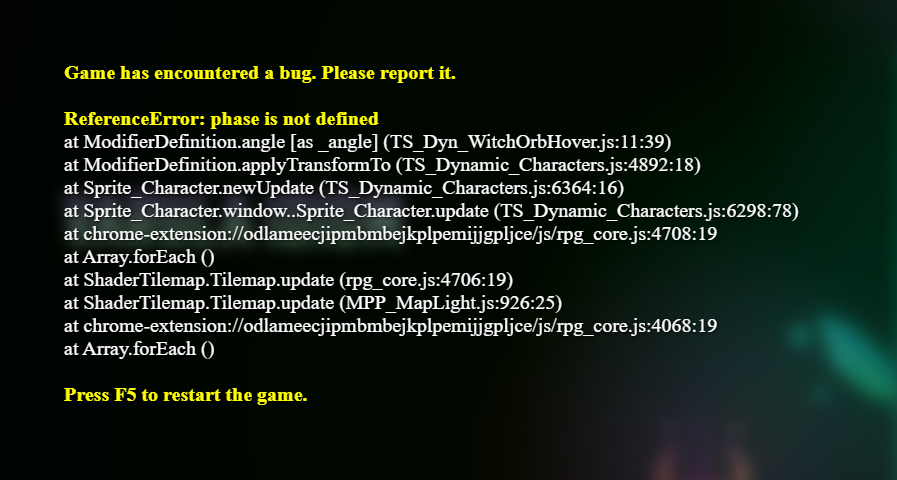
		return -3 * t * Math.sin(phase(x, y) + Graphics.frameCount / 20);
	},

	// You can also write this more concisely, but without `this`:
	/** @type {Varying<number>} */
	angle: (t, { x, y }) => 5 * t * Math.sin(phase(x, y) + Graphics.frameCount / 15),
}));
to create the bottle animation, where Varying is
/**
 * This is the type definition for modifier varying functions.
 * You can copy it into your own plugin to get type annotations.
 *
 * @template T
 * @typedef {((
 * 	this: ModifierDefinition,
 * 	t: number,
 * 	character: Game_CharacterBase,
 * ) => T) & { [CONSTANT]?: T }} Varying
 */
. This looks complicated, but basically it means is that, in the record you pass into the ModifierDefinition constructor here, you can use either a constant as value for properties where the type is annotated with {Varying<…>} (… is any other type), which is what’s available through the plugin parameters, or you can use a Function (which disables certain optimisations for that modifier, to enable continuous animation).
The first parameter t is how “eased-in” the modifier currently is. The second parameter is the Character (Event, Actor or Vehicle) the modifier is being calculated for. I use only its position above, so I immediately spread it into x and y. Note that the annotations are optional, so just
TS_Dynamic_Characters.parameters.modifierDefinitions.push(new TS_Dynamic_Characters.ModifierDefinition({
	name: 'bob-and-sway',
	bushDepth: 25,
	anchorY: 50,

	// Note that using a custom function for any "offset" will turn off offset rounding by default!:

	yOffsetVertical: function (t, { x, y }) {
		return -3 * t * Math.sin(phase(x, y) + Graphics.frameCount / 20);
	},

	angle: (t, { x, y }) => 5 * t * Math.sin(phase(x, y) + Graphics.frameCount / 15),
}));
in a plugin loaded after Dynamic Characters would have the same effect.
You can find the full list of properties that can be animated this way in ModifierDefinition‘s initialize method. (Their norm is a VaryingDefault.) Note that for tone: ColorTone and blend: BlendColor, you’d have to instantiate those types similarly and use function values as property values there.