

dumb question how did you get the color mapping palette up for the aseprite?
Do you mean this setting?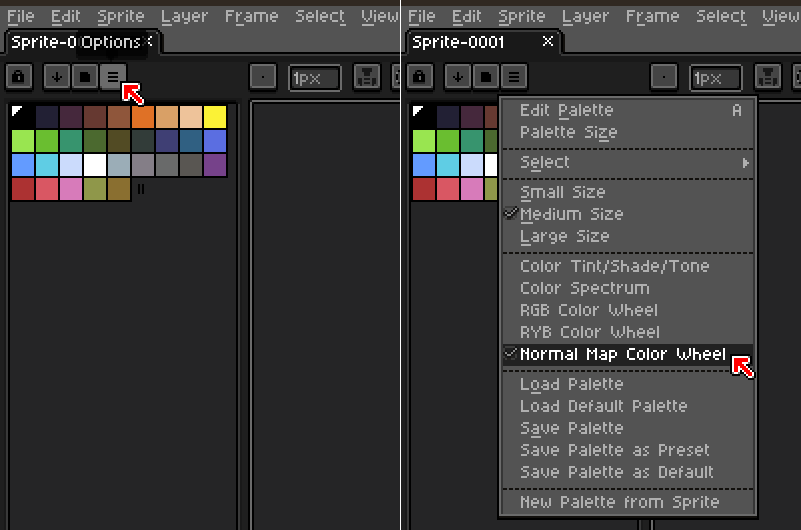
Also, if you want to create a Normal Map palette instead, Aseprite will make it automatically from any Normal Map image that you open, e.g. Examples/Reference images included in NM Inspector package.
Also please remember in Aseprite the RGB Color Mode must be selected, as the Indexed one isn't supported.