

Some fundamentals on color theory and especially "values" would help here. Value is how light or dark a pixel is and it's what controls what our eyes are drawn to. Higher values will draw more attention than lower ones. And it is the contrast between those two that will create visual clarity for the player.
Look at a screenshot of your game with all color removed and only values remaining.
It is incredibly hard to make sense of what's happening in this scene. Where is the player? Where are the enemies? What's an important element to the gameplay, what is there just to look pretty? It's impossible to tell.
Make it a practice to constantly check your game visuals with only values and see if it's readable.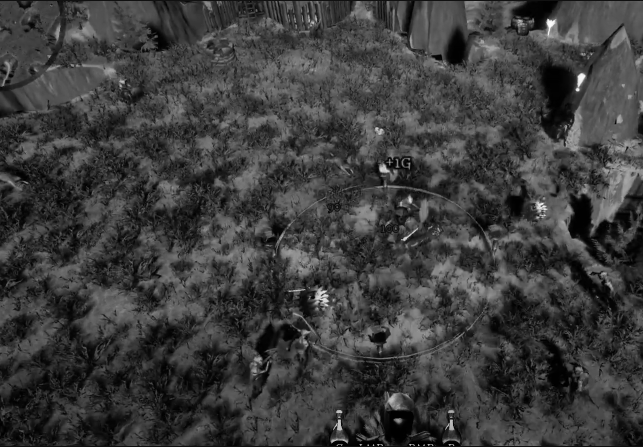
Compare that to a screenshot from Rogue Genesia. I can fairly easily tell what's happening in the scene.
I think in Genesia's case the healthbars above the heads help a lot. But also value contrast is much better.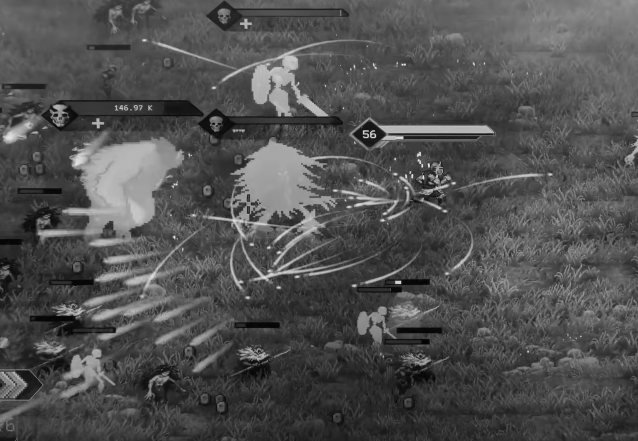
"Thanks a lot! I definitely need to learn more about contrast – what it actually is, how to use it properly, and how to work with it." But i see that the enemies which are not getting hit are not clearly visible too. Maybe health bar could help. But i dont know if i want to add it maybe its gona be to much. Im trying to reduce the UI