
On Sale: GamesAssetsToolsTabletopComics
Indie game storeFree gamesFun gamesHorror games
Game developmentAssetsComics
SalesBundles
Jobs
TagsGame Engines
(4 edits)

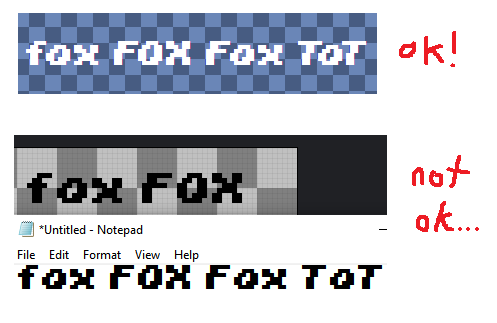
Sorry to bring up an old thread but I've been having the same issue. The kerning looks fine in the editor but when I use the exported .ttf file, the kerning doesn't seem to be applying in the windows font previewer or any of the applications I've tried so far (aseprite and notepad). I'm using the latest (I think) offline version of this program
(+1)

Opening your font in FontForge and re-saving it (File ➜ Generate) seems to make it display normally in Aseprite. FontForge itself displays kerning pairs as intended.

FontForge complains about the font containing both a kerning and a GPOS table, but I am not familiar enough with TTF specification and the underlying generator source to tell you what I should be doing with this information.

That does seem to fix it, thank you!