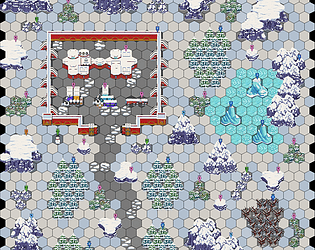
A downloadable Map Creation Tool for Windows.
This map creator is pretty decent, but also has some strange choices and issues.
The Pros:
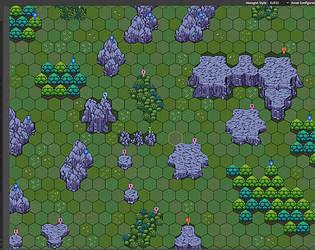
- Very quick and easy to make hex-based maps using some pre-made assets.
Options for exporting at two different aspect ratios for Roll20 specifically, and another general export. - The map editing systems and adding custom graphics couldn't be easier. They update quickly and easily on your map.
- The Wall Config is a little bit visually confusing (and has some weird alignment bugs), but again is really nicely setup to make forming tile groups organically on the map. I really like the Wall Config overall!
- The whole software will run quickly, even on low-end computers thanks to being built with Godot and smart updating protocols moving from editing metadata to the map editor. It is nice and fluid all-around.
The Cons:
- Limited pixel resolution for each hex. It would be really nice to have even a little bit of flexibility in sizing, but I know easier said than done.
- Stray grey pixels when the grid opacity is turned off. Not an issue if you slightly overdraw your hexes.
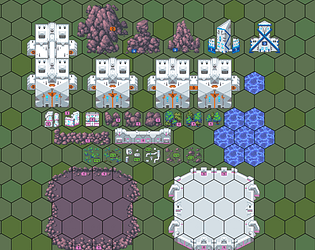
- Some asset aspect ratios are odd like 99 x 119 for wall towers. These are more flexible and you can use other resolutions, but it just struck me as weird the asset resolutions are all over the place and often don't really fit well in the scenes.
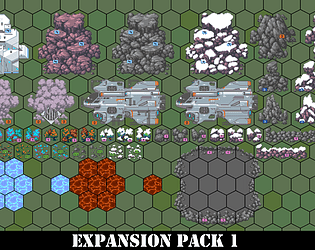
- Not really a critique of the tool, but the pixel assets themselves I find are difficult to 'read' and feel more like assets from many different packs put together than one cohesive set. Relative scale is probably the biggest issue.
- Very limited 'layers'. Even one additional layer would make a huge difference. Even if Walls and Objects populated different Layers then you could do a lot more visually interesting placement.
- I would really like some 'set memory' where if I am making custom assets and bouncing between metadata editor and map that the software remembers what set I am working in. Instead I have several clicks to get back to my assets. This would reduce friction in creating.
In the end - I was really frustrated with a few things at first and considered just bailing, but after finding some workarounds it is just useful and fluid enough to get into a nice workflow. With some small improvements and better asset packs, it could really elevate into a 5 star tool. But as it is, $25 is a bit steep for what is here.