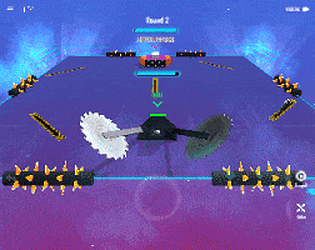
A downloadable game for Windows, macOS, and Android.
Very nice game! Lovely idea: very creative!
The robot editing part seems to be a lot of fun! It stimulates the creative part of the players.
A part from the following suggestions I think that this is an impressive demo!
Well done!
Please accept some suggestions that might improve the user experience:
Editor:
1) The drag and drop should be more intuitive: when you grasp an object it is advisable to
have it move according to the movement of the users when they move the mouse.
Probably implementing a button combination (right or middle mouse button? just throwing random ideas around)
you could have the camera move, or the part that is supposed to move be dragged.
2) Part selecting. Sometimes it does not select the part when you double click on it. I suggest to have the user be able to rotate the camera
around a pivot in order to let them change their point of view and perform a more effective ray casting to pick an object.
I was not able to find a way to rotate the view.
3) I have not figured out how to rotate a part on another axis rather than the default one.
4) Undo / Redo. It is always quite complicated. Well done on tackling this difficult problem.
As a general advice (it might not apply to this case) I suggest to organize a list of data entries
in order for each of them to be able to be used without knowing anything about the other entires to build a robot
(even a not valid one, the validation would be a separate function).
Then 'Undo' simply moves a cursor to a previous entry in this list, 'Redo' moves it forward.
Probably you would not need to remember the position of a part that is not on the robot, or you might only save its last position and orientation
on start dragging end on end of dragging (both on the robot or just on the floor of the editor scene).
Action Part:
1) I think that on pressing forward the robot should go straight and not follow the camera direction
this should make the controls less confusing to the player. The camera should adjust itself independently.
I have noticed this behavior when rotating and going forward at the same time: if I stop rotating the robot
does not proceed along its current orientation but almost instantaneously rotates according to the camera direction.
2) This might be related to 1. On going backwards the robot only rotates. If it is not supposed to go backwards
I suggest to simply remove the control.
3) Virtual Joystick. If the robot may have access to analog controls scale the angular velocity down when the virtual joystick
position is near the center (similarly to its forward velocity behavior).
4) Sometimes on left clicking on the ground nothing happens.