On Sale: GamesAssetsToolsTabletopComics
Indie game storeFree gamesFun gamesHorror games
Game developmentAssetsComics
SalesBundles
Jobs
TagsGame Engines

PixelCNC Has Moved: deftware.org

CAM software developed by artists for artists to create unique and original works on a 3-axis CNC router or mill. · By Deftware

Add Depth

A topic by hegartype created 2 days ago Views: 19 Replies: 2
Viewing posts 1 to 3
(+1)

Morning All, Charlie,  

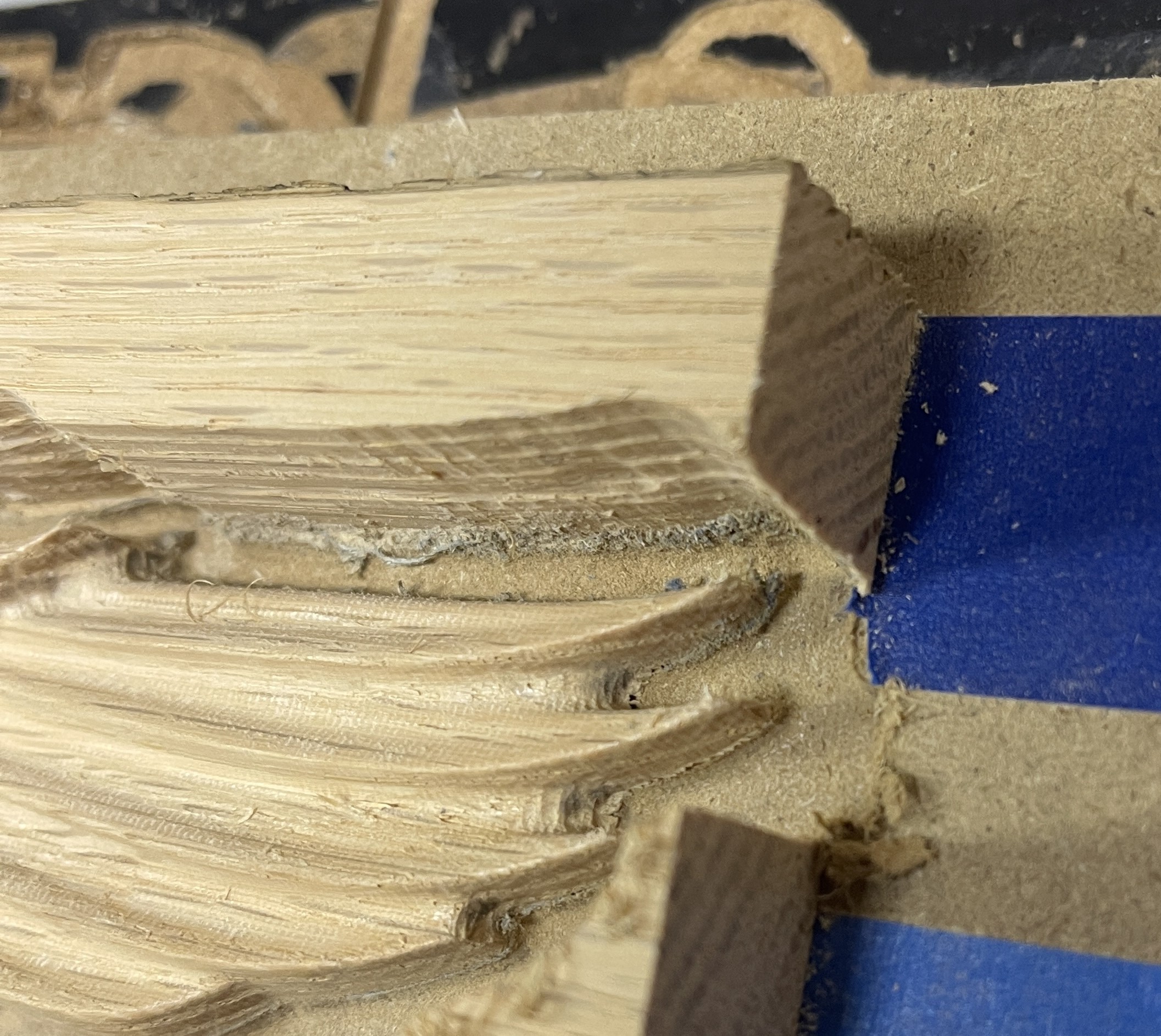
When parallel carving models, using a 1/8th ball, I end up with a "rind" left around the edge.  The inside radius of the ball.  It proves to be a real pain to sand off, especially in tight little spots, and doing an outline pass with an endmill only works sometimes, again not good in details.  Another program I used to use had an add depth feature that I think might have worked but I can't figure out how to do it in PixelCNC.  I though perhaps floating the model's Z origin up equal to a bit radius....but when i tried to do it, it stopped making sense....I would love to hear your thoughts on this, Thanks
Developer

Hi hegartype,

Can you post a screenshot so I can understand better what you're referring to? Thanks!

 - Charlie

Hi Charlie,

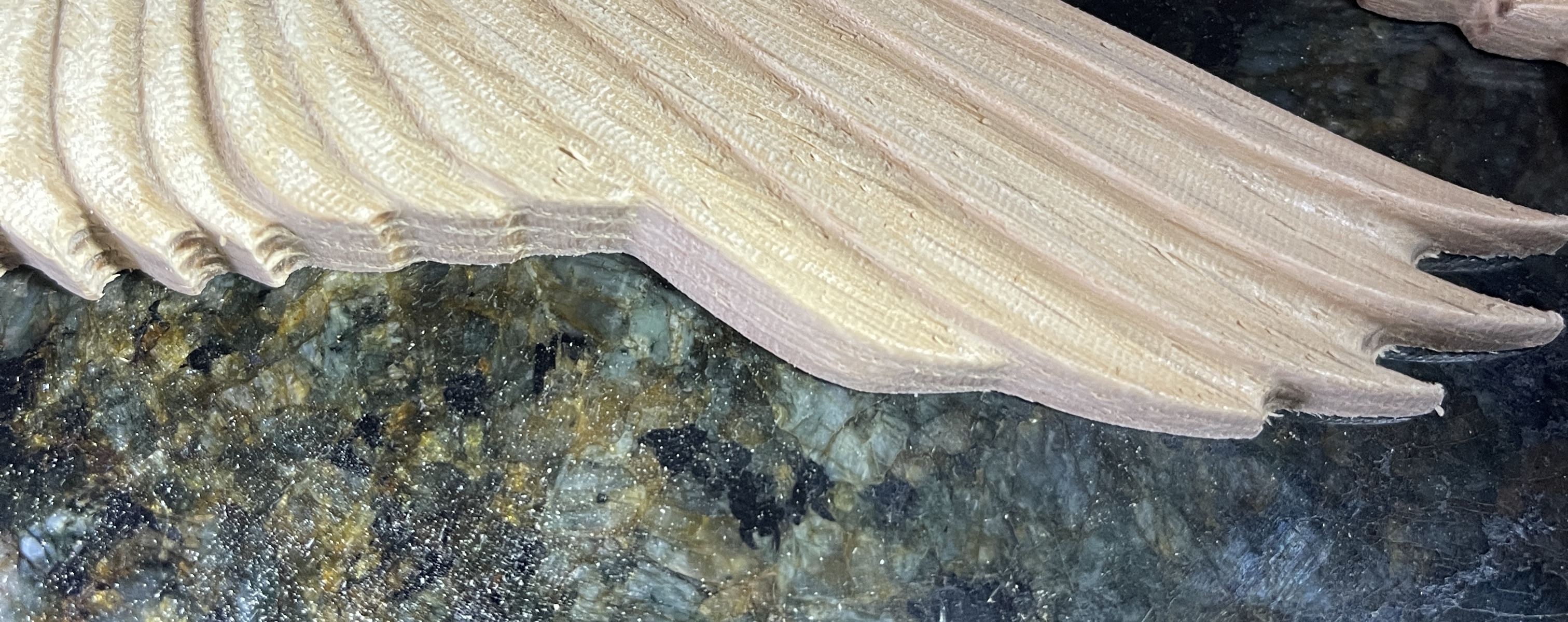
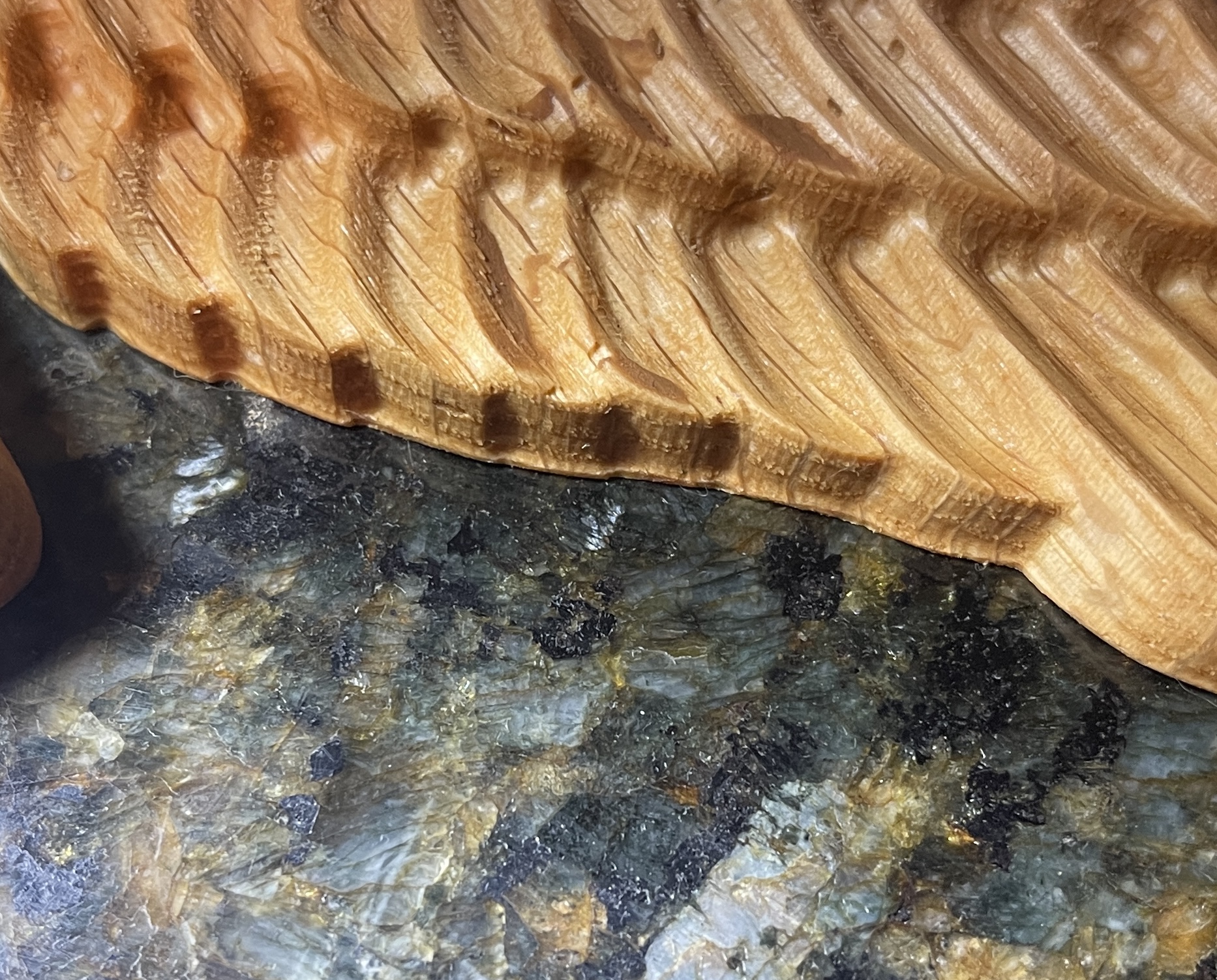
Here are some pics.  the first is the best example I have on hand, it's that lip on the bottom.  I got my planned correction straight in my head and tried it, here are the results

I added .0625 to the project canvas, kept the Z of the model right at the top, also added .0625 to my leave stock setting on the roughing pass.  When I did the finishing pass(1/8th ball nose) it cut down that extra .0625 into the spoil board leaving a nice clean edge, very little sanding needed.  It was a little more murderous on the spoil board than I had hoped, but I guess that is what it is there for.  So does that make more sense and is that the right way to do it?