
Indie game storeFree gamesFun gamesHorror games
Game developmentAssetsComics
SalesBundles
Jobs
TagsGame Engines

"Voices Of The Void" Pre-Alpha

Gather unknown signals from deep, silent space · By mrdrnose

texture problem in game

A topic by NtNames created Aug 08, 2025 Views: 398 Replies: 9
Viewing posts 1 to 6

I have a problem: the textures in my save file have become square. I was able to fix this problem a long time ago, but I don't remember how exactly, and I can't find a solution on the Internet. Playing with such graphics is not very pleasant, and it is very distracting.
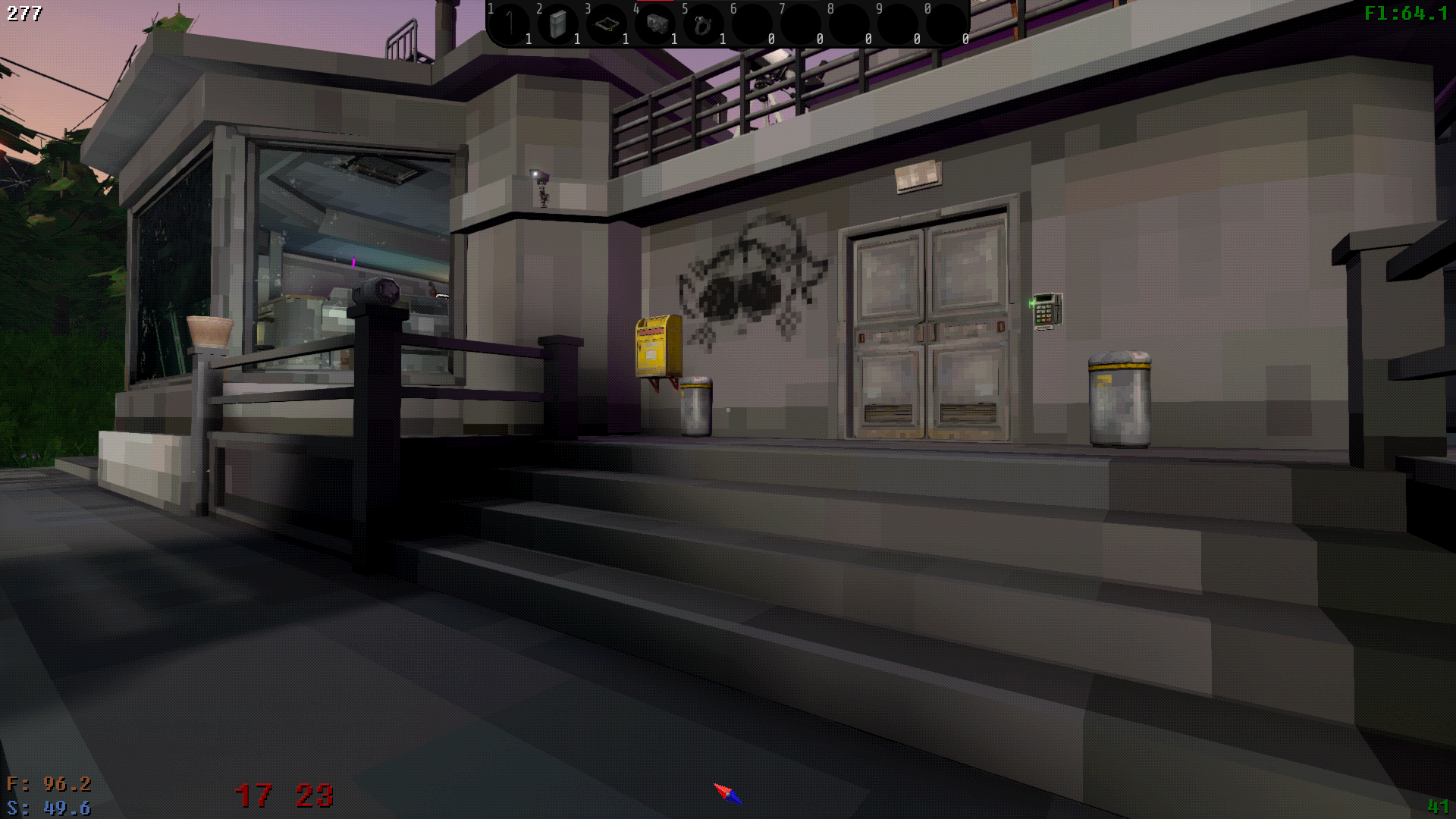
this is how it looks

Try resetting your graphics options back to default, and see if that helps any. If that doesn't help, maybe trying regen save data.

not working(

Looks like the textures aren't fully loaded in yet. Are you playing off of an HDD?

Well, I have the game on my desktop, and it seems to be located on drive C.

If you look in Task Manager, and go to Performance, if you went to your drive, it should tell you the type. Either HDD or SSD. If it's HDD, I'd recommend trying to put the game on an SSD, and see if that fixes your issue.

On another note, if your HDD is actually slow enough to not be able to load in textures, I would be pretty concerned.

I tried playing on both discs and nothing changed.

Maybe a corrupted install. Did you try reinstalling?

Go to your settings, effects tab or game, i don't remember, increase texture pool size until it looks fine;