Great fun!
with the love studios
Creator of
Recent community posts
Not currently. For some of my other projects, I've left the Jam builds up for download as historical curiosities, but IIRC the original jam version of Scarfy had some game breaking bugs to where you couldn't actually finish the game, so that might be why I took that build down.
Still, I'll dig through my archives and see if I can find an old installer of it for you. Thanks for you continued interest in the game!
Here is a list of all the Open Game Art assets used in Medusa Must Die!
A copy of this list appears in the in-game credits as a well as the game's readme file.
Thanks to all who share their work on OpenGameArt.org!
Art from the following works was used in the creation of this game.
Modifications were made.
Where required by license, please see the included open_art sub-folder for original, unmodified and plain formatted copies of a work.
Ikaros
by
surt
http://opengameart.org/content/ikaros
used under terms of
CC-BY 3.0
http://creativecommons.org/licenses/by/3.0/legalcode
Monsterboy in Wonder World Mockup Assets
by
surt
https://opengameart.org/content/monsterboy-in-wonder-world-mockup-assets
used under terms of
CC0 1.0
https://creativecommons.org/publicdomain/zero/1.0
CC0 Scraps
by
surt
https://opengameart.org/forumtopic/cc0-scraps
used under terms of
CC0 1.0
https://creativecommons.org/publicdomain/zero/1.0
Mines of Sharega
by
surt
https://opengameart.org/content/mines-of-sharega
used under terms of
CC0 1.0
https://creativecommons.org/publicdomain/zero/1.0
Monkey Lad in Magical Planet
by
surt
https://opengameart.org/content/monkey-lad-in-magical-planet
used under terms of
CC0 1.0
https://creativecommons.org/publicdomain/zero/1.0
Another NES-like Village
by
surt
https://opengameart.org/content/another-nes-like-village
used under terms of
CC0 1.0
https://creativecommons.org/publicdomain/zero/1.0
Beast Soldier
by
surt
https://opengameart.org/content/beast-soldier
used under terms of
CC-BY 4.0
http://creativecommons.org/licenses/by/4.0/legalcode
Dead Gunner
by
surt
https://opengameart.org/content/dead-gunner
used under terms of
CC-BY 4.0
http://creativecommons.org/licenses/by/4.0/legalcode
Omega Team
by
surt
https://opengameart.org/content/omega-team
used under terms of
CC0 1.0
https://creativecommons.org/publicdomain/zero/1.0
Fantasy Tiles
by
surt
https://opengameart.org/content/fantasy-tiles
used under terms of
CC0 1.0
https://creativecommons.org/publicdomain/zero/1.0
Masquerade
by
surt
https://opengameart.org/content/masquerade
used under terms of
CC0 1.0
https://creativecommons.org/publicdomain/zero/1.0
Loveable Rogue
by
surt
https://opengameart.org/content/loveable-rogue
used under terms of
CC0 1.0
https://creativecommons.org/publicdomain/zero/1.0
Classical Temple Tiles
by
surt
https://opengameart.org/content/classical-temple-tiles
used under terms of
CC0 1.0
https://creativecommons.org/publicdomain/zero/1.0
Egyptian RPG
by
ZomBCool
https://opengameart.org/content/egyptian-rpg
used under terms of
CC0 1.0
https://creativecommons.org/publicdomain/zero/1.0
Fox (Wolf Pack Rework)
by
AntumDeluge
https://opengameart.org/content/fox-wolf-pack-rework
used under terms of
OGA-BY 3.0
https://static.opengameart.org/OGA-BY-3.0.txt
Wolf Pack! 32x32 Walking Wolf Animation
by
patvanmackelberg
https://opengameart.org/content/wolf-pack-32x32-walking-wolf-animation
used under terms of
CC0 1.0
https://creativecommons.org/publicdomain/zero/1.0
Animated Wild Animals
by
ScratchIO
https://opengameart.org/content/animated-wild-animals
used under terms of
CC0 1.0
https://creativecommons.org/publicdomain/zero/1.0
RPG Asset Character 'Emperor' SMS
by
Chasersgaming
https://opengameart.org/content/rpg-asset-character-emperor-sms
used under terms of
CC0 1.0
https://creativecommons.org/publicdomain/zero/1.0
A package of 8-bit fonts for Grafx2 and Linux
by
devurandom
https://opengameart.org/content/
a-package-of-8-bit-fonts-for-grafx2-and-linux
used under terms of
CC0 1.0
https://creativecommons.org/publicdomain/zero/1.0
Three Little Bitmap Fonts
by
Michele 'Buch' Bucelli
https://opengameart.org/users/buch
https://opengameart.org/content/three-little-bitmap-fonts
used under terms of
CC0 1.0
https://creativecommons.org/publicdomain/zero/1.0
* I would normally put this on the game's main page, but the list is very long and it would be a lot for folks to scroll past to get to the download link for the game.
> it would be fantastic to have the ability to export those palettes as PAL or ACT files.
I know it's been a long wait, but I have added support for loading and saving palettes in the following formats:
ACT (Photoshop)
TXT (Paint.NET)
GPL (Gimp)
PAL (JASC)
I've also moved the rendering system from SDL1 to SDL3 which should fix the weird window focus bug you ran into.
https://withthelove.itch.io/pixelpalettetool/devlog/950901/pixelpalettetool-v200...
Thanks again for the feedback and patience! :)
Thanks very much for your patience and persistence!
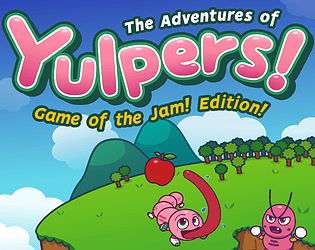
I had three games ahead of TAOY:GotJE in my project queue, but I just finished one of them, so there's hope I'll get to it at some point.
Although it's possible it maybe more like a 10th Anniversary Edition than a Game of the Jam Edition. Same thing, just delivered much later. :)
Thanks again for you patience, really flattered that you are still looking forward to this game.
Cool, let me know what you think of the new features when you get a chance.
> integrate support for indexed images
The tool should load indexed images. By support do you mean saving images in an indexed format?
> it would be fantastic to have the ability to export those palettes as PAL or ACT files.
This is something I've been meaning to do for ages, so thanks for prodding me on it!
Got this working for Microsoft PAL files today, will work on JASC PAL files also.
For PAL, do you mean the JASC PAL files (as supported by http://www.lowspec.com)?
For ACT do you mean the Adobe format described here https://www.online-convert.com/file-format/act ?
Hope to get loading and saving palettes in these formats working shortly and add support for Gimp (GPL) and Paint.Net (TXT) palette files as well just for good measure. :)
v1.94 has been released.
It adds the ability to adjust the number of color swatches per row in the Map Palette.
I don't think it's exactly perfect. Among other things, the UI for it is a bit clunky. But it does work so I figured it was better to post the update than make you wait for me to figure out how to UI it all nice and clean.
Give it a go when you get a chance and let me know what you think.
Some things to note, the example palette you gave has a few duplicated colors. Two of the grays IIRC. This throws off their appearance in the tool because the tool simple scans input files for UNIQUE colors. I went ahead and added a version of the palette with all unique colors to the set of sample palettes that are included with the tool. Long term, I'd like to make the tool smarter about handling duplicate colors when loading from a file that is obviously a set of palette swatches (the current behavior is more designed around extracting the palette from an arbitrary image), but again I didn't want to make you wait while I figured out how to make that happen. One work around would be to save the image in an indexed color format as the tool does support duplicate colors when importing from indexed files.
Thanks!
aah, thanks for the GIF. I've definitely seen this issue before. It seems to be a bug in the API I used for handing window stuff (SDL 1.0). Hoping to fix it by switching to a newer version (a friend tells me the are on SDL 3 already!) someday. For now, if you haven't already figured it out, the workaround is to click off the window, then click back on the window's title bar. Not sure why, but that usually gets it responding again. I'm guessing the other issue you saw is probably just another variation of the same bug.
ps
have the feature working, busy with some IRL stuff this week, hope to package up a new build sometime next week.
Just wanted to let you know that I put a little time into this today and it looks like this should be fairly easy to implement. I already have it working in basic form, just need a little time to put a proper UI on it. Will keep you posted on how it goes. Thanks again for taking the time to write me with your feedback. To be honest, I can tell already that this is a feature I am personally going to like and use a lot! I'm already kicking myself for not thinking of it sooner. It really does help make the palettes easier to view and work with. :)
> if you resize the screen with the cursor and then use the maximize screen button (the button in the upper right corner), the work area is bounded to the window without maximizing
Are you able to re-produce this problem? I tried a few times and couldn't get anything to trigger, but I do know the interaction between the app and Windows sometimes goes a bit wonky.
I see what you mean. Perhaps simply being able to adjust the number of display rows for the palette would be enough. If there was some kind of interface to set the number of rows and columns in the palette display. In the case of your example, the palette is displayed on a 14x4 grid. I could see this actually be a very useful feature when working with larger palettes. I'll need to think about how to present it in the UI, but I think this can be done. Thanks very much for the suggestion and I'll keep you posted on my progress with it!
Hi! Thanks for the kind words. Great to hear the program has proved useful for you. :)
> Would it be possible to add a feature that allows images to be loaded directly as a color source?
The 'Load Palette' feature should already allow you to load any PNG image as palette source. The tool will just extract all the different colors from the image and use that as the palette. Is that what you are asking for? Or are you thinking something different? Like instead of showing the actual colors for a palette, the tool would show icons or images of some sort?
> it would be very useful to be able to create subpalettes mixing the real colors that I have selected, to generate fictitious colors based on “Dithering Bayer” type patterns.
This is a very interesting idea. It might be out of scope for this tool since dithering and color reduction are huge and complex tasks in their own right. Still, I will give it some thought. I could see this being a useful feature if I can puzzle out a way to add support for it without overly complicating the tool's UI.
Fun! Besides the obvious stuff (animate player, monsters, etc.), consider having the treasures move towards the player to get picked up instead of just being instantly collected when player gets in range.
Also, the Flaming Aura spell was definitely over powered for me. Maybe a bug but it came on and stayed on. After upgrading it and magnet range a few times, I could just sit in place and let the monsters kill themselves on the aura and collect their treasure without moving.
Does this game use any art from OpenGameArt.org?
The rules of OpenGameArt.org's Summer Game Jam 2023 require entries to use and fully credit at least 6 artworks from OpenGameArt.org.
The jam rules also require entries to be playable on a Windows 10 computer, either via a native executable (EXE file) or a web browser (HTML5, Unity Web plugin, etc).
See the jam rules for complete details.
Does this game use any art from OpenGameArt.org?
The rules of OpenGameArt.org's Summer Game Jam 2023 require entries to use and fully credit at least 6 artworks from OpenGameArt.org.
The jam rules also require entries to be playable on a Windows 10 computer, either via a native executable (EXE file) or a web browser (HTML5, Unity Web plugin, etc).
See the jam rules for complete details.
Does this game use any art from OpenGameArt.org?
The rules of OpenGameArt.org's Summer Game Jam 2023 require entries to use and fully credit at least 6 artworks from OpenGameArt.org.
The jam rules also require entries to be playable on a Windows 10 computer, either via a native executable (EXE file) or a web browser (HTML5, Unity Web plugin, etc).
See the jam rules for complete details.


