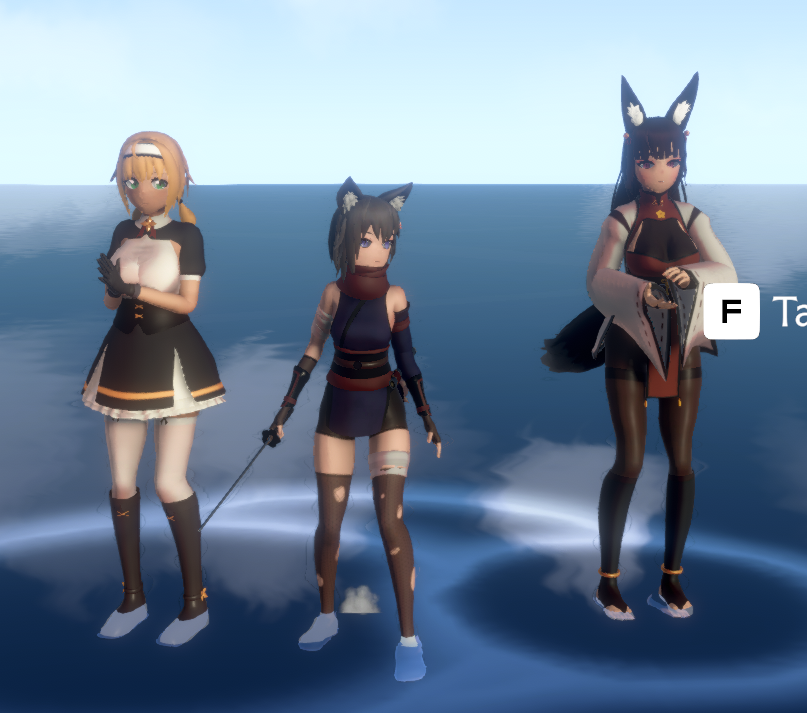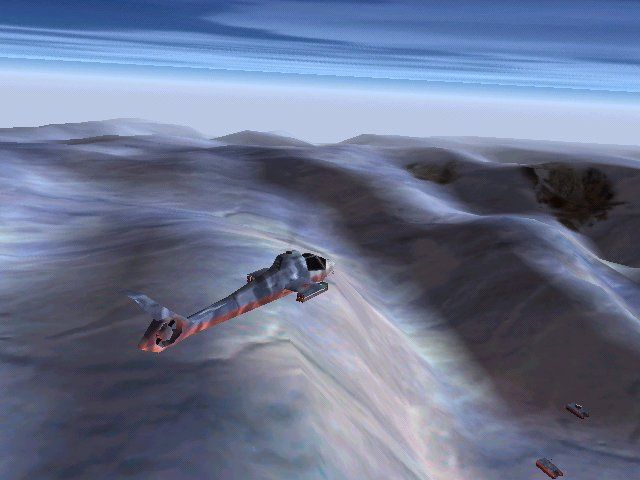
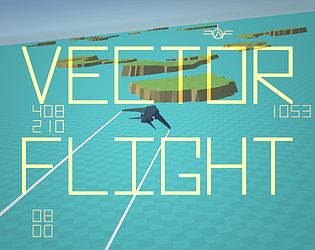
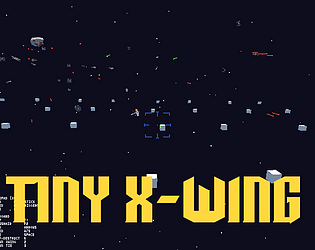
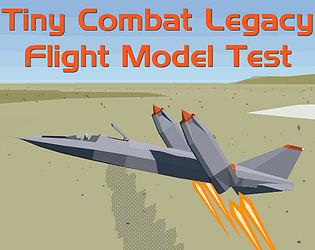
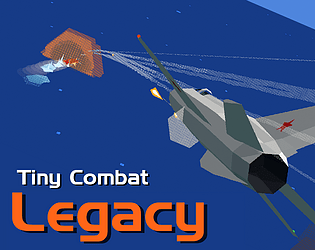
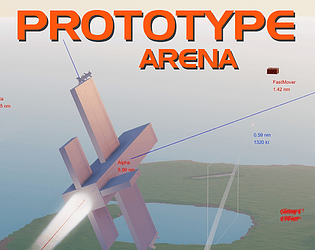
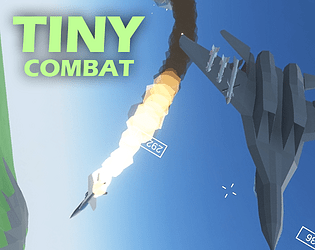
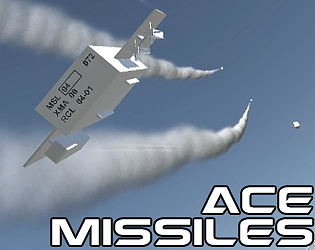
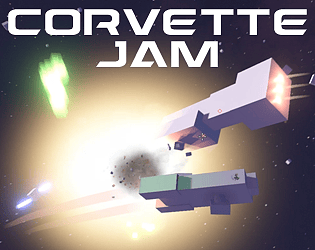
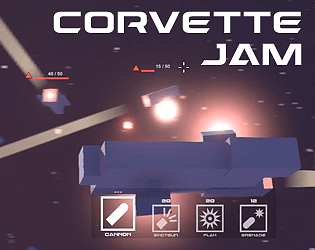
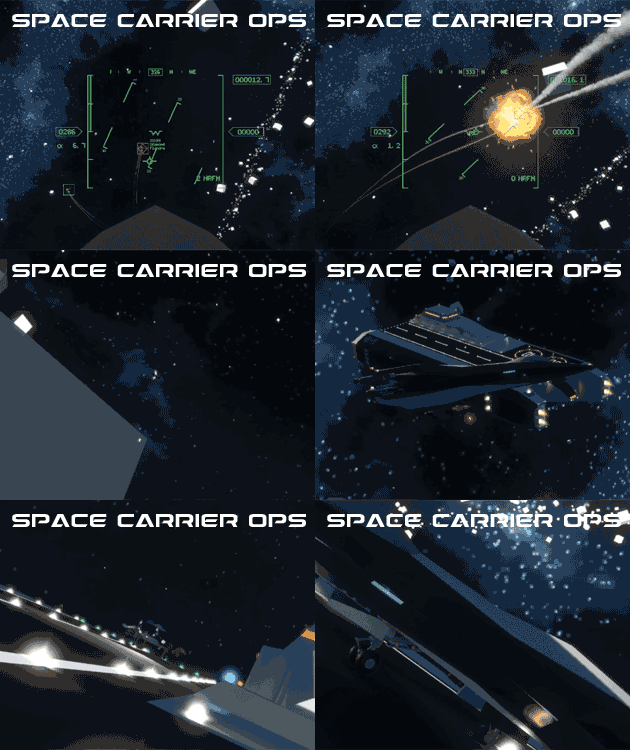
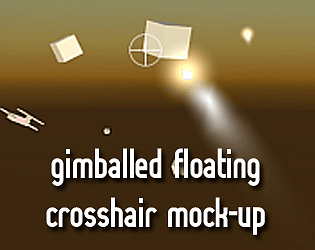
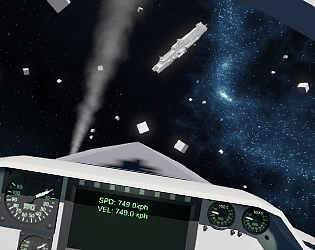
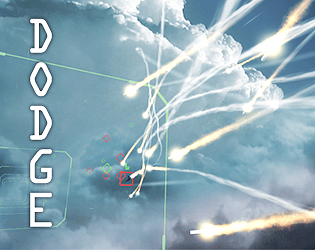
This is actually a very atypical airplane control scheme for a video game. I can only think of a couple games off the top of my head which use this kind of control scheme, which is why I was so curious. Thanks for the reply. Re: graphics, this is the level of fidelity I'd be shooting for with the vehicle models. The terrain is already there.
Why485
Creator of
Recent community posts
Thanks for the feedback, the post-DD patch was based on a lot of this stuff. The way aiming works was really unclear, so one of the biggest changes in the patch post-feedback was fixing how the HUD works. Yeah, because of multiple saying the jet mission was so difficult, it's been changed quite a bit in the patch too.
I like the models I think you did a good job there.
Thanks, I bought them myself. I edited a couple of them (the tank and helicopter, the jet is untouched) to smooth them out from the atrocious Synty memepoly look.
I can't believe anybody uses the D-Pad for anything movement related in 3D in 202X but I guess I'll keep that in mind. Based on feedback I've made the tank a lot more nimble. It's still faster to turn at speed, but its standstill turn rate should be fast enough for it to be a non-issue now. The auto-aiming is still there, but it's a lot more obvious what's happening. Also based on feedback though, the tank combat is pretty different, emphasizing both mobility to dodge incoming fire, and if you have to eat a shot, the armor facing matters much more. I think it's a big improvement.
Which part of the jet "took a little while to get used to"?
If you played the original demo version, and you managed to beat the jet mission are you part of an elite few 😂. That was hacked together very quickly and while I thought it was a fun challenge, it seems most people found the mission impossible. I'm glad that there was enough there for somebody to figure it out.
The art style comment makes me a little nervous, because I kind of want to make the vehicle models "worse" (lower poly, roughly the same texture detail, but lower res textures (Synty textures are like, 4k, even though they're that simple)) and replace them all with my own models, but if people like the current graphics too much that might be problematic. Maybe I stick with the "Synty models but fixed" style for the vehicles. Everything else would stay the same though. The smoke, VFX, terrain, and general look of the game is representative of what a "final" version would look like.
Funny enough the jet has an altitude limit, but I never got around to adding one to the helicopter. I'm not sure if I'll keep the cockpit view, but it's there out of habit, especially since aside from the jet it doesn't really have any practical benefit. I'm glad the tank felt good, because the controls on the tank in particular I was nervous about. As for keys, yeah the control scheme is broken for MKB since it was very prototypey code and for the Steam Deck first and it's not something I could quickly fix.
If I was ever to make my own rebinding screen, there's a lot of features I want to add to it because rebinding screens are something I feel very strongly about, but it would probably take me months to make one good enough. Maybe one of these days I'll do it. In real life though, any sufficiently complex game would just be using Rewired which comes with a rebinding screen.
"Ending with a bang" sure felt ominous. Thanks for playing and recording a video, these are so informative. The tank combat is very different in the updated version, and addresses a lot of the things I think you had issues with, so if there's a next time I'm really curious what you think about that. I'm glad you liked the helicopter, and considering everybody else has been saying the original jet mission is impossible, I'm surprised you were able to beat it with no issue at all!
Holy crap, so as somebody who has written multiple tank controllers I was so curious to see this one. It's a lot simpler than it looks (this is a good thing), but also really immersive by virtue of the "clunky" controls and having to do every command of consequence other than driving through the restrictive interior view. There's a lot of polish to smooth out bugs with going between all the different modes and views, but fundamentally this feels really solid as a lite tank sim. Below are my notes as I was playing the game:
- Holy crap what an interior - Yeah the furry crew members are not for me, also you can look down and see your neck hole - Not sure what I did, but after firing (I was looking into the sight, but then left the sight) I got the camera on the gunners position stuck and couldn't rotate it anymore after watching the reload mechanism. Switching the crew positions didn't restore the gunner camera control. Had to restart scene with Tab. - Clicking to look at different optics is insanely cool, but some of the optics have a really obvious "render target" look to them. Some of that is going to come down to raw resolution, but there are some neat things you can do with shaders to make it look less "render targety". E.g. when not aligned, it gets blanked out and looks black. - Hide body mesh only kinda works. Some characters become floating heads, others don't disappear at all - The sounds are awesome. - No way to turn out of the hatches? - Movement with the tank always feels like my input is being interrupted. It might be all my different controllers conflicting? Re-ran the game with HIDHide. Seems better, but still juddery movement. Not sure what's causing that or if it's intentional (gear changes?), because turning in a tank is hard - There's a big delay between WASD input and something happening, again not sure if intended or not, or what's causing it - I mentioned this before, but there's something very wonky with how the wheel suspension looks. The wheels move backwards and forwards in a way that doesn't look natural. - Movement of the track itself is great - Visuals aside, the physics of the suspension feel great - Antenna has motion! This is very good! Very important! - Voices should default to on, unless I accidentally turned it off without noticing? - Oh, so that's where the delay in movements was coming from. That was issuing move orders from the TC. - Okay this explains a lot. I switched to the drivers position and driving is now much faster. It's also really cool seeing the animations of the brakes and pedals, this is explaining a lot about the movement to me. - Still sad I can't seem to turn out - Oh wow the War Thunder X-Ray camera, that must have been a lot of work - Not sure what's happening but I keep putting the camera in a weird way where it won't rotate - Ordering turret rotations and fire commands from the TC position seems the most reliable way to move the turret. In the gunners seat the turret doesn't seem to move vertically anymore? - Thinking about it, there's actually very few controls in here, which I like a lot. It looks a lot more complicated than it is, and instead the mechanics of ordering things around as the TC with kind of awkward equipment goes a long way in making this feel very simmy and immersive - No coax gun? - The hit effects on the Abrams are so cool, with the engine burning and then the ammo cooking off through the blowout door - Definitely looks like some kind of "compression" going on with the rounds with regards to their speeds and drop. Not a problem, it keeps tank combat shorter ranged and more interesting, just a note. - God damn the animation for the shell reloading - I don't know if there's actually an ammo count, since there's no display I could find for one. - I keep wanting to point at something as the TC and then tell the driver to move to that position - Third person rotation controls interfere with the TC pointing command - The little caps getting thrown out the back when firing is so fun
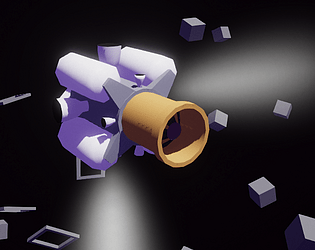
Thanks! Just after the prototype build, the right stick is now used to control yaw and controls vertical velocity since that's how it works in space. I've also hooked in the strafe thrusters to apply when you roll in hover mode to give you more responsive lateral control when hovering. Yaw and roll are also separated when in hover mode, though I keep going back and forth on that. I might make that a ship-specitic thing.
The yaw being on the right stick is the one that makes a big difference IMO and I'm sad that prototype build was just before I added that, because I use it constantly.
I'm also curious to know what led you to try that in the first place . . . But practically speaking, it doesn't seem like something that arose out of necessity, or maybe I'm just not seeing it.
The short answer is that a fully manual flight mode won't give me the results I'm looking for without a flight model that is both less forgiving, and requires much more complex and precise input devices such as a full on HOTAS. Even in Tiny Combat, which does have a fully manual control setup, you can't get the level of precision, smoothness, and the "cinematic look" I'm after without fancy hardware. There's a reason I call out Star Citizen in the the game's page, and it's because that kind of flight model and control setup just doesn't lend itself to good landings.
This goes back to the helicopter stuff I was talking about. Helicopters fly like both helicopters and planes in a realistic sim (i.e. DCS) and it's all controllable because you aren't flying this on a gamepad, and you are doing things at a much slower, more controlled pace. You can't whip these things around like a video game sci-fi spaceship, the way I'd like to be able to, because the physics just doesn't work that way. So to give that faster pace, and more responsive handling, you need to up the power on everything, exaggerate the physics, and so on. However in doing that, it also becomes even harder to control. With a mode switch, you can adapt the controls, filter them, tune them, to specific regimes of flight and make it very controllable. It's similar to how aim down sights completely changed how FPS games were made on console. When a player uses ADS, they are expressing their intent to precisely aim, and you can lower the sensitivity, snap the crosshair, and change how recoil is handled.
Without some kind of mode switch, the only other option to make these kinds of physics controllable (and good looking enough, which is the whole point here, this is a very aesthetics driven project) is for the ship to massively change in behavior on its own. The way that the throttle blends from lift to main engine in the "manual" mode is actually vestigial from experiments on that, though I liked it enough to keep it. Not all ships behave this way either, e.g. the aerodyne that's not in the prototype doesn't use the lift engines at all in the manual mode. So there will variety in how things fly and control. It's also an avenue for me to experiment in different control methods and physics. However the problem with some kind of magic blending that somehow deduces what the player is trying to do, is that inevitably you're going to guess incorrectly about what the user wants to do and that feels really bad!
The modes communicate the player's intent, and from there you can optimize the two modes for their own special purposes. If you want to hover in a precise and tight controlled area: hover mode. If you want to land vertically: hover mode. If you want to fly somewhere far away: normal mode. If the player doesn't understand this, and is trying to use the modes for things they aren't designed for, that is as I've been going on about, a training issue. A good tutorial should cover this, but at the same time I don't think it's a problem that the player might have to learn and practice a skill. That's kind of the whole point here.
This is great stuff, thanks. I do think a lot of the problems here are framing problems and that a good tutorial to set expectations would go a long way on addressing your feedback, but also it's kind of supposed to be a little weird. Some other random points:
- "Because I have to contend with the rules of how it wants to work rather than how I want it to work."
- Considering all the different ships will have slightly different controls and handling quirks, it sort of is the intent that you learn how to work around the given control set and flying style. You might not like how one ship flies, but maybe you like another more, etc.
- "The thing I had the hardest time with in general was slowing down. There are no brakes, and while I didn't specifically expect there to be brakes while playing, it does beg the question: how does a craft that flies like an airplane and lands like a helicopter transition between the two without brakes?"
- This is a really good question, that has two answers. The first is that in the final version you have direct access to the reverse thrusters when in normal flight. This makes slowing down to hovering speed very easy. The throttle actually works a bit differently in the final version than it does here to make this a lot easier and make a lot more sense.
- The second answer is that it kind of is complicated because ironically what you're describing as a problem is actually a real problem and skill with landing helicopters in real life. When helicopters are flying at speed, they actually fly like planes, and pitching up causes them to gain altitude and fly up. This will happen in the game too if you're also flying at speed, so slowing down to an appropriate speed before going into hover mode is actually important. Knowing when and how you can start easing the nose up for "reverse thrust" is also part of the skill. This is extremely helicopter-like and I thought it was really cool, THAT SAID it is weird and inconvenient that you can't reverse thrust in normal flight, especially because this is critical for space-flight. Hence the point above.
- "I wanted to do something like fly in and bank sharply left or right and then use vertical thrust to counteract my forward inertia, but switching to hover mode cancels out my ability to roll."
- There isn't a direct way to do this, but in the full version since drag depends on the ship's velocity flying belly down will slow you down dramatically and you can do handbrake turn landings. Ship turn rates are unaffected by airspeed, so they can turn fast enough that at low speeds you will basically stop in midair from the drag.
- This isn't the most elegant handbrake landing (it was my first try) but you get the idea.

- "When I was in the tunnel I was trying to switch to manual mode"
- The tunnel is actually exactly what the training missions are going to frame as something specifically for the hover mode, since it's about very precise maneuvering in a very tight space. It doesn't make sense to use the manual mode for this. In the full game, one of the types of hangars the player needs to be able to fly and land in are very tight vertical spaces and manual mode is just not meant for that kind of maneuvering. Honestly I think "manual mode" is a bad name for it, because it implies that it's meant to be a "full control" superset of what the hover mode does and that's just not the case. The "Hover Mode" itself has changed names like 5 times so far, because I'm not exactly happy about that either. I almost wish I could call it GERWALK but nobody would get that.
- "I'm not so confident that it makes sense to have aerodynamic lift"
- The aerodynamics is exactly where all the interesting difficulties come from in the flight model, so it's non-negotiable. Mastering the transition between forward flight and hovering flight is one of the most important and difficult aspects of flying a helicopter, and that's the kind of feeling I wanted to get across. Also even a brick will be affected by aerodynamic forces, and depending on the ship, some ships will be more "bricklike" than others. The prototype transport is the generic everything ship, so it has enough aero to be interesting, but is mainly focused mainly on the hover mode stuff.
I know it might sound like I'm arguing with these points, but this is actually really encouraging because most of the parts of the game you're describing as being difficult are supposed to be difficult and take some practice to really get right. The game is about nailing sick landings, and if it was super trivial to do, what's even the point of the game?
As I said before, I think a lot of the problems are coming from incorrect framing and expectations, and I think with a decently designed tutorial (and tutorial level) a lot of that could be ironed out. That said there are some control oddities that I'm not exactly sure how to handle. Space raises some very annoying questions and is essentially two more control modes even if it wasn't intended to be. That will require more testing.
It's also important to note that in some cases the omissions of certain features is very deliberate because it would go against the very thing I'm aiming for. E.g. I actually did try having direct control of forward/reverse thrusters while in hover mode (there's video of it too) and it looks and feels atrocious, nullifying everything I thought was interesting about the control and flight model.
Thanks again for trying this and noting it all down! You always come at my games from a very different place, and always give very detailed and insightful feedback on how a normal person might (or might not) survive contact with them.
You need a gamepad. If you don't have a gamepad a bunch of stuff isn't going to work. This is all written out on the game's page. This was very hastily put together and as a proof of concept for a hyper-specific purpose. It's not meant to be a real game.
I did not plan to play this for an hour but oh boy did that hour just completely disappear. I always figured I would get sucked into one of these if I ever actually played them and this proved me right. I actually really enjoyed it. Some comments:
- Please fix the default ugly Unity environment map. Mess with the materials and add a couple environment reflection probes to get rid of that really unnatural indoor rim lighting.
- After a messy first day (where I realized how little I know about coffee) I figured everything out pretty quickly as the days went by.
- It happened a few times that the customers asked for things I didn't have the equipment for. Most of the time I was able to franticly buy what I needed on the spot, but the ice machine I had to let a customer go because I wasn't able to get the money for it midday next day. Should customers be allowed to make orders for things you don't have?
- Love the moe moe kyun blessing, and the little heart popping abstracted minigame is good for the purposes of the game.
- That said, the maid theming is pretty thin. I don't know how seriously to take this, as in if this is a shitposty friendslop asset flip whatever game, or something with more meat to it, but there's so much more that could be done here. Decorations, more themed snacks and foods, omurice with messages, more types of minigames to service the customers, returning customers, customers having their own oshi, shows if you really want to go that far, etc. There's so many places this could be expanded on.
- I only played SP, so I can't say anything about the MP aspect, but it's pretty obvious how the game would be easier with even just one other person splitting the workload.
- Interaction with most things was simple, satisfying, and self-explanatory.
- Only thing I tripped up a lot on, was not knowing what state the coffee grinder was in. I.e. if it was ground up or not, and if I was allowed to put more stuff in it or not.
- Conceptually I like the auto-grid sorting in the fridge, but the way things were placed would often obscure things since the how they were placed felt somewhat random. I think at the very least letting you pick which shelf the things go on would help.
- For moving things around, the trays were nice and convenient to use, but if you bless a customer's food while holding a tray it blocks the QTE directions.
- I never had multiple customers at a single table, so I can't comment on how that works.
- Simple soundtrack tied the whole thing together. The game wouldn't be half as good without that song.
- The way the day ending is handled feels a bit weird how people just get up and leave immediately. It creates a situation where it's better to ignore a customer if they come in too late and just let them leave when the cafe closes so you don't waste resources on them. Feels bad.
If you decide to try this, please read (or at least skim) the itch.io page, as there is a lot of context to what and why this is! I'm building a small game out of this, but I didn't have enough time to get it in a good enough state before Demo Day, so I've submitted the prototype instead.
Here's the notes I took down while playing. I had some frustrating moments with the fox lady boss but I still had fun. The run where I finally beat her was really satisfying and felt like I knew what I was doing. I relied a lot on the kick, since it mixes into your attacks so well and does so much posture damage.
- In the tutorial pop ups, pressing A on the gamepad doesn't close it - Oh, it was a delay, the difference between an inactive button and pressable button wasn't very clear - It's hard to tell if you took damage when blocking because it sounds the same as a hit? - The constant rumble when holding down block is kind of annoying - I don't remember seeing the arts/skills last time I did the tutorial, but this time it makes sense - Control popups on the left showing what the "combos" are for the techniques is good - Glomp attack - Not sure how I triggered, but some combination of kick and block I think got the controller stuck in a rumbling state, fixed it by pressing block - Kick is really strong - Doing the thing where it switches prompts based on gamepad or keyboard is very good - Still extremely unclear on how recovering posture works, does guard speed it up? Does sprint slow it down? When does it start recovering? - Not sure at all what the deflect windows are for the fox lady fan attacks, sometimes it works, sometimes it doesn't and I'm not sure what I'm doing differently - After doing the first execution attack on the fox lady I fell below the level somehow - If I get the first deflect in, I can deflect the rest, but if I don't, it seems like none of the deflects can happen after? It's basically all or nothing. - Gamepad rumble got stuck again after beating the fox lady - Ometedou - Have you ever tried some kind of unshaded or cel shaded shading style for the characters? The lighting, and especially shadows, can sometimes look a bit awkward on them, and I wonder if maybe a different shading style could help. Maybe not receiving shadows? Hard to explain.

Thank you!
Starshatter is one of the tiny handful of games that lets you fly fighters and capital ships. The capitals have a totally different HUD And control scheme. Space Reign also lets you fly both fighters and bigger ships.
Insanely good art, style, and polish. I was blown away when the I used a gamepad and all the glyphs changed and also the gamepad controls actually worked. Seamlessly switches between gamepad and mouse and keyboard. All the UI has sounds and animates. Real game shit. When I got on the scooter I said "oh hell yeah", but it's weird that the scooter stops turning the instant you stop giving it gas. Character controller has just a hair more inertia than I'd personally like when walking. Scooter sometimes get stuck on bumps. Character animations for the most part are really good, though the run animation feels a bit stiff.
I played through the first 3 levels plus the training mission. These are my thoughts as I was playing the game. Overall I had a lot of fun! The UI is very unpolished, and I think it needs beefier VFX (juice), but this game has also gotten me thinking about how "GoldSrc" graphics if done well can be just fine.
- I've had this in other Godot games, but the game failed to launch the first try, but then worked the second time. Not sure if that's just my computer not liking Godot.
- The mission select and loadout UI is very vertical. Feels like a lot of wasted space.
- UI is very rough in general.
- The levels feel like GoldSrc levels.
- The physics feel like func_vehicle physics.
- Surprised at how easy it was to blow up tanks in the training mission.
- I liked the training mission a lot, was simple and to the point and gives you room to play around.
- Bad Company 2 ass buildings.
- I raised the main SFX volume because the engine was very quiet and then blew up my ears when I fired the first shot.
- The tank is REALLY fast, way faster than I was expecting.
- When I played the first mission I didn't read the briefing and was looking for a way to see it ingame.
- The way reversing works is a bit unintuitive, not sure if that's normal or not.
- On mission 1 I fell into a hole and got stuck on the western side of the map.
- Holy crap the chaingun shoots a lot of bullets.
- Infantry are really fun to mow down.
- As somebody who really liked light tanks (even though they were kinda useless) in World of Tanks, I am really loving rolling around at the speed of sound with a fast firing weapon.
- I was not expecting a replay function, that's really cool. I couldn't figure out how to move hte amera or change views in the replay though, I was just watching icons.
- Not sure I like the slower firing guns.
- Holy crap the 90mm looks ridiculous and the recoi blows you away I love this.
- Okay it's really useless against the tank swarms but it was really funny blowing up the buildings.
- The granularity of the armor and component system feels mismatched for how fast paced and arcadey the actual gameplay is. Maybe it makes more sense later on, but both player and AI movement is so fast that I wasn't thinking about armor beyond generalities like sides and perpendicular.
I tried Macroquad a while ago a simple excuse to use a bit of Rust for something. It's somewhat similar to raylib, which is a very good thing because I love raylib, though it's been a while since I last used it. Having easy web exports is one of the most notable things about it to me.
Excellent patch! The force trim and rudder trim are greatly appreciated. If there could be an option for force trim to also trigger the rudder trim, it'd be perfect! The rudder trim right now is its own separate system, which is good for people with pedals, but it's very comfortable to have it tied into force trim since you can trim your cyclic/pedals for a specific flight, press a button, and now everything is set up.
So far all I've done is fly around a bit and after getting my controls configured this is really fun to fly around in! I love the VTOL VR simplified cockpit systems and startup, and the physics feel like a fantastic "just realistic enough to be interesting and require skill, but not so realistic that it's unflyable without a ton of practice."
It took me a couple flights to realize how easy it is to overload the helicopter. Flying with much less than full fuel made a huge difference. Maybe the default fuel could be lower, or maybe a warning to let players using the "default" flight model know they're going to have a hard time could be nice.
I haven't done any combat, just flown around a bit, but the only thing I think it needs with regards to the flight model is more trim options. Some way to apply rudder trim, since I don't have pedals, would be fantastic. I think my ideal trim setup mirrors DCS' with the push button force trim (that also applies to pedals) and then a return to center before you get authority again.
The foundation here for the flight model is rock solid though, and just throwing the little helicopter around is a blast.
The FPS counter logic was completely wrong, so I honestly am not even sure what an indicated low FPS actually means. There's no frustum culling or anything like that either. I don't know if you've tried it since the patch but there really was a massive performance problem from a really really terrible loop I wrote while half-asleep at 5AM, and I wonder if it's the cause of the FPS problems some people were having.
This seems super early so there's not much to say aside from talking about the basics. My notes while playing:
- Love the sort of Crimson Skies-ish setting and designs. This kind of setting is sorely under-done.
- Target indicators didn't seem to line up with the targets when they were off-center
- Exposure is weird and sometimes snaps between values?
- I set up a plane in the hangar with cannons and bombs. It's neat to see it react and that this stuff matters.
- The physics feel really stiff. There's such a sharp transition between the yawing for small movements and then a sharp 90 degree bank when you go just tiny bit past that.
- The guns are really loud.
- Takeoff was easy but I found landing really difficult because of the stiff controls.