On Sale: GamesAssetsToolsTabletopComics
Indie game storeFree gamesFun gamesHorror games
Game developmentAssetsComics
SalesBundles
Jobs
TagsGame Engines

Werxzy

114
Posts
7
Topics
1,180
Followers
48
Following
A member registered Sep 13, 2015 · View creator page →

Creator of
Recent community posts

Thank you! I made it all during the game jam.

Probably not. I haven’t put anything on steam yet and I’m not sure how well this game would do.

Do the X, Z, and arrow keys not do anything? They’re working fine for me. they might be different buttons if you’re keyboard doesn’t have the qwerty layout.

You need to hold one of the buttons (x/z on qwerty keyboard) and then a direction in order to either weld or destroy.

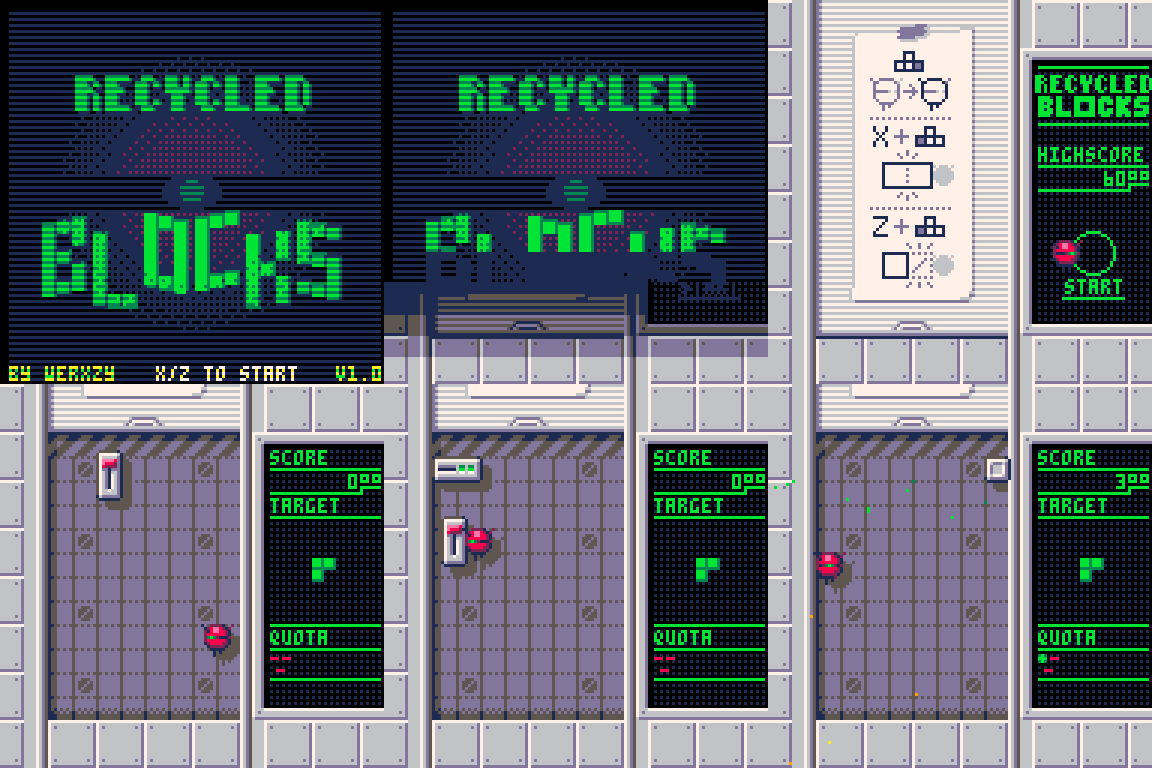
https://werxzy.itch.io/recycled-blocks

Due to the high demand of blocks, you will need to make your own polyominoes. Push, weld, and drill blocks in order to create the requested shape!
(1 edit)

The game uses it’s own cursor graphics, which might be hidden for some reason.

Though it first determines if the in-game cursor should show up at the computer cursor’s position by checking if the cursor position changed over 5 frames. It could be either your mouse or chrome failing to update the cursor position on 1 frame. (This check is mostly to prevent the cursor showing up while playing on a phone, which is hard to detect on pico-8.)

Another reason why it’s not showing up is that your keyboard might have a key detected as held for some reason. I noticed the in-game cursor is hiding when the cursor isn’t moving, or just flickering. (This check is so that the cursor hides when using the keyboard instead of the mouse.)

If you still don’t see the cursor at all, I’ll probably adjust the check.

(1 edit)

How does this look?

While it might be nice to have the option, full controller inputs would just be at a strong disadvantage as well as not working that well with diagonals.

Good idea. I’ll see if I can fit that feature in.

Thank you!

Hmm, I might be able to fit that in. The word won’t appear very big though. Probably the size of the words that appear on the bottom.

(1 edit)

Thanks! letter generation IS weighted to favor specific letters like vowels a bit, but it mostly comes down to if enough words are found in the grid. Most modes expect around 60 words. If not enough are found, then a new grid is generated. I didn’t want it to be too high or else have the player wait a long time for a valid grid to be generated.

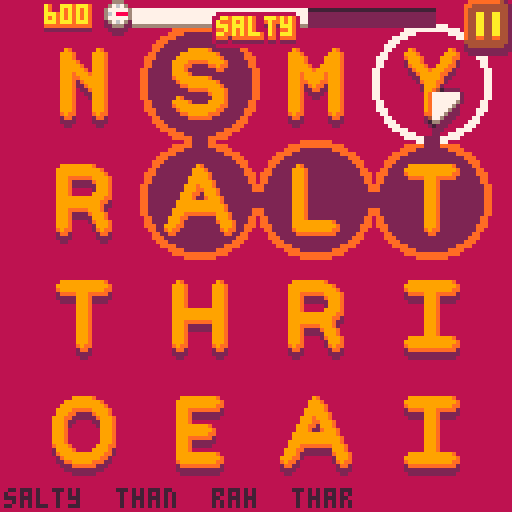
https://werxzy.itch.io/can-of-words

Can of words is a simple word finding game with an alphabet soup theme. The game includes 10 game modes with slight variations of the base rules.

Hint You'll need to press the buttons in the right order.

I’ve already tried using all the listed buttons while on the screen that lists them, but nothing is happening. that might just be something wrong with my system?

I tried the download, but for some reason it’s listed as 0KB and doesn’t unzip?

Through the itchio app, I was able to download the html5 version (which might be the web version), but even that isn’t responding to my keyboard.

1/3 answer the room with the 6 buttons required pressing the buttons in a certain order. that order's path is in the shape of a number.
(2 edits)

the keypad, sorry.

Better hint? You don't need to leave the room to figure out the combination. Everything you need is in there.
Hint 2 Each of the rooms has a hint to a digit. The left one might be a little tricky to figure out.
Hint 3 What did you do to unlock the door in the left room?
(1 edit)

Thanks! Don’t feel bad about the eraser lol. some people have been able to figure it out even without buying it. But if you want to still try to get the other coin:

Hint Check the settings, there might be something you missed/forgotten :)
Hint The input device can give its own hints.

https://werxzy.itch.io/mouse-required

Mouse required is a short game I made for lowrezjam 2025, where you play as a mouse cursor looking for his friends.

For some reason I’m unable to start the game? It’s stuck on the screen at the start that’s showing the controls. I tried downloading, but it appears the zip file is messed up as well. I also tried different browsers, but the game acted the same in all of them.

Hint You can find hints to the code in the previous 3 rooms.

Thank you!

Actually, I AM using custom CSS for primarily 1 thing lol. It’s for the transparent header. I had to set the background color (BG 2) to transparent, set some elements to have the target brown color, then a bunch of small fixes for the gaps in the boundaries. If I didn’t do all of this, the header would also have the brown background color. There are a few ideas to get almost the same affect, but I wanted the clouds and the header to be on different layers.

Thank you! Reverse controls is an interesting idea, but since the snake’s movement is based on the surroundings and can go either direction, it might be equally as confusing? Might look into it if I ever reiterate on this mechanic.

Oops, don’t know how I missed the idea to just jump to the next level after completing the current one. Might have been too focused on giving the player control over picking levels. I’ll be adding it in the next patch, thanks!

Hmm, pico8 has had some weird issues in the browser version lately, not sure why. If no error message pops up in the game’s screen, It’s probably not to do with the game itself. I’ve mostly, if not only, seen this occur with chrome.

Thank you! Hmm, that’s actually supposed to be a hint on some of the first moves to take. Though I can see it does also illustrate the idea of the final move. I’m planning on updating the hint system to allow more hints for the longer levels.

Sounds like an alternate solution. Can you get a screenshot? I’m curious if the snake can be even shorter for that level.

Thanks for the feedback! I did upload version 1.3, which splits 1 of the earlier levels into 3, so hopefully that helps a bit more.

One of the things I love about these styles of puzzle games is the discovery of how the mechanics work … Which might be a bit of the game’s downfall. Where most games usually show the gameplay or selling point up front.

Since this was for a game jam, I didn’t have that much time for testing. Though for the little that there was, people were struggling a bit. Unfortunately, I’m working in pico8 and decided to limit it to a single “cart”. There probably isn’t much more that I can do to fix the tutorial issue.

I do somewhat envision expanding this into a full game. Though definitely will get more testing if I attempt to.

(1 edit)

Hmm, what would you suggest for a better hint system?

The version I made, giving the position of the snake that is used at some point of the solution, was a simple one that I was able to add within Pico-8’s restrictions. In addition. I tried to make sure to add these hints to all levels (even if the level really shouldn’t need one), otherwise have people asking why a hint isn’t given in the first place.

(1 edit)

Thank you! Yes, the level 26 (last) is possible, but quite difficult. (tunnel isn’t necessary, if you didn’t pick that up)

(now level 29 in v1.3)

What do you think you were getting stuck on? I’m looking for ways to make it easier to learn since people seem to be getting stuck pretty quickly.

Thanks for the feedback. I updated the first few levels to try to smooth out the learning a bit. Also a hint system if the players are still struggling a bit. Hope this helps!

I was going for a more discovery approach, since the movement system is so obscure and satisfying when the player discovers what’s going on.

(2 edits)

https://werxzy.itch.io/just-a-normal-snake

“Just a Normal Snake” is a sokoban snake game with an unusual movement mechanic that was made for Thinky Puzzle Game Jam 5.

Progress should get saved automatically. If everything was lost, it might be because your browser settings are blocking it.

Though if it’s just a single level there’s a slightly different case. Progress for a single level is updated when you see the fireworks on the level select screen. (It was just easier to have the animation and the solve progress happen at the same time.)

It could be some keyboard layouts are different in a way that the standard zxcv inputs, from the qwertry keyboard, don’t work. I don’t have a good fix for this unfortunately.

(1 edit)

Sorry about that, progress should automatically be saved. Some browser options might be preventing it from being saved, but I’m not sure what they would be.

However, there is a secret way to unlock all the levels. you should be able to find a hint on the itchio page.
(1 edit)

Actually, it sounds like your keyboard, or other input device (or pico8 itself?), is sending that it is being pressed twice. Since there's queued movement, your single input might sometimes be counted twice.

I'm not quite understanding what's going on. I haven't noticed any issues with the movement for a while. Could you send a screenshot/recording/gif of what's happening? 

(1 edit)

The fruit on the left is the first one to be eaten, which requires a specific movement.  This will be similarly required for the second fruit

One of the great thing about the level selection menu of the Snakebird games, is that usually multiple levels unlock and once. So if you're stuck on one level, you can try one of the other ones and come back to it later. Unless you're stuck on Level A, in which the order of the fruits you want to take, is the middle one, the left one, then the right one. :)

I'm actually wanting to avoid posting the walkthrough myself, as I think it would be nicer if other players got the chance to do that themselves. Besides, I wouldn't want to ruin the experience of solving all the levels for the players.