

I'm so happy, I finally did it! Not only did I create a bidirectional converter, but my other program allows me to transfer data from ROMs. Together, they create a bridge that lets me edit the scenarios with its application and then save it back into the game 🥳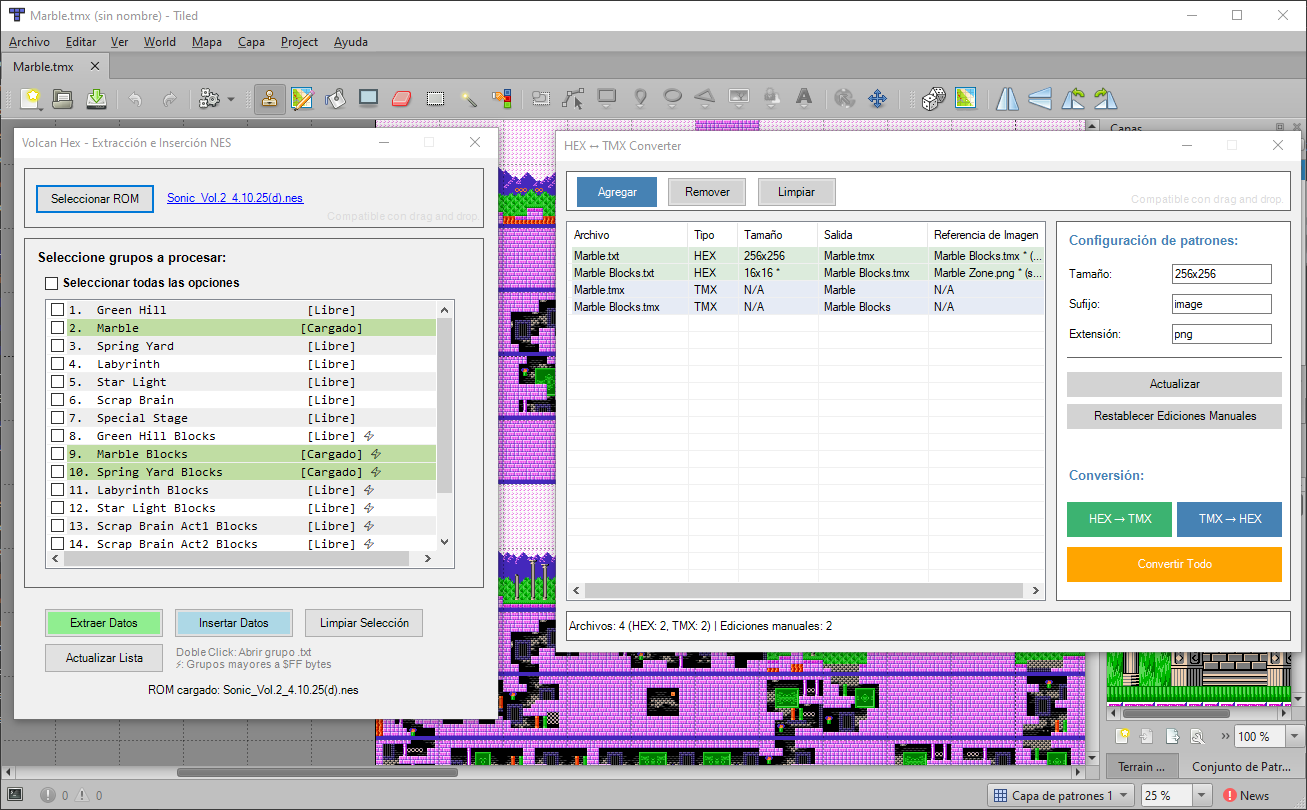
A member registered Sep 25, 2017 · View creator page →
Creator of
Recent community posts
taking small feature requests for pending NEXXT update comments · Replied to FrankenGraphics in taking small feature requests for pending NEXXT update comments
1. Oh, I didn't know that, thank you!
2. Understood. I mentioned the binary format because it's more practical for creating small data post-processing applications. Although, I confess that this little challenge encouraged me to learn how to handle attributes like color.

(Hummer Team Level Block Converter)
Note: The GUI values are a rudimentary way to edit the canvas resolution.
3. I'm not sure I understand, as I currently had to start using my own application to package the sprite animations.
For context: When using NEXXT to modify existing game animations, the most common obstacle I found was that the actual position of the elements usually exceeded the work area (with positive or negative values).
My proposal, therefore, was to add a "simulated" offset (exclusive to the application), not to change the real position of the tiles, since the sprites are constrained by their source format.
NEXXT 3.0.1 released - bugfixes comments · Replied to FrankenGraphics in NEXXT 3.0.1 released - bugfixes comments
I am continually amazed by the new features of NEXXT; they are simply fantastic! 🤩
Importing CHR from NES ROM: I apologize if my response is based on a misinterpretation of your words, but if you look closely at the screenshots, the graphic banks being ignored are not only sprites.
Additionally, it is quite common to find cases where the same CHR is used to store both background and sprite data.
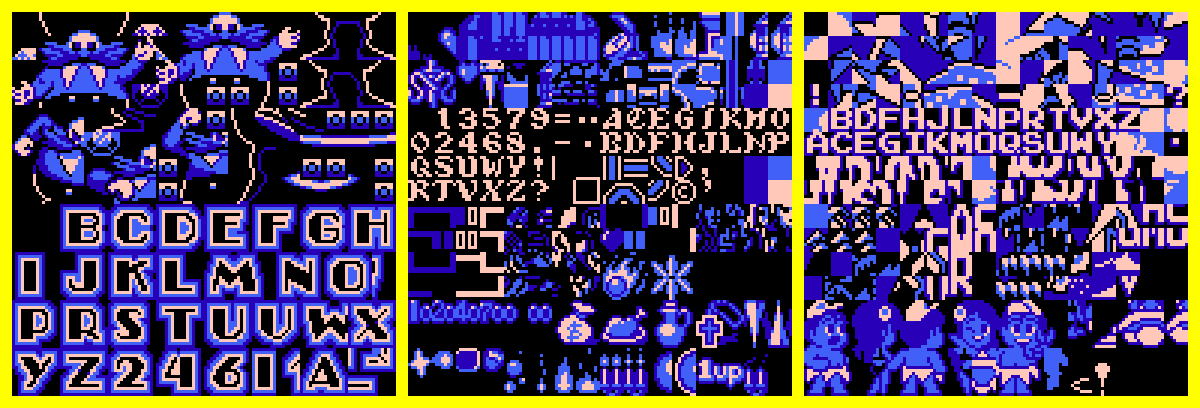
Sonic NES | Castlevania 3 | Adventure Island 3
Lastly, I must clarify that I have not been successful in accessing the rest of the graphics with the procedure you proposed.
The format used by MSB: It looks promising, but I need to investigate further to understand it better, as I currently extract animations from the PRG ROM, thanks to the search tools provided by Mesen.
NEXXT 3.0.1 released - bugfixes comments · Replied to FrankenGraphics in NEXXT 3.0.1 released - bugfixes comments
Of course, here are the different variants of the Mini Logo:
Dr. Mario - Mini Logo (Images).7z [Mega]
Although it is unrelated, I also want to share a PowerShell script that I created with the help of AI. This script recreates the cleaning process I usually perform. Honestly, I doubt it will be very useful, but I am happy to have accomplished it 🤗

NEXXT 3.0.1 released - bugfixes comments · Replied to FrankenGraphics in NEXXT 3.0.1 released - bugfixes comments
(I apologize if my words may sound a bit distant, I considered that the text was too long, and I didn't want to overwhelm you, so I helped myself with an AI, to synthesize it)
Import Issues:
After recreating the problem, these are my conclusions:
Example: Reducing the Dr. Mario mini logo to 2 colors:
With BMP: Extending the canvas to 128x128 allows correct import with any configuration.
With PNG:
- Extra colors need to be added.
- Expanding the canvas is not enough.
- It only processes correctly with duplications and "pixel density threshold" activated.
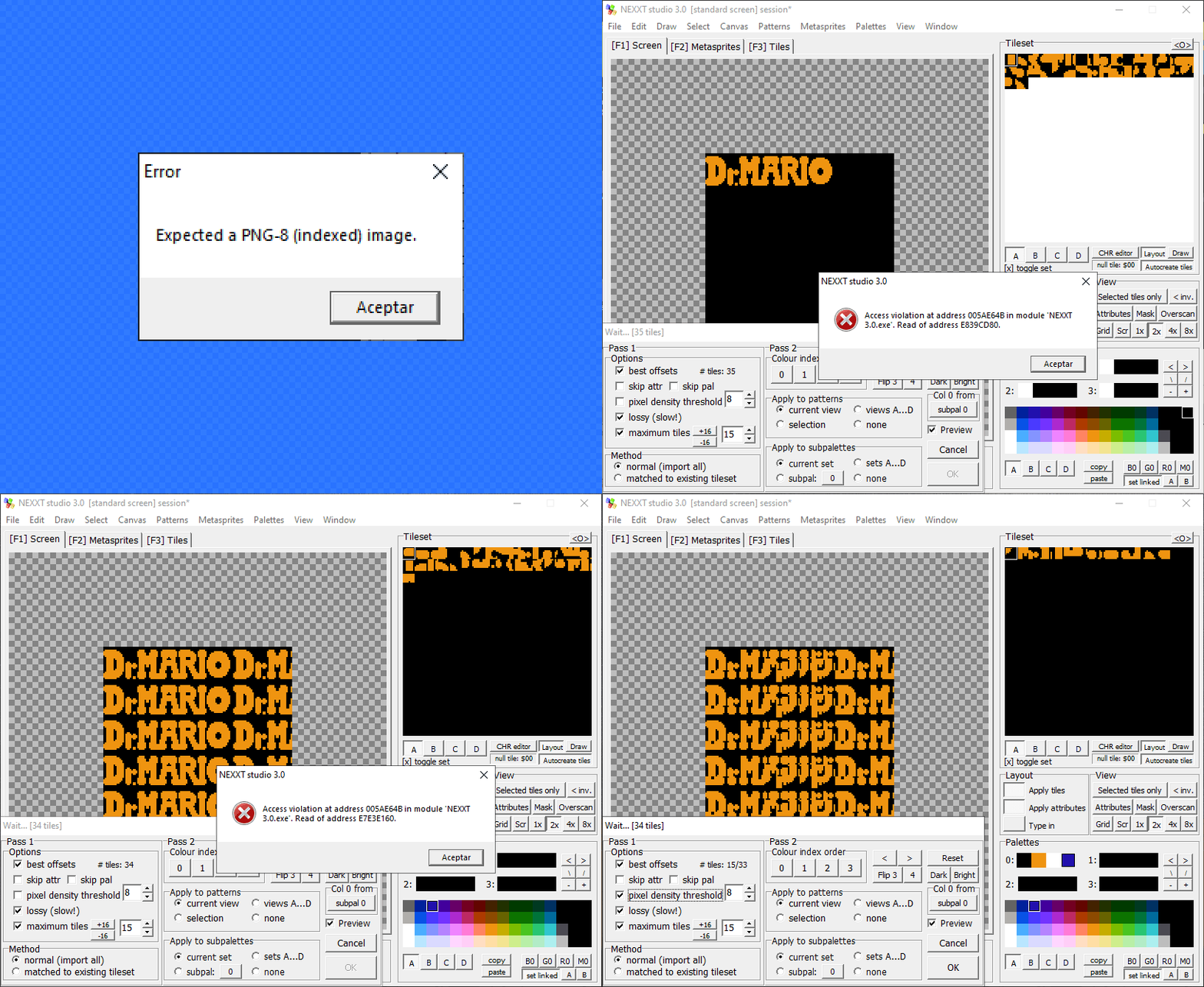
Notes:
- The image format affects the quality of the result.
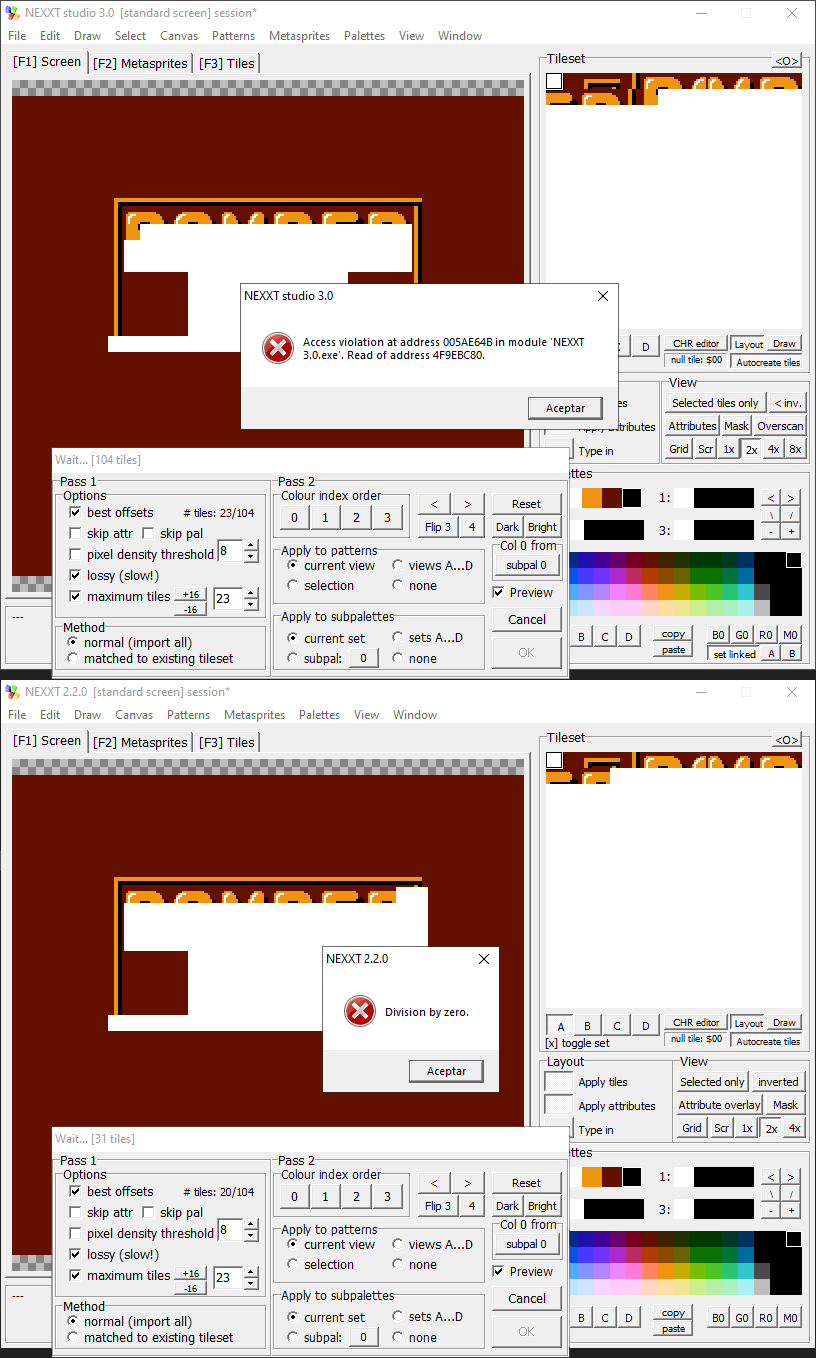
- The application may close if parameters are changed repeatedly after the first failure.
Workspace Navigation:
- In retrospect, the Shift + Wheel shortcut is logical; I should have deduced it.
- Horizontally, I have no issues, but vertically, at the highest resolution, I can't see the lower controls without hiding the taskbar. Even then, some options remain inaccessible.
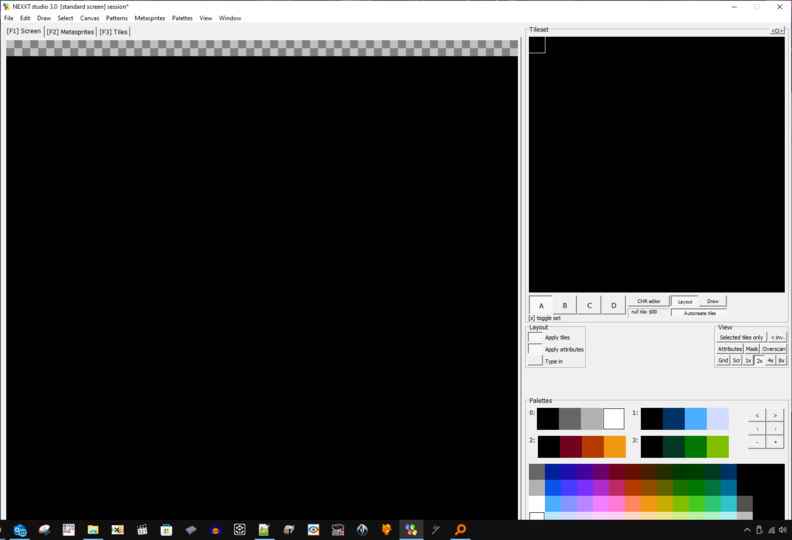
Suggestion: A full-screen mode could be practical.
File Management:
When importing the PPU to NEXXT, the desired screen is not always in the main "tilemap" sector. This is not an issue when exporting in NAM, but it requires additional steps if you want to keep only that area in a session.
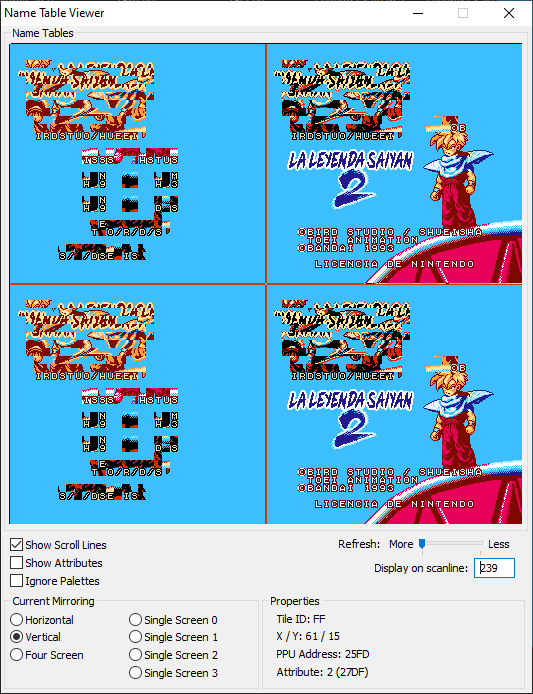
(This can become tedious at the end of a project, as you generally need to organize a considerable volume of alternative versions and backups of the main work, keeping only what might be relevant later, to make it more manageable.)
CHR Import from ROMs:
I admit part of the problem might be my difficulty in understanding the import tool. Here are some recent examples where I couldn't access the needed graphics:
- Dr. Mario hack "NROM": Only the CHR of the sprites is accessible.
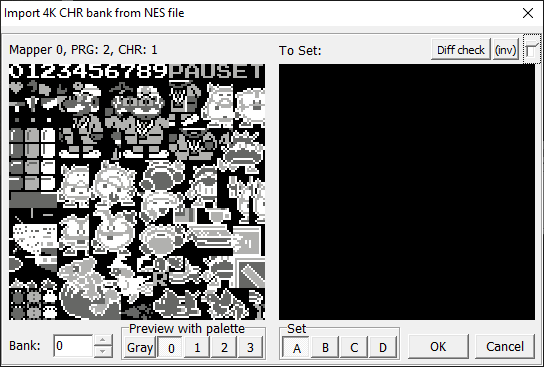
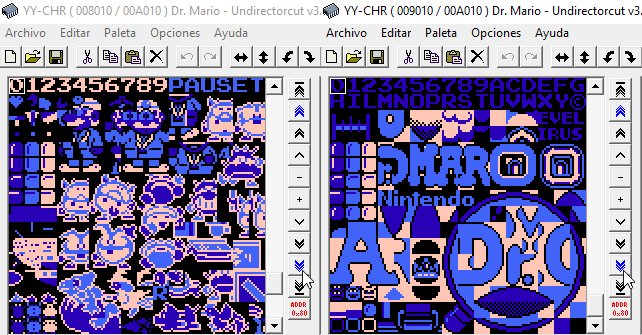
- Dr. Mario (PRG1): I can only access half of the graphics.
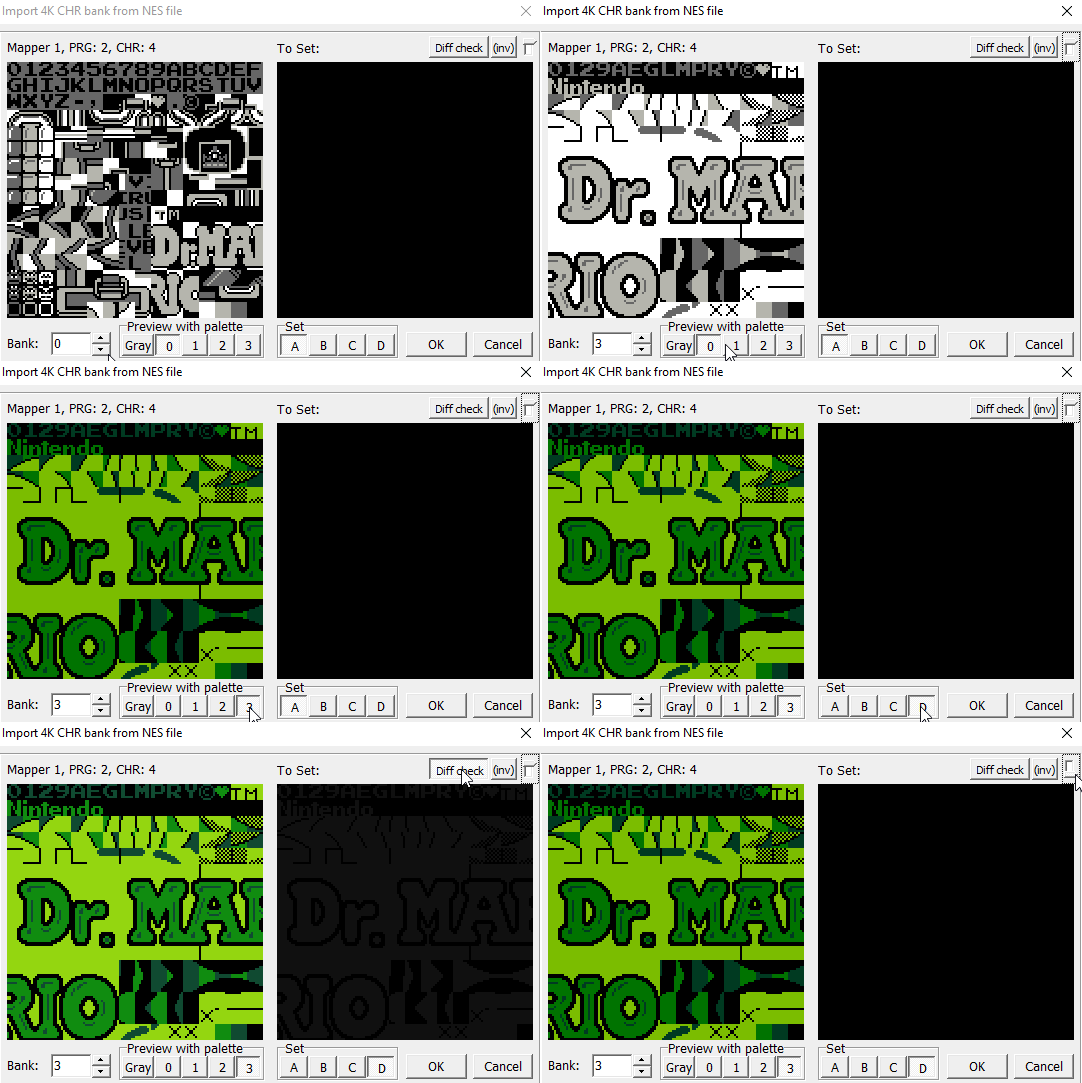
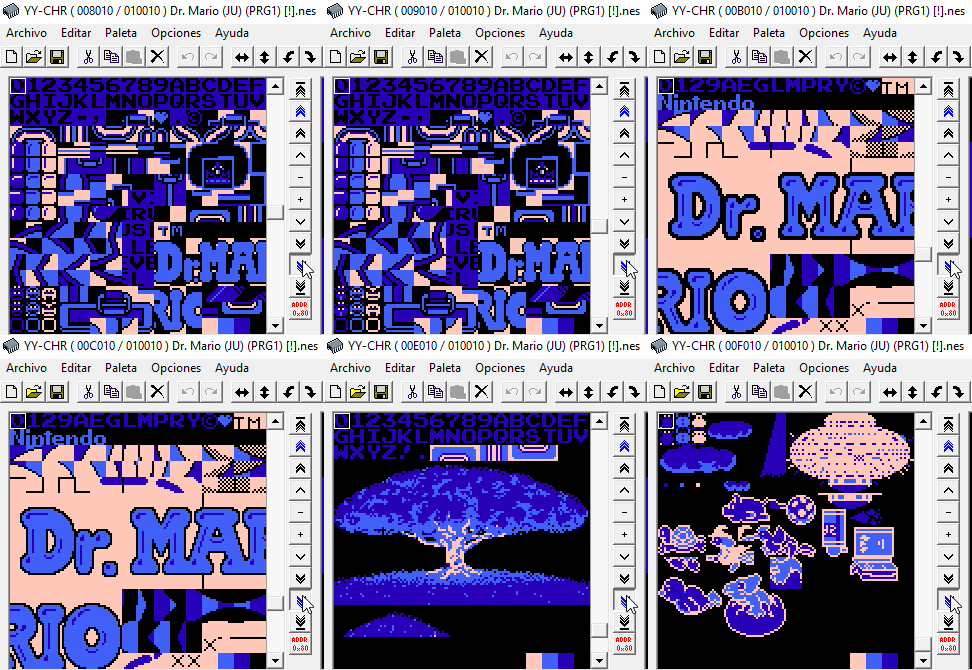
- In older versions, I never knew how to access the set of graphics shown in the capture.
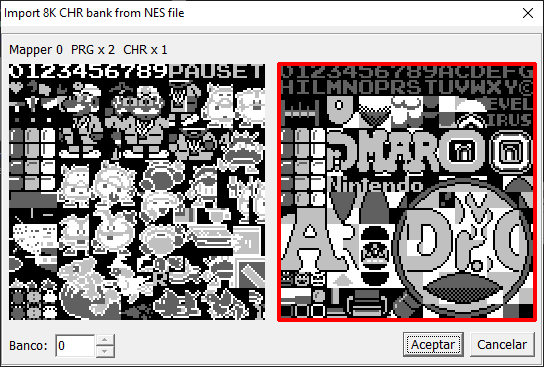
CHR Import from NSS:
After the explanation, I consider the current options superior, especially because it sounds more practical to open a project from the explorer...
Is that an OAM dump?:
No, I didn't know it was possible to import OAM. I created a script that processes the animation code data of Dr. Mario in the format used by MSB (it practically just adds FF at the end of each sequence, so the code is identical to the game, with no compensation).
Note 1: Although the provided version has a couple of corrupt sprites and garbage data at the end, they do not affect the overall functionality and were corrected later.
Explanation: I used the closing code as a parameter to divide each sequence, as it was easier that way. The final corrupt data appeared because I had no way to determine if there were more sprite data than indicated in the main pointer table.
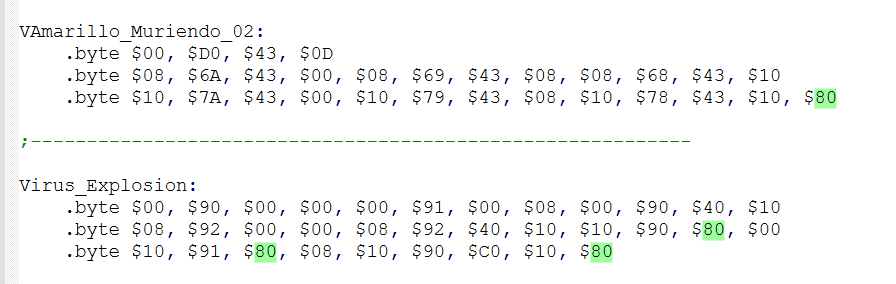
Note 2: I had to correct this outside the application, as it only allowed deleting the sprite content, not removing them. A similar issue occurred when reorganizing animations, opting to do it from my source code.
Bug Report:
I don't know how to replicate the issue, but it happened several times in NEXXT 3.0.0. I tried repeating my actions and intentionally making errors, but only by pasting the screen in the wrong place did I manage to crash the program.
It is worth mentioning that in this case, the system also crashed, something that had never happened before. I suppose it is related to how I forced the error. I attach the most relevant fragment of the video and a screenshot of the event viewer just in case.
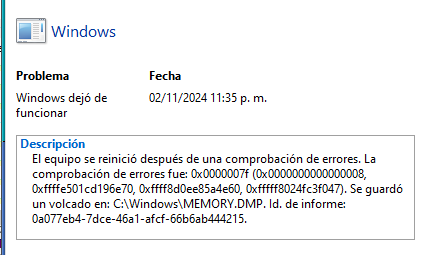
If I'm not mistaken, that's all, I hope this information is useful! 😉
Recently, I undertook a complex project to test NEXXT 3.0. I planned to share my experience once I had gathered all the material, but since there's already a new update, I think I should share my findings before they become irrelevant.
Import:
- Fails if the image has fewer colors than expected, is too small, or, as in the screenshot, for unknown reasons.
- Navigation locks up when importing images, except for vertical scrolling with the mouse wheel, making it hard to see the result.
- You can export the visible screen but can't crop the canvas from the visible area. (1)
CHR Import:
- It's not always possible to access all the graphic content of an NES ROM.
- It would be ideal to import CHR directly from other NSS files. (1)
Program Behavior:
- After saving and loading the file several times, the program behaves strangely, though it allows you to continue normally after a while.
- Sometimes it fails to focus on the correct work area, causing issues when pasting graphics or screen data. (2)
Checkpoints:
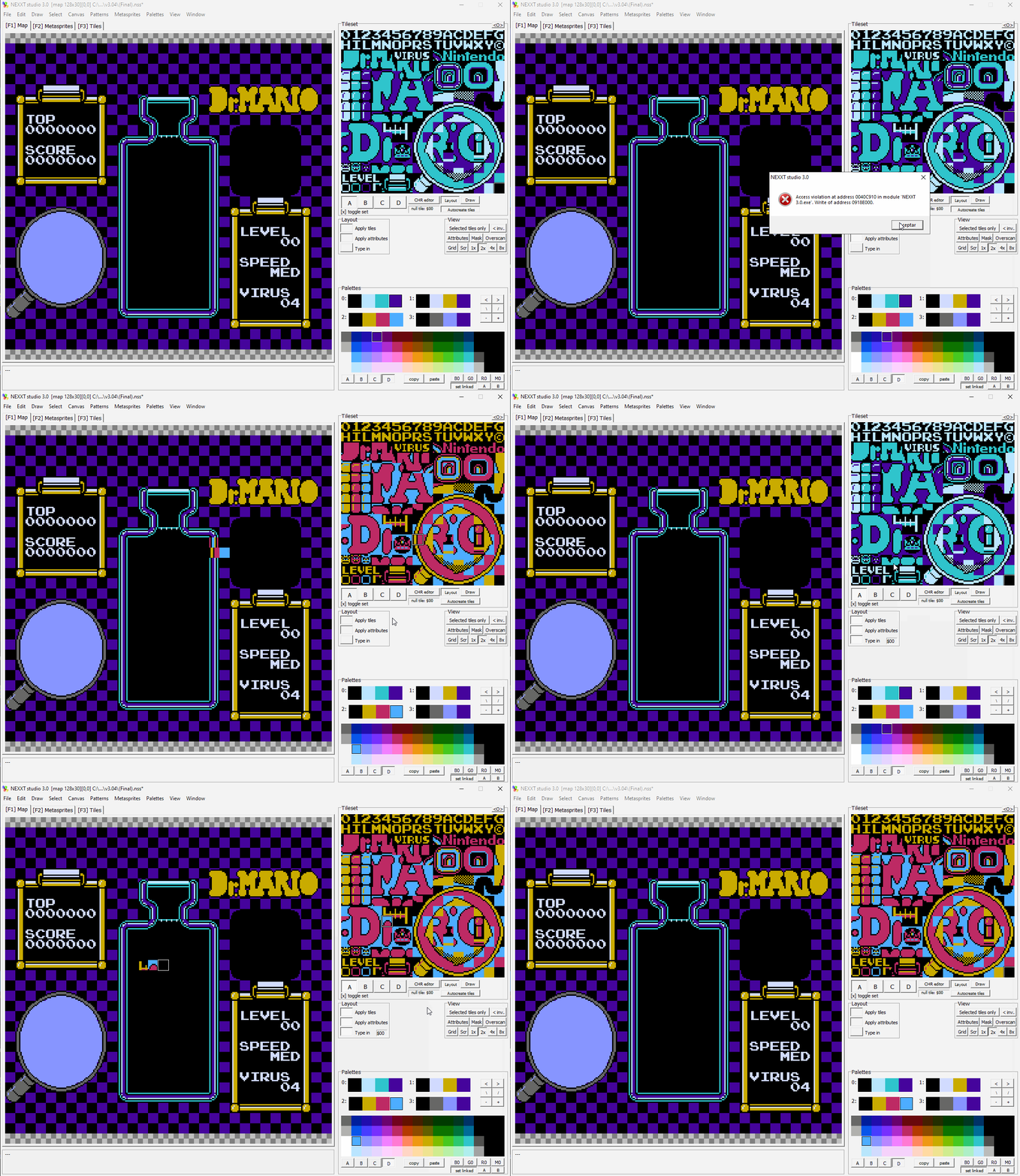
- Creating and restoring multiple checkpoints consecutively can cause strange effects. (3)
Metasprites:
- Cannot open MSB files (not sure if they are migrating formats).
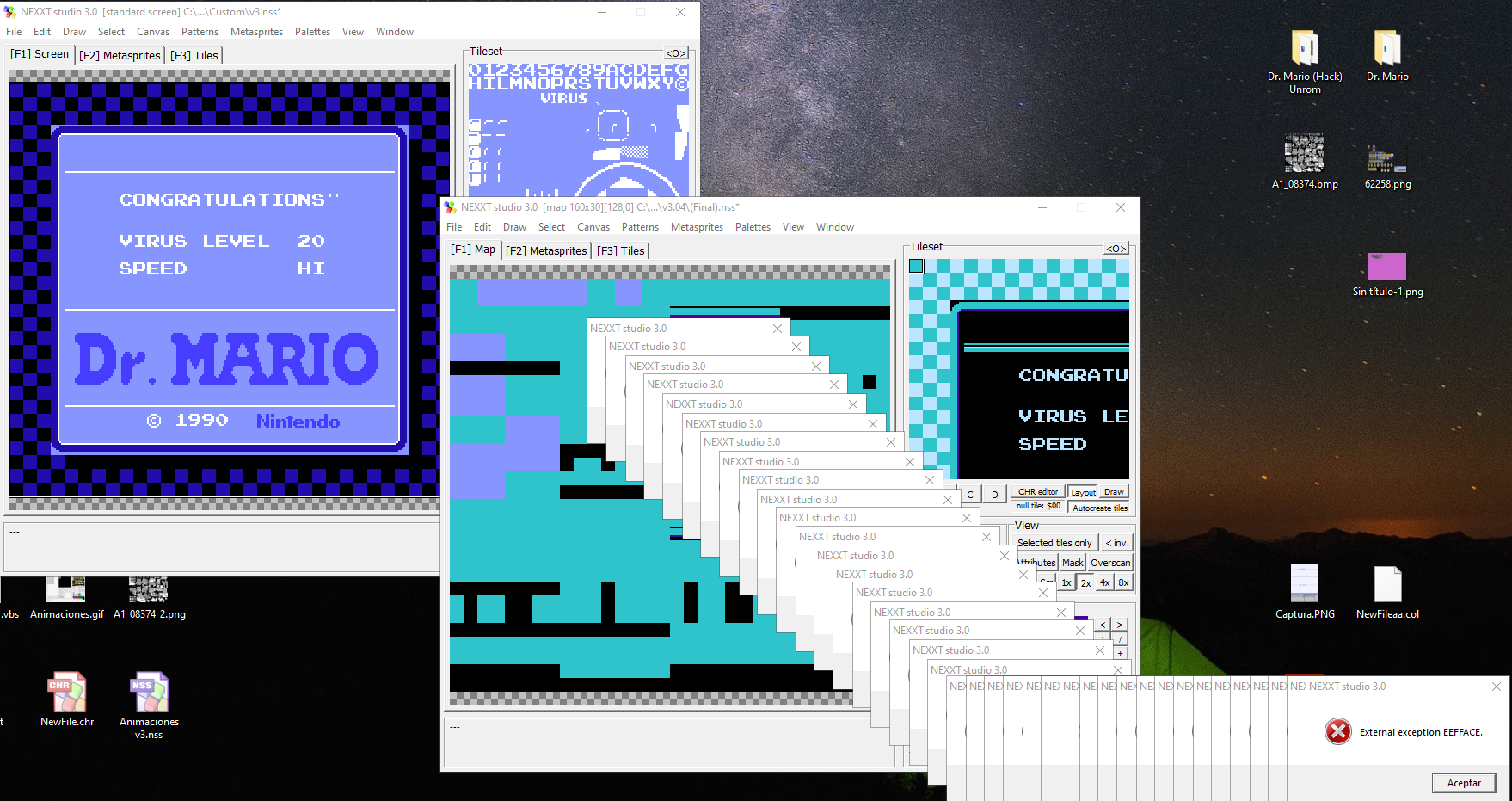
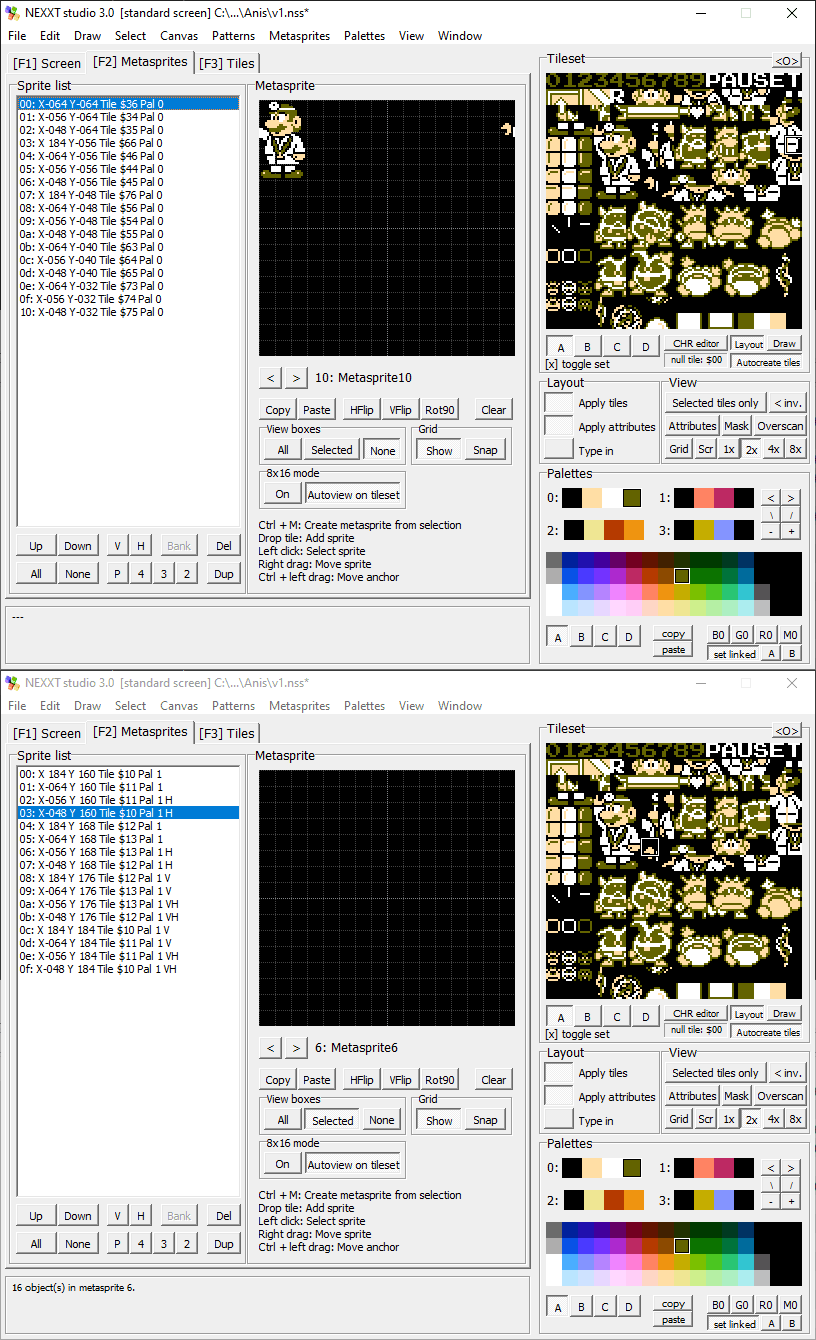
- The Metasprites screen isn't prepared for some real NES sprite cases, as seen in the screenshot where Mario's hand appears in the opposite sector, and other objects can be outside the visible work area. (4)
(1) I mention this because it's curious, though not significant.
(2) The worst error occurs when the work area focus suddenly shifts to the Tileset when pasting screen data.
(3) Or loading a checkpoint when none have been saved.
(4) Many NES sprite formats are almost identical, only varying in data order or presenting transformations and palettes separately. This can be resolved with scripts, but considering NEXXT has a similar function for reorganizing palettes, would be great to be considered, to expand the possibilities for beginners.
Extras and Features That Would Be Great:
- It is not clear to me how to use the CHR editor, especially when I select a group of graphics to transform.
- Apply "lossy (slow!)" to a selection.
- Grayscale visualization. (5)
- Interact with background statistics and disable their shortcut key. (6)
- More sub-palettes and the ability to reorganize them.
- Open files by dragging and dropping.
- Option to share CHR between instances. (7)
- Paste images from YY-CHR to leverage its editor.
- Reopen, close files, and open in a new instance.
- View and export a single occurrence of each tile. (8)
(5) Useful when using palette tricks.
(6) Statistics are important for working with data, e.g., in compression. The chosen shortcut key increases the risk of accidental activation.
(7) It can be cumbersome to work on all screens in one canvas. In resource-limited projects, you end up with variants of the same tileset.
(8) Essential for optimizing CHR, as it reveals sets of similar graphics. (reference image attached)
Lastly, I want to thank you for everything you're doing for the community. I apologize if I got a bit carried away, but I really love the direction your project is taking. Congratulations! 😉
PixelPaletteTool community · Replied to with the love studios in thanks + questions + feature ideas :)
▪ New features.
I don’t really think the way you’ve integrated the new features into the interface is bad. Perhaps it’s strange that it starts by loading all the colors stacked, but I don’t feel it’s a problem. Anyway, I’ve put together a small mockup to help you brainstorm ideas.

▪ Indexed images.
English isn’t my first language, so I misunderstood something you said earlier.
To provide better context, at that moment, I thought it would be great to be able to manipulate the palettes of images created with this tool as easily as color samples are rearranged.
(In the production of this type of graphics, it’s often necessary to respect a specific order in color entries, either to share a global palette or to identify the transparency mask color. But, as I mentioned, all of this arose from a mistaken assumption.)
▪ PAL or ACT files.
I must confess that I’m not familiar with the technical characteristics of these formats, so it wouldn’t be appropriate for me to provide an answer in this context. I apologize.
I am very glad to hear your news, about the error, I was a long time trying to replicate it without success, but from experience with the application, I guess it is related to this other problem, as you can see, sometimes the cursor does not transition correctly with the Windows cursor, not allowing to interact with the window, I hope you find this information useful, good luck! 😉

PixelPaletteTool community · Replied to with the love studios in thanks + questions + feature ideas :)
I think it's a pretty elegant solution, although I would suggest complementing it with a button to increase or decrease the size of the color swatches; I mean, if I had to manage a palette of 216 colors, for example in 18 columns, that would give me 12 rows of colors, and with the current resolution, I would only be able to display approximately 4 rows.
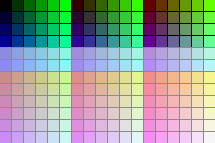
By the way, I just realized that if you resize the screen with the cursor and then use the maximize screen button (the button in the upper right corner), the work area is bounded to the window without maximizing, greetings, and thanks for your dedication!😉
PixelPaletteTool community · Replied to with the love studios in thanks + questions + feature ideas :)
First, thank you for considering my ideas, about your question, exactly, I was referring to loading a static image as the main color source, since when working with a considerable volume of colors, it can become confusing to manage.
For example, here you can see a comparison of how YY-CHR presents the colors, following a logical order, compared to the imported version, by its application, which although functional, is not as intuitive as the original.
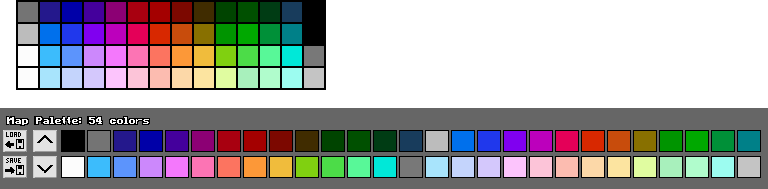
Something that becomes more evident, when you need to change the color source constantly.
2.1.4 - important fix + improvements comments · Replied to FrankenGraphics in 2.1.4 - important fix + improvements comments
Sorry for the delay, I have let several days pass to investigate if something changed when exporting and I found something interesting, now the image saves correctly, but if I compare it has a few different sectors: Files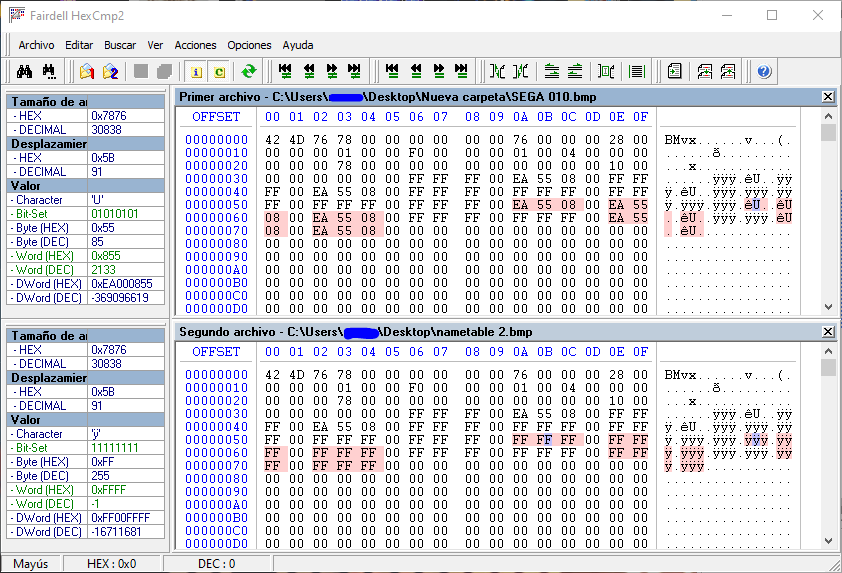
2.1.4 - important fix + improvements comments · Posted in 2.1.4 - important fix + improvements comments
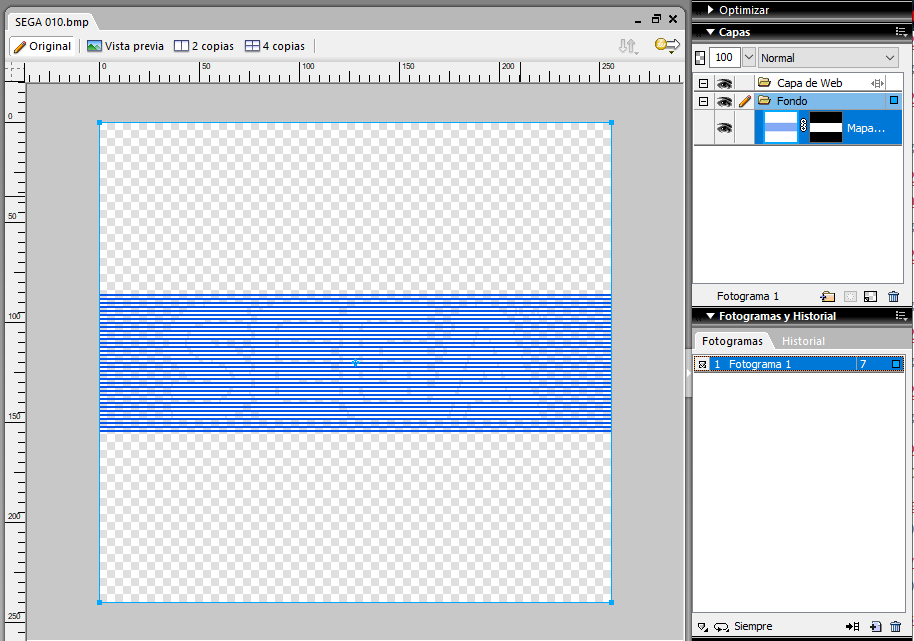
I am not exaggerating if I say that this application has changed the way I work, but there has always been something that I feel limits me a lot when it comes to carrying out my designs and that is the limitation of using only one CHR page, per screen
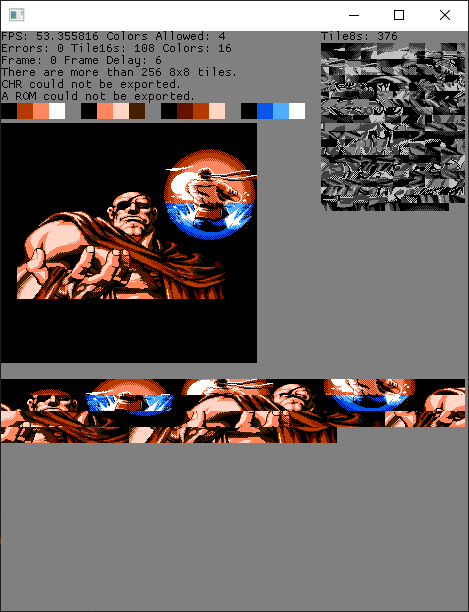
Although it is not an indispensable necessity, since I can split the screen in 2, process it and then unify it later, I can't deny that it is something that hinders testing to optimize the design, anyway I understand, if you consider that it is not something relevant, anyway I thank you for having created something so useful!
(Note: I have used an AI to translate this text, so I'm not sure it expresses exactly what I was trying to say, sorry for the inconvenience).
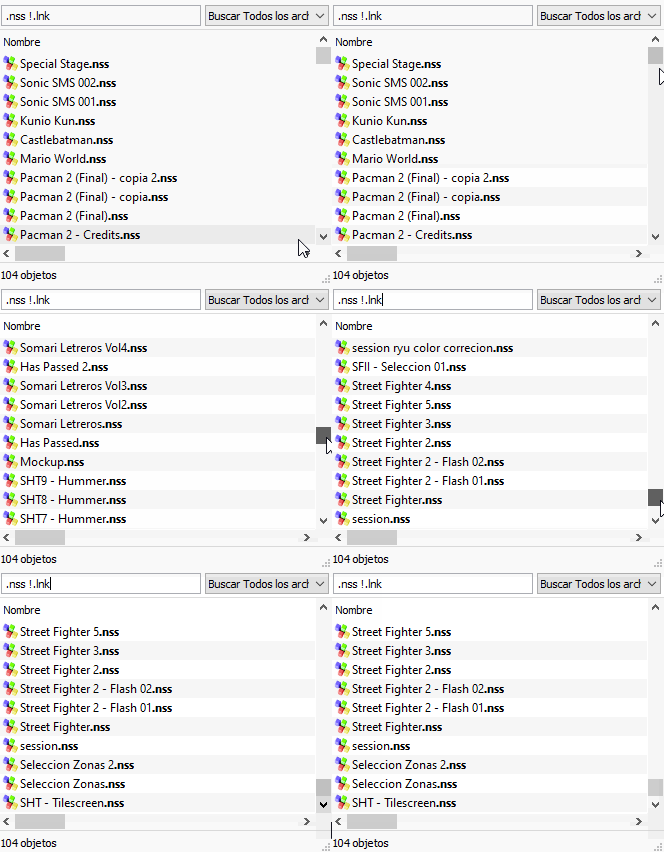
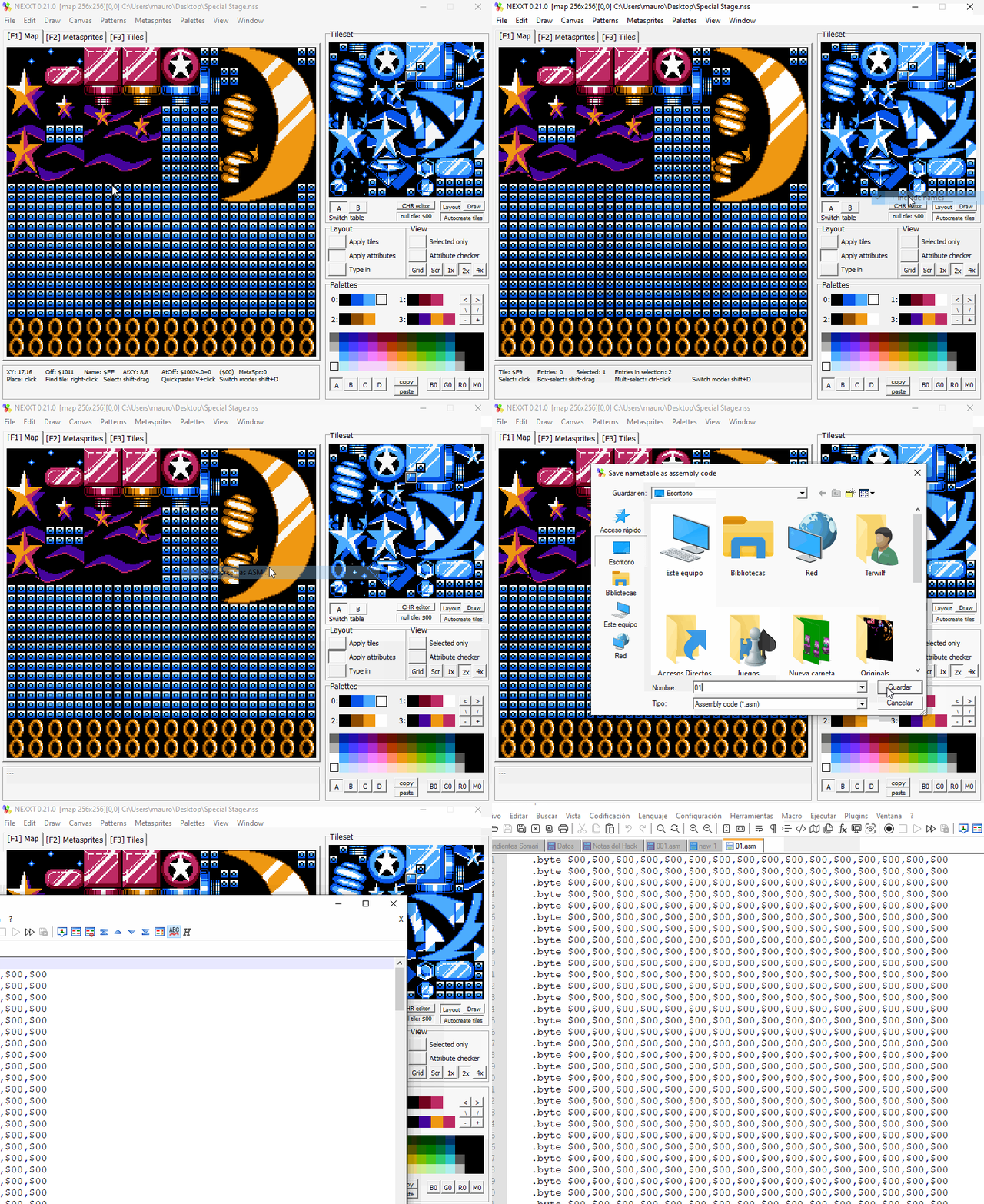
I don't think this information will be useful to you, but if in doubt, the last time I did a similar job with NEXXT was in v0.10.1b, and I didn't have any problems on that occasion.
Also, just in case, I tried to export the attributes and the following happens (It wrote 256 lines not counting the header [It is configured to store only attributes]):
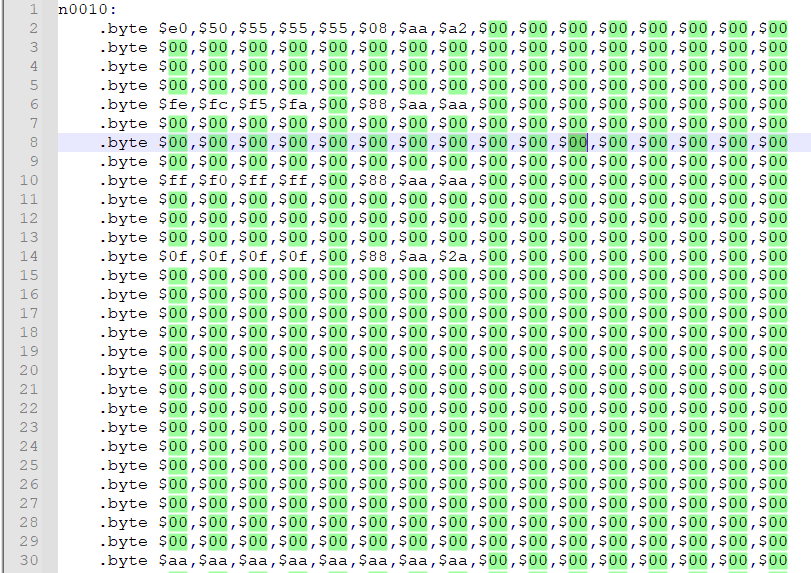
Perhaps what makes the application slow is related to the problem I had previously reported.
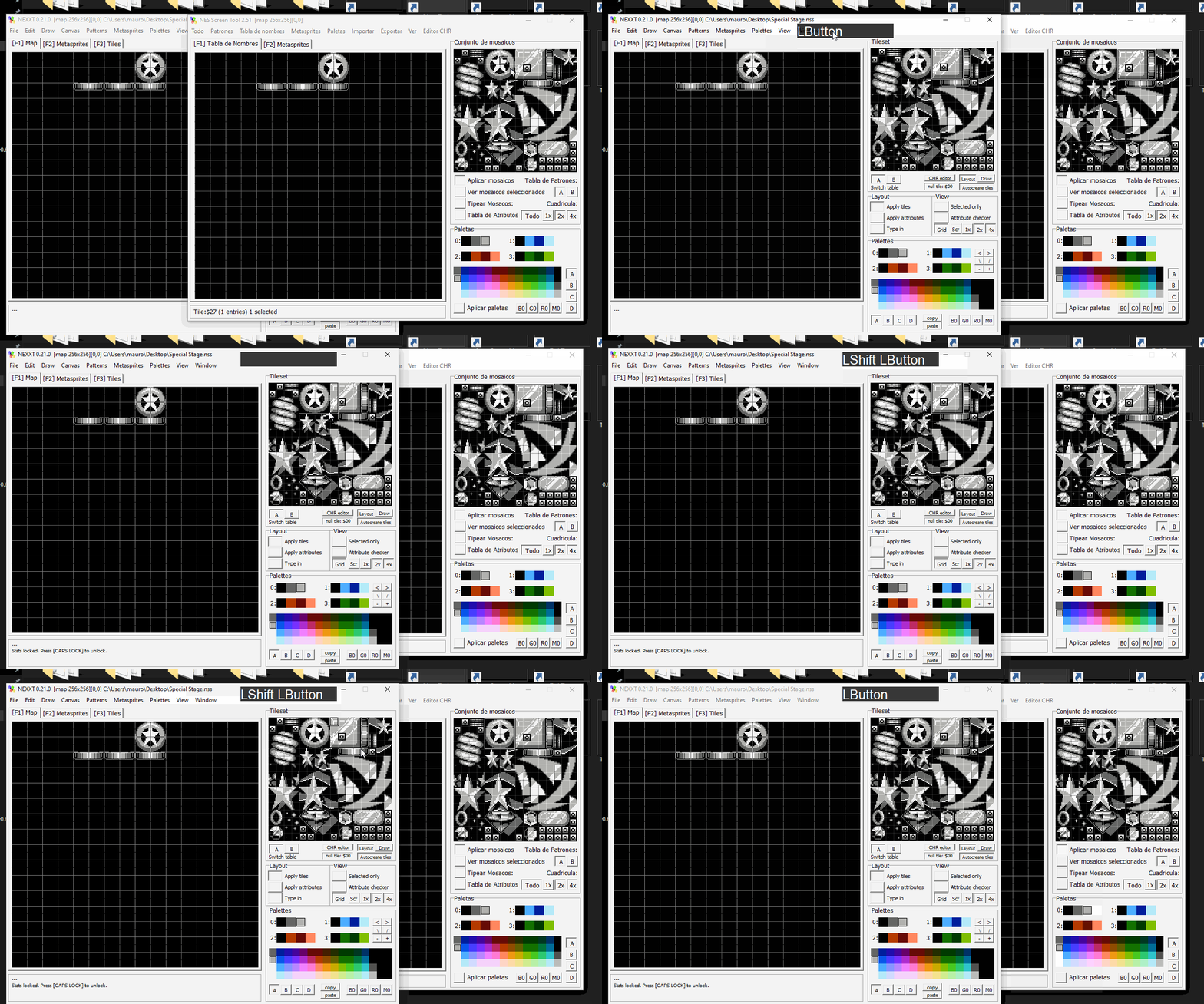
Forgive me for making this inquiry through this medium, but I did not want to open a thread for a trifle.
In the original NST, I could export the attributes of my layout by doing the following:
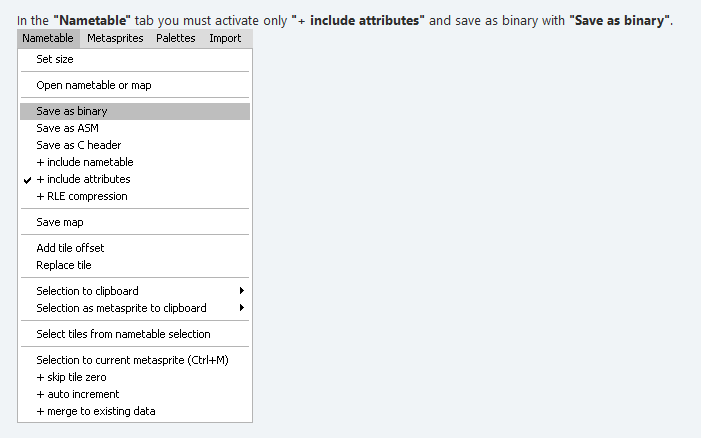
But NEXXT, I can't find anything similar that only exports the hexadecimal data of the attributes, is there any way to perform this action?