Hello, Zeqtun! Sorry, we didn't manage to finish it last weekend, but now we have released a solid translation guide! I hope you find it useful. We look forward to seeing you.
SweetDosya
Creator of
Recent community posts
Nice to meet you, Zeqtun! First of all, thanks for your support, Heroyam Slava! We will also be happy to see Turkish in the game!
If you have experience translating in Renpy, then all you need to do is extract .rpy files using Unren and create the translation files using Renpy Launcher. If you are not familiar with this, we are currently preparing a guide for beginners on how to translate the game. It will be ready this weekend. Translation is not difficult in the Ren'py engine, but it will be much easier for everyone to understand.
We will also help you throughout the translation process if you have any questions. For convenience, you can communicate via Discord. We won't leave you alone, don't worry! When we release the guide, we will contact you on this thread.
Best regards, ND Ferret Studio team ^_^.
Sorry for the late reply. What is GB? Our latest posts provide details about the dates of new updates -> https://ndferretstudio.itch.io/the-bloodriver-saga-retransmitter/devlog/1068350/...
Update regarding the info. We did mess up a bit with the game build, but everything will be fine with the next update. We will fix the problem and the game will be updated. Unfortunately, the hotfix will also install a new version (due to the specifics of the process), but after that everything will work perfectly.
Sorry for the late reply. The new versions of Ren'Py now behave this way when you specify a new version name. I can add a button to skip the prologue, but as I wrote to you in another post, you can transfer your save from the old version to the new one via PC, if you have one. Then there will be no need to play through again.
Sorry for the late reply. My smartphone allows me to copy my saved files and transfer them to any folder other than the "Android" folder. If yours doesn't, the quickest and easiest way is to connect to a PC via USB, which takes just a minute. Unfortunately, if you do not have access to a PC, it will be difficult for you to send anything in this case (unless your smartphone allows you to copy the file).
Sorry for the late reply! We are glad that you liked Toga's ‘announcement’ in the story. It's not quite ready yet, but it definitely will be! The combat system redesign awaits you in update 0.07, so we may still surprise you :). As for the hair, we will discuss this question with the artist, but I cannot give you an answer yet. You can suggest any ideas in our Discord or in the designated posts on Itch. Thanks for your feedback!
Sorry for the late reply! We talked about this with the artist. Now we've finally gotten around to changing the banner for the better. But without a doubt, consider it your contribution that got this issue moving forward. Initially, the concept of the game leaned more towards a corruption style, which is what the banner conveyed. But time passed and everything changed, except for the banner. I hope it raises fewer questions now :). We personally like it very much! Izu gives you a wink for helping to clear his reputation! Even with his nuances, he is definitely not a villain!!! Anti-hero - absolutely YES!!!
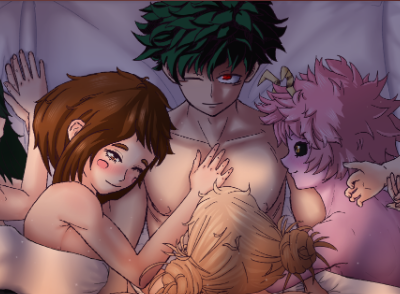
Hi! Thanks for your review! Heh, it seems everyone likes the path that was chosen for Uraka and Asui. By the way, the next update, 0.07, is dedicated to the end of the arc and a completely redesigned combat system. So, your thoughts on improvements are spot on! We will fix the gallery before the next update. It's good that the bugs you encountered weren't critical and you were able to get through everything.
P.S. Regarding the last, we hear you, we will definitely adjust it! ^_^
Look, you need to go to the three locations specified in the task. After that, Izuku will automatically install the cameras. Just be careful and don't click on other objects, otherwise the task may fail. If you did everything correctly, you will see a message saying that you have installed the cameras.