Do you mean to have snapshots show up in the edit history or to reverse course if you undo an action?
sprngr
Creator of
Recent community posts
Update: I have a fix together. Still testing it but I’m hoping to push it this weekend after verifying.
Still digging into this - it seems something changed in the underlying system relating to when the script saves a snapshot.
A weird workaround for the time being is if there is something in 0,0 (top left most corner pixel) it won’t bug out - like having a colored in background layer. I think it has something due to how the app looks at a sprite’s dimensions.
Hoping to come up with a solution that doesn’t require a work around.
Hi, sorry you’re running into an issue. This is definitely a new one since the script isn’t supposed to modify the active sprite. Let me dig into this and see if I can figure out what is happening.
It seems to happen if there is nothing in the corner (0,0) on your active layer and you hit control…Hoping I can spend some time to sort that out :|
It may be a box was checked stopping the behavior like mentioned in this comment https://itch.io/post/11079990
If you want to modify the name output when saving the snapshot, you should be able to edit this line as that is where the saved filename is built out https://github.com/sprngr/aseprite-record/blob/master/Automatic%20Snapshot.lua#L122
Sorry you’re encountering issues. I had tested on Linux when developing this but it could be anything specific to your configuration. Is the directory it would save to set with permissions for the script to be able to perform a write? If you included a screenshot of your error it appears to not have attached.
I haven’t tested it with Libresprite, but if it has the exact same APIs it may work. This will be something I’ll need to dig into before giving a definitive answer on compatibility.
Edit: Based on what I see, Libresprite is based off a much older version of Aseprite and will be lacking the more recent APIs it had added in so there will not be support there. Sorry for the inconvenience.
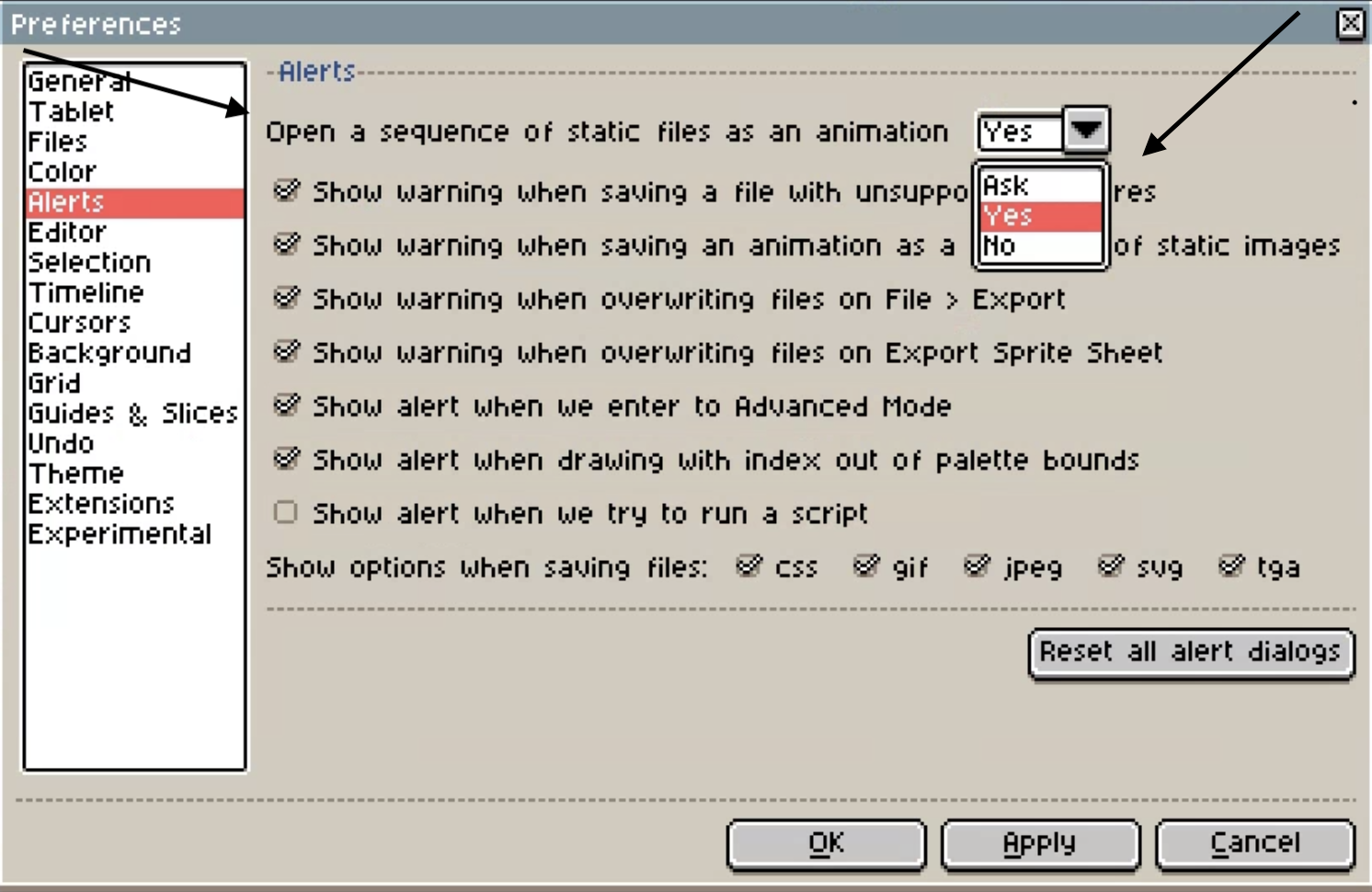
If you go to the timelapse folder (the sprite name, suffixed with _record) for a sprite, and open the first file suffixed with 0 via the File > Open dialog in aseprite - it should attempt to load all files sharing the sequence, like the included image,
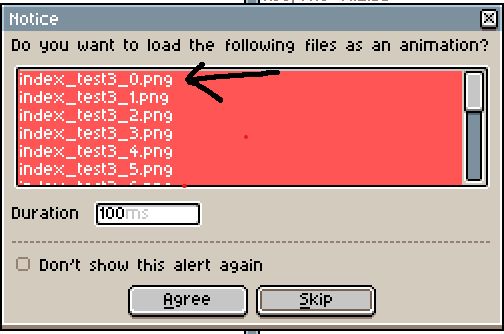
. The folder should contain an _index.txt file and all of your snapshot pngs assuming you’re using a current version.
Based on the error you are getting, that would indicate there are not any snapshots taken for the file you have open. The Open Timelapse function acts upon the currently active sprite in your editor.
No worries about the C-like Lua, I hadn’t really written any Lua prior to this extension so a lot of it was learned on the fly.
I did managed to squeeze out the compatibility shim, I think it’ll resolve any possible issues that may arise.
Regarding a version file, I don’t imagine it’ll be necessary as I tend to aim to keep things backwards compatible - and based on the nature of the utility I would figure people won’t tend to go back to previous snapshots once they’re done with their piece. Something to think about though, like tracking more meta data if necessary.
Sorry to hear that things aren’t going so well. I’ll try to help in any way I can but cannot guarantee I’m able to figure out a solution.
What version of Aseprite are you running? Are you using the most recent version of this plugin? Do you have any other plugins/extensions running? If you are using the automatic snapshot functionality, what interval are you recording at? How big is the file you are working on?
You will not be able to use the most recent version that contains the automatic snapshot tools, but you will be able to leverage the previous version that has the manual controls. That can be downloaded here (https://github.com/sprngr/aseprite-record/archive/refs/tags/v1.2.zip)
That’s an interesting problem.
What Aseprite version are you using?
Do the files have sequential names?
Are you able to open the first file in the list with Aseprite like you would any other file and have it try to prompt then to open as an animation? That piece is built into Aseprite, so I’d be interested to see if that works.
I’m going to test on my PC when I get some free time but hoping we can figure out what has gone wrong.