

Sorry about the late reply, but thank you! If you're still interested in exploring the unlocked version of this game, you can unlock the deck by going to the "About" screen from the main menu and clicking on the "Dev notes". The option to unlock the deck will be there, as well as some notes on how I did certain things.
A member registered Dec 31, 2015 · View creator page →
Creator of
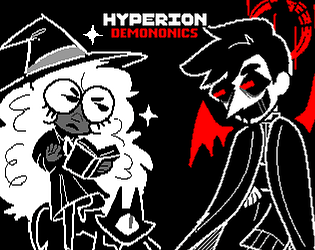
A short somewhat comedic visual novel about a witch trying to make a contract with a demon.
Visual Novel
Play in browser
Recent community posts
Slowed down a lot with development, really need to get myself into gear and finish writing and planning out the story aaaaaa. But I have managed to work on some graphics, do some bug testing, and clean up my workflow (I decided to start planning the story in Twine, but realized I could literally just write it all out there and import it using the twee module lol).
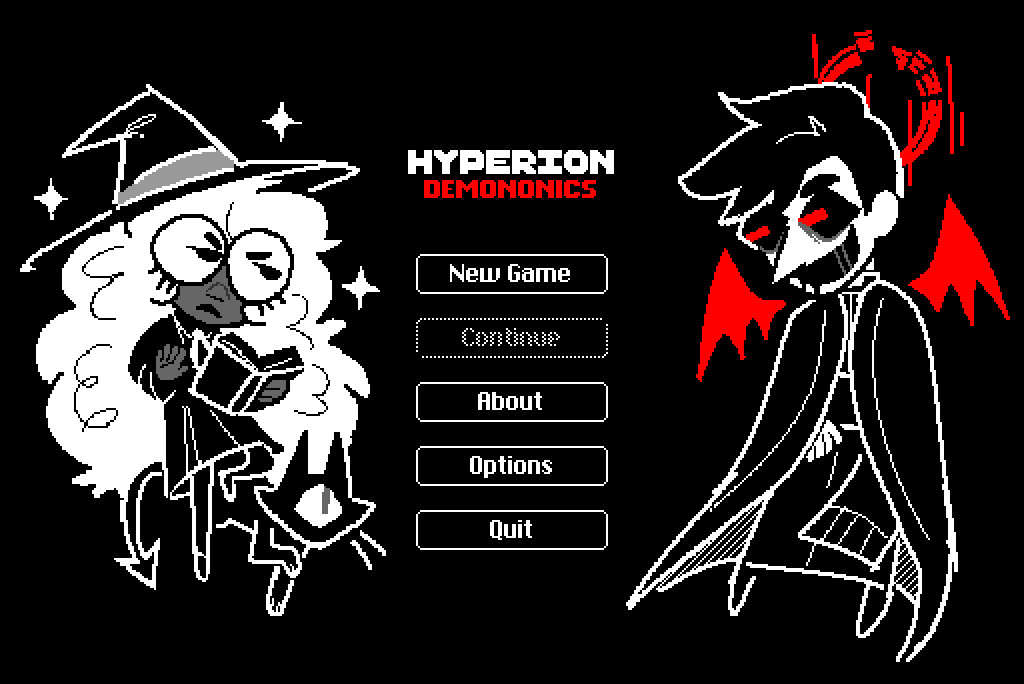
In the meantime, here's my title screen (as well as the name I picked for this)! Using zazz to make them bob up and down hehehe.
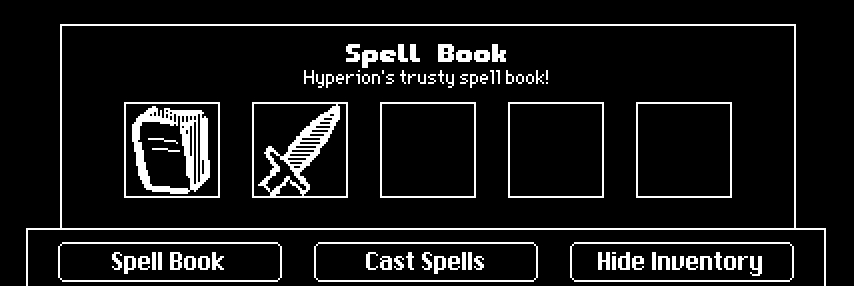
Spent the last few days fine-tuning the game mechanics. While this game will focus on characters and narrative as per the visual novel rules, there will also be some puzzle solving aspects with items and such (imagine something like ace attorney i guess). Implementing the inventory system was a lot of fun! Parts of the UI are still a WIP (as well as the messy item icons), but I'm liking how it's coming along.
And given that the main character is a witch, you can also cast spells! To simplify this process, casting spells just involves picking the right combination of symbols (and sometimes an item if the spell requires one).
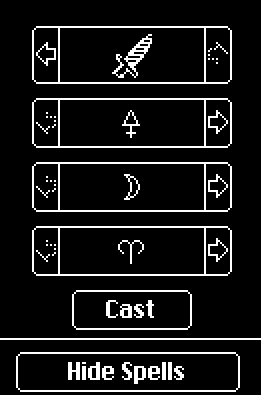
The symbols are from Idylwild's Alchemical Codex. Converted it into a font so I can easily insert them wherever i want hehe. If anyone wants this font, I'd be more than happy to share it.
Besides that, I've been adding more dialogue, making more emotes for character sprites, and trying to plan this mess of a story. Honestly, the main thing I need to do now is to sit down and write this thing lmaooo.
My idea for the jam revolves around some old characters of mine that I've always wanted to make a game for. Since their designs are already monochromatic, I felt they fit the aesthetics of Decker quite nicely! Been working on character sprites, and I really like how they came out. Because I can't control myself and like a good coding challenge, these are all "fancy" puppets.
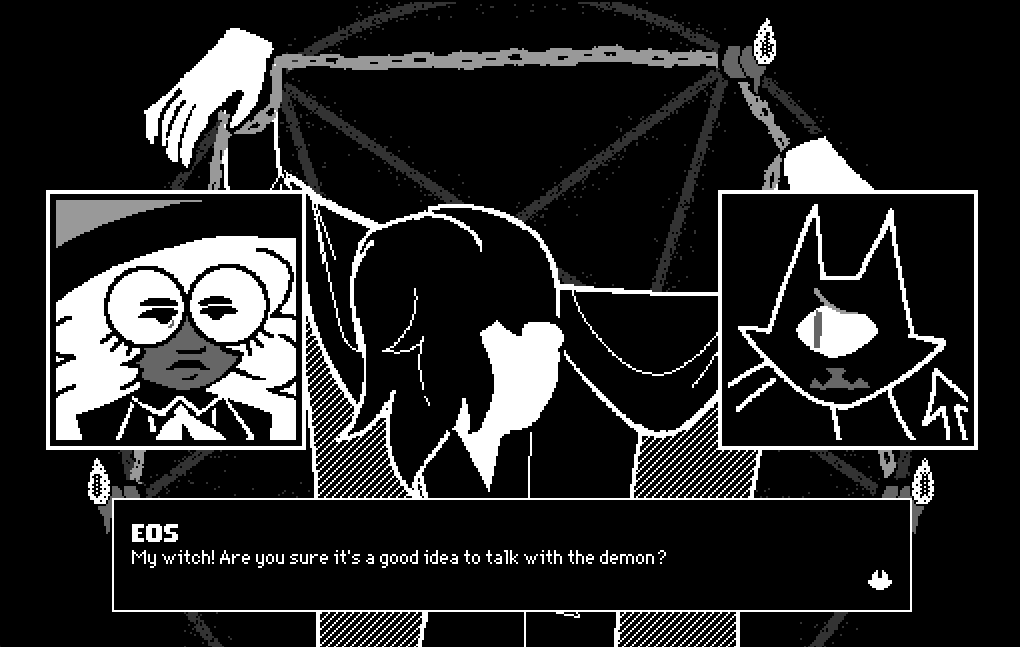
(tldr on the story. the witch, hyperion, is trying to exorcise/bargain with/study a demon that's possessing a priest. somewhat scary premise, but i plan on it being fairly comedic hehe)
Thank you guys! If instead you want to use this as a contraption, I spent some time to figure out how to make one with this hehe. Instead of copying the whole card, just copy and paste this code directly in Decker.
https://pastebin.com/zvHRUiUb
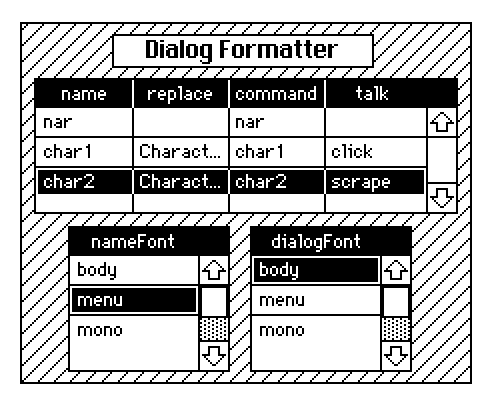
Add your rows and characters and select your fonts! It also has text attributes for you to handle the name formatting. "Script names" will be how names are typed in your script. "Dialog names" is how names will show up in the dialog. Keep "%s" but change anything else if you want. By default, script names looks like "%s: " and dialog names looks like "%s\n" (the new line is a literal new line in the text field). If you're feeling adventurous, feel free to go into the contraption prototype code and add more columns if you want to customize more things for you characters.
To get this working for all cards and to get the talk sounds working, here's the working code below that you can copy and paste into your top level deck script. (replace <card1> with the card that the contraption is located in, and <dialogFormatter> with the name of the contraption). After this, just like with the deck code, you just need to call dd_format with dd.say.
on dd_format text hide_command do
 <card1>.widgets.<dialogFormatter>.dd_format[text hide_command]
end
on command x do
 char_table:<card1>.widgets.<dialogFormatter>.characters
 if (sum (extract command from char_table) like x) > 0
  talk:first extract talk where command=x from char_table
  dd.style[dd.getstyle[].tsound:talk]
 else
  pt.command[deck x]
 end
end
You can call the method dd_format[] and get the attribute .characters from the contraption. "characters" returns the table, and dd_format[] runs the formatting script.
Some folks asked me to share some code I showed off in another thread, and I decided I should start a thread where we can all share any code/decks/contraptions/modules we think may be useful for the jam. I'll start off with this.
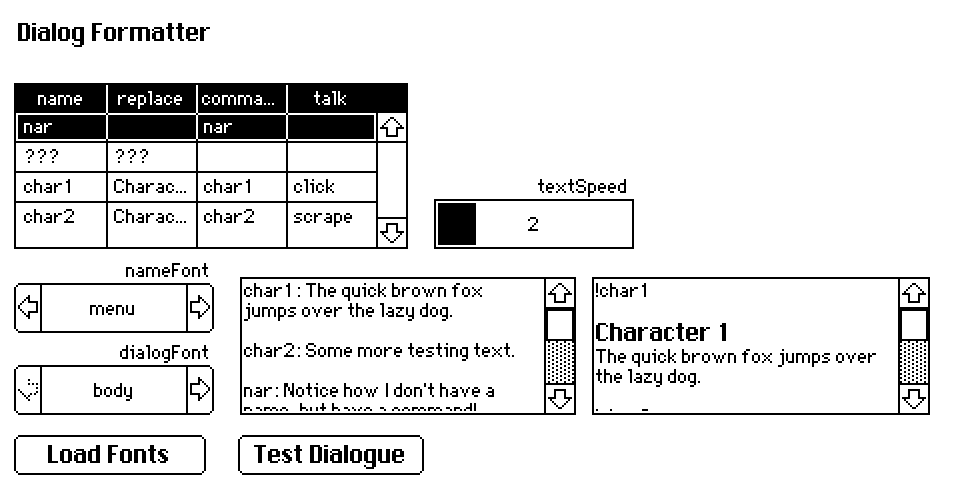
This here is my dialog formatter! Basically, it takes some basic text and gives fonts to character names and adds commands automatically.
One of the first things I wrote in Decker, so hopefully it's not too buggy. Since it's pretty involved, I decided to upload it into it's own deck, with tables and such set up already for you to use! The deck includes some documentation and steps on how to get it into your project, but basically:
- Copy the settingsDialog card into your project (can do this by going to the card, and clicking on the menu options Card -> Copy Card. then go to your project and do Edit -> Paste Card)
- Copy the top level deck script into your project's top level deck script (go to File -> Properties -> Script)
- Make sure you have the dd and pt modules.
- And now go wild! Edit the chars table to match your characters. The script puts character names on their own line, but feel free to go into the code and change that (look for new_format in the dd_format_helper method).
- To use, call dd_format in addition to dd.say. The deck shows some examples of this.
Not entirely sure how to upload the deck here, so for now I'm just putting it in a pastebin lol (don't like using google drive or whatever)
Download the text file, and then do either of these:
- Rename the file and replace .txt with .deck. This will convert it into a decker file.
- Drag the file onto the decker.exe, and it will open the file. Save the file as a decker file.
Feel free to use this with or without credit. Let me know if you run into any bugs! Maybe I'll turn this into a contraption at some point and upload it to the Decker forums, but for now this works hehe.
Hehehe this is my first game jam, and my first time using Decker! I love learning new coding languages and pieces of software, so I've basically been spending all my time messing with Lil and dialogizer. Wrote up a text formatter script that will take the stuff from the first text field and turn it into the second field (character name with proper font, and a command for changing the text sounds and such). Not sure how necessary this all is, but it was fun to make hehe. At the very least, it lets me change up the fonts of the dialog whenever I want without needing to go back and edit lots of dialog.
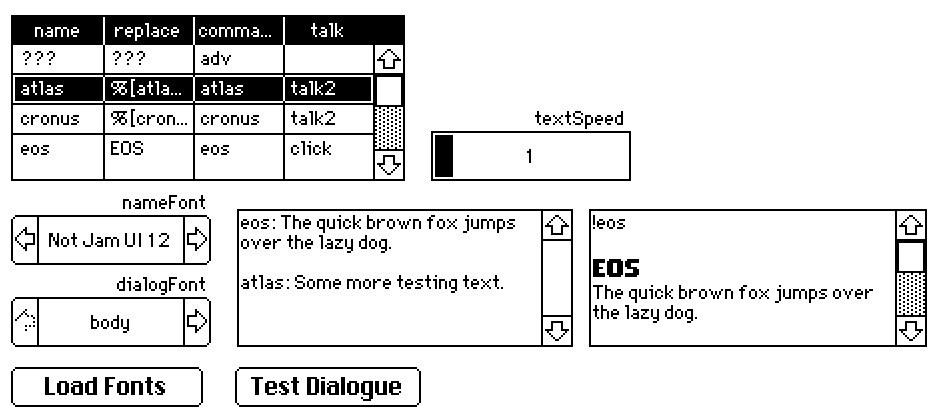

With this is place, I'm starting to write up dialog for this game! Hopefully I'll get some character sprites in soon as well so I can properly test out puppeteer and such.
(PS, I love how artistic everyone's games look so far!!)