Indie game storeFree gamesFun gamesHorror games
Game developmentAssetsComics
SalesBundles
Jobs
TagsGame Engines

shrek128

45
Posts
116
Followers
1
Following
A member registered Feb 21, 2020 · View creator page →

Creator of
Recent community posts

Thanks :)

That won't work at all. Because if you write something at the beginning of the file, the rest of the file will be shifted by the X bytes you wrote... Or rather, it would be possible, but it wouldn't be the fastest...

I plan to support 128k of memory when it becomes available. 

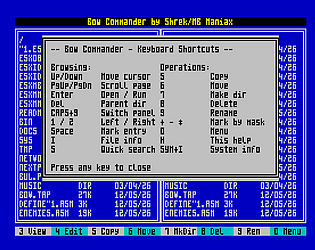
There’s already an editor in Bow Commander, it just lacks a few features from the paper. In the next few days, however, I’ll be releasing a version where Bow Commander will include the latest editor features as per the paper, plus – of course – some extra functions (settings, colour scheme, bookmarks, etc.).

I don’t really want to support DivMMC memory for data – because, for example, in DivIDE (where EsxDos can also be run), this memory isn’t available… For now, I mainly want to focus on the editor’s features…

Ok :) thanks.

(1 edit)

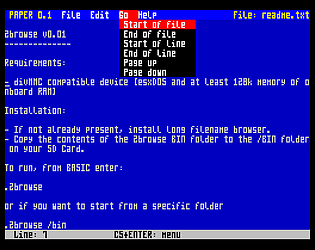
You might be interested in my next project, which is based on the Bow Commander editor: 

https://shrek128.itch.io/paper

Thank you... ;)

Could you please replicate the procedure with FAT16… if possible?

A friend also gave me some advice:

- Which version of EsxDos are you using? Are you using the latest version, 0.8.9?

- And which FAT are you using? 16 or 32? If it’s 16, please try 32, and if it’s 32, please try 16...

I know this probably isn’t the answer you want to hear, but this is likely a problem unrelated to Bow Commander.

I don’t really think so, because if it were a fault with Bow Commander, the disk wouldn’t be readable even in EsxDos (which you said it is). So I reckon that EsxDos does something non-standard with that volume of disk operations, which causes problems for Windows and other operating systems, but not for EsxDos itself, because it’s something it’s designed to handle...

The problem is that, until now, there hasn’t been a programme for EsxDos that would use such a large number of disk operations at once (bulk copying, deleting, etc… and I think this is where EsxDos’s bugs and lack of fine-tuning come to the fore…). I don’t mean any harm by this; nobody writes flawless programmes, but it would be good to fix this behaviour at the OS level… . 

I'm actually starting to get the feeling that EsxDos isn't behaving very stably when it has to manage multiple disk operations at once..

This is very strange. I only use EsxDos services for file manipulation.

The thing is, Browser doesn’t use sprites, tilemaps, etc., which is why these memory banks are empty. Calm Commander, on the other hand, does use them, but I’ll make sure Calm Commander cleans up after itself to avoid these issues… :)

Yes, as I wrote to you, I’ll send them to you privately, but at the moment Bow Commander is still a work in progress, as I’ve added some new features and something like plugins – but I need to test everything and make sure there aren’t any bugs....

Hi, I tried to replicate your steps and this error didn’t occur… at least not in the version of BC I’m currently using (quite a few things have been fixed in it…).

I’d also like to ask: were the files on the SD card actually (physically) damaged? Or was it just the memory that displayed the files in the panels that was corrupted?

Hi, the only way sprites can get corrupted is if the game itself fails to initialise the sprites properly… remnants of the mouse sprite remain and your game doesn’t overwrite them… 

But I’ll have a look at how to sort this out, because sometimes the game doesn’t even account for an uncleared tilemap memory bank, etc....

This has been fixed in the new version, which I’ll be releasing in a few days. 

Among other things, the new version will include:

  • Bookmarks (by folder)
  • The option to set your own colour scheme
  • The option to redefine your own keyboard shortcuts
  • Several annoying bugs have been fixed, which (hopefully) improve the user experience

Thanks :)

I’ll make a note of that, thanks… I’m just working on Bow Commander quite a lot at the moment; I’m adding plugins to it so I can keep expanding it without having to worry about hitting the memory limit, and I’m also adding bookmarks now, so you can save directories in a clear overview window, call them up at any time and access them quickly…

Hi, thanks for reporting this bug. I fixed it in version 1.4 and improved the text editor, so you can type more quickly now... ;)

Hi, thanks for the post.... :)

I'll finish it up there, hopefully sometime today, but writing a review in a file manager about that same file manager... well, sure, why not :)

Sorry, I don't own this hardware...

A second disk is planned. The problem with LFN is that they take up a lot of memory for the loaded directory, but I want to look into that too. I just have chores at home in the garden now... ;)

That's okay, I'm happy to help ;)

Try key 3 - View ;)

Big congrats :)

I'll play some serious games this weekend too and see if I can beat you ;)

Fixed, thanks... 

Big thanks ;)

Hi, I'm glad you like the game, and I hope you'll beat me in the rankings, but don't forget that I'm trying my best, too ;)

Hi, if you converted it using ZXPixelPaste, you can then reindex (recolor) individual colors in Palette Tools, where you’ll find 8 shades of gray, if I’m not mistaken ;) You can adjust the RGB components to your liking.

But I’ll try to edit it so that the colors match the original... 

Hi, I uploaded the file again....

You're welcome. If you run into any other issues, let me know. 

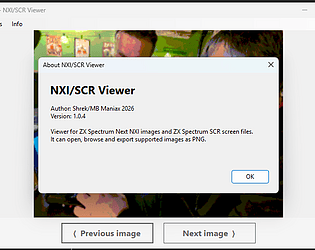
Otherwise, I already have some other plugins ready (music plugins—PT3, PT2, SQT, STC, STP..., an NXI viewer, and an SCR image viewer :) )

You can set this up today by adding a startup entry to autoexe.1st (or whatever the file is called), or by editing the Next menu....

And thank you so much for your words of support...

Hi, where did you copy CalmCommander to on your drive?

It should be here: C:\CalmCommander

and the plugins should be here: C:\CalmCommander\plugin\

This will change in the future, and they’ll be able to be located anywhere, but for now, this is the "fixed" setup.

Hi, it's definitely possible to add it, but I don't have any such nxi, so I can't try it... ;)

Here is a video from a SpeccyWeb user. :)

Hi, no, I didn't think about it. SpeccyWeb is written in assembler and I think a native browser that makes the most of Next would be better than bending something that shouldn't even be on Next... :)

Actually, the first version with NXI save/load is already out... you can download it and give it a try ;)

I've managed to loading the NXI file to the NXPaint... now I just need to save it. ;)

I'm working on it right now... ;) 

Thanks :)