Indie game storeFree gamesFun gamesHorror games
Game developmentAssetsComics
SalesBundles
Jobs
TagsGame Engines

Neon Specter

29
Posts
4
Topics
A member registered Apr 02, 2025

Recent community posts

OK, adding a canvas does work, thanks.  I had tried this in the past because I don't like the idea of everything re-rendering on canvas rebuild; but it had caused a lot of bugs, so I went back to a single canvas (I don't have any performance issues, anyway).  In my brief testing here, however, it doesn't seem to be causing any problems for the map view to have its own canvas.

I redid the previous test, this time keeping all the hexes enabled while adding over 1024 images to the map container.  The result was that no graphics disappeared.  So my question is:  why does this only happen with STM quads?
(1 edit)

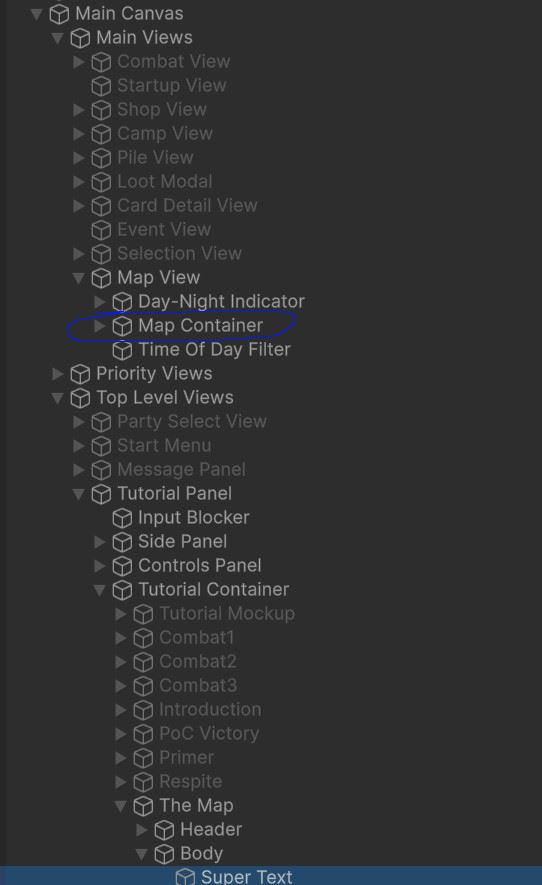
The hexes are in the Map Container.  As mentioned previously, I tried removing/disabling all components such that Main Views, Map View, and Map Container have only RectTransform and nothing else.  I also stripped down the hexes to have only RectTransform.

In my previous test, I disabled all but 1 hex (which made the quads show up), then removed all components from that hex and duplicated it ~1000 times before the quads disappeared again (all inside Map Container).  If I disable Map View or Map Container the quads show up.

The STM with the quads is the selected Super Text.

As mentioned earlier, I also tried with the default quads ("clap").


Something very strange is going on.  I did another test where I deleted everything inside the hex (including scripts), so it's just a RectTransform and a CanvasRenderer.  It took over 1000 hexes, but I was able to reproduce the bug by duplicating these empty hexes.  I then had weird behavior where disabling them did not make the quads show up again - I had to actually delete them from the scene before the quads would show up again.

So I've reduced this problem down to:  Main Canvas --> Container with ONLY RectTransform --> Container with ONLY RectTransform (Image, script, canvas group all disabled) --> Container with ONLY RectTransform --> Hex object with only RectTransform and CanvasRenderer.  All scripts on or interacting with any of these objects have been removed or disabled.  The main canvas does have a canvas scaler, but I disabled that to no effect.  I also tried disabling everything except the STM on the object that has the quads.

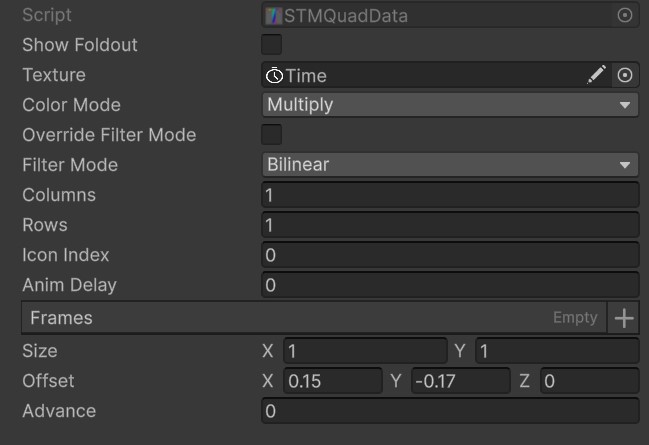
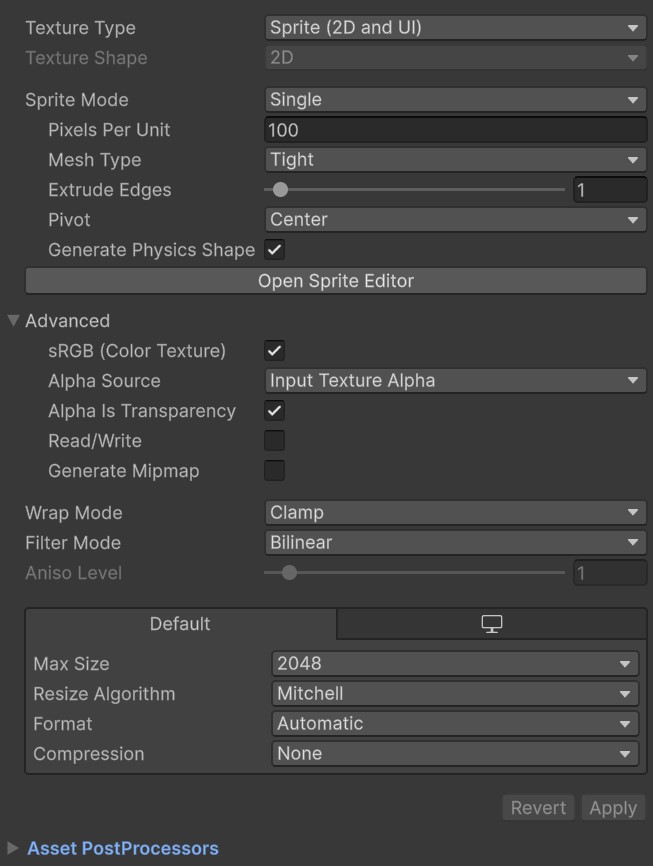
Here's my STM settings:


(4 edits)

Adding STMMaskableGraphic didn't make any difference.  I'm using the Universal shader.  I tried Ultra with and without ZWrite and there's no difference.  The only possible thing I can think of is the info panel attached to each hex, which has it's own canvas - but I have those that completely disabled (parent object is inactive).

All I do with the map hexes is instantiate them from prefab (into a parent with lower sibling index than the object with the STM), and then set their sibling indexes within that parent.  I'm not doing anything else that would affect rendering; so this is indeed very mysterious.  
EDIT:  I can confirm it's not the info panels - I deleted all of them in play mode and it made no difference.

EDIT 2:  One other thing of note:  If I stretch a single map hex and all its children so that it spans the "underside" of the quads, it doesn't cause this issue. It's only when there's a bunch of them active that this issue occurs. If I disable ~2/3 of them, then the quads show up.  So it sort of seems like it's the number of images/objects that cause the issue.  There's 221 hexes in total, each with 9 Images (plus 24 on the info panel, but that's disabled for this test).

EDIT 3:  This actually has nothing to do with the hexes rendering on top of the quads. I did another test where I took a single hex that's far away from the quads and duplicated (at the same position) it a bunch of times.  Once I hit 80 hexes, the quads disappear.  Delete one and they show up again.  There's no layouts involved here.

(5 edits)

I'm running into an issue where quads don't seem to be respecting sibling index and end up being invisible because they render behind other UI elements.

I'm using a single SSO canvas and the view (parent object) with the STM that has the quads has a higher sibling index than the view with the objects that are blocking the quads.  The text renders as expected - it's only the quads that render behind other stuff.

The objects that the quads are rendering behind are map hexes, which contain several UI Images; and only after setting the parent objects of these images to inactive do the quads show up (even disabling the Image component itself doesn't work - the parent has to be set inactive).

I have no idea why this only occurs with my map hexes and not any other UI objects. The only differences I can see is that the hexes have Masks and a polygon collider 2D; but the issue occurs even if all objects with Masks are disabled, and disabling the colliders doesn't make a difference either.  I'm not doing any re-parenting or any weird canvas stuff and I've double checked that parents and sibling indices are correct.

I'm not using any sprites - only UI Images. This issue occurs both with my custom quads as well as the default ones.  I'm using Unity 6000.0.58f2 with STM 1.14.7.

EDIT:  Same behavior with 1.14.11


That works perfectly. Thank you.

I'm trying to create a stats table with labels and values.  Short example:

"Damage:      A

Defense:       B

Complexity:  Moderate"

I want all the values to line up vertically.  I've tried playing around with monospace and gotten close, but it messes up the character spacing within words.  Justified alignment also gets close, but pushes text too far to the right and also only aligns the last letter of each word, instead of the first.

I'd like to avoid using multiple text fields as that greatly complicates positioning with other variable length text.  Is there anything else I can use to achieve this?

I can stick with TMP for now for this specific case, but I'd like to switch to STM eventually because your quad system is much easier to work with than TMP's sprite maps.  The workaround won't work for me because I need line-wrapping.  If I make the text area bigger, I think I could get it to work with MultilineBETA if you add max size - because right now it's OK for multiple lines, but with a single line the font becomes huge.

What I need is for the text to always remain within the text area, so:  auto-wrap + auto-resize whenever it becomes too long and would extend beyond the text area (same behavior as TMP's auto-size + Normal text wrapping mode).  What you've described for auto-size behavior would be fine, but that's not what I'm experiencing (size goes beyond the defined font size), so I guess it's a bug.  The bug occurs with the Always, Squish Always, and MultilineBETA best fit modes.

(1 edit)

I've started converting some of my text from TMP to STM and I'm running into two issues:

  1. I can't figure out how to set a max font size.  In TMP, there's min and max auto-size font sizes; in STM I only see min.  Sometimes it stays at or below the font size I set, but sometimes it seems to randomly switch to a huge font size that's much bigger that what I set (e.g. 42 --> 70+).
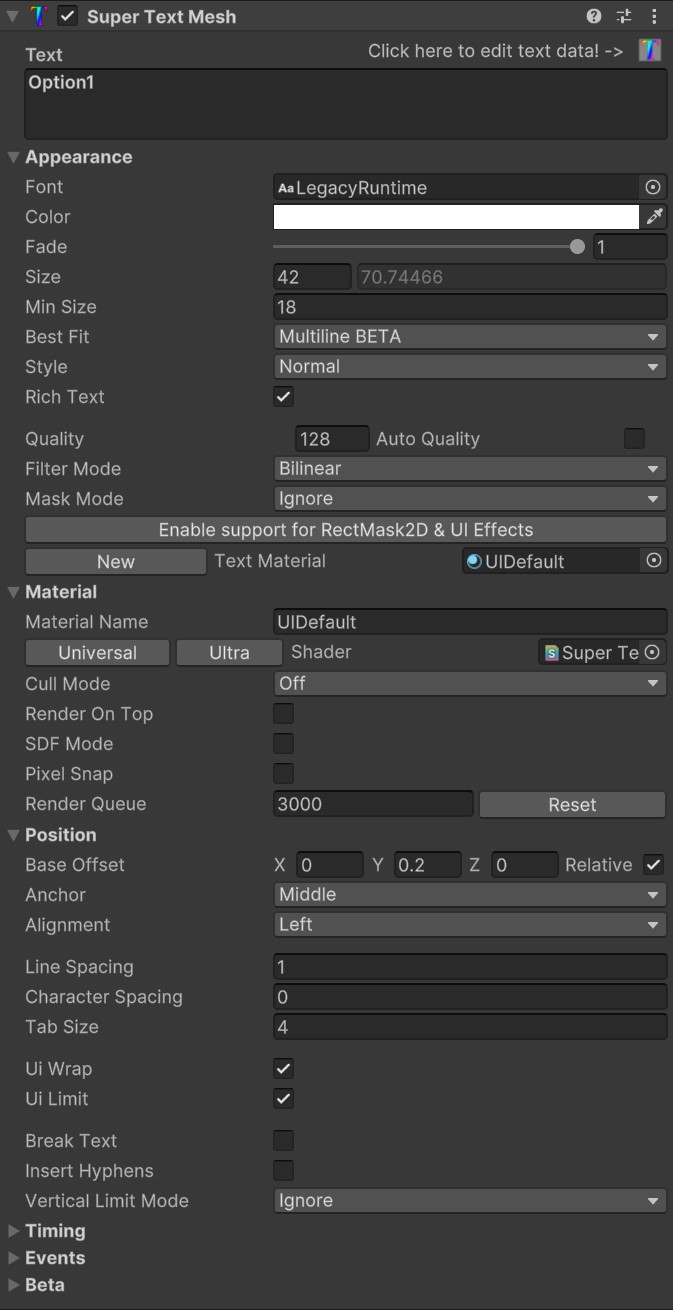
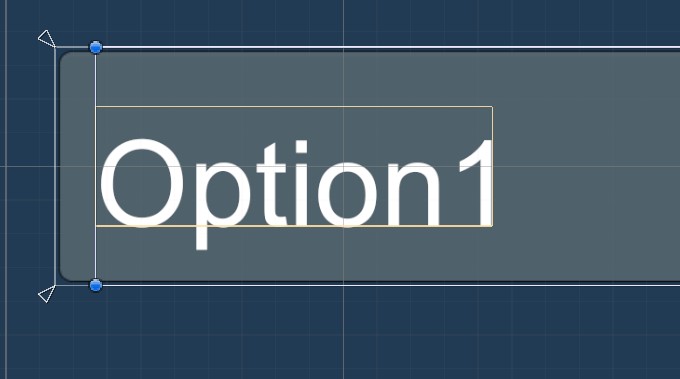
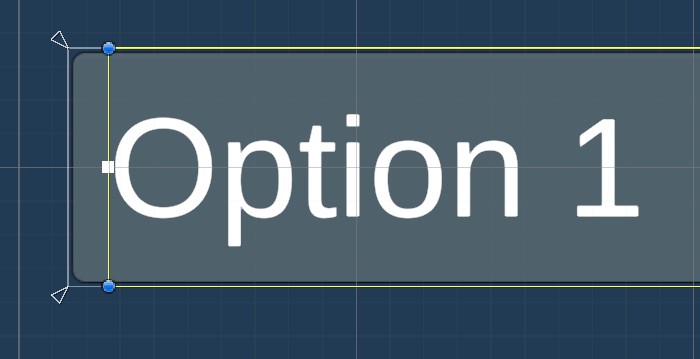
  2. Middle alignment is slightly off as shown in the screenshots.  I can fix it by applying a Y offset of 0.2, but I doubt that will always be the same, so it would be much better if it were correct by default.

STM:

TMP:

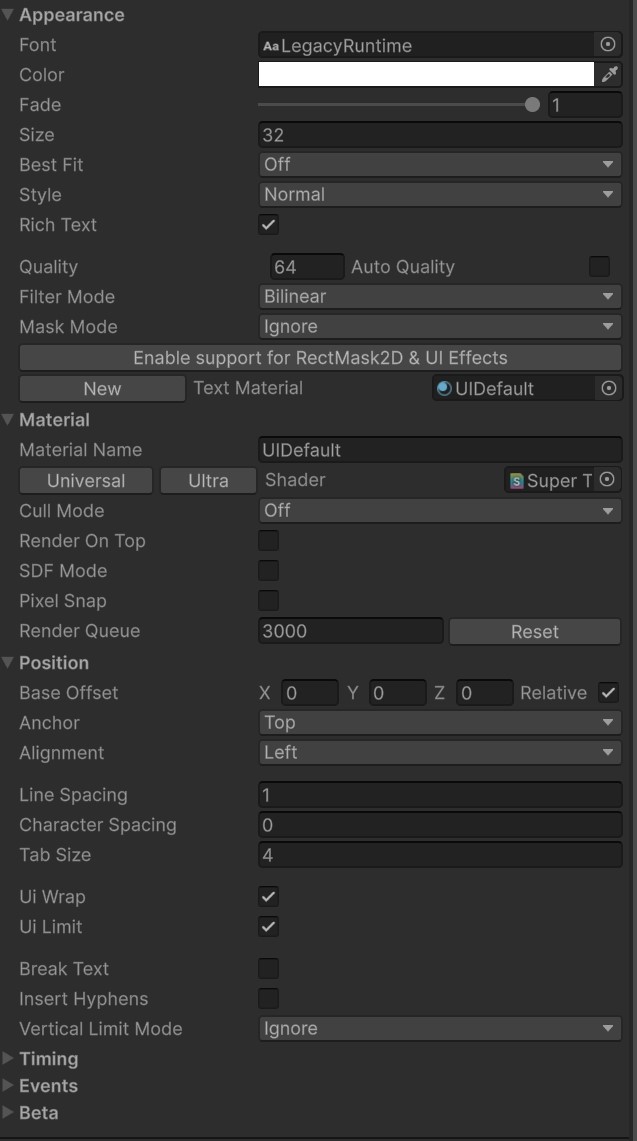
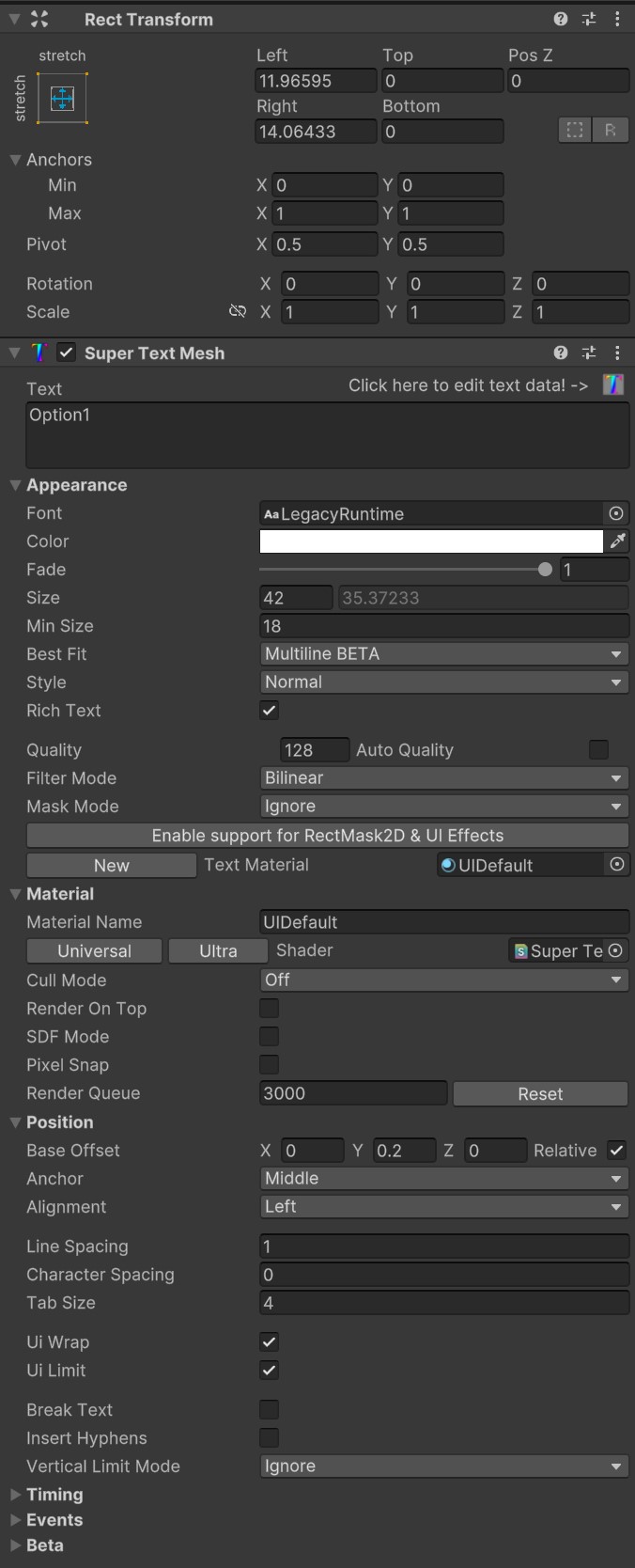
Settings:


I actually just now got everything working.  I used the indent tag multiplied by font size as you suggested, and for heading space I used y offset.  Everything appears to be working now.  Thanks for all the help and for looking into the performance issues - hopefully Unity gets back to you with something helpful.  From my perspective, the performance issues are the only thing holding this asset back from being a complete and very versatile TMP replacement.

(2 edits)

Thanks.  Instead of using that event I decided to just modify the main ParseText function to call my own preparse function, since I want these tags to be applied globally.  It works great - I implemented my custom tags as well as my list parsing functionality.

The only issue I'm running into is indentation and vertical spacing.  I need to add indent to each list item based on its nested depth (including line wraps) and I need to add a bit of vertical space (a fraction of a newline) after each heading.

Are there any tags for accomplishing these things that respect the actual text size (font size as well as any size modifiers)?  If not I suppose I'll have to move my tag parser call deeper into ParseText so that I can pass in the calculated text size.  I notice you're using some manual string indexing though which is why I'm a little hesitant to go messing around deeper in that function.

I'd forgotten how integrated my tutorial system is with prefabs (it relies on assets for initialization of a lot of things).  So I decided that rather than redesign the whole system, it would be easier just to have an unpacked tutorial prefab in the scene that I use to mock up the text, then copy and paste that text into each prefab.  It's a bit higher maintenance since I have to replace that unpacked prefab any time there's a change to the parent (also changes to the parent are still super slow), but overall it should take a lot less time that rebuilding the system to not use prefabs.

Your preset script is cool, but having things in prefabs allows me to change ALL aspects of an object including its UI elements, not just the text itself.  I appreciate all of your effort on this, and if I can get the rich text tags to work as needed I will stick with STM, with the hope that these performance issues (both with prefabs and long text in general) will be fixed in the future.

Regarding rich text tags, I was under the impression that you can create your own custom tags; but after taking a closer look at the documentation I only see instructions on how to edit existing ones or add colors.  How would I go about implementing my own tags?  For example:

  1.  <h1> to increase relative font size and make the text bold?
  2. <ol> / <ul> / <li> Ordered and unordered (bullet) lists / list items?

It's OK if I have to define my own logic for generating the final text (or if you're using TMP under the hood, that's even better, since I already have logic for converting these tags to TMP tags).  If you could just point me to the relevant code/assets that would be great.

(1 edit)

I do have a UI Manager that handles standardized text (no special formatting and standard headers, icons, etc).  The reason I want to have long rich text for other things is that the formatting is not standardized.  Size, location, and number of headers... inline icons and special formatting... things like that where just having a set of standard prefabs for each template with fixed header locations and etc and then injecting text into them doesn't really make sense.

Now, I suppose as a workaround in my case, since tutorials and wikis are one-offs I could just store them right in the scene instead of using prefabs.  The drawback there is that if I want to change the general appearance of my text containers I'd have to do it one-by-one instead of just changing a base prefab.

So I guess I would end up with a system where I just mock up each long text in the scene, then have a script that extracts and stores that text.  Then at runtime, instantiate the prefab and inject the text.  I'd also have to build an editor interface for displaying and loading each text into the mock up container (for later editing). Not the workflow I was hoping for, but once set up it should require minimal maintenance - I'll give it a try this week.

Have you considered reporting this regression to Unity?  I know it's often a waste of time, but in my experience, they've actually been pretty quick about actioning bugs and regressions in Unity 6.

The problem with your current workaround is that, while it does make editing the actual text fine, changing any of the text properties still causes a lockup.  I'm actually finding that leaving the main STM editor visible while typing into the STM Text Send hardly makes any difference.

Something to try would be to cache and remove all text in the main text box before modifying any properties and then restore the text afterwards.  In fact, if this happens quickly enough, it could be seamless enough that the user wouldn't even notice.

As for my use case, I just want to be able to type rich text and be able to immediately see how it will look in-game for:

  1. Tutorials and in-game wiki pages: this is where the really long texts are
  2. Tooltips and card descriptions: these can be a up to a paragraph or two.

It's somewhat usable for tooltips and cards (though far from a great user experience); and pretty much unusable for tutorials and wikis.

Franky speaking, the reason I bought STM was because I determined it would take too long for me to fix the bugs in my own rich text system; but if I have to deal with super slow performance and/or incomplete workarounds I'd rather just take the time to get my own system working properly.

So I guess it depends on how much time you're willing to spend fixing this (I'm quite surprised I'm the first person to report it, by the way - I would think you'll get a lot more users running into this as people upgrade to Unity 6).  If you think it's a niche use case and not what the asset was designed for and you don't want to take the time to fix it, I understand - I'll just refund it and look for other options.  If you are willing to fix it, though that would be great, because it does seem like a really complete text solution; but the fix will need to be more comprehensive than the workarounds you've provided thus far.

I admittedly have little experience with serializedObject - I've always used Odin's SerializedScriptableObject and saved them to assets for things like this (and never had any performance issues, even with huge amounts of data/changes).  My hunch is that trying to do all of these updates in OnInspectorGUI is causing the issue, due to Unity's poorly optimized editor code (I have run into similar performance issues with editor text in the past, though not to this degree).

Your new workaround component would work for editing the actual text, but changing other text properties would still lock up Unity, right?  What if you made the actual text box its own separate editor that sits on top of the existing STM editor?  That way you still have everything in one place but the main STM editor isn't bogged down by the actual text.

Interesting.  I use ApplyModifiedProperties in my own rich text editor and have no performance issues whatsoever even with very large amounts of text.

I built this system a while ago (and in a hurry), but I recall running into some major issue - not sure if it was a performance issue, but looking at my code I see I have delta checks and dirty flags for the text and comments saying to only call ApplyModifiedProperties when necessary.

I took a brief glance at your editor and it seems like you might be saving a lot of different properties in OnInspectorGUI and I don't see anything that checks if calling ApplyModifiedProperties is actually necessary (though I think it should just return if there's no changes, but according to your testing it seems like just the call itself is the issue).  This would mean you're calling ApplyModifiedProperties every frame while the editor is visible (unless I'm mistaken).

I did try adding a HasModifiedProperties check before your ApplyModifiedProperties calls, but it didn't help - maybe it's just the number of properties you're trying to save every frame (or maybe HasModifiedProperties has the same issue).  I can confirm, however that commenting those calls out solves the performance problem.

(1 edit)

Alright, I got it to work by turning on auto line count and then clicking manual set up.  I'm confused by the line count field... if it's just a total count of the number of lines of text, shouldn't it be read-only?

Unfortunately it seems to be even slower when using the auto pagination.  I'm not sure it's working correctly - the behavior I see doesn't make sense to me:  it creates a bunch of STM objects and each one has progressively fewer words than the last.  So the rendered text only appears once, but the overall text seems to be duplicated a bunch across several STM objects.

To give a non-concrete example:  if the original text is "One Two Three", then the first clone would have "Two Three", the second has "Three", and then there's a few empty ones as well.

(1 edit)

OK, no more errors or stale text, but pagination still doesn't work.  No STM objects are created.  Tried with both manual and auto line counts.  Overflow text still isn't assigned.  Am I supposed to manually assign it to something?

NullReferenceException: Object reference not set to an instance of an object STMPagination.Awake () (at Assets/Extensions/Clavian/SuperTextMesh/Sample/Pagination/STMPagination.cs:13) UnityEngine.GameObject:AddComponent() STMAutoSplit:SetUp() (at Assets/Scripts/STMAutoSplit.cs:108) STMAutoSplitEditor:OnInspectorGUI() (at Assets/Scripts/STMAutoSplit.cs:30) UnityEngine.GUIUtility:ProcessEvent(Int32, IntPtr, Boolean&)
NullReferenceException: Object reference not set to an instance of an object STMPagination.OnDisable () (at Assets/Extensions/Clavian/SuperTextMesh/Sample/Pagination/STMPagination.cs:38) UnityEngine.GameObject:AddComponent() STMAutoSplit:SetUp() (at Assets/Scripts/STMAutoSplit.cs:108) STMAutoSplitEditor:OnInspectorGUI() (at Assets/Scripts/STMAutoSplit.cs:30) UnityEngine.GUIUtility:ProcessEvent(Int32, IntPtr, Boolean&)

Here's what I'm doing:

  1. Create Super Text via UI --> Super Text
  2. Change text to "Test"
  3. Add STM Auto Split to Super Text
  4. Click Manual Set Up --> null error

At this point, the text field is stale and doesn't update the rendered text when changed.  I tried manually assigning overflow text in the STM Pagination component and clicking Manual Set Up again, but it's completely unresponsive to text changes at this point.

When I add the script it doesn't automatically add STM pagination.  If I add it manually or click Manual Set Up it adds one that is disabled and throws null errors because overflow text isn't assigned.  Clicking Manual Set Up again sometimes assigns the overflow text, sometimes not.  At that point, it creates a second STM clone with an exact copy of the first one's text.  After this happens, the original's text is stale and doesn't update when I change the text in the text box.

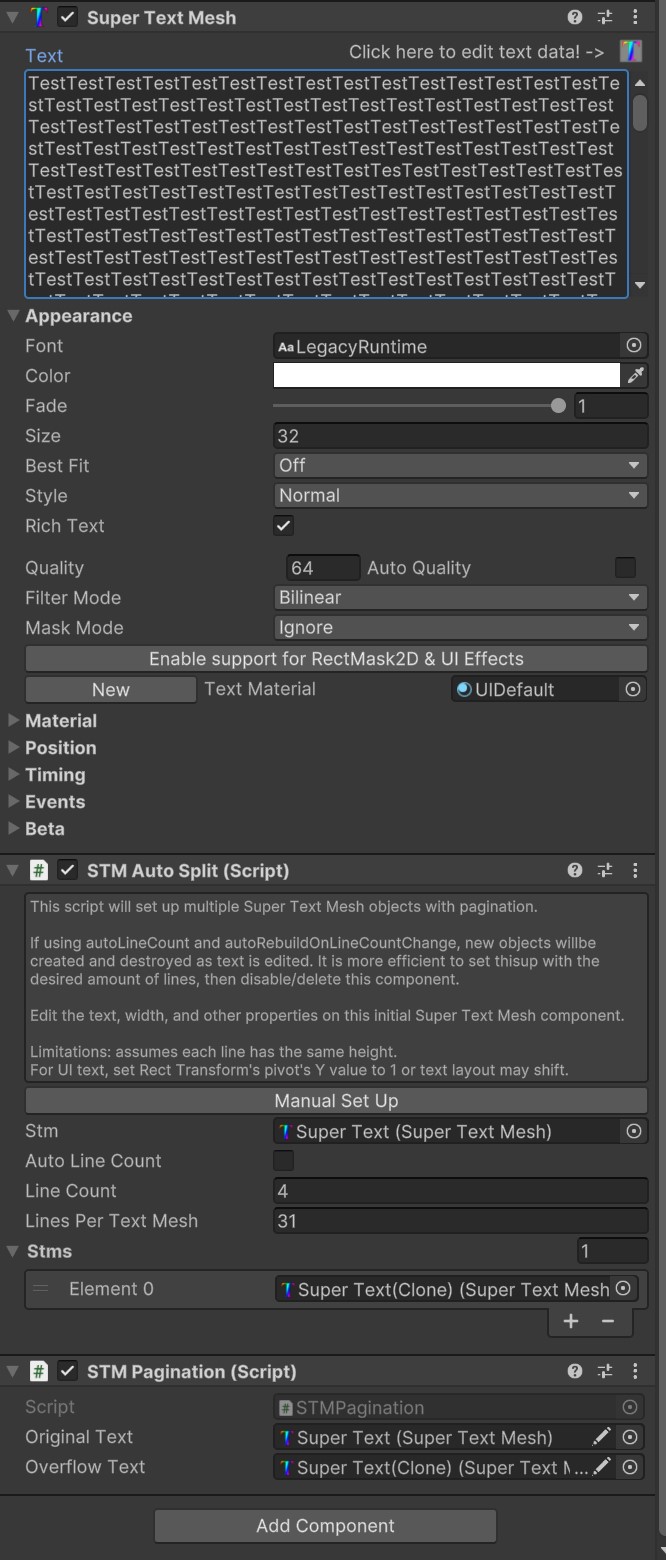
I copied your settings and wasn't able to get it to automatically create/destroy/assign text to STM objects.

I'm getting strange results when testing.  If I drop a prefab with a moderate amount of text into the scene, I get "normal" lag until I edit the text, at which point it starts locking up.  Then if I unpack the prefab, it's back to normal.  The more text I add to the prefab (beyond the amount initially there), the slower it gets.  I recorded a video demonstrating this - do you have a support email I can send it to?

The one consistent thing is:  whenever the text in the STM text box turns bold, it starts locking up unity.  When I edit the text as described above, it turns bold and this happens.  For my tutorial prefab, I notice it's already bold when I try to edit it, meaning everything is super slow right from the start (even just opening it in prefab mode).

As for the auto pagination script: I couldn't get it to work.  If I set it to auto it does nothing.  If I click manual setup, it creates one empty STM object.  I couldn't get it to overflow text into other objects no matter how much text I added.

(3 edits)

I tried turning off auto save and it doesn't really make a difference (it happens both in prefab mode and in scene mode when working with prefabs).  I made two more strange observations:

1.  The slowdown seems to heavily depend on the text content.  If I copy/paste "Hello World!" over and over it performs better and I can get about twice as many characters before it slows down to the same level as my tutorial text (which is ~900 characters).  The tutorial text is just plain English text, nothing fancy.

2.  With the repeated text prefab, If I save the prefab and then drop it into the scene I get the laggy, but still usable behavior; however, the moment I touch the actual text, it turns bold (in the inspector window) and starts locking up unity.

Note that when I say "usable", I mean I can edit the text settings. It's still pretty unusable for typing text into the text box.

EDIT:  I'm also noticing that after recompiling Unity takes over a minute to import any prefabs that have a STM object (but only if they're in the scene).  I also tried making the text mesh non-serialized and it made no difference.

I'm running on a Ryzen 5600X and CPU utilization is low with none of the cores maxed out - so it's clearly a bottleneck somewhere.  On further testing I've found that it only becomes unusable when working with prefabs.

If I drop a prefab into the scene and unpack it, I can have over 1000 characters and it's super laggy but doesn't lock up the editor.  If I leave it as a prefab every change takes 15-60 seconds (Unity pops up the "Hold on" window with STM's OnInspectorGUI and Unity's save scene and import assets taking the the longest).  Multiple changes also get queued (like dragging to select a color from the color palette), which can lock up unity for several minutes at a time.

I tried creating completely new prefabs to test this and got the exact same behavior - it's at least 20x slower when working with prefabs.  It doesn't matter if I'm working with a prefab in the scene or in prefab mode.

On paper this asset solves all of my text problems, so I'd really like to make it work - but it starts chugging with as few as 100 characters; essentially meaning I'd need a new object for every sentence or two.  I don't really consider that to be usable.

I don't mean to criticize your code (I haven't even looked at it yet), but I feel like something is being done very wrong for it to perform this badly and you either need to find out what that something is, or separate out some of the more expensive functionality - enabling it only if it's used.  I understand that Unity's own editor code is often very poorly optimized, but there are definitely ways to work around that.

Now, as for a prefab:  if it's something that allows me to set a single text area (rect where text appears) and then automatically creates STM objects as needed, I would consider that to be a satisfactory workaround.  I don't want to have to micro-manage a bunch of separate text areas though.

If you could do that relatively soon (next few weeks), it would work for me - ideally also committing to fix the underlying performance issues at some point.  If not, I don't think the asset will work for me and I'd need a refund, as I don't think it currently meets the lightweight performance claims.

Hi,

Thanks for the quick response.  So I would have to have a bunch of separate texts then to work around this issue?  I'm afraid that's not really a great solution, even if I only have to manage the text property of one of them.

My use case here is tutorials - where it would be quite helpful to have rich text formatting for headers, lists, and etc.  This is a really heavy performance hit for a text object... would it be possible to add a toggle to disable whatever is causing the slowdown in the editor for this use case (no animations needed)?

I bought this asset to replace my own buggy rich text system (as well as for some other features), so I know that this is feasible without noticeably affecting editor performance.  Ideally you'd want to avoid ExecuteInEditMode entirely (there are more than performance concerns with this) and rely on OnInspectorGUI instead - making playing animations in edit mode optional.

I just purchased Super Text Mesh and it's bringing the editor to a crawl.  The slowdown depends on the number of characters in the text field.  It's not too bad with just a few words, but it gets quite slow after a few sentences and after a few paragraphs it's completely unusable (takes over a minute just to change the text color or load a prefab with Super Text).

I'm using Unity 6000.0.27f1.  All Super Text settings are default and I'm using newly created Super Text objects.  I'm using a single Screen Space Overlay canvas and don't have any slowdown issues with TMP.