On Sale: GamesAssetsToolsTabletopComics
Indie game storeFree gamesFun gamesHorror games
Game developmentAssetsComics
SalesBundles
Jobs
TagsGame Engines

Mr.Pinky

18
Posts
1
Following
A member registered Oct 31, 2024

Recent community posts

Thx!

Great! But I have a question. I already have the in-game camera working fine, and I want to use only MSAA anti-aliasing. How can I enable only that?

(2 edits)

Hello! I have a strange problem: the shadow is drawn on top of the sprite, not underneath, as in the demo.


CREATE: 

// Shadow

_shadow = new Crystal_ShadowSprite(id, sprite_index, image_index, CRYSTAL_SHADOW.DYNAMIC);

_shadow.shadowLength = 0.1; // Numbers close to 0 will prevent the shadow from moving too much with the light. 1 = same distance as the light.

_shadow.fixedBase = false; // The shadow WILL offset

_shadow.followLightAngle = false; // The shadow will NOT rotate based on the light position

_shadow.Apply();


STEP:

//Shadow x/y/depth

_shadow.x = x;

_shadow.y = y;

_shadow.depth =  depth + 1;


UPDATE: Sorry! My fault: gpu_set_ztestenable(true);

I want to make an option to colorize blood (red) to green.

Hi! Is there a way to change a specific color to another? For example, red to green? I couldn't find it in the documentation, only FF_INVERT_COLORS, but I don't understand how it works.

Thx. But x, y dont work. If I do shadow.x = x, shadow.y = y in step, nothing works... 

(1 edit)

Sorry for asking how to create such a shadow 

Maybe there is a code for creating a shadow exactly like a branch, so that it is reflected without rotation, etc.

You are the best!!!

OH MY F. GOD! Bro, WHEN? I can't wait to touch them)

Will such shadows be built automatically?

Hi! After updating to new versions of Light and Postprocess Engines, the light stopped working. Before that, everything was ok... Maybe something changed?

Great!!! Thx! PPE is amasing!

Hello! When applying the shockwave effect, there is a strange bug, it feels like the entire game image shifts by 1 pixel while the effect is in effect...

// Create system responsible for rendering lights, shadows, materials, etc.

renderer = new Crystal_Renderer();

renderer.SetRenderEnable(true);

renderer.SetDrawEnable(true); // disable it if using post processing

renderer.SetMaterialsEnable(true);

renderer.SetHDREnable(true);

renderer.SetCullingEnable(true);

renderer.SetCullingSettings(300);

renderer.SetLightsBlendmode(CRYSTAL_LIGHTS_BLENDMODE.MULTIPLY);

renderer.SetAmbientColor(c_black);

renderer.SetAmbientIntensity(0);

// Enable depth buffer and alpha test

gpu_set_zwriteenable(true);

gpu_set_ztestenable(true);

gpu_set_alphatestenable(true);

gpu_set_alphatestref(1);

application_surface_draw_enable(false);

Strange problem, I create a normal material (in the example when I insert everything works ok), and my normal map does not work when lighting... I've racked my brains and can't find the problem...

material = new Crystal_Material(id);

material.normalSprite = spr_floor_s04_n_1;

material.Apply();

Does the engine support creating shadows for animated characters? If so, how to do it?

Thx!!!

(1 edit)

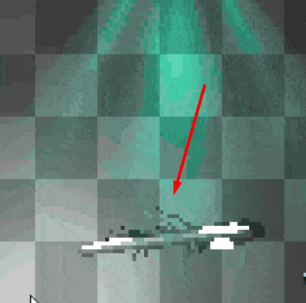
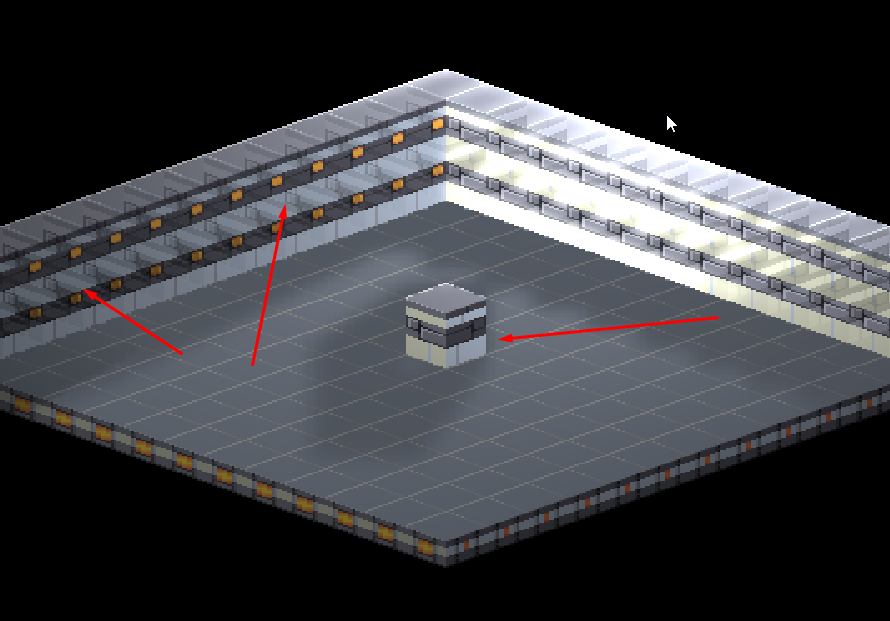
Hi! Cool system, thanks! But I have a problem in the isomteric game, for some reason objects become translucent if they overlap each other. Example in the picture. Maybe someone has encountered this?! Single object is displayed perfectly.