Indie game storeFree gamesFun gamesHorror games
Game developmentAssetsComics
SalesBundles
Jobs
TagsGame Engines
(2 edits)

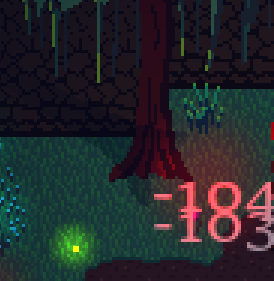
Hello! I have a strange problem: the shadow is drawn on top of the sprite, not underneath, as in the demo.


CREATE: 

// Shadow

_shadow = new Crystal_ShadowSprite(id, sprite_index, image_index, CRYSTAL_SHADOW.DYNAMIC);

_shadow.shadowLength = 0.1; // Numbers close to 0 will prevent the shadow from moving too much with the light. 1 = same distance as the light.

_shadow.fixedBase = false; // The shadow WILL offset

_shadow.followLightAngle = false; // The shadow will NOT rotate based on the light position

_shadow.Apply();


STEP:

//Shadow x/y/depth

_shadow.x = x;

_shadow.y = y;

_shadow.depth =  depth + 1;


UPDATE: Sorry! My fault: gpu_set_ztestenable(true);
(+1)

Hi, oh yes, you need to enable depth buffer so you can depth sort things


I have it all enabled, ztest, depth is seemingly correct but it doesn't go under the sprite for me, am i missing something?

How are you doing it? Are you explicitly setting the shadow depth to a greater depth than the tree depth? Using `shadow.depth`. Don't use the same depth as the tree, as there's no guarantee of depth sorting

I was mimicking one of the demo versions trees(castle) to see if the sprite shadows would work.
Basically copied the code but the same effect doesn't come even with me trying to mess with most settings.
Step event:


as for the create event its this. Every other variable is basically for just setting image alpha to 0.5 when player goes behind it. No idea what could interfere.

depth=-y
spritename = sprite_index

active = true

alphacount = 1

init = false

shadow = new Crystal_ShadowSprite(id, sprite_index, image_index, CRYSTAL_SHADOW.STATIC);

shadow.angle = 0;//random(360);

shadow.fixedBase = true;

shadow.followLightAngle = true;

shadow.Apply();