Were you able to resolve this? One of the latest updates might have fixed the issue, I just tried making a custom chop tool and it is displaying correctly for me.
You can also join our discord for further help. Our community is super helpful! : Sleeping Robot Games Discor
A member registered Dec 07, 2018 · View creator page →
Creator of

Rewind time in this cozy video rental store. Keep your shelves full and customers happy to relive an era lost to time.
Simulation
Play in browser
10 free animated pixel fantasy characters for 2D games, created with the Memao Sprite Sheet Creator
Build your own pixel characters using ready-made art. Customize and export in seconds for any project.
Run in browser
Apotheosis is a 1-4 player local co-op platforming shooter that ramps in difficulty.
Platformer
Play in browser
An explosive battle royale where players attempt to eliminate each other and be the last one standing
Action
Play in browser
A roguelike platformer with procedurally generated levels and a creative egg themed character creation!
Platformer
Recent community posts
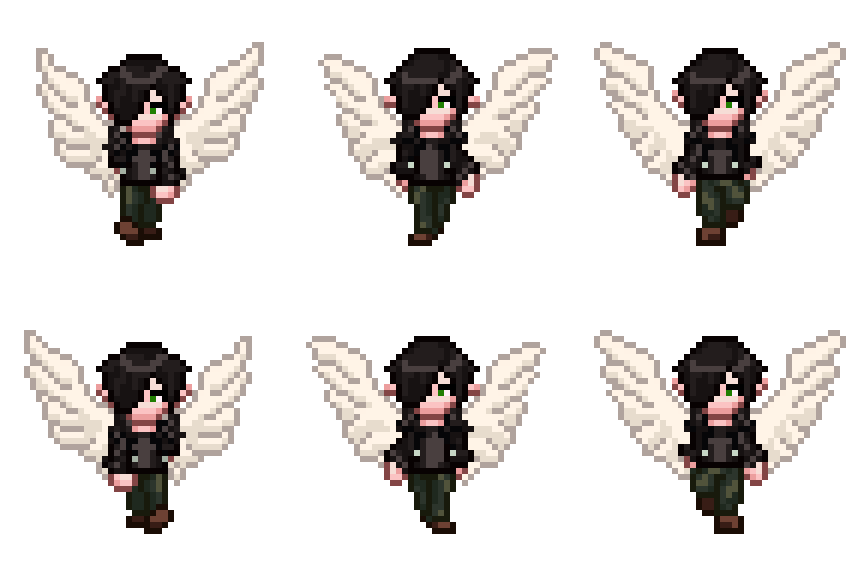
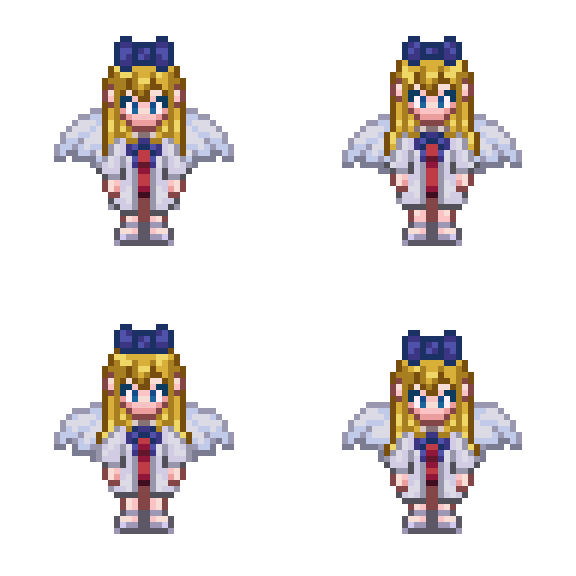

Memao Sprite Sheet Creator community · Created a new topic Memao Cloud: Show off your custom assets!
Hey, thanks so much!
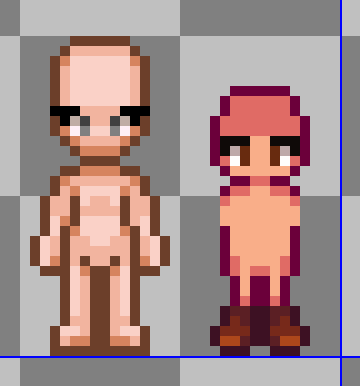
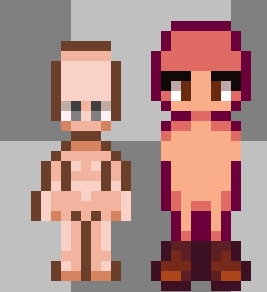
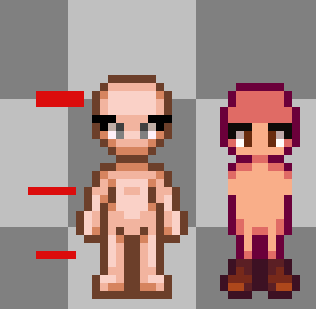
Here is a comparison between the two sprites. While they both are 16x32 px sprites, my sprites fill the entire 16x32 space and the overall frame size around the sprite is 48x48 px (this allows the paperdoll layering of sprites larger than 16x32, ex: long hair, tool animations, etc). If you scale down the memao sprites, they will be distorted. Half the scale of memao would be too small for sdv, so you'd need to do like 75% of the scale to get it closer to the size (but still not exact). Which looks like the image posted below. This was done in aseprite, it looks different scaled down using a game engine but it still stretches pixels and looks wonky.
Now a potential but tedious solution would be to cut memao sprites like I've shown below (2 from head, 1 from torso/arms, 1 from knees). SDV sprites are 5px shorter than memao, cutting 4 px down brings it much closer to what you would need. You might be able to get away with 1 in head(so 3 cuts total), though I'm not sure what exactly needs for it to look best in sdv. 3 cuts might be easier to deal with on the other animations as well. If you need a pixel art program, Libresprite is similar to aseprite and free. You can also compile Aseprite from GitHub for free if you don't want to pay for it on steam or itch.
Hope this helps!
Memao Sprite Sheet Creator community · Replied to Saicher in Does the tool/asset pack allows for implementing your own customizer in-game?