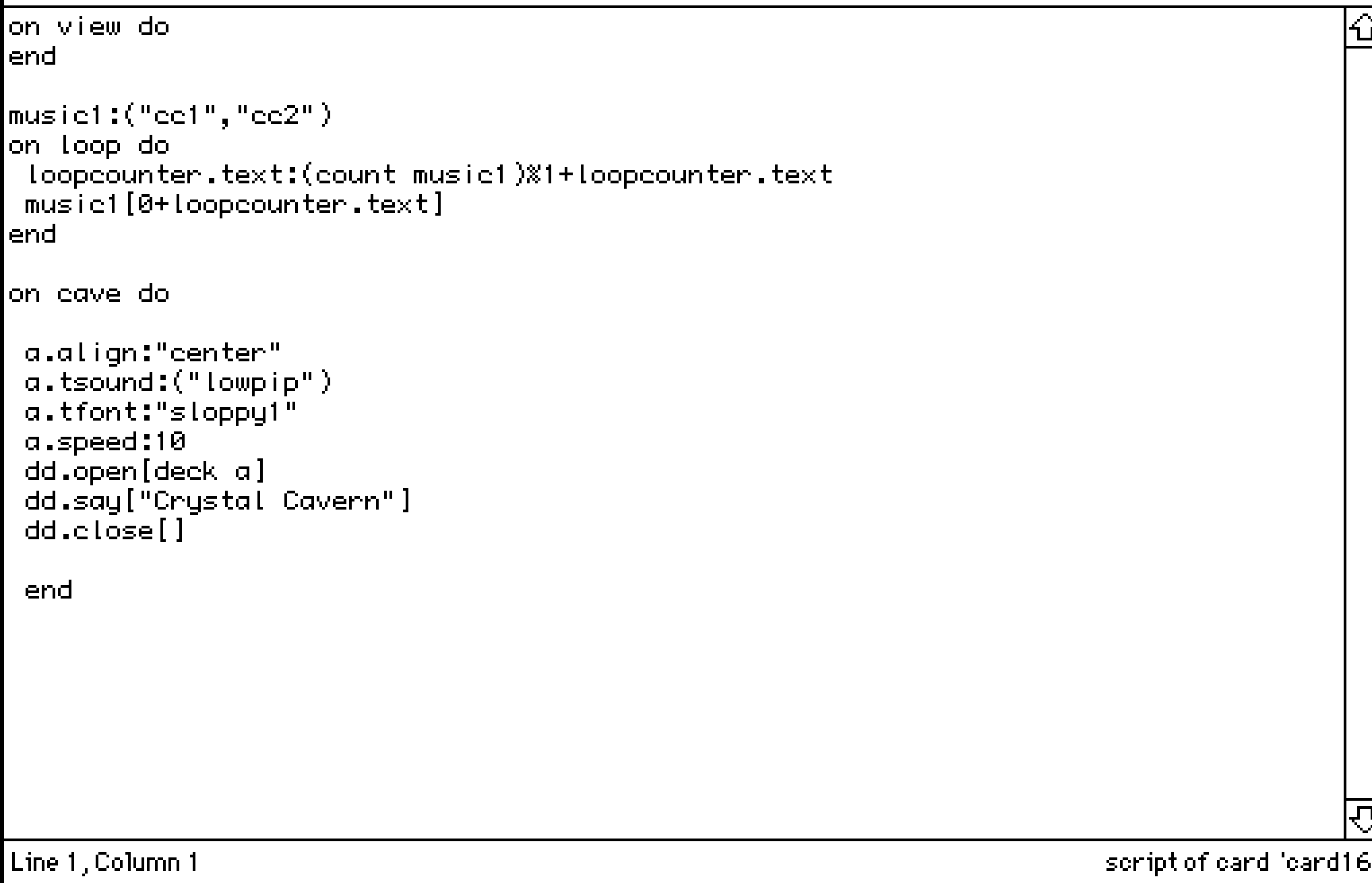
You don't understand how much I appreciate the help! The .widgets helped a lot-- I was not understanding why it wasn't working until I realized. I cannot wait to show everyone what I was able to make during the last few weeks! It is very scuffed though!
may
Recent community posts
Is there a way to have a button pressed on another card, then have it checked by another button on a different card?
For instance, if I have a card/room called Pieces, and two other cards that are Puzzle Rooms, I want a button in each puzzle room to be pressed in order for the button in Pieces to do something. To make it sound simpler, I want the player to steal treasures from both rooms, before going into final room to leave.
This is what I have, however it keeps believing that the buttons are not being pressed.
on click do if puzzleroom.button1.pressed and puzzpleroom2.button2.pressed dd.open[deck] dd.say["You successfully stolen all treasures!"] dd.close[] go["end"] else alert["You must collect all treasures to leave!."] end end
And then for my puzzle rooms buttons, I have the same thing:
on click do pressed:true end
Am I doing it right? Forgive me if this is silly, I am still trying to wrap my around this...
Hi! I'm having an issue where I'm using dd.say to place text for when a player "enters" the card. However, it keeps repeating twice. I have the same issue for 2 other cards, and I did try to search up solutions (https://itch.io/t/3204355/how-to-make-an-alert-message-fire-once-only-when-going..., and tried making a new event, but I can't get it to work. I know it has to do with on view, but I'm struggling!
Am I doing something wrong?
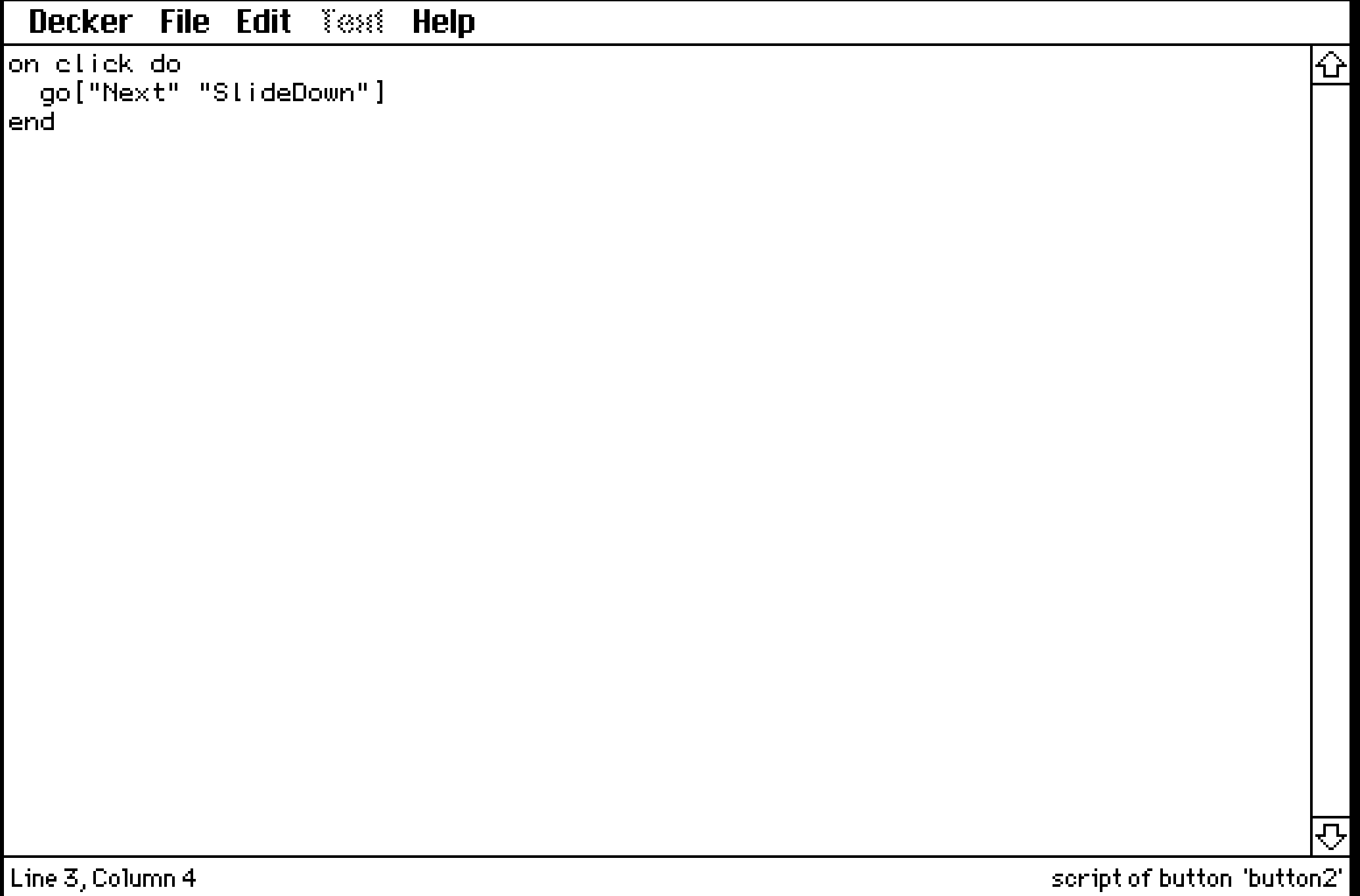
First Image is the script for the button on card9, where the player presses before going to next card, card10 (where I want the text to occur once)
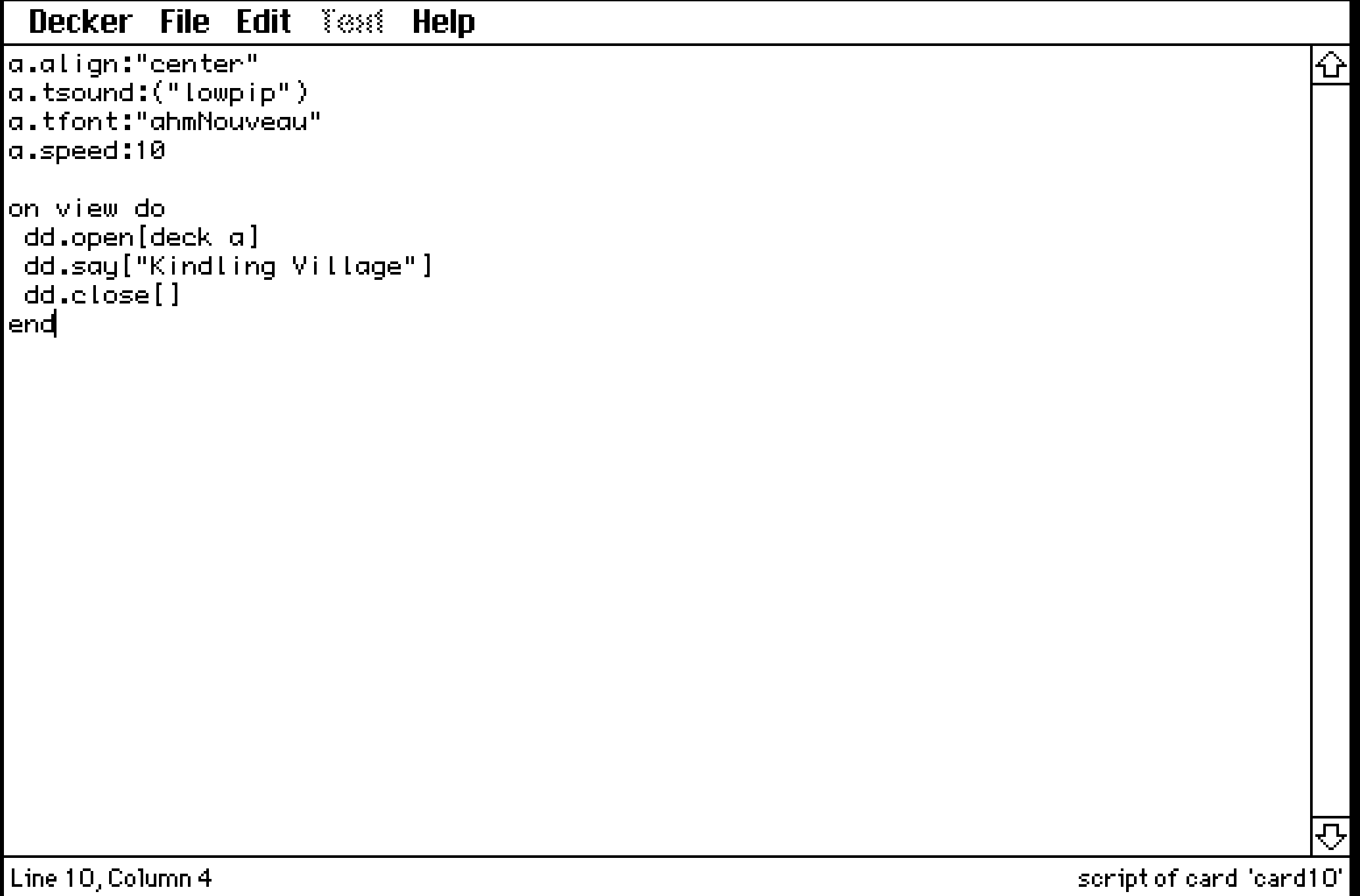
Second Image is where the code for card10
I've also done this using eval(eval[text1.text () 1]) and it gives me the same thing! Apologies for the lengthy question!
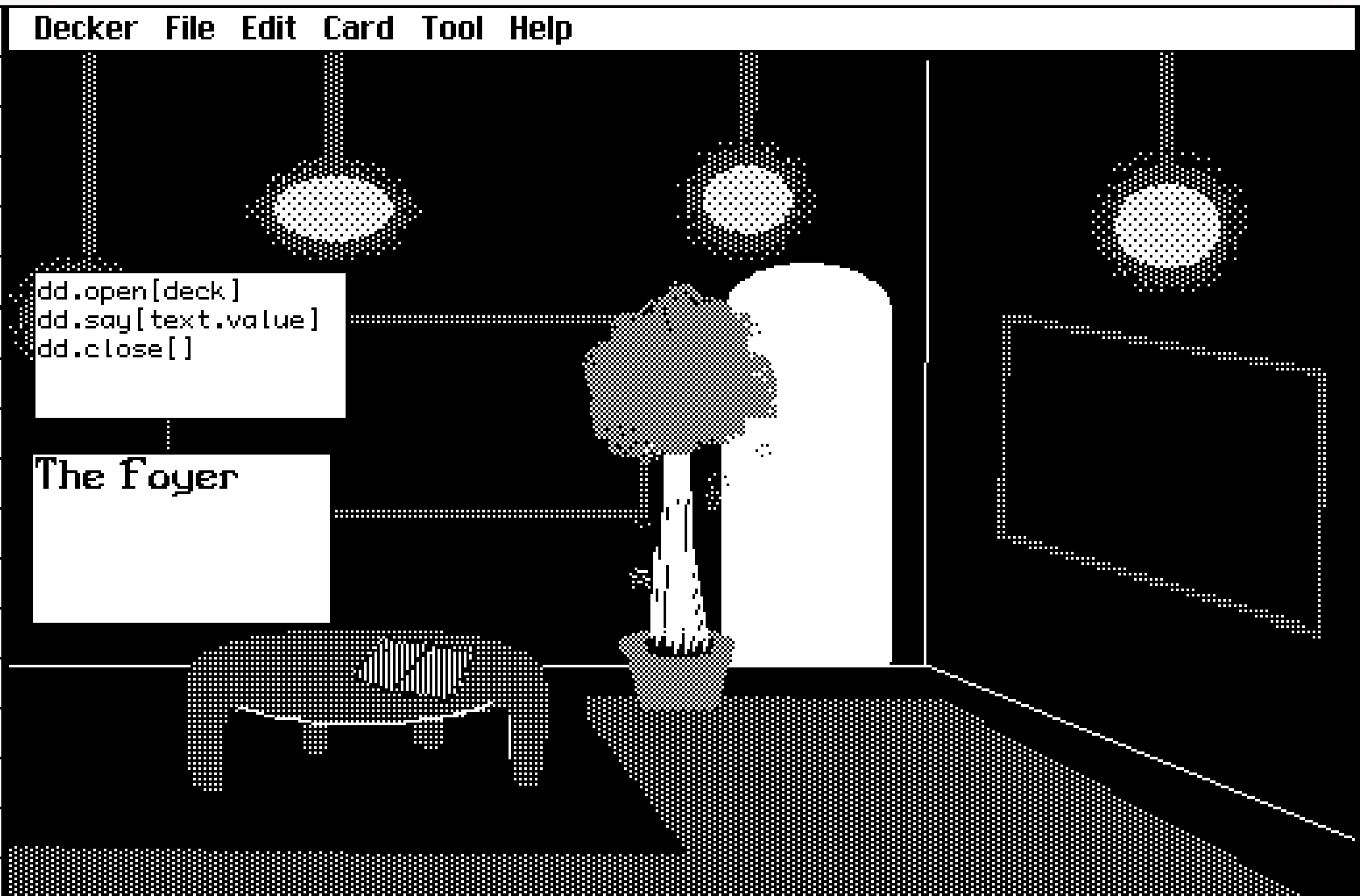
Hello! I am fairly new to Decker, so forgive me if these questions are silly. I have an all black background, and I want to add a small text of the title of my game. However, the field box is automatically white, and there is no way to change it, other than the field text colour. I want to change the background colour to black, or even make it transparent if its easier. Is there a way to do this with/without scripts?
My second question was also in regards to text-- is there a way to make the text slowly fade in with scripts? Or if there is a way to implement a typewriter effect so that it takes some time for the field to finish its paragraph?
Thank you!