If there is enough interest, I would absolutely consider it!
Maxjk0
Creator of
Recent community posts
I see what you're saying. A bit of the ambiguity is on purpose, but I think in general darkening the wood background from the foreground is more helpful. I actually found out that I had exactly one color palette slot left to be able to do that in a handful of screens, so I'm updating the build now for that! Thank you! As for the map, that is probably the only feature in the game that I kind of left half-baked. If I find the motivation later, I can kit it out to actually unlock tiles as you progress / show where you are, but I need a break from this project for a bit lol. Thanks again for the feedback!
Hey there! Just wanted to try out the engine, I am getting an error when trying to compile a project. It seems It cant find the path to some sort tools if i am reading this correctly? If there are any sorts of modifications I need to do to my installation to get this working, please let me know! It seems to be checking random other directories near the installation?
[ERROR] Compilation failed: [Diagnostic] Platform: win32 [Diagnostic] __dirname: C:\Users\maxjk\AppData\Local\Programs\PxGBA\resources\api [Diagnostic] DEVKITARM env: C:\Users\maxjk\AppData\Local\Programs\PxGBA\resources\api\buildTools\windows\devkitpro\devkitARM [Diagnostic] DEVKITPRO env: C:\Users\maxjk\AppData\Local\Programs\PxGBA\resources\api\buildTools\windows\devkitpro [Diagnostic] resolved buildToolsPath: C:\Users\maxjk\AppData\Local\Programs\PxGBA\resources\api\buildTools [Diagnostic] resolved devkitarmPath: C:\Users\maxjk\AppData\Local\Programs\PxGBA\resources\api\buildTools\windows\devkitpro\devkitARM [Diagnostic] resolved devkitproPath: C:\Users\maxjk\AppData\Local\Programs\PxGBA\resources\api\buildTools\windows\devkitpro [Diagnostic] calculated PATH: C:\Users\maxjk\AppData\Local\Programs\PxGBA\resources\api\buildTools\windows\devkitpro\devkitARM\bin;C:\Users\maxjk\AppData\Local\Programs\PxGBA\resources\api\buildTools\windows\devkitpro\tools\bin;C:\Program Files\Git\usr\bin;C:\Program Files\neoSphere;D:\Programs\Eldiron\;C:\Program Files (x86)\Razer Chroma SDK\bin;C:\Program Files\Razer Chroma SDK\bin;C:\WINDOWS\system32;C:\WINDOWS;C:\WINDOWS\System32\Wbem;C:\WINDOWS\System32\WindowsPowerShell\v1.0\;C:\WINDOWS\System32\OpenSSH\;C:\Program Files (x86)\NVIDIA Corporation\PhysX\Common;C:\Program Files\dotnet\;C:\Program Files (x86)\GitExtensions\;C:\Program Files\Git\cmd;C:\Program Files (x86)\Windows Kits\10\Windows Performance Toolkit\;C:\Program Files\NVIDIA Corporation\NVIDIA App\NvDLISR;C:\WINDOWS\system32\config\systemprofile\AppData\Local\Microsoft\WindowsApps;C:\Program Files (x86)\Razer\ChromaBroadcast\bin;C:\Program Files\Razer\ChromaBroadcast\bin;C:\Users\maxjk\AppData\Local\Microsoft\WindowsApps;C:\Users\maxjk\AppData\Local\GitHubDesktop\bin;C:\Users\maxjk\AppData\Local\Programs\Microsoft VS Code\bin;C:\Users\maxjk\.dotnet\tools;;C:\WINDOWS\system32;C:\WINDOWS;C:\WINDOWS\System32\Wbem;C:\WINDOWS\System32\WindowsPowerShell\v1.0\;C:\WINDOWS\System32\OpenSSH\; [Diagnostic] Path check: /opt/devkitpro/tools/bin/mmutil -> NOT FOUND [Diagnostic] Path check: C:\Users\maxjk\AppData\Local\Programs\PxGBA\resources\api\buildTools\windows\devkitpro\tools\bin\mmutil.exe -> EXISTS [Diagnostic] Path check: C:\Users\maxjk\AppData\Local\Programs\PxGBA\resources\api\buildTools\tools\bin\mmutil.exe -> EXISTS [Diagnostic] Path check: /var/buildTools/tools/bin/mmutil -> NOT FOUND [Diagnostic] Path check: C:\Users\maxjk\AppData\Local\Programs\PxGBA\resources\api\buildTools\windows\devkitpro\devkitARM\bin\mmutil.exe -> EXISTS
'make' is not recognized as an internal or external command, operable program or batch file.
Honestly? Ideas for this one comes pretty easily, though its made easier because I keep a dream journal lol. Not everything is directly from a dream I had, but working in this realm comes really naturally to me!
Though the biggest thing is where I would want to go next - if i made more, idk what I would want - to make it just longer, or have it really start to branch out and become a non-linear thing?
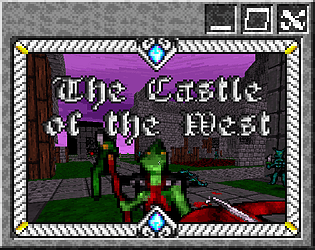
Hey there, I just launched my game "Castle to the West" which I also submitted to be a part of this pack
The post mentions not to submit games that were "previously free, within reason", I just wanted to make sure - my game was only free to play during development for play-testing and feedback, now that the game is out, it should just remain at $5, that shouldn't be a problem, right?
Thank you so much, while I was able to eventually figure this out on my own, I genuinely feel like this little breakdown would have introduced me to the way of doing things in Lil a lot better than what I was able to find in the documentation myself
the specific vernacular of "(cardname).(widgets).(widgetName).text" in particular just completely eluded me in the documentation for some reason
Im very confused as to how I am meant to do something like a basic inventory, or even a basic variable to keep track of progression?
Im going over the documentation and it feels like it's getting way too in depth with things way too quick, but I cant for the life of me figure that out?
So i assume i need to have a card at the beginning that has variables, so i tried setting some in the on-click of the "start" button i made for my game, but then i tried referencing it and it doesnt seem like it does anything?
is there a good example of something like this setup with more full context than the "primer" in the documentation? one that actually shows all of the relevant scripts, and where they need to go in order for this to work right?
I seem to be getting the bug where its not saving the map, I'm not sure how it gets into this state, but this is what I'm seeing
Any walls I place ARE saved, any players or enemies are NOT saved
I tried these different scenarios:
walls > players > walls
players > walls > more walls
walls > walls > player
walls > player > build map and see the player is where I put them
In each case, as soon as i left the map and came back, the walls WOULD save, but the player (and/or other entities) WOULD NOT save
In any case, great work, I think this is gonna be a great engine, keep it up!
Hey there, I was trying out both the current version of the engine here on itch, as well as the development builds from github, I saw you could use 3D Model files for things, so I wanted to try that out. The version here only seems to support .md3 models, I was looking into converting something like an FBX over to that, but I could only find some old blender plugins that dont seem to work with the current version. Any help on that end?
Otherwise, I did try the newest version of the engine on github, it seems to sort-of support FBX, but when I imported the model, it was far too big. I tried scaling it down in-engine, but it didn't seem to effect anything. I also tried scaling it down in blender and re-exporting, but that didn't seem to really changer anything when i re-imported? I even tried saving it as an entirely new model name, so I'm not sure if I'm not doing it right, or if FBX support is just a bit buggy at the moment.
Is there a best format to use that isn't md3 that I should try? or any general workarounds? any best practices or guides regarding what scale I should make everything?
Thank you!