On Sale: GamesAssetsToolsTabletopComics
Indie game storeFree gamesFun gamesHorror games
Game developmentAssetsComics
SalesBundles
Jobs
TagsGame Engines

MasuOne

78
Posts
472
Followers
127
Following
A member registered Apr 05, 2020 · View creator page →

Creator of

Recent community posts

(3 edits)

Hello! Thank you for the kind words about our work, and for taking the time to read the documentation.

Regarding your question about rendering:

  • 16x16 to 32x32: It is possible to use PixelAfterAll for an upscaling task like rendering 16x16 to 32x32. However, for a small scale-up like this, the result will mostly be a simple enlargement of the original pixels.
  • Resolution Lowering: PixelAfterAll is generally more effective when decreasing resolution (e.g., 128x128 down to 16x16) as it excels at capturing the essence and style of the original high-resolution image and distilling it into a lower-resolution format.
  • Manual Cleaning: Whether manual cleanup is needed depends entirely on the conversion result for your specific image. Even if some manual correction is required, PixelAfterAll should significantly streamline the process and get you closer to the final product.

For example, the dog in this X post (linked below) only required a small manual adjustment to the eyes after the conversion:

https://x.com/masuone_/status/1988547225929101804
I hope this clarifies things! Let me know if you have any other questions as you start experimenting with the tool.

Hello. The available sprite sizes are 32, 48, 64, and 80 pixels.
While most sprites are available in 48px, please note that some VFX assets do not have 32px, 60px or 80px versions.

Thank you for the suggestion!
You want a percentage-based resizing feature for "Pixel Unfake" where input size × specified % = output resolution?

Examples:

  • 512x512px at 1%: Result ~5x5px
  • 512x512px at 50%: Result 256x256px
  • 256x256px at 100%: Result 256x256px

Is my understanding correct?

Thank you for the suggestion.
Adding dithering to pixel pictures with reduced colors is challenging, but it's worth considering whether it's feasible.

Thank you again for the feedback!
I plan to add many more templates in the future. For documentation, I'd like to create it to cover what the templates don't fully explain.

Thank you for your feedback!
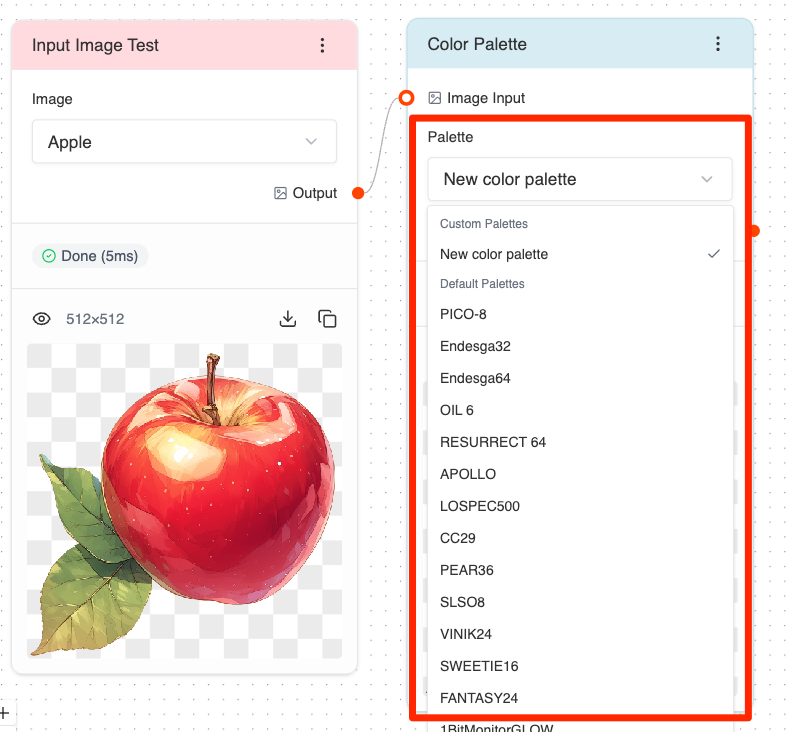
Just to confirm, are you referring to this part of the image? I agree it needs improvement. I'm thinking it would be better to display the colors within the color palette itself.

Thank you so much for your support! I'll continue updating PixelAfterAll. Thank you! ❤️

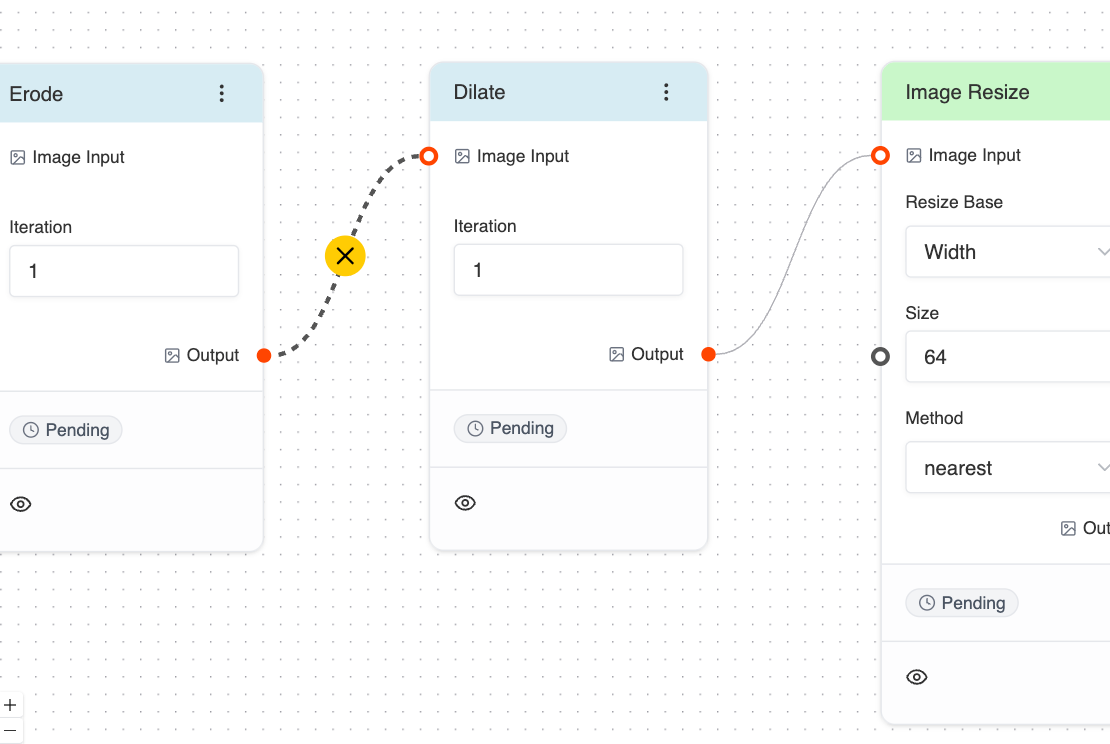
Thank you for the detailed feedback, and we apologize for the inconvenience.

Regarding pin connections:
You can delete connected pins by selecting them and pressing the Delete key. We understand this wasn't clear.We're working on improving the UX in the next version. We aim to release it this month.

We appreciate your patience and will continue improving the software!

Thanks for your questions!

  1. Preset JSON nodes: You can check template flows from the menu (available in the free version as well).
  2. Mixels handling: Currently, the tool doesn't have dedicated mixel correction features, but you can improve the results by combining several resize nodes. I'm planning to dedicate time to properly address this issue in the future.
  3. Free version limitations: The free version cannot:
    • Save flows
    • Change parameter values in nodes (mainly numerical settings)

Thanks for the suggestion! Just to clarify what you're looking for:

Are you saying it would be helpful to either:

  1. Be able to specify percentage scaling directly (like 12.5% to go from 8px pixels down to 1px in one step), OR
  2. Have a feature that recognizes the actual pixel size (e.g., "treat every 8x8 pixels as 1 pixel") and outputs the image at its true resolution (so a 128x128px image with 8px pixels would become a clean 16x16px image)?

Both approaches would definitely streamline the cleanup process for upscaled/AI-generated pixel art. I want to make sure I understand your use case correctly.

Thank you for your message. I'm looking to develop this further.

I'm currently working on improving usability (adding tabs) and implementing more advanced filter functionality.
I would be happy to receive your feedback if you're willing to share it.

Thank you for your valuable feedback!

Your suggestions are excellent points, and I've added them to my task list.
I'm currently quite busy, but I'll do my best to return to PixelAfterAll development within this month!

Thank you for your purchase and feedback!
I'll add Chinese translation to my future task list!

(1 edit)

Hello, yes you can resize a 32x32 pixel image to 128x128px using the Nearest algorithm (Use Resize to side node) to get a higher resolution image that still looks like it has 32x32 pixels.

There are 2 ways to reduce the number of colors:

  1. Define your own custom color palette with fixed colors
  2. Use the Kmeans node to reduce colors, where you can specify the exact number of colors you want

Thank you for your purchase!
I'll try to create a Linux x86 build, though I don't have a Linux x86 PC to test it on.


Hello! Yes, this is using AI (MidJourney).
Thank you for your interest in my work.

Sorry for the inconvenience.

I have confirmed the error and rebuilt the exe package.
Could you please try downloading and installing again?

(1 edit)

Thank you for your interest in purchasing this pack.
For credit card payment issues, please contact itch.io customer support directly.

https://itch.io/support

No, I don't have plans for an Android version.
However, I am planning to implement custom color palette support in a future update.


Thank you for reporting this issue.

I also encountered the same error message "PixelAfterAll is damaged and can't be opened" when trying to run the .dmg downloaded from itch.io. Rebuilding didn't resolve the issue, although interestingly, the file runs without errors before uploading to itch.io.

After various tests, I found it can be launched using these commands (based on a YouTube tutorial: https://www.youtube.com/watch?v=DgEA6qu4kYc):

% sudo spctl --master-disable
Password: Globally disabling the assessment system needs to be confirmed in System Settings.
% xattr -cr /Applications/PixelAfterAll.app

While this is not an ideal solution, it does allow the application to run.
I'll be working on improving this so the app can launch without these error messages in future updates.

Sorry for the inconvenience, let me have a check.

Thank you for asking.

While considering the pricing and quality, I got involved with other projects. I hope to resume work on this pack again when the opportunity arises.

Thank you for your feedback!

The number input feature is only available in the full version.
When time allows, we'll try to prepare the Header Characters assets.

Thank you for your purchase! I'm glad you're enjoying the tool.

I appreciate your suggestion about adding a "play from here" button - this would improve the experimentation workflow. I'll add this to my development tasks.

Thank you for your feedback!
Are you suggesting an option to set your own custom color palette?

Photoshop's feature is indeed excellent, I'll look into implementing a similar pattern in the tool.

Thank you for your purchase!
I'm sorry about the Fill With Color tool issue. I've added this to my task list and will look into it when I can.

Thank you for your consideration.

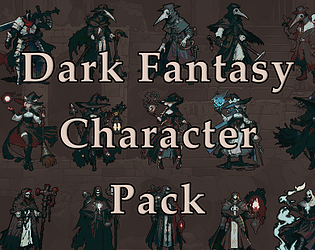
Hello, thank you for your comment! Since I created the DarkFantasy pack over a year ago, I don't remember the exact process I used to make it.
However,I've tried to recreate something of similar quality. How does this look?

Thanks for your great feedback!
Currently, the tool doesn't support managing directory subfolders.
However, I really like your suggestion about maintaining the subfolder structure during batch processing - it's a useful feature idea that I'll definitely consider adding in a future update.

Thank you so much for your kind words!

I really appreciate your support. I plan to resume sales in the near future, so please stay tuned!

Thank you for your valuable feedback.

I appreciate your comments, especially regarding the number of sprites, lack of animations, and suitability for video game development needs.

In light of these issues, I have decided to temporarily stop selling the product. I will rethink and revise both the content and pricing, aiming to re-release a product that better meets the needs of more users.

Let me rethink the price.
How much do you think is a good price?

(1 edit)

I have plans to add more features to this tool in the future. Thank you for your comment!

Hello, what language do you want?

Thank you 😆

That's something I also want to do, but it seems to require advanced technology. I'll consider it once I figure out how to realize it.

(1 edit)

Hello, may I ask what kind of GIF animation do you want to make?
One thing I came up is input multiple images from directory and make single sequential GIF animation .

Hello! Thank you so much for purchasing my software and for your generous donation.
I am thrilled to hear that you find it great. Your support motivates me, and I'll keep trying to make it better.


Thank you for your input, I will try to explore that opportunity if possible.

Thank you very much ♡