Indie game storeFree gamesFun gamesHorror games
Game developmentAssetsComics
SalesBundles
Jobs
TagsGame Engines

Stella @ MakeVisualNovels

238
Posts
29
Topics
992
Followers
5
Following
A member registered Apr 10, 2017 · View creator page →

Creator of

Recent community posts

It can be applied to an entire scene and all of its contents by applying it to a layer or camera, or you can apply it to individual elements like just a character sprite or a background or screen by assigning the transforms to them.


You can get more details about transforms over in the official RenPy docs if you have questions:

https://www.renpy.org/doc/html/transforms.html

Oh, this is sick.  Is there a way to style and group different types of footnotes?  Like say if I wanted to pop a tool tip up that's a different color/style in the text box for things like People, Places and Events?

The theme is open to interpretation and is not meant to be restrictive.  You can build something based off of the literal meaning of one or both words, or the combined meaning of the words.


Yes, you can have multiple languages in your game.

Alright, thanks for confirming.  I'll try to spin up my test project and test and debug soon.

I'd need to take a look to know for certain but my initial thought is your perspective being disabled.  Is your perspective enabled on your camera? 

The calculations are balanced with perspective in mind, but if that isn't on then the front and back wouldn't actually change the distancing and the offsets would shoot them in whichever direction if you tried to use them.

My second thought is I goofed up the transforms somewhere.   It's entirely possible that I goofed up one of the transform coordinates and no ones ever caught it.

Yep, super heroes fit into both supernatural and fantasy, depending.

We'll be hosting a live team building event called Meet & Greet in our Discord on the 20th at 8 AM Eastern!  If you are looking for a team or team mates, be sure to join us.  Voice participation is encouraged, but not required.  These events are the best way to quickly find a team or additional team members, so don't miss out!


You can join our discord here!

Dug into it.  So either your fonts folder is empty or doesn't exist.

If you unzip the fonts zip into your \game\fonts folder, it should fix that, alternatively if you put your preferred fonts into that folder, it should work too.  It just needs something there to display.

Take your time, I'll see if I can just grab the latest one and test it against it in the mean time.   Feel free to hit me up on our Discord too if you want more real time back and forth troubleshooting.

Sorry for the delay on getting back to you, can you tell me which version of RenPy you're using so I can try to reproduce it?

Generally we prefer submissions that were made explicitly for the competition, but as long as it fits the themes and otherwise follows the rules, it's fine.

As long as your submission follows the rules and is within the ballpark of a visual novel or other narrative game, it's fine.

If you open up MVNActionFXTemplates.rpy, you'll see a list of transform definitions. 

https://www.renpy.org/doc/html/transforms.html#transforms

I your script, you can apply these transforms to various displayable and images in your scene to produce the effects. The guide on the page here should help you figure out how to set each one up. 

If you know which effect you'd like to use, I can give more specific instructions on how to use them, too, just hollar and let me know.

Yep.  If you're going into it from a completely fresh project, redownload the MVNBubbleControls.rpy and try again.

I missed a bit during testing where if the bubble.json file doesn't exist or the ID is completely unassigned, it would throw an error.  That should be fixed now.  My B.

Thanks!  Could you tell me which of the glow shaders it was?  I actually addressed that exact issue in a previous update and I thought I pushed the update for them all.

So using the smart barks pack, I associated all of the bubble's speakers with the pop sound effect, and made the matching keyword and empty string, eg: ""  

So every time any of them would speak, it would play the pop sound effect.

This is how the definitions are laid out in MVNSmartBarks.rpy:

character_voice_lines = {
    "Anonymous User": {
        "": ["sfx/pop.ogg"]
    },
     "PurplePyroGirl": {
        "": ["sfx/pop.ogg"]
    },
    "Sparkle69": {
        "": ["sfx/pop.ogg"]
    },
    "Licklad": {
        "": ["sfx/pop.ogg"]
    },
    "Fan": {
        "": ["sfx/pop.ogg"]
    },
    "": {
        "": ["sfx/pop.ogg"]
    }

Web builds should be fine-- the majority of the issues with WebGL stem from WebGL not liking variable loops or implicit casting.  I used the burning text effect on my web build of Mint Condition over here: https://makevisualnovels.itch.io/mint-condition

I don't have specific issue reports from Android builds.  If you run into any issues with an Android build, feel free to reply here or find me in Discord and show me the error and I should be able to resolve it.  I'd be surprised if they run into significant performance issues on Android, but there are likely some optimizations I could do for the platform or alternative methods I could recommend failing that.

Attribution isn't required but is appreciated.   The best way to do is include either...

  • Stella @ Make Visual Novels! 
  • Remort Studios, LLC

Followed by a link to the asset you used: e.g:

Stella @ Make Visual Novels! Text & Shader Effects Pack: https://makevisualnovels.itch.io/text-pack 

If you use more than one of my packs, you can just link my main itch.io page like this rather than credit each one:

Stella @ Make Visual Novels! Assets:  https://makevisualnovels.itch.io/

Support is available through comments here, or you can reach out to me via the DevTalk discord here: https://discord.gg/devtalk

💖💖💖💖💖

I just hit the old record store with Penny, really digging it thus far.   It's given me some ideas, even.

Ayy came here to see T4T and saw you got use out of my stuff, lets f'n goooo

Sorry for the wait, I figured out what was going on.  

Early on when I started working on this pack, Bokeh originally was only going to move in one dimension, so speed was expressed as a float originally.  Before I released, I made speed an expression of vec2 so that it could have two dimensional speed.  I completely forgot that I did that, so I even included in the instructions to make it a float.

I've updated the templates to use the correct ones.  You can replace your MVNRomFXTemplates.rpy and it should straighten it out.

Perfect.  I'll get to work on it and have it sorted soon.

(1 edit)

Thanks for the error report, I'll dig into it and figure out what's going on.  Someone in the Discord was also talking about it and I think something goofy might be happening with it.  I might have used an older version of my test code for it instead of the tested one I had ready.  I gotta look at it to be sure.

Do you happen to know which version of RenPy this was in?  I doubt it's an issue with RenPy, but it helps me reproduce it.

I'd let it through.

It would most certainly count as separate assets, as you'd need to render it closed and open.  Depending on what you have on the pages themselves, that could also constitute multiple assets.

This would probably violate the bit about composite backgrounds not having multiple overlapping elements, sorry.

Live2D should be fine, just try to avoid anything that would significantly alter the pose.  Head shifts/turns, eye movement, tils and such of body parts are fine, but if you need to replace body parts(e.g, swapping arms) in order to create a pose you wish to use, it would likely violate the one asset rule.

Use your best judgement on non-human characters.  I won't likely be overly critical as long as the spirit of the jam was attempted.     

Hey there!  The ability to use shaders on text wasn't put into RenPy until 8.3, I believe.  If you move your project to the latest version, that part should start working.

For displayables in the UI, you can apply these to them.  For text itself, no, but I have another pack that works with text.


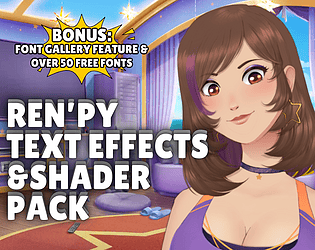
https://makevisualnovels.itch.io/text-pack

The reason it's cut off on the edges like that is because the shader can only draw within the rendered area.  If you want to get effects like that, you're better off compositing a screen together to include elements that could exist behind the text.  Since the parameters are tooled so high, there isn't much reason to make it adhere directly to the text displayable area.

Also I have a sprite/entity version that's in the works.  Vimi's been working on something that's got me working towards another pack released, and these type of effects for characters would be included.

If you're curious, the reason this is happening is because I forgot to re-add a .a on a line at some point during testing.  The original intent for the effect was, when it got dark, was this, with proper alpha sampling vs entire color sampling:


And I missed it because my test area was using white text. Whoops.

The method you posted uses Mix to completely strip the effect off of where the text is visible, using the original text's alpha value as the blending value.  I had intended to come back to the pack for content update in a few months, which was going to include a hollow version of this one, as well as a mix version like the one you posted. 

The transforms in MVNRomFXTemplates are intended to be copied and changed to customize the effects without having to dive into the shader code itself.

Here's a few quick ones I did, but you can tool with the numbers yourself and produce whatever variations you'd like:

transform MVNVignettePink:
    mesh True
    shader "MakeVisualNovels.LPVingette"
    u_vin_radius (0.5)
    u_vin_softness (0.3)
    u_vin_strength (0.5)
    u_vin_center (0.5, 0.5)
    u_vin_tint (1.0, 0.4, 0.6)

transform MVNVignetteWarm:     mesh True     shader "MakeVisualNovels.LPVingette"     u_vin_radius (0.5)     u_vin_softness (0.3)     u_vin_strength (0.5)     u_vin_center (0.5, 0.5)     u_vin_tint (1.0, 0.3, 0.0) transform MVNVignetteCool:     mesh True     shader "MakeVisualNovels.LPVingette"     u_vin_radius (0.5)     u_vin_softness (0.3)     u_vin_strength (0.5)     u_vin_center (0.5, 0.5)     u_vin_tint (0.2, 0.4, 1.0) transform MVNVignetteDream:     mesh True     shader "MakeVisualNovels.LPVingette"     u_vin_radius (0.5)     u_vin_softness (0.3)     u_vin_strength (0.5)     u_vin_center (0.5, 0.5)     u_vin_tint (0.2, 0.9, 0.4)

Nah, I think I found it.  The fact that it was still there after you grabbed it told me what I needed to know. I'll have a correction out for it in a bit.

Most likely, yes, as long as there is no significant changes to the pose.  Multiple characters are allowed in the text, so it wouldn't be much different from having an unseen character saying something, asset wise.

I'd let that in, personally, but only one distinct voice.  You can pitch/shift the voice like they do in , but no unique tones, or variations per (person) character.

You may have snagged the test version I mistakenly uploaded initially when I was putting in the webGL fixes, which had a version of the fire shaders that inherited color from the text itself.  Try pulling the latest version and try again.

There’s a little more than 60 days until Spooktober 2025.  Year after year, the Spooktober Visual Novel Jam has experienced meteoric growth in terms of participants and submissions. To date, the Spooktober Visual Novel Jam 2024 has had the most submissions out of any other visual novel jam, and Spooktober as a whole has contributed to the creation of over 800 visual novels.  That’s huge, and I’d like to thank all of you for helping make this happen.

This year, we anticipate breaking our submission record again.

I wish I could say this is a universally good thing.

While the participation and submissions in the jam grow significantly year after year, our ability to manage the jam does not.  Last year, we had 7 judges responsible for judging and eventually ranking 272 submissions in less than 30 days.  On average, a judge had to review 70 entries in around 21 days each to maintain the standard of quality and review that we’ve kept for the past 6 years.   Ask any of them.  It’s a staggering and taxing task despite the joy it brings us.

Recruiting new judges has been met with significant difficulty, since many people we would consider experts in this simply are not available to take on the tremendous workload at hand, and without more judges we cannot promise a lighter quantity of work per judge.  This creates a bit of a catch 22 when recruiting.

I prefer to do good business when I can.  I don’t take sponsorship money from people I don’t think a sponsorship with us could actually help.  Similarly, I can’t keep asking the judges, who have been loyal and enduring despite the hardships, to continue at the rate they’re going.  We are fully expecting to only have 5-7 judges this year, and the jam is trending towards 300 submissions this year.  Worst case scenario, we're looking at judges needing to review somewhere near 120-150 entries each to maintain our standards.  We need a method of allowing Spooktober to grow and continue to be the event that inspires and drives developers to do their best while mitigating the administrative strain the event causes.

That’s why this year we’re introducing a judging pass.

Here’s how it’s changed:

  • Everyone is still able to participate and compete in Spooktober 2025.
  • Special categories will be nominations based, with public vote ranking taken into consideration in addition to community and judge nominations.  Judges will continue to review the nominations and select winners there. (Roughly 6~ entries per category.)
  • The 1st, 2nd, and 3rd place prizes require a Judge Pass to qualify a team for consideration.
  • Judge passes also entitle participants to pitch and present in a special competitive Meet & Greet, focused on helping people find teams and team members seeking to compete for the grand prizes.  This Meet & Greet is scheduled August 16th, and purchase of a Judge Pass is required BEFORE that date in order to present.
  • Judge passes are available now via the Patreon shop for $10 USD.  We will stop selling these passes September 15th.  Your order number is your Judge Pass number, so make note of it.
  • The goal of this pass is to reduce the total number of entries the judges need to review from 250-300 to 100 or less.  This would amount to each judge only needing to review 30-40 entries each and permit us to continue judging at the quality we want to maintain.

Proceeds from the passes will be given to the judges to thank them for their time or given back to the community at their discretion.

The pass is available here: https://www.patreon.com/posts/2025-spooktober-131500676

(2 edits)


Thanks for expressing interest in our sponsorship packages!  In order to become an official Spooktober Visual Novel Jam 2025 sponsor, a cash sponsorship must be made of a minimum of $250.  Sponsorships of digital goods, services and other non-cash contributions must be accompanied by a cash contribution equal to or greater than the value of the digital goods being offered.

These packages are flexible and can be further customized to meet your specific requirements and preferences.

If you have any questions, special requests, or wish to sponsor the competition feel free to reach out via email to Stella@SpooktoberVNJam.com or Stella on DevTalk's Discord!

Basic Package - $250:

  • Shout-Outs: Verbal acknowledgement and appreciation during the event opening and closing ceremonies.
  • Sponsor Recognition: Your logo featured in the sponsor section of the jam page.

Bronze Package - $500:

All benefits from the Basic Package, plus:

  • Logo Placement: Your company logo prominently displayed on our event website, promotional materials, and social media platforms.
  • Shout-Outs: Verbal acknowledgement and appreciation during the event opening and closing ceremonies.
  • Social Media Exposure: One dedicated social media post on our official channels highlighting your sponsorship and promoting your brand.
  • Event Summary and Post-Mortem: You will receive a summary and post mortem from the judging team containing information about the jam’s running, participants, entries, and final conclusions, including basic contact information should you wish to reach out to them for talent searching or feedback.

Silver Package - $1,000:

All benefits from the Bronze Package, plus:

  • Mascot Skit: Our Message of the Day rotation in DevTalk will include a skit of our four main mascots (Lime, Lemon, Plum, and Cherry) delivering your brand message and offerings until September 1st, 2026. (Approximately once every 8-12 days) Rotation starts after contribution is received and skit is approved by your organization.
  • Extended Logo Exposure: Your logo featured on live event banners, including our live online Team Building events and official streams.
  • Judge Opportunity: One representative from your company is invited to participate as a guest judge in the evaluation process, providing industry expertise and insights for a specific category.  Part of your contribution will be used to fund the prizes for the chosen category.

Gold Package - $2,500:

All benefits from the Bronze and Silver Packages, plus:

  • Mascot Skit: As in Silver, but includes either a second skit for rotation, or a serialized/story skit lasting 15 days starting at the date of your choice.
  • Prime Logo Placement: Your logo prominently featured on the event's main graphic at the top of the event page, and will be highlighted in all live events.
  • Panel or Workshop: An opportunity to host a panel discussion or workshop during the event, allowing you to share your expertise, showcase your products/services, and engage directly with our community.
  • Exclusive Sponsor Spotlight: A dedicated section on our event website featuring your company profile and additional promotional materials.
  • Swag Inclusion: If you have discount codes, brochures, or other potential give-aways, we will distribute them through our participant e-mail system, allowing you to directly reach the participants with your offerings.

Platinum Package - $4,000:

All benefits from the Bronze, Silver and Gold Packages, plus:

  • Mascot Skit: As in Gold, additionally your mascot or a personification of your brand may be included as an actor in the skits.
  • Supporter Role:  1 year access to our community’s supporter area for up to 2 members of your organization.  Valid until the beginning of August 2026, beginning at the time of contribution confirmation..
  • Judge Opportunity: One representative from your company is invited to participate as a guest judge in the evaluation process and is permitted to submit feedback directly to submitting participants.

 We value your support and are open to discussing any additional ideas or benefits you may have in mind!  

All contributions made through this sponsorship system are added to the community's yearly budget and will be used to finance the prizes for Spooktober 2025, at the following amounts.

  • 1st Place: $1,000 USD
  • 2nd Place: $750 USD
  • 3rd Place: $500 USD
  • Special Categories $100 (Up to 5, TBD)
  • Sponsor Categories, up to a negotiated amount, 1 per sponsor maximum.

Our target contribution is $2,750 for 2025.  Any amount in this excess will be split between the community's yearly budget for special events,  programs, and next year's competition!