Indie game storeFree gamesFun gamesHorror games
Game developmentAssetsComics
SalesBundles
Jobs
TagsGame Engines

Maindric

15
Posts
4
Topics
3
Followers
11
Following
A member registered Sep 24, 2019 · View creator page →

Creator of

Recent community posts

(3 edits)

Ok, I figured out the issue.
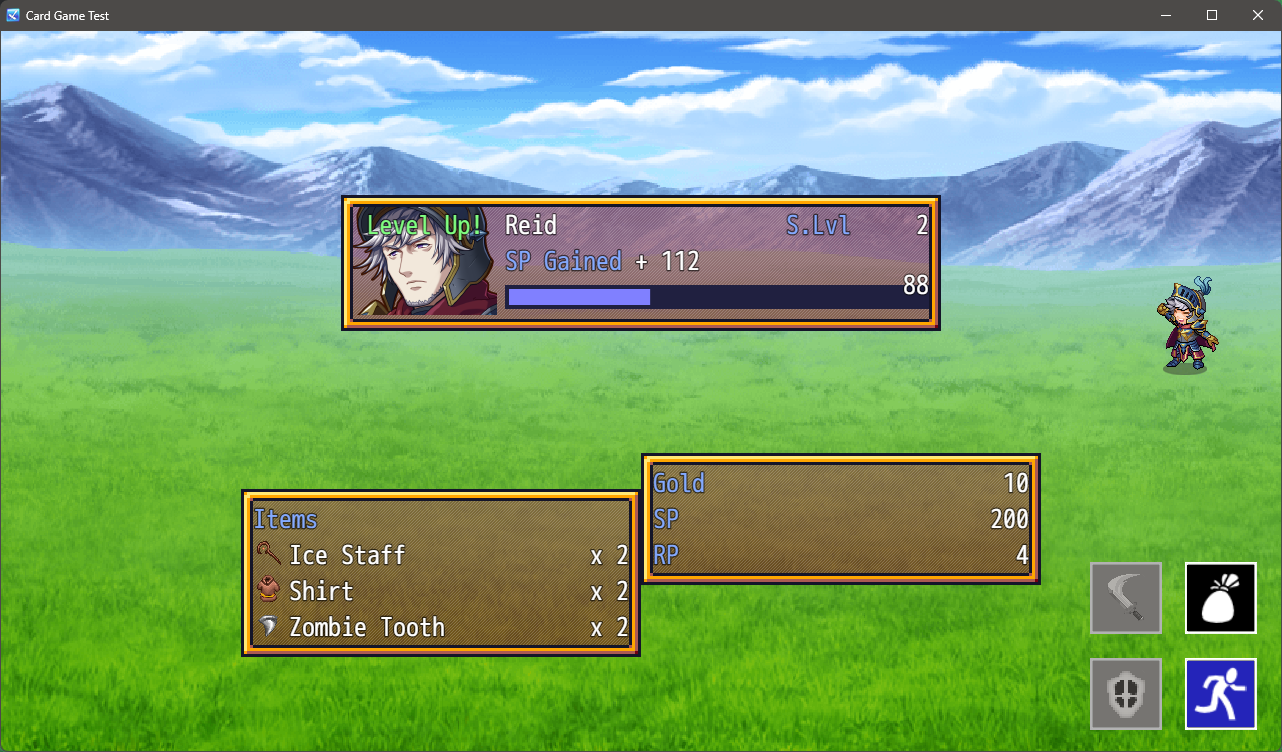
image.png

In the plugin, it checks for the item ID, but it ignores if they are different types of items. As such, if the drop pool includes an Item of ID 1 and a Weapon of ID 1, then one will overwrite the other when populating the rewardList array.

Not sure if this is the best solution, but I fixed it by replacing line 979 code:

            for(const item of BattleManager._rewards.items){

                if(item.id in rewardList && item === rewardList[item.id].obj){
                    rewardList[item.id].amount++
                }else{
                    rewardList[item.id] = {amount: 1, obj: item}
                }
            }

With:

            for(const item of BattleManager._rewards.items){
                var type = -1;
                if(item.hasOwnProperty("itypeId")) {
                    type = "i";
                } else {
                    type = item.etypeId.toString();
                }
                const key = type + item.id.toString();
                if(key in rewardList && item === rewardList[key].obj){
                    rewardList[key].amount++
                }else{
                    rewardList[key] = {amount: 1, obj: item}
                }
            }

This creates a unique key for all types of equipment and items along with the ID. May not be the most performant, but allows the drop table to show all drops, regardless of dropped IDs. Even still allows quantities.

EDIT: On further inspection, this change might allow the removal of && item === rewardList[key].obj as the key should be unique 100% of the time.
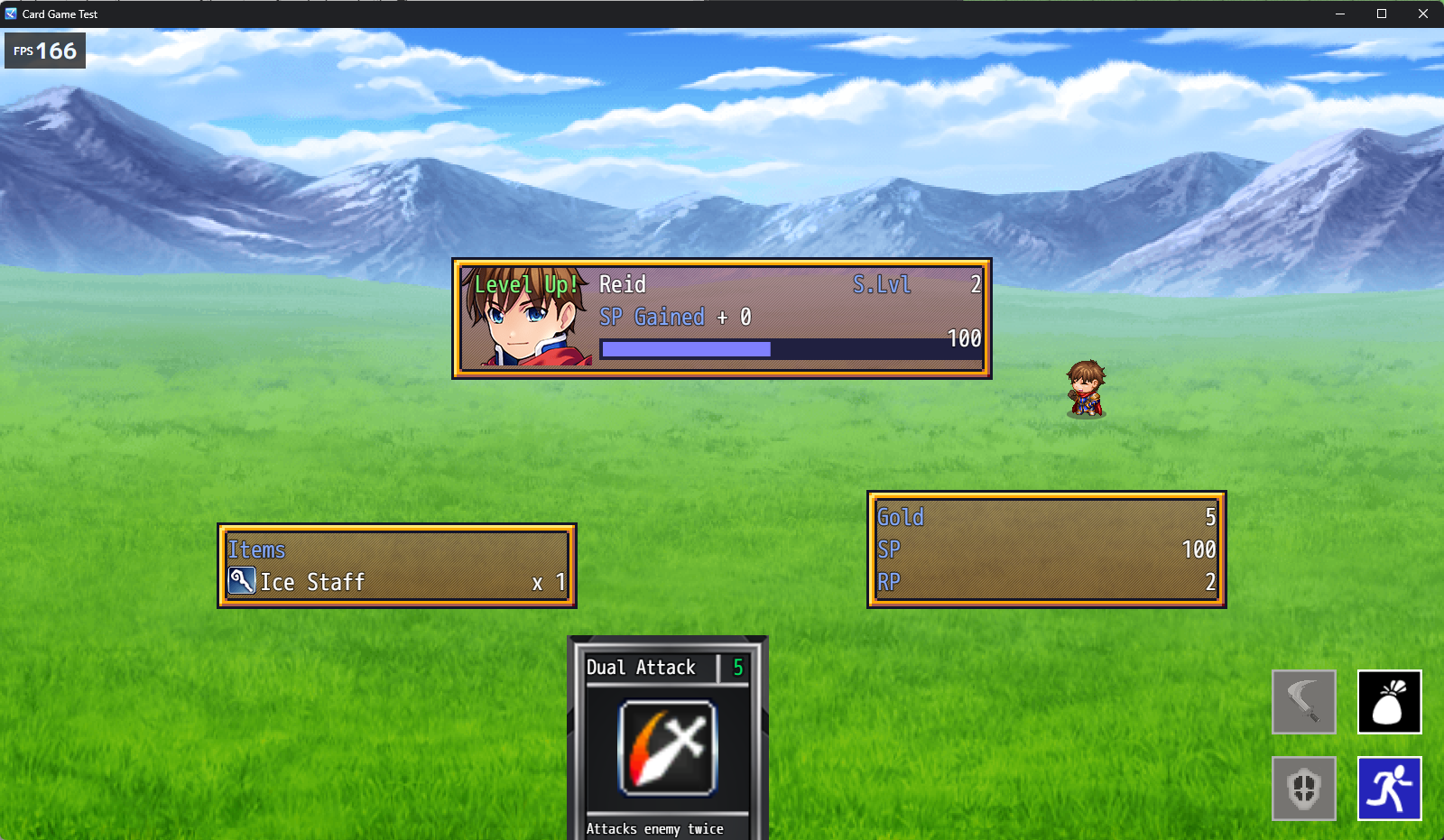
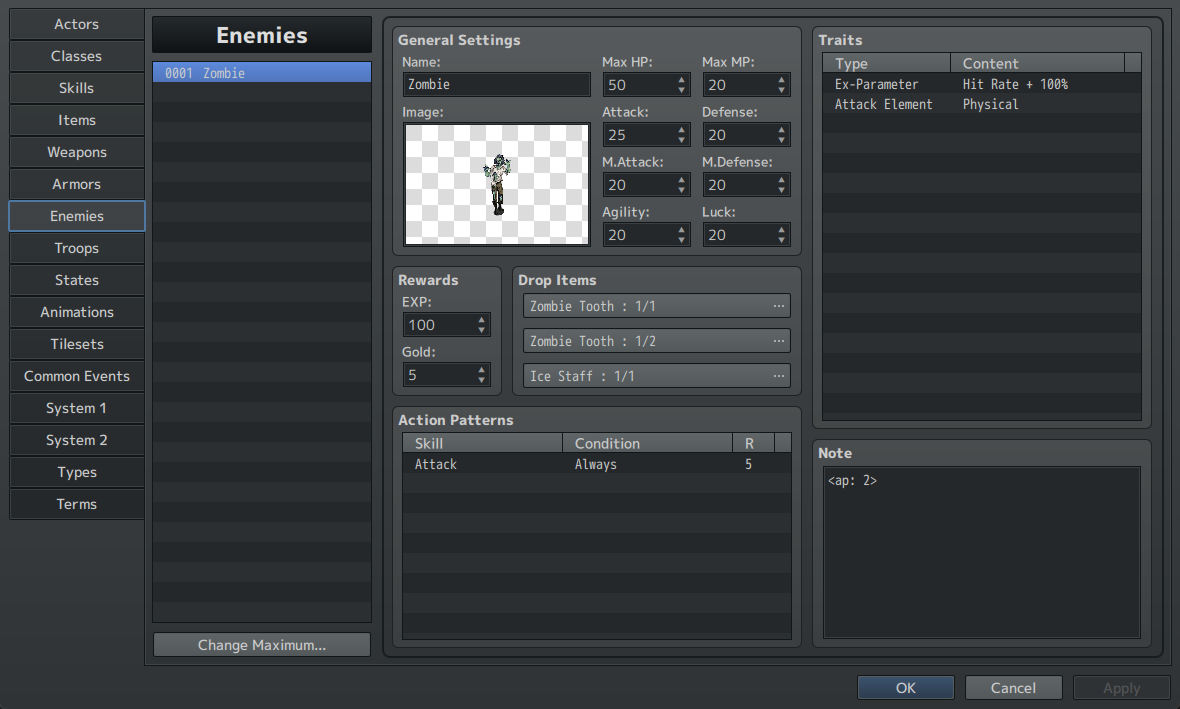
Looking at the result, and I do not know why I didn’t think to do it that way. A++ on support, you’re awesome!

That is good to here. We will work hard on it!

PS: My daughter says thank you. :)

My daughter and I are looking to enter. I assume RTP assets and included plugins can be used, but are we able to use commercial plug-ins? (VisuStella for example) Also, can we use commercial art assets such as Tilesets, Characters, Effecseer, etc from Itch, Steam, and Komodo?

(1 edit)

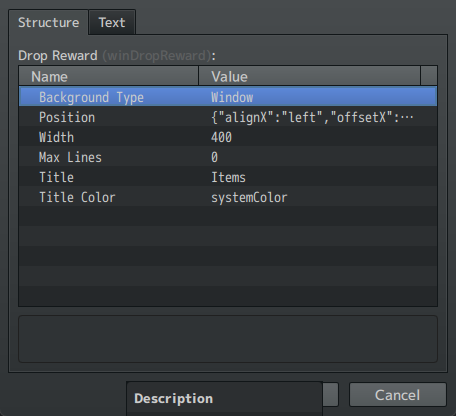
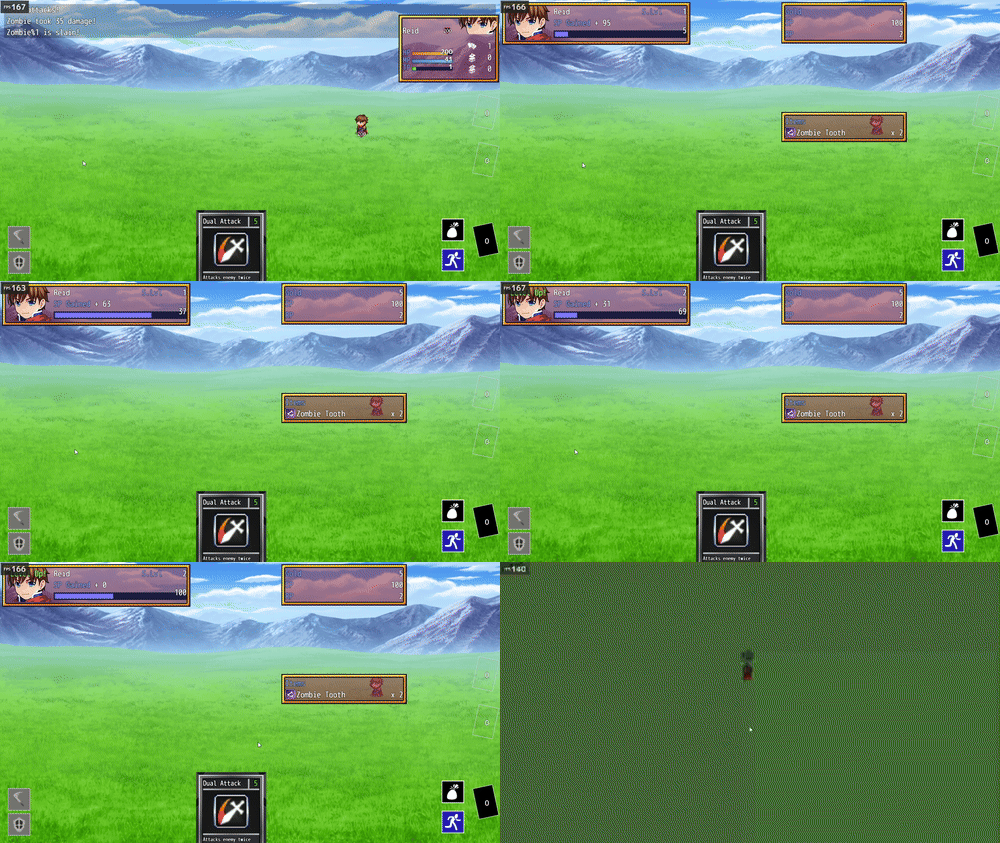
BUG: The drop window does not scale with additional drops.

Image:

image.png

Settings:

image.png

You can see there should be at least 2 items dropped from this enemy.

image.png

Max Lines is set to 0, which is supposed to be automatic.

Commentary:

I will set to 3 for now to always show, but I will see if I can dig into the code to resolve.

When I was setting this up, this error popped up when “Parameter List” in “Actor Result” was left empty.

In my game, the player can level up. However, stats remain static. Instead, levels allow the player to buy better gear and skills. As such, the actor level up screen is mostly useless. So I wanted to hide the Actor Result screen, so I modified the code. Figured I’d sanity check here that there isn’t an easier way to do this built in, but also share how I did it.

In lieu of sharing the whole code, I will simply share the edits.

Line 49:

@param showActorResult
@text Show Actor Result
@type boolean
@desc If true, show the parameters screen for actors that level up.
@default true

Line 681

            this.showActorResult = JSON.parse(parameters.showActorResult)

lines 1254

            const showActorResult = Eli.BattleResults.getParam().showActorResult
            [line 1255]
            if(showActorResult){
                [lines 1256-1261[
            }

            if(actorIds.length > 0 && showActorResult){

Is there a better way to toggle the screen? Either way, I think this works well enough for me, and if this functionality could be valuable for the greater project, anyone with the plugin is free to adapt it. Sorry I posted it strangely, didn’t want to post the straight file due to… obvious reasons.

(2 edits)

I read more of the documentation, and there is a mild correction. The original post I responded to stated the tag was <Will End Turn>, the following tag does what is desired as well: <willEndTurn>

(1 edit)

I bought the Independant Card Variables add-on for this plug in and I am having some issue.

Bottom line question: How do I put the actor’s attack stat (or more) into the card description?

If I try to init a variable like:

<Card Passives>
Var(0) init 34
</Card Passives>

It works fine. However, I want the value to be equal to the actor’s attack stat. I cannot do Eval with passives, so I was hoping this would:

<Card Passives>
Var(0) init $gameActors.actor(1).atk
</Card Passives>

But it doesn’t.

I tried to do so in actions as so:

<Card Actions>
Eval $gameVariables.setValue(101, $gameActors.actor(1).atk)
Var(0) set $gameVariables.value(101)
</Card Actions>

This successfully sets the game variable 101, but not the card variable. So I also tried this:

<Card Actions>
Var(0) set $gameActors.actor(1).atk
</Card Actions>

This also doesn’t work.

For context, here is the Skill Description:

Basic Attack. Deals \Var[0] damage.

Bonus question: My game will only have 1 party member (unless I add summons), but can I also do this with multiple party members?

(1 edit)

It would be nice if this were a toggle in the core engine. Through testing, I found it’s not just <Will End Turn> but the full <Card Passives> Will End Turn </Card Passives> for every single card.

Edit:

Adding a code block for readability:

<Card Passives>
Will End Turn
</Card Passives>
(2 edits)

Correct, this is a feature within Godot. However, how it handles this is based on the names of the meshes on import.

Here are the docs: https://docs.godotengine.org/en/stable/getting_started/workflow/assets/importing_scenes.html#import-hints

Right now, there is no simple way to add these names to the objects. For simple models built in Asset Forge, this is not much of an issue. However, having some flexibility on the names of the meshes on export would make this significantly easier.

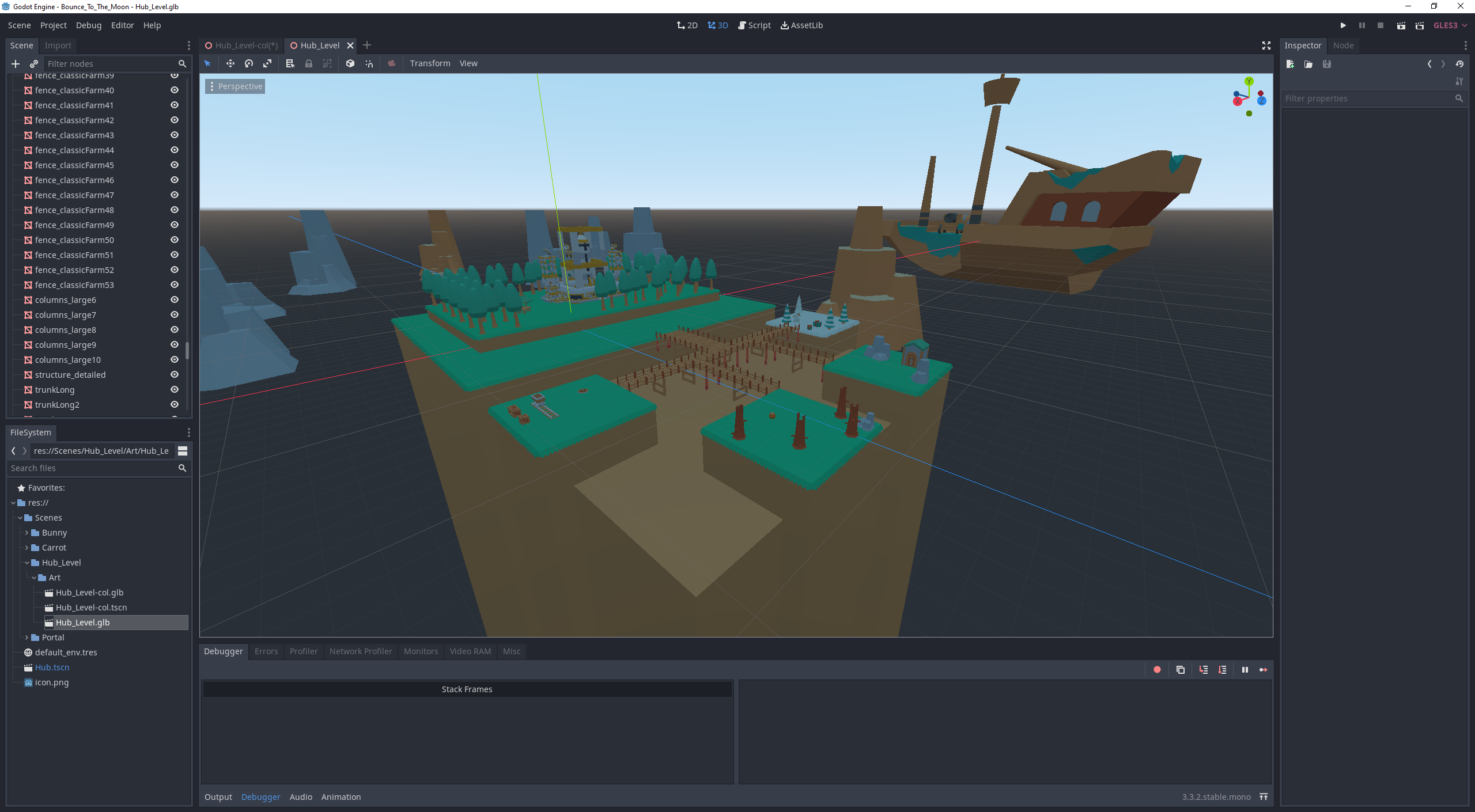
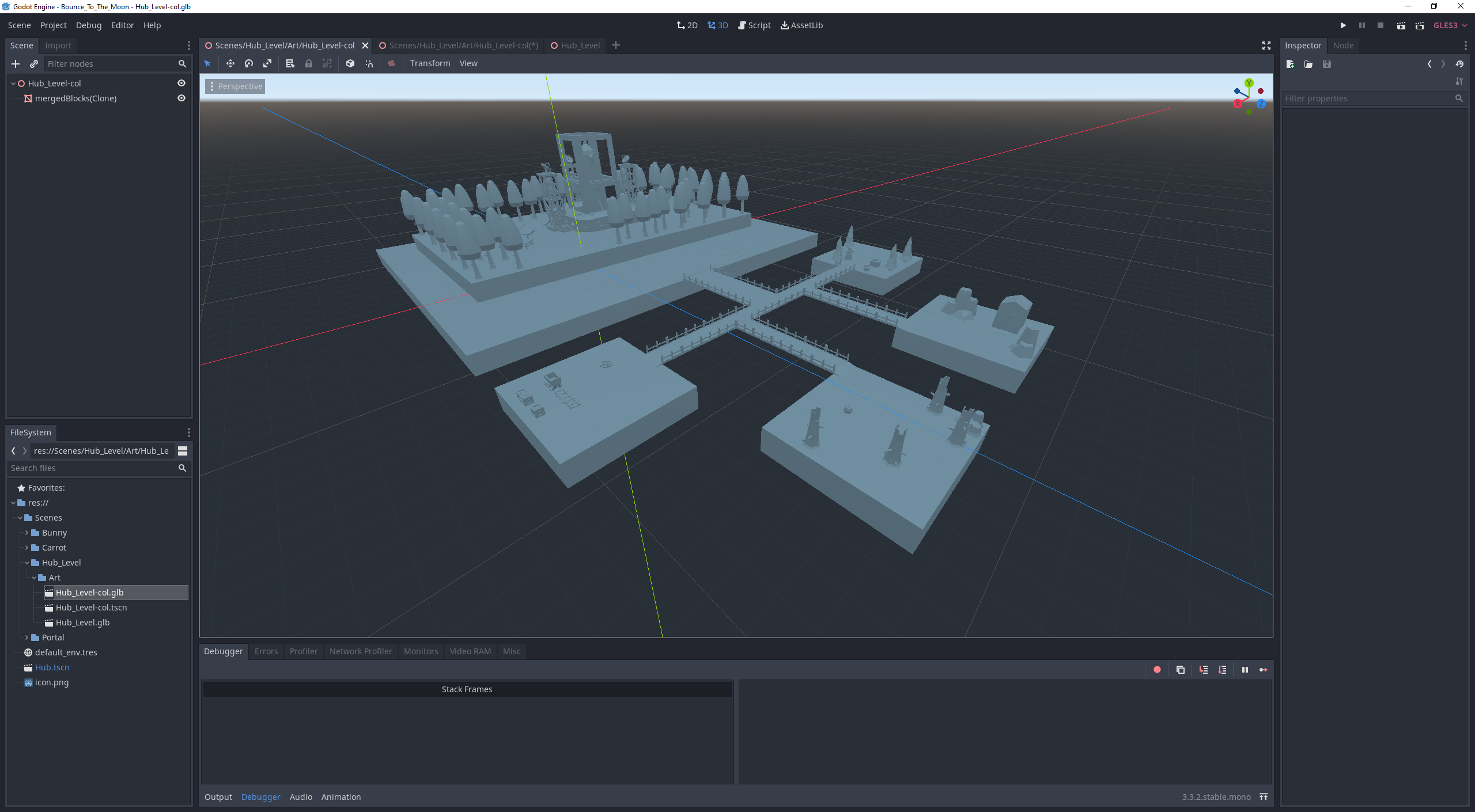
For example, here is a scene that I made in Asset Forge (as imported by Godot)

The second file is the collision mesh I made for the level. Simpler geometry, better performance, etc. As it is now, I have to import the mesh, made a new scene, and set the collision manually (Not too much an issue, but it is not automated.) If I could just have -colonly at the end of the mesh name on export, that would save that step.

If we could get more specific mesh naming controls, that would solve the issue too (and possibly better if we can merge groups on export and name that group). It’s just fairly tedious as it is now managing multiple files and multiple scenes to get it in that requires redoing it all when a modification is made that a little bit of text on export would solve.

(1 edit)

From some testing, I found we can do this already--kind of.

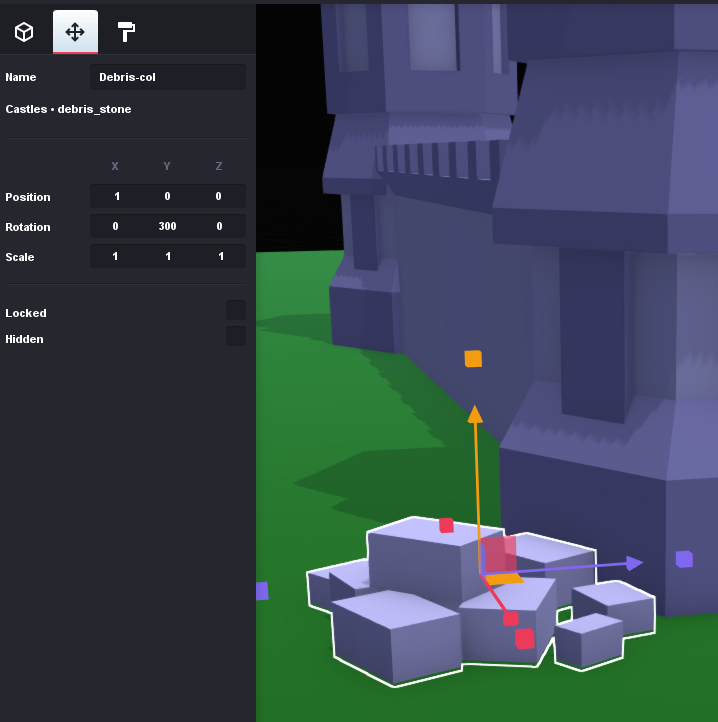
I can go in and click each object manually and add "-col" to the end of the object name.  Once exported, Godot recognizes this and generates a collision for that particular object.  However, for models with dozens, if not hundreds, of objects this can be tedious.  I do like the large range of control as I do not want everything to have collisions (grass for example and for performance).  Having some mechanism, such as the Layers - Feature requests - itch.io request to see all objects in a list would make this much easier.  Having a checkbox that I can click with many objects selected to append "-col" to their names would also make this much easier.


(1 edit)

This may be a Godot-specific request, but here goes:

For a model to have static collision, it would be nice if there was a checkbox on export for Godot to export collision data as well.  This should be fairly simple to do, on export the meshes will need to append the string "-col" and Godot will automatically add colliders to them upon import.

The current work flow for me is to export twice, once as normal, another as merged (which is bugged to not be rotated the same as unmerged).  The merged, I can then muck around and force a collider.  This solution is less than ideal.  Having a checkbox would simplify the process.

(1 edit)

I agree, this feature would be phenomenal.

I would go so far as to a Photoshop or Gimp like object/layer system where we can see all objects, layer them, rename them, etc.