That's interesting to note. I'll keep it in mind. I am highly grateful for your assistance. I did manage to get your updated code installed for everything yesterday and it all worked great! My fancy gauges from their plugin are now all working together great. I'll shoot you over a screen shot of my item menu being small text in battle later when I have a chance. Unfortunately only get so much time to work on the game.
Lokoklouse
Recent community posts
I will try this when I get a chance and get back to you.
Edit: This is the bundle post isn't it... lol nvm my previous question about it being in the bundle, I'm a derp.
Edit Edit: I just wanted to say this is an amazing tool btw. And I'm incredibly pleased with it's over all ability to work with visuStella plugins as I know that is notoriously difficult. I did of course have to turn off Main menu Core but I actually don't think that's really an issue for me as I don't really intend to use any of their menu stuff. I was even easily able to implement and include the custom value for my passive skill system into this as an extra gauge so I really am impressed.
Cool that's good to hear, it actually seems like the font size is not working. I adjusted the window size to better fit what I want the UI to do now and suddenly the item text appeared. I found that specific window sizes I got item text (although very small font).
Idk if this helps but it's good to hear it's being fixed soon! Thank you so much for the support!
I can hop in later and see about sharing this issue. honestly a lot of what I wanted is already handled and working as is. I was looking for a system to show my damage numbers with slightly more style (custom fonts, simple animations, and more color control plus Weakness and resistance) and this covers all of what I wanted despite visual bugs that are likely VisuStella related (in my experience so far this seems common and I'm not bothered by it).
Despite that I can still share my findings with you when I get time to join the discord. I have discord nitro so my video abilities should be pretty good there,
Hello, I'm having an issue here and it seems to effect all of these so gonna ask.
Is there anyway to make this work with https://www.yanfly.moe/wiki/Visual_Gauge_Styles_VisuStella_MZ ?
I wanted my gauges to not just be rectangles and this acomplishes that but it causes a Uncaught RangeError: Maximum Call stack Size exceeded on line 273 of the UICustomizer_Battle_Lite. (I assume pro would do the same thing but haven't tried as items don't work for me in Pro, see my comment there on that plugin specifically)
Tried it on Pro, same error but the line is 542 this time, in all cases it's this function crashing: function isScene(...scenes)
I need help. For some reason the item list in battle shows no text while the skill one does... Images are attached. I was not having this problem with the Lite version... This is a big problem for me and I really could use a solution. I do use VisuStella battle core (I will beusing the ATB battle system from them so not having it is not an option) But it still happens even with Battle Core off. I am also using all of the other menu customizer's (I have the bundle) but changing my items off of Grid mode didn't seem to change this.
Again, if I go back to the "Lite" free version, the item menu works, so that's what I'm doing for now but I'm not exactly excited about it as I wanted the window behaviors (like the skill menu hiding when targeting an enemy) and will need font size and such for my custom font. 
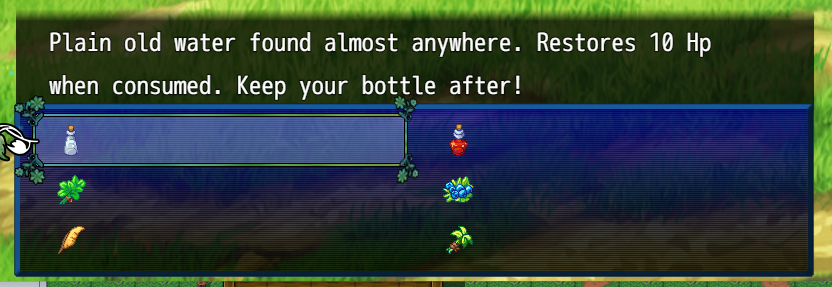
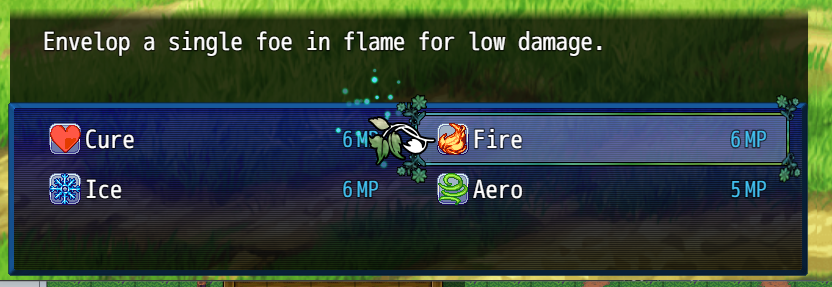
it's sorta hard to describe and I wasn't getting a very good way to post a video or gif here. (I am suspecting however that it's VisuStella related as usual). The physical damage default like flashed on the screen for a moment, as if it was screen sized and then snapped in. it was very jarring, I also noticed the water default animation would just fall off the screen so fast you couldn't possibly read the number. I tried to slow it down but to no avail. I just changed it to something calmer and it's working fine.
No matter what I put in for Font Face it won't accept it. and then leaving it blank uses my games main font, not my numbers font. Frustrating... :( I love this, I did have a weird glitch going on with bounce elastic animation but otherwise nice.
For anyone else who ends up having any kind of font issues and is clueless like me, I finally figured it out. If you're using visuStella core plugins, you'll need to go to message Core and register any custom fonts there before they will work in this plugin. That was the trick.