

Indie game storeFree gamesFun gamesHorror games
Game developmentAssetsComics
SalesBundles
Jobs
TagsGame Engines

Lianes8 Studio

32
Posts
3
Topics
8
Followers
A member registered Feb 18, 2024 · View creator page →

Creator of

Recent community posts

Hey Cookie!

Thank you so much for playing and for taking the time to write this feedback.

I’m really glad you enjoyed the idea of being a pigeon doing illegal stuff haha. I completely understand what you mean about the main loop becoming repetitive. Since it’s an incremental game designed to last around 2–3 hours, the idea is for players to complete it before it becomes too repetitive. Later, Hard Mode will feature a different map with a higher difficulty.

Making an incremental game that doesn’t become repetitive is definitely one of the hardest parts, but I’ll keep your feedback in mind and look for ways to make the stealing loop more varied and the progression less slow.

Thanks again! This kind of feedback helps a lot.

Hey GameGlis!

Thank you so much for taking the time to leave such detailed feedback, and sorry for replying so late. Sometimes itch.io notifications don’t reach me, so I miss comments.

I really appreciate both your kind words and your UX feedback. These are exactly the kind of things that are difficult to notice when you’re the one making the game, so your comments are extremely helpful. I’ll go through everything and work on fixing it.

Thanks again for playing and for taking the time to write all this!

Thank you so much for taking the time to leave a comment. I really appreciate it, and I’m glad you enjoyed the game! If you could point out which parts of the UI or the game you think need a bit more work, it would really help me focus on them. I’m probably not the most objective person when it comes to my own work, haha. Thanks again for the feedback and for your help!

Yep! WASD worked fine for walking/jumping. It was just a bit confusing at first because I didn’t understand what I was supposed to do. Once I figured out the grab/drag mechanic, everything clicked!

Played the browser build for a few minutes. Honest feedback on the opening, since that is as far as I got: I did not understand anything from the moment it started.

Two reasons.

I could not see. The scene is almost entirely black with one bright soft blob where the light is, so the centre is washed out and everything around it is pure black. I walked forward and could not tell a wall from an opening until I hit it. Underground and dark is clearly the point, but the contrast range is so narrow right now that there is no readable geometry at all. A faint rim light on edges, or a less blown out flashlight, would let me navigate without losing the mood.

And I was never told anything. I am dropped in with “Oxygen: 60” and a red “70degC danger” already on screen, before I know what heat does to me, what oxygen is measured in, or what I am supposed to be doing. Right now the danger warning reads as an error message rather than a threat.

What I would do instead of the current approach: a proper controls screen or a short tutorial before the drop. Keeping every key permanently plastered across the top of the screen is off-putting. It reads as unfinished, it eats the frame, and it still does not tell me what to do, only which keys exist. Teach me once, then let the screen be the game.

Small ones:

  • “bild menu” should be “build menu”.
  • On my window that label overlapped the panel edge behind it.
  • There is a key bound to “unstuck”. That tells me you already know players get stuck on the collision. Worth chasing, because someone who gets stuck in the first minute and does not spot that key just closes the tab.

Not trying to be harsh. The atmosphere is there, I just had nothing to act on yet.

Played the browser demo up to the salvage loop on Nereida-4. I make incrementals myself so this is the genre I know best, and the core is solid: a clear order, a visible cost, a warehouse that fills. The objective panel telling me “salvage scrap until you have enough for the recycler, step 2 of 14” is exactly right. It gives me one thing to do and shows the road behind it.

Three things I would change.

Three modals before I touch the game. Language, then a demo notice about local saves, then the welcome protocol. Each is reasonable on its own and together they are a wall. The language picker could sit in the corner of the first real screen, and the save notice could be a line in the header. Only the welcome protocol earns a modal.

A localisation leak: in the History panel it says “Nereida-4 no responde” in Spanish while the game is set to English. Everything else around it is in English, so it stands out. I ship in 31 languages so I know how these slip through, but that one is on the first screen.

And the honest one, which you may not want to hear. The interface reads as AI generated. Not because it is badly made, it is not, the layout is clean and the information hierarchy works. It is that the specific combination is exactly where the AI tools land by default: very dark navy background, thin uppercase monospace labels, amber and teal accents, hairline rules, softly rounded panels floating on a flat dark field. I do not think you generated it. But anyone who has looked at a lot of AI mockups this year will pattern match it in a second, and in this industry that costs you before anyone reads a word. Breaking one of those defaults hard would fix it. A real typeface with personality instead of the mono, or one saturated colour that no model would pick.

Worth saying: the writing is good. “The hull is still smoking behind you. Turn the wreckage into something useful” told me more about the game than the whole tutorial did.

Played the browser build through the first chamber. Chained three Blood sigils, took the Choir Leech from 26 to 20, and the loop clicked straight away.

What works: the enemy intent line at the bottom is the best thing here. Knowing the next strike before I commit turns a match-3 into an actual decision, and the contextual hint changing from “drag three sigils” to “read the enemy intent, Bone grants Ward” after my first cast is a nice touch. Teaching one idea per turn instead of all at once.

Which is why the Field Manual before the first chamber feels like the wrong shape. It is a full screen of rules covering Vigor, Ward, Focus, four cast types, relics, shrines and curse marks, and I had forgotten most of it by the time I made my first move. Everything in it is good, it is just arriving before I have anything to attach it to. The in-game hints already do the job better. I would cut that screen to three lines and let the rest surface as it becomes relevant, with the manual kept behind the ? button for anyone who wants it.

One bug: on the bottom bar the ENEMY INTENT label, the curse text and the “Strikes for 4” number all overlap each other. On a 1080p desktop window it reads as three lines of text printed on top of one another. Looks like the tooltip and the intent bar share the same space.

Small thing: I played on desktop in a wide window because the page said to use a narrow one. Might be worth just letterboxing it yourself rather than asking the player to resize their browser, since most people will not.

The art direction is doing a lot of work. Good atmosphere.

Played the browser build for a few minutes. Honest note first: it took me about three minutes to work out how to do anything. I tried arrow keys, WASD and space, and the character never moved. What finally clicked was that the claw IS the cursor, and you grab things and drag them to build your way up. Once I got that, “PULL YOURSELF UP” made sense, but until then it reads as a taunt rather than an instruction.

Two small things that would fix it: show the click and drag control on the first screen, and maybe have the claw open and close once on its own before the player touches anything, so the grab is telegraphed.

What already works: the open hand turning into a fist when you grab is very readable, and the palette is strong. A dull grey level with one red thing moving in it means your eye never loses the claw. The timer counting up instead of down is the right call for a puzzle like this too, no pressure while you are still learning the trick.

One bug on the title screen: there is a grey rectangle sitting over the right side of the RED CLAW logo, and the credit lines at the bottom overlap each other so a couple of them are cut through.

Good foundation. The grab feels tactile once you find it.

£3.99 on Steam. On itch.io it’s $3.99 because I don’t think it lets me change the currency.

(L)

Muy buena!

U are amazing

U are cool

ty bro!

Tied to the Beat

Tied to the Beat just launched in Early Access.

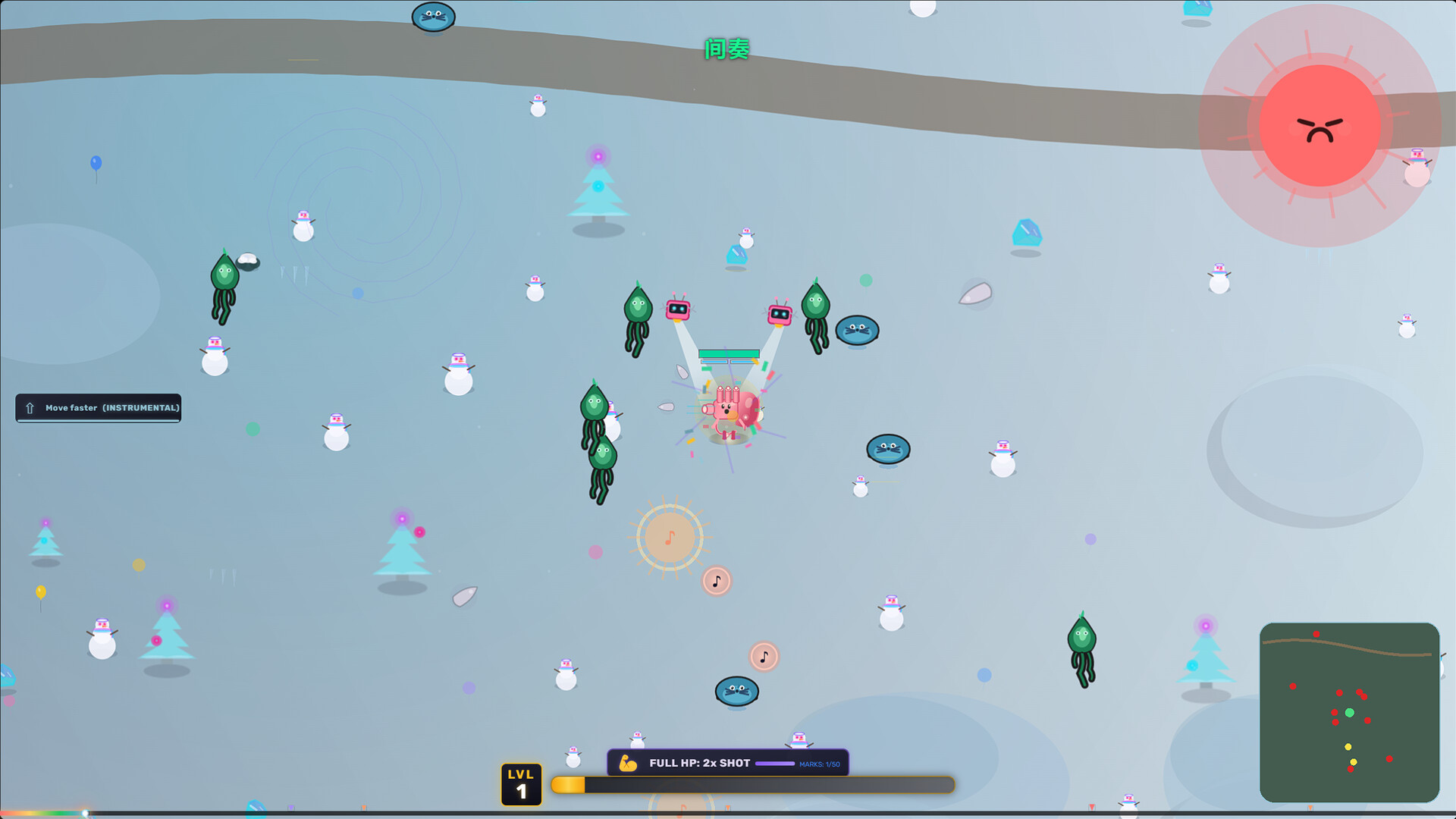
It is an arena survivor built on lyrics. Every word that plays changes what happens on screen. FIRE rains flames, FREEZE locks enemies in place, DARK cuts your visibility down to almost nothing. Over a thousand words are wired to their own effect, and it works in 31 languages, so a Spanish song plays in Spanish and a Chinese song plays in Chinese.

You can also drop in any MP3 you own. The game transcribes it, times the lyrics and turns it into a playable level. That happens entirely on your machine and nothing is uploaded anywhere.

Screenshot

The engine is hand written in TypeScript and Pixi.js, no Unity and no Godot, which is why it holds 60 fps on a 2018 laptop with integrated graphics.

Trailer: https://www.youtube.com/watch?v=oxpyF88wK4E

Windows and Linux. 3.99 USD for the first two weeks, 20% off the regular 4.99.

https://lianes8.itch.io/tied-to-the-beat

There is a free demo on the same page if you want to try it first.

Ty!

Ty!

Yep! Just import your song and the game will automatically detect the lyrics.

Sometimes you may want to adjust the timestamps a little, since the system isn’t perfect, but it’s usually a quick fix.

After that, you’re ready to enjoy your own music in the game! (IN FULL GAME, NOT DEMO OFC)🎵

ty m8!

Yeah!

Yes! It’s fully compatible with Steam Deck. 😊

The itch.io version currently supports both Windows and Linux, and the Steam version also has a native macOS build. I also plan to bring the macOS version to itch.io in the future.

Thanks for asking!

Thanks so much for your kind words, and for taking the time to leave feedback!

The 10-minute limit was honestly the only way I could think of to encourage people to try the demo while still getting real feedback. The full game takes around 4 hours to complete, and I was worried that making the demo much longer would end up giving away too much of the experience.

I’m really glad you enjoyed it, and I hope you’ll have the chance to play the full game when it releases. Thanks again for your support

Both is good

Ty!

Ty m8!

Yeah lol both same day! haha

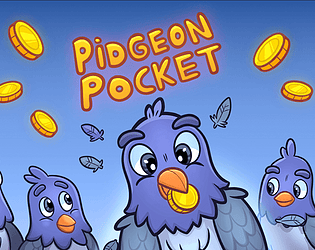
Hi everyone. The free demo of Pidgeon Pocket is up, for Windows and Linux.

Pidgeon Pocket

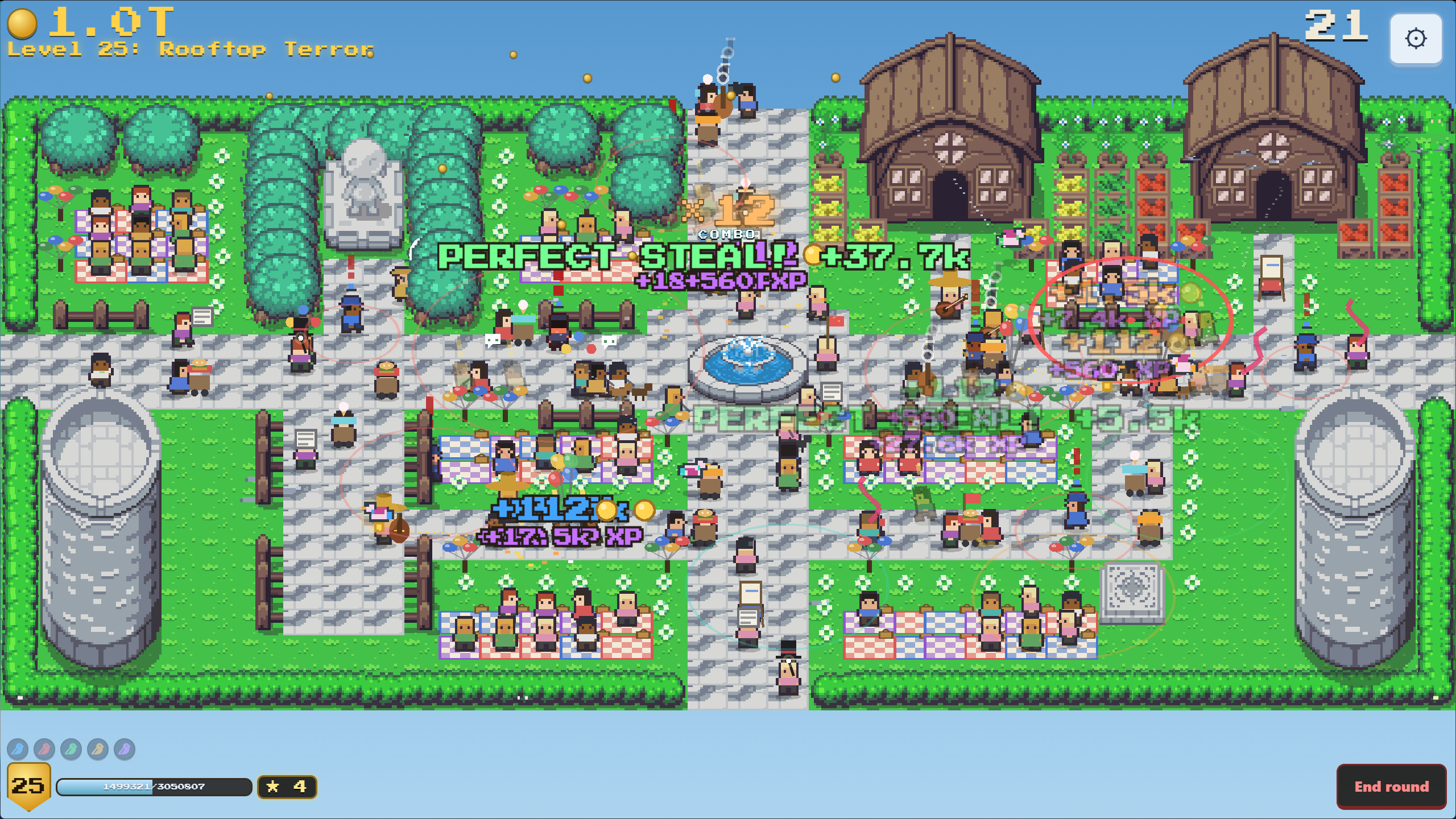
You train a flock of pigeons to pickpocket a city park. It looks like a calm idle game, and it is, but every upgrade you buy quietly turns the park into a bigger job. Feed the birds, grow the flock, send them out, come back to a pile of stolen coins.

Screenshot

The demo runs about 10 minutes and covers the full opening loop. Pixel art drawn frame by frame, 31 languages, full controller support, and your save carries over to the full game.

No Unity and no Godot behind it. It runs on a custom engine I wrote myself, the same one behind my other games.

Demo: https://lianes8.itch.io/pidgeon-pocket-demo

Full game releases on 27 October 2026. Happy to hear what you think, especially about how the first few minutes feel.

Nice! hahaha

Thank you! Tell me if you like it!

Thank you!!!

(1 edit)

Hi everyone. I just published the free demo of Tied to the Beat, a rhythm arena survivor I have been building solo for the last two years.

The idea: the lyrics of the song you are playing are what fights for you. Every line that plays becomes something on screen. "Fire" sets the arena on fire, "rain" brings rain, "freeze" freezes what is chasing you. Over a thousand words are wired to their own effect, and it works in 31 languages, so a Spanish song plays in Spanish and a Chinese song plays in Chinese, not just translated in the UI.

In the full game you can drop in your own MP3 and it transcribes the lyrics locally and wires them up, so your own music becomes the level. The demo ships with four songs so you can see how the system feels first.

The part I am most proud of technically: there is no Unity or Godot here. The engine is hand-written in TypeScript and Pixi.js, with its own game loop, collision, particle system and rendering pipeline. That is why it holds 60 FPS on a 2018 laptop with integrated graphics and has no quality settings to fiddle with. It just runs.

The demo: first map, two instruments, easy difficulty, four songs. Windows and Linux, no account, no launcher, runs offline. Your progress carries over if you get the full game later.

I would really like feedback on one thing in particular: whether the connection between the word you hear and the effect you see reads clearly, or whether it feels like random chaos on screen. That is the whole pitch of the game and it is the hardest thing to judge from the inside.

👉 https://lianes8.itch.io/tied-to-the-beat-demo

Happy to answer anything about how the lyric-to-effect system works under the hood.</p ![Tied to the Beat](https://img.itch.zone/aW1nLzI4ODU4NjQ4LnBuZw==/original/Bo%2Fm3W.png) > ![Screenshot](https://img.itch.zone/aW1hZ2UvNDgzNTE1OC8yODg1ODgwMC5qcGc=/original/QesRGz.jpg)