Thank you for your reply.
And yes, an aseprite file would be fine for me personally, but perhaps just a .PNG with all the colors would be helpful for others as well?
Leo Oniki
Recent community posts
Veery nice!
This cave tileset does a lot to complete the overall set. If I were to nitpick I'd say you forgot to add in some "fade into the abyss" tiles so that one can make deep dark pits. But otherwise it's a pretty complete cave set.
I see you also added in a waterfall and some cave water tiles (which you should've shown off in the screenshot)... but the water is still static though. Maybe at some point we get that animated water, even if it's a very simple 3-4 frame loop?
I’m not sure if this is a bug, but it seems like the inner spacing parameter doesn’t affect the gap between the Help Window and the other windows in the same way it affects spacing elsewhere.
For example:
-
When inner spacing is set to 10, the gap is 0.
-
When set to 20, the gap becomes 10—but the spacing between the other windows becomes 20, as expected.
So the Help Window appears to be using a different spacing calculation than the rest of the UI?
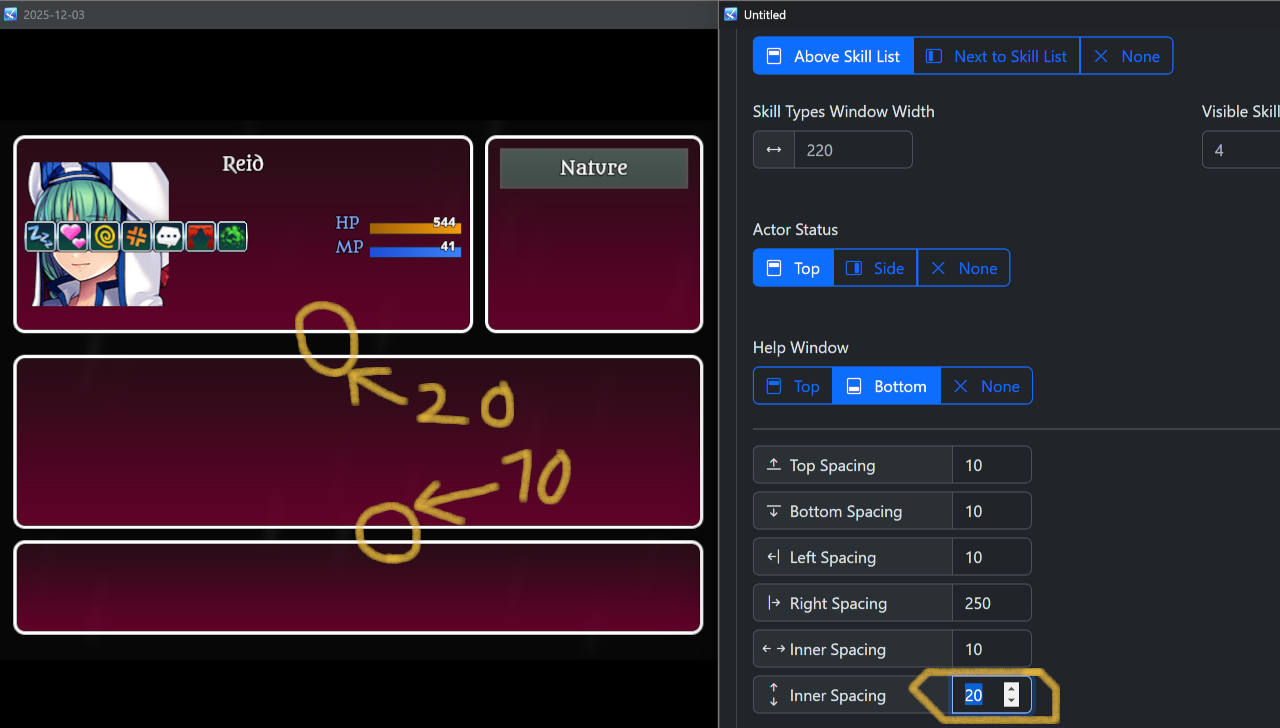
Thanks for the fast reply, and I hope you had a good time over here in Japan ( I actually live in Japan ).
I also agree with you that the Status scene followed by the Shop scene are the most crucial to get done, after which I'd say the options menu... although as you say, with plugins involved it can get quite complex. Just knowing you plan to tackle things eventually, and that I may not have to wait all *that* long on the Status screen is wonderful news.
Here’s hoping you can get the Status screen out before the end of February… and the rest out before I start balding! ;)
Nice bundle, I remember your random map generation plugin from my MV days. It was (probably still is) a great plugin and your support on the forums is the reason I feel like dropping $30 on these plugins despite being an unemployed bum (at the moment), is no biggie.
I really appreciate what you're making here!
All that being said, it says that "Status screen" and "Shop screen" are upcoming (when?), and that sounds great, but would you also consider doing the "options" and eventually even the save/load scenes as well?
Very nice plugin, but there's a few options I can't seem to find:
1) an option to simply switch the command window to the right side of the screen.
Opsy! That's my bad. I didn't realize this was due to a Visustella plugin.2) a way to remove (or change the location of) the "tool tip" window at the bottom (saying "Z:Select, X: Back", etc)
Opsy again! This entire window was added by a Visustella plugin.
3) Add an extra window (like, say I want the gold and playtime displayed in seperate windows. Especially when the command window is vertical, this would be nice to have since there isn't enough horizontal space to display both in one window.
Again, this issue only occurred when VisuStella was installed. That being said, it would be great to have the option to separate the gold, playtime, and location into different windows.
Another thing I consider critical for the playtime display is the ability to control the text alignment (right/center/left). Most fonts aren’t monospaced, which means the playtime numbers will “jump” as the clock updates when they are right-aligned. If the text is left-aligned, this effect is much less noticeable.
Being able to adjust this in the “Gold & Game Info Window” would be extremely useful!
Thank you for the quick reply.
I understand the lack of screenshots makes the request kind of meaningless. I did try to add some pictures to my post but for whatever reason I wasn't allowed to.
As for the resolution, I use 320x176 with 16x16 tiles. It's really 320x180, but since 180 is not perfectly dividable by 16, I reduced it to 176 instead with black bars at the top and bottom. Basically 20x11 tiles on-screen.
What I'll do is I'll experiment a bit more and if I still can't find a solution by tomorrow I'll contact you on Discord. Thanks again!
I'm making a game at a very low resolution (320×176), and when I press F4 in RPG Maker the screen gets stretched and becomes blurry. I got this plugin hoping it would fix that by using the “aspect ratio scaling” option, but pressing F4 still seems to stretch the screen.
For reference, I’ve been using VisuStella Core until now, because setting Quality of Life Settings → MISC → Auto-Stretch to Default prevents the screen from stretching when pressing F4. However, I’m not using VisuStella for anything else, and I’d much prefer to fix the full-screen blurriness using this plugin instead.
Is this possible?
Hello, I'm using the PRO version of your plugin.
The game I'm making is at a very low resolution (320×176), and I was hoping your plugin would let me display crisp text on-screen. However, the text looks blurry. I think I’ve set everything up correctly, but some letters are also being cut off—could that be related to the blurriness? Do all characters need to be the same size, or is there something else I might be missing?
A solution would be great, but mainly I just want to know whether your pixel font is intended to work at resolutions this low, or if I’m wasting my time trying to make it fit.
For the record, I'm currently displaying the text using the official "TextPicture.js" plugin, but I got the same result with the normal msg window at a slight higher resolution (normal message window cannot be used at 320x176 since the smallest possible size is larger than the screen).
Hey Zedpxl,
I just bought your halloween bundle containing all three of your tileset packs but I only have access to download the free demos.
Basically, what I can download is:
Pixel_16_interiors_v2_free.zip
pixel_16_woods_v2_free.zip
Pixel 16 v2 village free.zip
Free halloween stuff.zip
I'd appreciate it if you could fix the download links as I can see that other people also have the same problem in the comment field.
Otherwise, very nice assets. I hope to see more in the future.
Nice! I saw the sprite on X — thanks for sharing! It looks very promising (would work well as a healer or white magic user), and I’ll definitely buy it as soon as you release it.
Also, I just wanted to ask if you’re still unavailable for paid commission work? …and if so, whether you think you might be able to take on clients again next year… perhaps in spring?
Hello Angeler,
It’s me again — I messaged you previously.
I just wanted to check in and ask how development is going on the next NPC sprite? You mentioned it might be a magic user — would you be willing to share any more details about that?
I’m also wondering if you’ve considered creating any more soldier/warrior/battle-type sprites with variations like this for different levels? Perhaps something like archers or swordsmen... or, perhaps that "magic user" in-development will come in different variations?
I’m asking because I'm currently using your sprites to mock up a tactical RPG that I’m developing. I’d love to feature your work in the final project, but that would only be possible if a few more sprites in the same style become available within the next year or so...
...I guess I'll have to wait and see.
Anyway, the last time I messaged you, you mentioned that the reason you had to take a break from sprite-creation was due to a family member in the hospital, and I sincerely hope they are doing better now.
Best regards,
Leo
Hello,
I really, really love your art — especially the Era of Fantasy series. I’ve purchased both sets you’ve released, and I have to say it’s truly top-notch work. Honestly, it’s some of the best RPG-themed pixel art assets I’ve seen in my entire life.
I noticed you’re still active in the comments, which is great to see. That said, I couldn’t help but notice it’s been over two years since a new release in this series...
May I ask what the chances are that you’ll release another 'Era of Fantasy' pack within the next 1–2 years?
I’d really love to use your work, but while each pack has a good variety, it’s not quite enough to build a complete game. In particular, a village tileset (with buildings and interior furniture, since you already have the Village Props set) and maybe a cave tileset would make it much more feasible to create a full project.
I also wanted to ask if you take commission work. Even if not at the moment, I’d be curious if it’s something you have done in the past and might consider in the future, and if so, what your rates would be?
Best regards,
Leo
Actually, I don't have that many plugins installed yet. I'm trying to stay with your plugin suit as much as possible to avoid issues such as this. But for what it's worth, here's what I got installed and in what order:
DotMoveSystem.js
Hendrix_Action_Engine.js
Hendrix_Animation_Solution.js
Hendrix_Hotbar_Creator.js
Hendrix_Keyboard_Gamepad.js
TDDP_PixelPerfect.js
I did try to turn of Galenmereth's plugin (TDDP_PixelPerfect.js), but all that did was make my game super blurry, the blinking still occurs!
Yeah, on that topic, I don't know if this is relevant but I might as well add that my game is set to a very low retro resolution, 320x180. Maybe that has something to do with something? The resolution is set through the engine's default system2 tab.
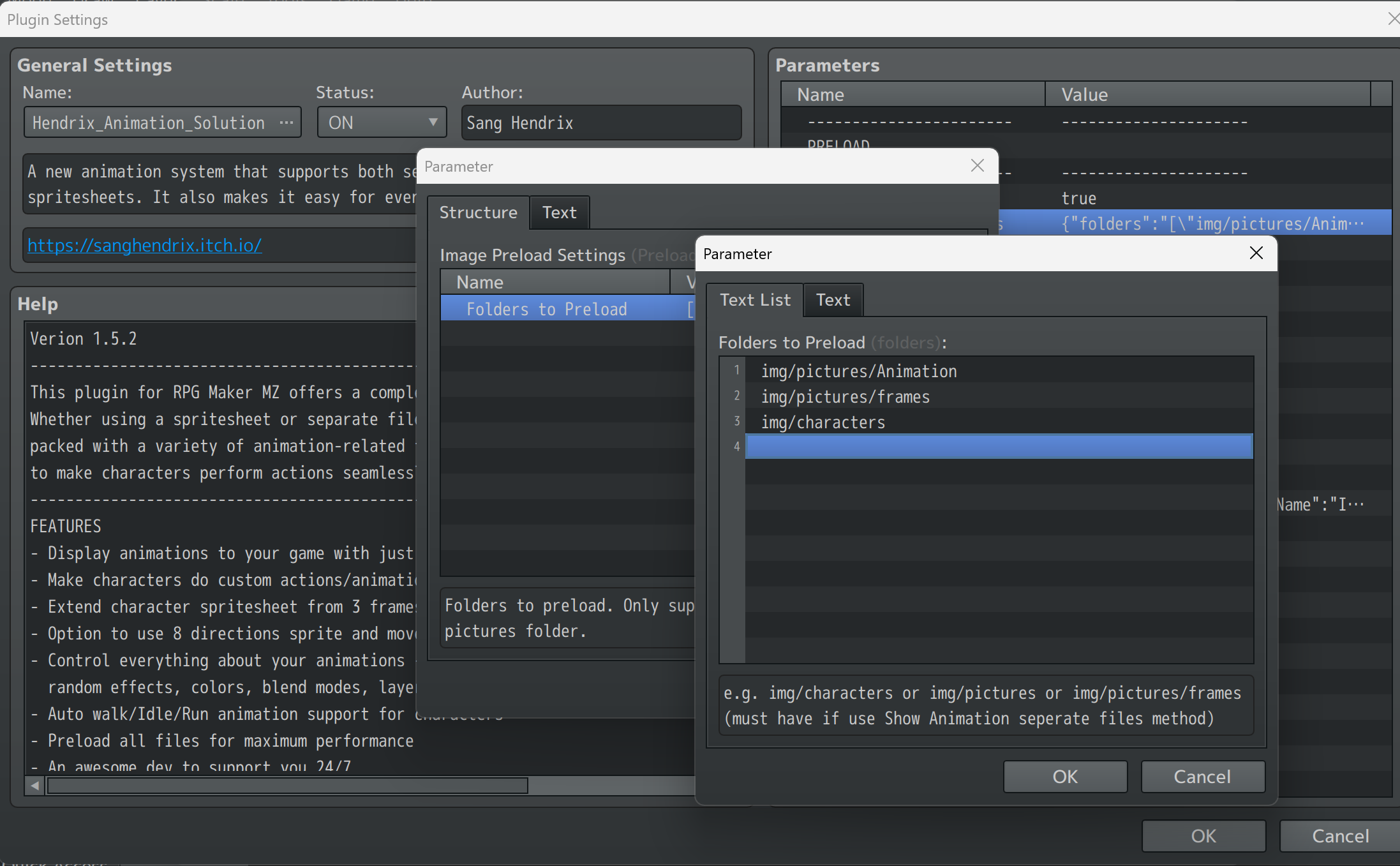
Here's the preload folder settings:
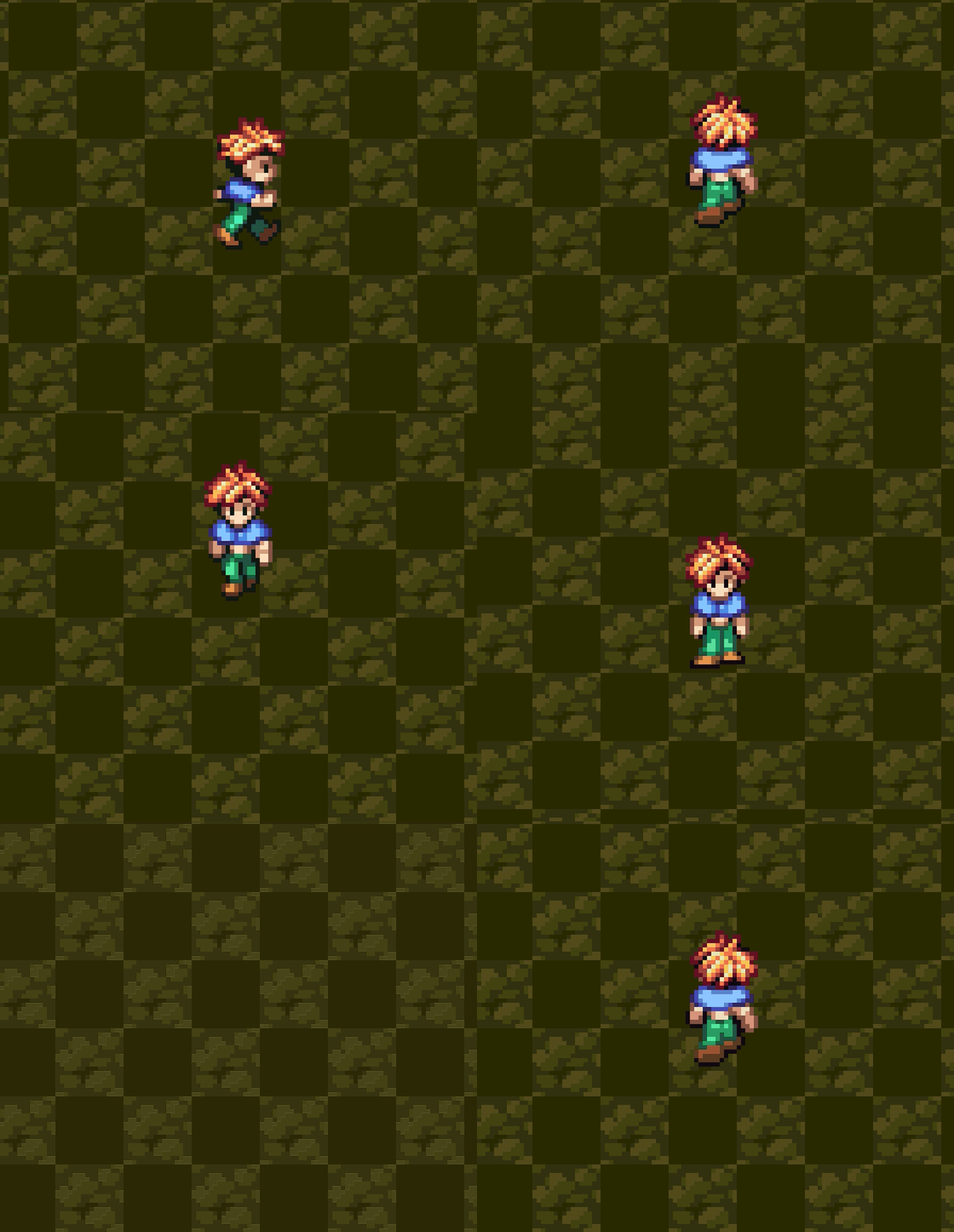
For whatever reason my sprite tends to blink (disappear) for 1 frame while switching between different sprite sheets (Idle, Walk, Run).
I'm not sure why this is happening because the img/character folder is set to preload (as it is per default), or what I can do about it?
('Idle' sprite sheet has 3 frames while 'Walk 'and 'Run' has 6 frames each)
Just in case, here's my system specifications... if that'll explain anything:
CPU: Processor AMD Ryzen 7 7735HS (with Radeon Graphics, 3.20 GHz)
GPU: Nvidia GeForce RTX 4050 Laptop GPU
RAM: DDR5 16.0 GB (15.2 GB usable)
SYSTEM: 64-bit Windows 11
(It's a ROG Zephyrus G14 GA402NU)
And here's a GIF I recorded from playtesting:
Hey, Raou.
I really like the style of these tiles, but it’s still a little barebones, and I hope you keep adding to the series because I’d love to use this in a game!
One thing this series really lack though (that I hope you’d consider adding) is an animated waterfall. I think that something like a really good looking waterfall can be very versatile when mapping forest and village areas, and would add a lot to this set.
I also have two questions:
1) is the water in this (or any of the other tilesets in this series) animated, or is it static?
2) do you take on commissions?