Indie game storeFree gamesFun gamesHorror games
Game developmentAssetsComics
SalesBundles
Jobs
TagsGame Engines

Justin1967

8
Posts
2
Topics
5
Followers
6
Following
A member registered Feb 16, 2017 · View creator page →

Creator of
Recent community posts

Small export glitch. Path & Wave Designer version 1.0.0.4 has been reuploaded. Timeline Scheduler wasn't showing paths on the canvas. My bad, guys and gals.

Path & Wave Designer has just been updated to version 1.0.0.4. Check out my Devlog#4.

justin1967.itch.io/path-wave-designer

(1 edit)

What I meant is, PWD was created entirely in the Construct 2 Game Engine (with a bit of JavaScript). Yeah, I know Contruct 2 has been discontinued, but it still can do so much. And ,if you know JavaScripting , you can go a long way. The export files are in JSON format. Construct 3's Array and Dictionary objects use the same JSON structure as Construct 2, making them compatible for direct loading. Construct 3 users will also benefit form this tool.

I have tried GDevelop in its early stage. It does have some Construct 2 similarities.  Is GDevelop also subscription based?

I like Godot for 2D stuff. Platformers, Shoot Em Ups, Top Down  etc. GDScripting is really not that difficult. Easy to learn if you are new to programming.

Unity is great for 3D. But, you really need an A Class computer :) I find Unity for 2D  a bit on the slow side. File sizes are huge and compiling time can sometimes be a nightmare. You may as well get yourself a cup of coffee in the meantime. LOL! You also need a broad knowledge of C#. For beginners it can be overwhelming. But, you  know, we have all been there at some point during our gamedev journey ;)

Godot and Construct 2/3 are my favs. 

I really do appreciate your kind words. I wanted to create something totally in Construct 2 (with a bit of JavaScript) for the community. This still is in development, and I try to get an update out every month. It's kind of hectic here since this is a one man project :) Switching between Godot, Unity, and Construct is sometimes too much to handle.  LOL! I'm currently working on the classic Galaga. I want to showcase the potential of PWD.  I'll send you a copy ; )

Kind regards,

J.

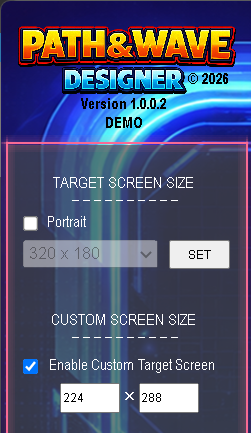
I'd like to thank you all for your feedback. Many of you requested an option to input a custom target screen size. This option has been enabled.


Hi everyone!

I’m excited to share the demo for Path & Wave Designer v1.0.0.2! This update focuses on workflow speed, stability, and precision path editing for Construct 2 projects.

What’s New in v1.0.0.2

  • Faster creation workflow: add/remove points, smooth paths, and adjust X/Y instantly in the editor.

  • Robust Timeline Scheduler: load multiple wave files, preview, adjust speed, add or delete waves — everything stays fully in sync.

  • Stable runtime arrays: source of truth (ArrayWaveRaw) remains untouched; edits only affect the working copy.

  • Accurate playback: segment lengths, cumulative distances, and movement are now 100% correct after edits.

  • Custom sprites & backgrounds: easily load your own visuals for previewing paths.

Why Try the Demo?

  • Explore paths visually with full editor controls.

  • Preview wave sequences in real-time.

  • Test adding/removing points and adjusting playback — the system handles everything gracefully.

  • Get a feel for the workflow before committing to a purchase.

justin1967.itch.io/path-wave-designer

Why a public demo matters

Before buying a tool, it really helps to try it in a real workflow. A public demo lets you see how it behaves, how intuitive the UI feels, and whether it actually solves the problem you’re trying to tackle.

With a demo, you’re not relying on screenshots or promises — you can test performance, explore features at your own pace, and be confident it fits your project before spending money. It also makes it easier to give feedback and influence development early on, which benefits everyone in the community.

That’s why I’ve made the Path & Wave Designer demo freely available — so you can explore, experiment, and decide if it’s the right fit for you before purchasing.

Quick note: The demo does not include saving and loading of files.

justin1967.itch.io/path-wave-designer

Feedback much appreciated.


Path & Wave Designer – v1.0.0.1

This update makes editing paths and waves faster, smoother, and more intuitive.

Highlights

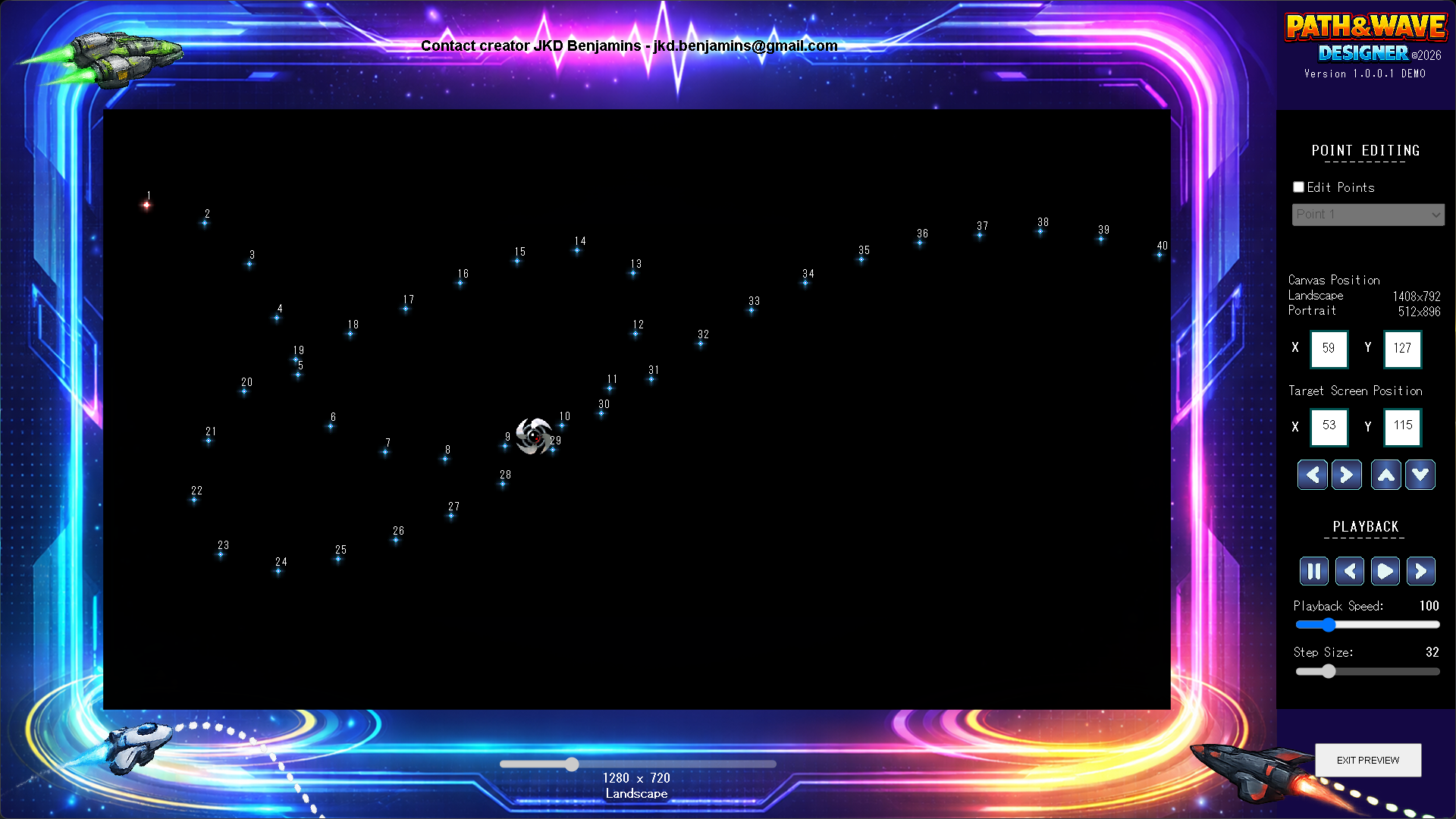
Point Editing – select and drag points with live canvas & target XY feedback.

Bezier Corner Smoothing – automatically rounds sharp corners.

Real-Time Playback Updates – time slider and speed slider now update the sprite instantly while playing.

UI & Usability Improvements – smarter input focus, refreshed font sizing, and seamless grid toggling (key S).

Bug Fixes – Preview mode now resets correctly; loading custom backgrounds works anytime.

Experience smoother editing and more precise control over your paths — everything now reacts live as you design.

Path & Wave Designer — Visual Path Creation for Construct

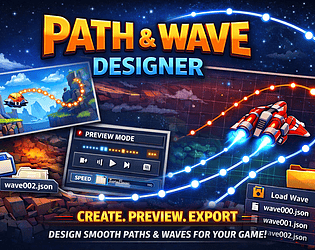
Path & Wave Designer is a visual editor tool built specifically for Construct developers who want precise, reusable movement paths without guesswork or manual coordinate tweaking.

Instead of hard-coding points or trial-and-error drawing inside events, Path & Wave Designer lets you draw, preview, edit, and export paths visually — exactly as they will behave in your game.

What the tool does

Path & Wave Designer allows you to:

  • Draw smooth paths directly on a canvas using your mouse

  • Control point spacing to ensure consistent, gap-free paths

  • Create paths that move on-screen and start or end off-screen

  • Preview movement in real time using a built-in sprite or your own custom sprite

  • Scrub through the path using a timeline, step frame-by-frame, or play/pause freely

  • Edit individual points numerically or visually with pixel-perfect precision

  • Design for both landscape and portrait target resolutions

  • Save paths as JSON files ready to load into Construct arrays

All exported data is clean, resolution-aware, and ready for time-based or distance-based movement in Construct.

Why Construct users will love it

Construct is fantastic for rapid game development, but path creation and fine-tuned movement are often the most time-consuming parts of a project. This tool removes that friction.

With Path & Wave Designer, you:

  • Avoid manual coordinate math

  • Eliminate uneven movement caused by frame-based logic

  • Gain predictable, professional-quality motion

  • Reuse paths across multiple projects and resolutions

  • Prototype enemy waves, camera rails, bullet patterns, and UI animations in minutes

Whether you’re building:

  • shoot-’em-ups

  • enemy wave systems

  • camera movement

  • scripted cutscene motion

  • or decorative background animations

…this tool turns path creation into a visual, intuitive workflow.

Designed for beginners, powerful enough for pros

You don’t need advanced math or complex event systems to use Path & Wave Designer. The interface is beginner-friendly, while the exported data supports advanced use cases like:

  • distance-based interpolation

  • timeline-controlled playback

  • precise step-through debugging

  • resolution-independent movement

If you know how to load JSON into an Array in Construct, you’re ready to use this tool.

In short

Path & Wave Designer saves you time, reduces bugs, and gives you full control over movement — visually.

Draw once. Preview accurately. Export clean data.
Then focus on making your game fun.

Try the demo.

https://justin1967.itch.io/path-wave-designer