
Indie game storeFree gamesFun gamesHorror games
Game developmentAssetsComics
SalesBundles
Jobs
TagsGame Engines

Gam | Official Account

3
Posts
2
Topics
A member registered 13 days ago · View creator page →

Creator of
Recent community posts

Oh, my bad! It's my first day here, so I accidently mixed them up I guess!

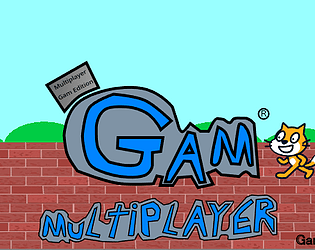
I’m making a multiplayer game in Scratch using cloud variables. Whenever a new player joins, the cat sprites (or player clones) start covering the entire screen. They even appear on top of my UI and menus, making it impossible to see or click anything. I tried using the "Go to front layer" block on the menu, but the cats still seem to get back on top. I want the player cats to always stay in the background and the menu to always stay on the very top layer so players can always use the buttons. Project link: https://scratch.mit.edu/projects/1058722335/         Itch.io link: https://gam-official-account.itch.io/gam-multiplayer-edition

I’m making a multiplayer game in Scratch using cloud variables. Whenever a new player joins, the cat sprites (or player clones) start covering the entire screen. They even appear on top of my UI and menus, making it impossible to see or click anything. I tried using the "Go to front layer" block on the menu, but the cats still seem to get back on top. I want the player cats to always stay in the background and the menu to always stay on the very top layer so players can always use the buttons. Project link: https://scratch.mit.edu/projects/1058722335/         Itch.io link: https://gam-official-account.itch.io/gam-multiplayer-edition