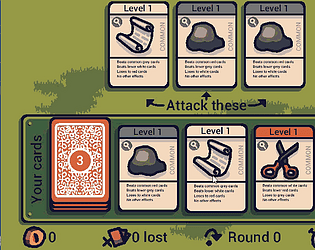
It’s interesting you say that, what you’re describing is the very first page of the tutorial that shows when you launch the game for the first time! If you load the game in incognito mode, you’ll see it lol
I guess it just shows that people won’t read tutorials 🤣
The shop opens every 5 turns btw.
Can you elaborate more on the diagonal grid being too cramped?
That’s a great idea to make there be less symbol variety at first and then slowly add more.
That sounds like a bug, the only mechanical background noise should be the conveyor belt when it's moving, and also an alarm sound if you have gems in the danger zone.
The game autosaves after each turn, so you could try refreshing the page and see if it goes away?
There are volume controls in the top right for now, or failing that if it's a truly stray sound then you could mute the tab directly in your browser by right clicking it.
If the sound is persisting for you after a refresh can you let me know, along with any information about when it happens?
Love the selection and relaxed usage rules (being allowed to modify the fonts is appreciated). But it seems like 99% of these fonts are uppercase only, at least on dafont?
For those interested in using this for an app on Steamdeck, you'll need to set up a custom control bind in order for it to work, and then set it as the default for your app.
Note that doing this disengages mouse input for your game from the touch screen (though the trackpad will still control the mouse), so you might want to modify your code to treat touch 0 as mouse input.
So to configure multi touch on steamdeck:
While your app is open, and you're in big picture mode (the default mode, not "exit to desktop" mode), click the physical "Steam" button on the left of the steamdeck.
If you have listed your app as "software" not a "game" on Steam, you have to contact support to enable this option. Otherwise the tab will just be blank for you in Steamworks.
It should appear under App admin > Edit steamworks settings > Application > Steam input, if it's not there you need to contact support.
Thanks! I'm really glad to hear that you enjoyed it despite not being good at rhythm games, that's exactly what I was going for :) Also matching profile pictures (kinda) (yours is cuter)
Thanks! Yes I suppose it's true that you could lose all your progress if you didn't click at all, but if you do click, it should be quite hard to lose progress!
In future I will look into autoclickers for those that don't want to click a lot
Thank you, I appreciate that! Yes I'll definitely be adding some accuracy feedback like that, and a couple of people mentioned the notes feeling off so I'll have to investigate
Ah so in both of those cases you mentioned, this is intentional, as it fits with the music. But other people have mentioned this too so I may have to change it if it looks accidental.
I will also add stronger feedback for when your hits are less accurate, but I don't want to make the punishment too strong as it's meant to be a casual game :)
Thank you for elaborating, was there anything else?
Ah ok, then maybe the icon should have a pigeon icon in it, otherwise it just looks broken! Btw why does pip have one green leg and one purple? Fashion accessory?
Hi thank you so much for playing and providing such detailed feedback :) especially since you don't like rhythm games, so I really appreciate you giving it a try anyway.
I'll just address your negative points:
> Poor choice of keybinds
Yes this has been brought to my attention by a few people now, I will choose different controls for the final game and also make them rebindable.
> Bad button click feedback
I agree that there wasn't any good feedback for timing - though it really does affect your score (-10+ points depending on accuracy, per puck), and of course missing a puck / tapping nothing will drastically ruin your score by resetting your multiplier. I will definitely add some more prominent 'early'/'late' feedback, though it's not something I ever focus on too much when I play rhythm games.
> Level 2 was poorly mixed
Sorry, this is probably due to game maker automatically compressing the life out of audio files, and this is just a setting in the editor I can turn off. I personally don't notice these things because I have the cheapest set of speakers you'll find on the market, so thank you for the reminder! In the final version, it will be importing audio files externally rather than compiling them included, so this shouldn't be a problem (though maybe the track just is poorly mixed, as you didn't mention any issues with the other tracks, but it could also just be that particular track particularly doesn't like compression).
> Use of generative AI is prohibited for sound/music (and visuals/game assets in general)
So, the music is actually royalty free from carefully curated artists over at Envato Elements! Their signup process for creators was notoriously selective, but right now you can't even enroll as a creator, presumably due to an influx of generative AI assets in their signup portfolios. So I can only assume it's made by real humans, especially since the website existed way before AI became so prevalent.
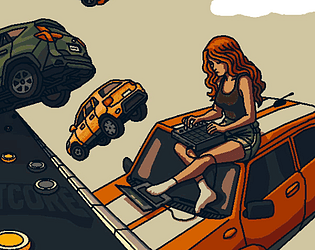
I think you were mainly referring to the music, but I'll also clarify that the artwork was drawn by me - though admittedly I relied very heavily on photo references for this particular game, especially for the vehicles in falling cars (you'll notice they suspiciously are in poses you'd find in normal car photos, maybe with a bit of rotation lol)
But yes, AI is prohibited and yet I also have noticed a couple of entries using it, so I guess it's not enforced. I think it resulted in 99% of the entries following this rule, so that's nice at least.