It would be great to have a feature where we can upload multiple cover images for a particular project and test which gets a higher click-through rate. This would be similar to features YouTube has for A/B testing video titles and thumbnails.
Jordan Bunke
Creator of
Recent community posts
Hi.
I think I understand the problem. To use the Time Elements sprite style with my program, you have to use the Time Elements download file that ends with _tdsm.zip, which I think is only available with the Itch.io version of Time Elements, not Steam.
I think your best course of action is contacting finalbossblues, showing him that you bought Time Elements on Steam, and having him give you a download key for the Itch.io version of his asset pack. That way, you will be able to download the version of Time Elements that you can use with my program.
I hope that clears up the issue. Sorry for the confusion. If you have any other issues with TDSM, feel free to email me at jordanbunkework@gmail.com.
Also, I am in the process of releasing TDSM on Steam. I will post a devlog once I have a release date.
Thank you!
Yes, the full list of approved sprite styles, which have either been made by me or have been confirmed as compatible with the program, can be found here.
I am actively working on adding more content to some of these, adding more sprite styles, and collaborating with pixel artists to support their asset packs as TDSM sprite styles.
Hi, I’m sorry you feel that way.
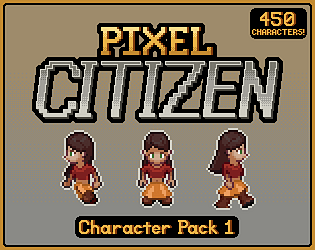
Yes, the character pack is a separate purchase. You’d basically be paying for the convenience of getting 450 character sprite sheets at once. It’s obviously possible to customize and export all the characters in the asset pack by using the sprite style in TDSM, but the asset pack saves you many hours of customizing and exporting.
The character pack is meant for people that want a large pool of potential NPCs to choose from to populate their projects. They may not even be interested in TDSM as a program.
Hi, thanks for your question. Sorry for the late response.
Yes, you are missing something. The default sprite style that the program launches with is only a placeholder.
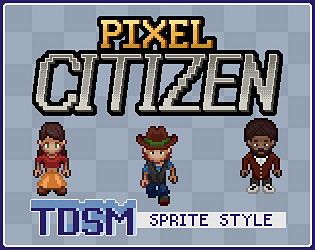
You can buy/download sprite styles online. All of the sprite styles featured in promotional materials on this store page are free downloads. You can find a complete list of available sprite styles here.
Let me know if that answers your question!
I have Google Analytics set up for my tool, Top Down Sprite Maker. When I analyze the data, I see that I receive the second-most traffic from Brazil, right behind the US. However, based on the country codes associated with the IP addresses of every purchase, Brazil comprises a disproportionately low percentage of purchases.
I’ve come up with three reasons for this discrepancy:
1. Developing economy
On average, people in Brazil have less spending power than people in G7 countries like the US, Germany, the UK, Canada, etc. My program costs $10. This is a non-trivial amount of money that could alienate some potential buyers, especially in a country with a relatively weaker economy per capita.
2. Language barrier
Brazilians are less likely to speak/read English compared to people in high-income non-English-speaking countries like Germany. However, considering the accessibility of browser auto-translate features, I don’t see this being a significant issue.
3. Lack of Pix support
Most online transactions in Brazil are done via Pix, which is a payment system that was launched by the Central Bank of Brazil five years ago. Based on my research, it’s very uncommon for people in Brazil to pay for something online using PayPal or Stripe. I suspect that a lack of Pix support is a contributing factor to breaking the sales funnel.
What I’m asking
Here’s what I’d like to know:
- Can anyone living in Brazil provide their insights into these observations?
- Are there any other creators or developers who have made similar observations or have had similar experiences?
- Is it possible and feasible for Itch to support more payment processors such as Pix in the near future?
Cheers
Posters in the ongoing discussion threads [1] [2] about this issue have been consistently ignored by moderators/staff for almost two months as the issue continues to persist though… Some sort of update or explanation or even acknowledgement of the ongoing issue would go a long way to help us plan and manage our expectations.
Hi,
I would recommend either Stipple Effect, which is my own pixel art editor, or Aseprite.
Hi,
Yes, I plan to add them eventually but I have a few higher priority to-do items, including…
- Releasing a sprite style of original art
- Releasing TDSM on Steam
- v1.3.0 update
And yes, purchasing the program gives you access to all future software updates for TDSM. However, please note that purchasing the program does not grant you automatic access to support content like premium sprite styles.
Let me know if you have any other questions!
TDSM itself does not impose any licensing restrictions on the use of art created in the program, but individual sprite styles may.
TDSM doesn’t come with the Pokémon sprite styles by default. They are separate free downloads. [Gen. III] [Gen. IV]
The Pokémon sprite styles are adapted from art that is the copyright of The Pokémon Company, so you should avoid using them for commercial projects.
There are sprite styles available for TDSM that do not have any licensing restrictions, like Time Elements and Puny Characters. I am also working on a sprite style with original art that will be out in a few days:

Great, I love someone that is willing to get their hands dirty hahaha!
The presence/absence of a color picker for a color selection is determined by the boolean argument in the color selection constructor $Init::col_sel. If you unzip the sprite styles and look into manifest.tds, search for occurrences of “$Init.col_sel(” to find all the color selection constructors. The ones defined to NOT have color pickers will have a false argument. Set this to true and they will have a color picker.
I don’t exactly remember how every single color replacement is defined off the top of my head, but for Puny Characters, for example, it actually performs color replacements by loading image files from the palettes subdirectory and sampling pixels at certain coordinates of that image. The color choice is represented by rows, and the specific color in the ramp (highlights, neutral, shadow) is represented by the column. Because of this implementation choice, adding a color picker won’t produce the desired effect and may lead to runtime errors/crashes. In that particular case, you would have to rewrite all of the color replacement logic to make it work with the color picker.
The general rule of thumb I used to adapt sprite styles for collaborations like Time Elements and Puny Characters is that if the artists were intentional about color palettes, I define color replacement logic and color selections in an enumerable way. You would have to write custom replacement logic for skin tone for Time Elements as well, for example.
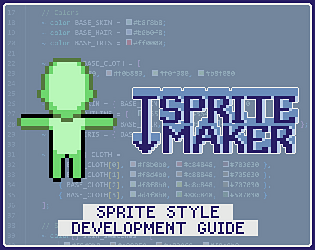
Feel free to check out the sprite style development guide or read through the API specification for a better understanding of the theory. I can give you more detailed one-on-one help if you email me at jordanbunkework@gmail.com.
And thank you so much!
You have to upload the sprite style ZIP to TDSM before attempting to load a metadata JSON in that sprite style back into the program. The next update will add an error screen that catches it if it can’t match the JSON to an uploaded sprite style, but right now the program just crashes when that happens.
So every time you launch TDSM, you have to upload your modified Time Elements sprite style ZIP
before you try to load from JSON
.
Let me know if that makes sense and if it resolves your issue!
Edit: Just to clarify, you are supposed to use the JSON from the exported animation. That isn’t a mistake.
Hi, I appreciate your interest in the program!
TDSM itself does not impose any licensing restrictions on the use of art created in the program, but individual sprite styles may.
In this case, the art assets that comprise the Pokémon sprite styles are adapted from art that is the copyright of The Pokémon Company.
I have a partial solution:
Store your animated GIFs in a public GitHub repository and link the raw content URL in the HTML/Markdown with an <img> tag (HTML) or a ![]() (Markdown).
Here’s an example:

- Image link: https://raw.githubusercontent.com/jbunke/tdsm-art/refs/heads/master/_tdsm/logo/itch/tdsm-itch-card-3-mini.gif
- Repository: jbunke/tdsm-art
This works for GIFs in project page and devlog bodies, but it doesn’t work for banners or background images, since those have to be uploaded via the theme editor, and thus they rely on Itch.io to be animated and rendered correctly.
I have a partial solution:
Store your animated GIFs in a public GitHub repository and link the raw content URL in the HTML/Markdown with an <img> tag (HTML) or a ![]() (Markdown).
Here’s an example:

- Image link: https://raw.githubusercontent.com/jbunke/tdsm-art/refs/heads/master/_tdsm/logo/itch/tdsm-itch-card-3-mini.gif
- Repository: jbunke/tdsm-art
This works for GIFs in project page and devlog bodies, but it doesn’t work for banners or background images, since those have to be uploaded via the theme editor, and thus they rely on Itch.io to be animated and rendered correctly.
My solution is to put them in a public GitHub repo and link the raw content URL.
Here’s an example:

- Image link: https://raw.githubusercontent.com/jbunke/tdsm-art/refs/heads/master/_tdsm/logo/itch/tdsm-itch-card-3-mini.gif
- Repository: jbunke/tdsm-art
This works for GIFs in project page and devlog bodies, but it doesn’t work for banners or background images, since those have to be uploaded via the theme editor.
Added your pack to the approved sprite styles collection and sent the widget and a GIF via email!
A mod in another topic said “No idea” in response to a question about it a couple hours ago :/
No idea? Animated GIFs have been broken for going on three weeks now and there still isn’t at least a working theory why that you can share with us? 😭
There are two long topics about this, including one that Leaf has posted in [1] [2]. A lot of us rely on animated GIFs for our page presentation, and the lack of updates about what’s going on are really frustrating and disempowering.
I have all my animated GIFs in the body text hosted in GitHub repos and linked via HTML, but banners and background images have to be uploaded to Itch via the theme editor on the project page, so those depend on your image hosting to be rendered correctly.
Banner and background images uploaded as animated GIFs via the page theme editor are still static. Reuploading them also results in static display, so it doesn’t seem to be a caching issue. As far as I know, this functionality has consistently worked until about ~2-3 weeks ago.
Page: https://flinkerflitzer.itch.io/tdsm
Examples of affected GIF source files:


Sure!
Cover images
I was referring to cover images specifically in my message (the 630x500 images that represent a project). All my project cover images are animated GIFs. In the past, these would show their static initial frame until they were hovered over, at which point they would animate. Now, only the cover image of my project Top Down Sprite Maker is animated (strangely by default, and then stops on hover), and all other project cover image GIFs are being displayed as static all the time.
You can see this on my profile page.
Strangely, I sometimes see them as animated in my project dashboard, but then they go back to being static if I refresh the page.
Other GIFs
Many of my other GIFs hosted by Itch.io aren’t animating either. On the Top Down Sprite Maker project page, both the banner and background are animated GIFs, but neither is animated right now. Similarly, all of my screenshots are animated GIFs of program footage. Right now, it seems that only 2/6 (the first and the fourth) are animated in the right-side preview panel. The only GIF on the store page that I see as animated in my browser (Chrome on Windows 10) is the “Please rate the program” GIF with the moving stars, which is hosted on GitHub.
I have similar issues on my other project pages. For example, on the Pokémon Gen 4 Trainer sprite style page, the page banner isn’t being animated, but the animation preview GIF in the page body is, because it’s hosted on GitHub.
GIF cover images in project widgets also don’t seem to be being animated. You can see an example on the Pokémon page linked above.
I hope that helps. Let me know if I can do anything else to help diagnose the issue.
P.S.: Means a lot to be talking to the man himself! I think this site you’ve built is a monumental service you’ve done for creators and players, which is why I’m so passionate about its future. I’ve watched your XOXO Festival talk several times and always go back to it as a source of inspiration. I’ve been a bit frustrated by the lack of communication and clarity from the team recently surrounding the various issues the site has been having in recent weeks, but I’m rooting for you guys to get everything sorted!


