Awesome! I'm glad you like it! I hope you get some good use out of it.
EyeFly
Creator of
Recent community posts
Hello! EyeFly, here!
I made Wapper - HTML To EXE to help web devs package projects as a Windows desktop app/game quickly.
I’ve heard mixed opinions: some people want an EXE for desktop feel/storefronts, others say PWA/browser is enough.
For Itch web content devs specifically: do you see value in a simple EXE wrapper, or would you never use it?
What’s your reasoning?
I have a pretty good free demo that may be all you need, if you want to try it out. No usage limits or intrusive overlays/splash screens. And no pressure to buy. Just some feedback is all I ask.
https://eyefly.itch.io/wapper-html-to-exe
Thanks for looking! And thanks for any feedback I get!
-EyeFly-
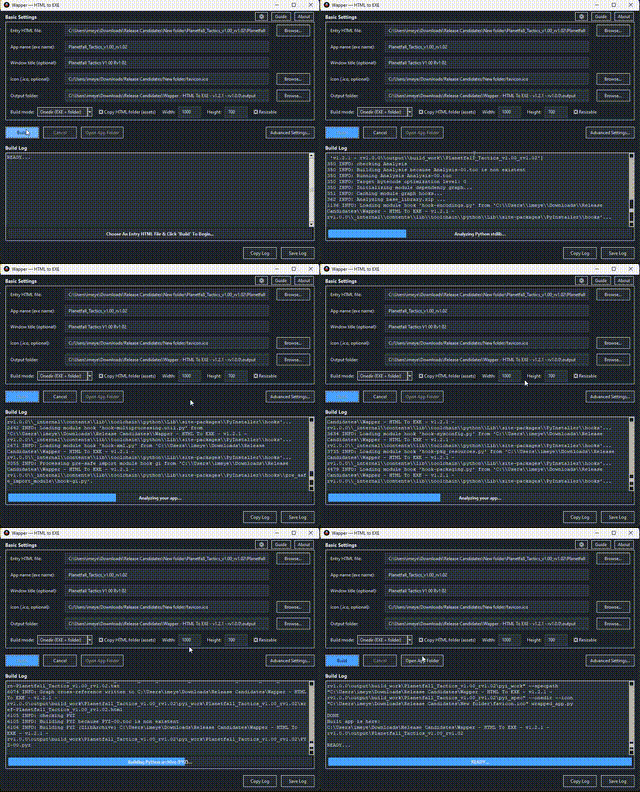
The obfuscation archive will still be inside the source folder. And your files will all be in a single archive file with a random name. You can set the location the archive is extracted to at launch of the game. Either appdata (common temp location) or portable (next to the exe). You can also set it to auto delete the extracted cache files when the game closes (this is set by default).
So this is what Wapper is actually doing:
When you load your html file it gets renamed to index.html (required to make it work) and copies it to the source folder. If you only have a single html file with no other required files, you don't need to copy the html folder. If your project does have assets (including css or js files or other required files for your game), they need to be copied from the html folder.
Wapper creates a webview wrapper to load your project files into. The exe that Wapper outputs is the wrapper. The wrapper looks in the source folder for your html file and assets. The wrapper uses an http server to serve your files to the window.
The _internal folder is the wrapper's internal workings, the files it needs to work. If you build in Onefile mode (single exe), there is no _internal folder because the files are packed into the exe.
So the source folder is required for your project to work. And the _internal folder is required if using Onedir mode.
Wapper does have a custom archive (.efa file) to obfuscate your files that will not open in things like 7zip or other archive software. This is not encryption or DRM. My archive uses custom offsets, header, and file extension. But a person that knows what they are doing could still crack it. But it would not be easy for the average person.
1.The full version does have a way to obfuscate the files.
2. The single exe packs the stuff in the _internal folder into the exe instead of having a folder. The single exe mode can cause anti-virus false positives sometimes because it has to unpack the exe to a temp folder. Onedir mode tends to avoid that by having the _internal folder containing the same stuff the single exe has to extract.
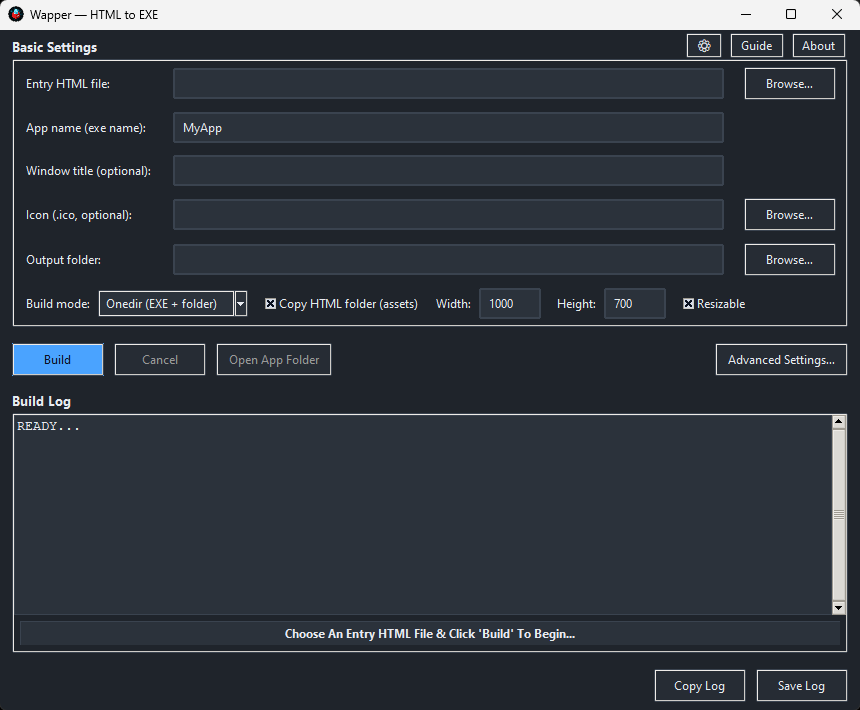
3. The copy html folder (assets) toggle copies all the stuff in the same folder as the html to the source folder. The source folder is your original html project. The source folder is required to work.
I hope that answers your questions. If not, just ask!
Bring your HTML apps and games out of the browser and onto the desktop in about 10 seconds.
Wapper turns a local web project (your entry .html file + assets) into a Windows desktop app with a clean, native-looking window - no browser UI, no tabs, no address bar, and no toolchain headache. Wapper is as simple as 1, 2, 3.
The demo is the full basic Wapper app, but NO Advanced Settings.
How to use:
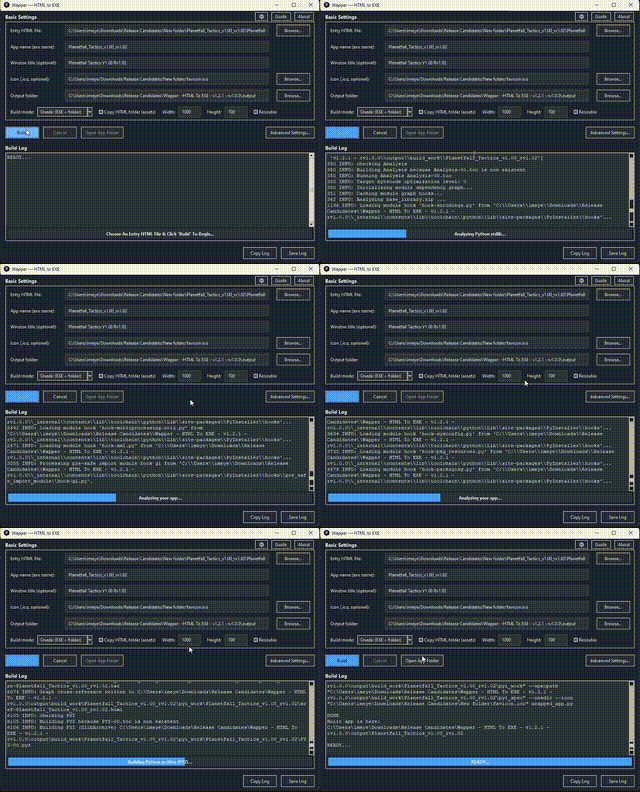
1 - Select your HTML file.
2 - Click build.
3 - You’re done!
Yes, it's really that simple.
NO python and NO coding required!
Demo out, now!
https://eyefly.itch.io/wapper-html-to-exe
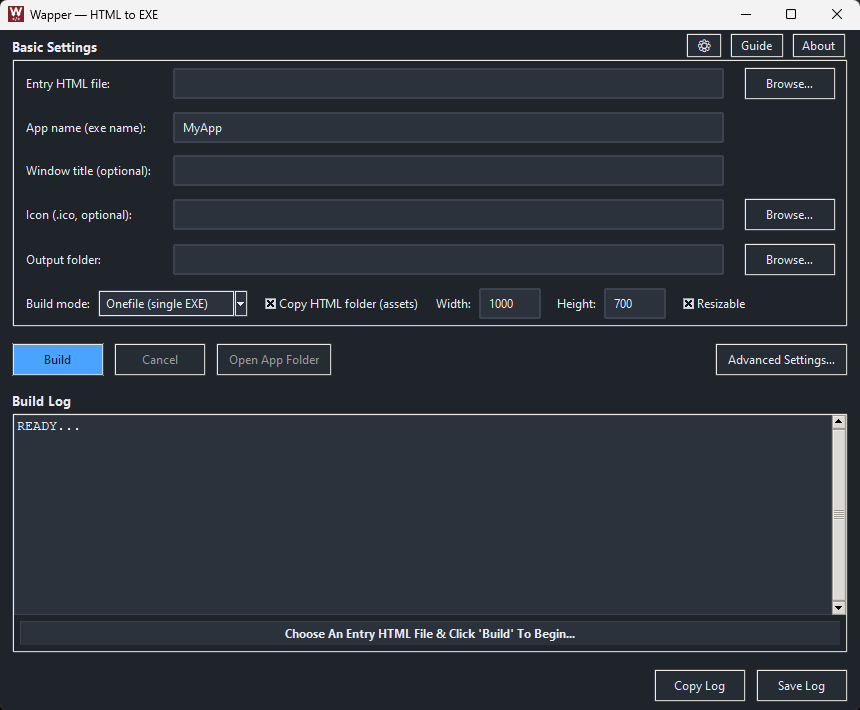
Blue The Fox I got the demo up if you want to give it a try! Only the advanced settings are not in the demo.
Bring your HTML apps and games out of the browser and onto the desktop in about 10 seconds.
Wapper turns a local web project (your entry .html file + assets) into a Windows desktop app with a clean, native-looking window - no browser UI, no tabs, no address bar, and no toolchain headache. Wapper is as simple as 1, 2, 3.
How to use:
1 - Select your HTML file.
2 - Click build.
3 - You’re done!
Yes, it's really that simple.
NO python and NO coding required!
https://eyefly.itch.io/wapper-html-to-exe
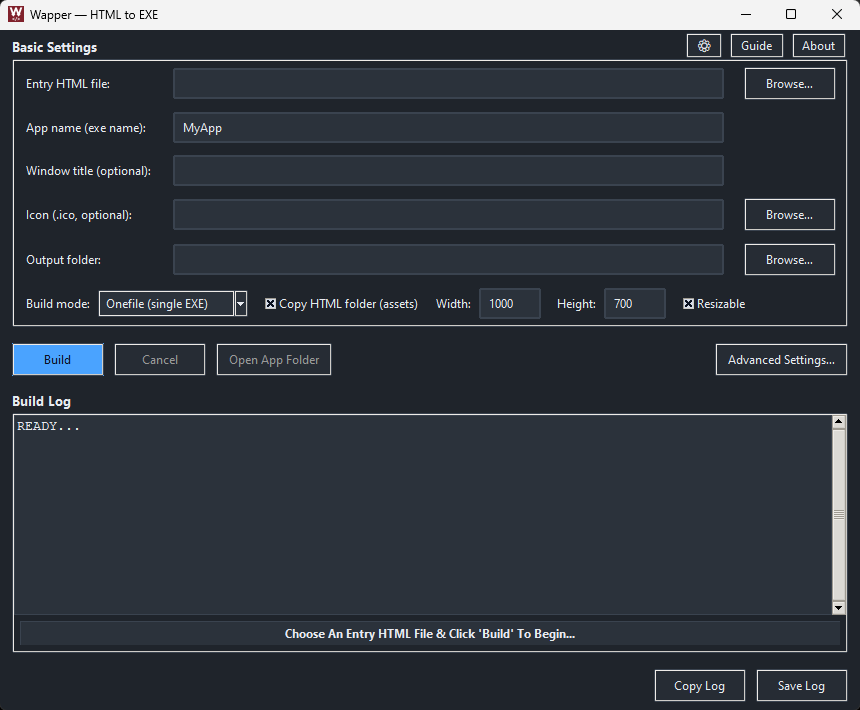
Doing an HTML to EXE speedrun!
Thanks for trying it. The controls are shown on the page. It's pretty easy once you know how to play.
Basic Controls:
Use left mouse button to drag a lasso around your ships then left click a planet to send them.
Right mouse drag to select multiple owned planets to start a rally then left click a planet to set the rally destination.
Middle mouse drags the map and wheel zooms in/out.
Basic Play:
Capture planets to produce more ships faster (Basic, Medium, Heavy, then Titans after owning a planet for 5 minutes).
Planets ramp up production to heavier ships over time.
Build up frontlines to send in big waves to take enemy planets.
Destroy all factions to win (Conquest) or Capture And Hold the target planet for 5 minutes or destroy all factions to win (Capture & Hold).
I hope that helps.
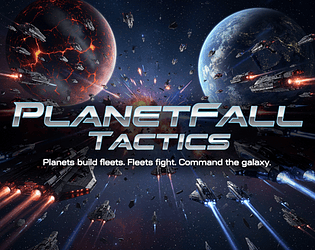
Hi! I just launched Planetfall Tactics here on itch. It’s a fun and challenging RTS/galactic conquest game: capture planets, grow fleets automatically, and outplay rivals with smart routing and timing.
The game has two modes (Conquest + Capture & Hold), procedural maps, 4 factions (plus custom factions), and adjustable difficulty (1–3 AI enemies).
Here’s the page: https://eyefly.itch.io/planetfall-tactics — I’d love any thoughts/feedback.
Thanks for looking!


I also noticed that some icons (emojis) I used on the buttons may look different based on the fonts you have installed/available. So some icons may not show correctly or at all (replaced with "[]" when not found). I am working on swapping to more common emoji that will show correctly for all.
Thanks for trying it again!
Ordoma is back, with a whole new look!
This is another version of my Ordoma puzzle game. This one is candy themed, obviously. It plays the same as the other version, but has a different theme. I figured the spell books and magic theme of the first one wouldn't appeal to everyone. So I made another version, with one more on the way. Just trying to get my puzzle concept out there to see what people think of it. Enjoy.
Link: https://eyefly.itch.io/ordoma-candy-and-cookie-tiles
I hope you like it!


Introducing, Ordoma!
Link to game here: https://eyefly.itch.io/ordoma-spell-books-and-magic-tiles
This game is a unique take on the old tile swap games. I combined some basic mechanics to make something new and fun. Come check it out!
The goal is to get the tiles back into sequential order, from 1 in the upper left to the highest number in the bottom right. It's easy to play but hard to master. With some puzzles being easy and some being hard, it will keep you playing for hours!
You'll read this on the game page too, but, I made this game for my wife. She had surgery and was stuck in bed. After playing all the games she usually played, she was bored. So I decided to make a new game for her. I knew my wife loves puzzle games, so I started thinking up some concepts. I kept landing on tile based games. And after some trial and error, I finally came up with this. A new combination of simple mechanics with a shuffling mechanism that will always generate solvable puzzles. My wife helped a lot with her opinions about thing. I don't like these kinds of games. So I relied on her to guide me. She says she loves it and I should share it with everyone. So, I am!


I just released my newest version of my text-to-image prompt generator. It is the ultimate customizable prompt generator with 10,001 preinstalled phrases across 33 categories. Check it out here: https://eyefly.itch.io/rando-prompto-v2


Rando-Prompto:
This is a project I have been working on for a couple of weeks. A random prompt generator that comes with 33 categories and 10,001 pre-installed phrases.
I tried to find something like this online, but I couldn't find anything like what I pictured in my head. So, I made this app.
It can be fully customized to make prompts containing only the kinds of elements you want.
With it's 10,001 phrases, it has plenty of variety to always get something new.
The built-in editor allows you to modify the categories to be exactly the way you want them.
Plus there is a companion app, the "Phrase List Manager" , to help with larger list changes and making new lists of phrases for the categories.


Here is the link: https://eyefly.itch.io/rando-prompto
I just wanted to announce that I just released my particle and gravity simulation "GravLab_Orbital_Playground_Simulation".
It is an addictive and fun particle simulation with interactive points to influence the particles paths. Creating awesome orbits and total chaos. With a lot of settings to customize the simulation.
Thanks for looking!
https://eyefly.itch.io/gravlab-orbital-playground-simulation

I just uploaded a free game that I used chat GPT to help me code. It's my first ever released video game. Check it out. I hope you like it. It's a unique take on the classic snake game. But with a shooter built on top. Avoid obstacles and enemies and spit venom to find power apples and Vanquish your foes! Have fun! Become a legend!
Ok. I see now. I saw on the page for hypnolab there was a new version. So i clicked it and it took me to another page that had all the info and a download link. But it said i had to pay. So I did because I like the game. lol. But Now I see it's updated on the main page. Still worth the $20 I've paid. Thanks.