Thank you for the detailed reply and video. Much appreciated.
I'll be looking into these issues, hope you still managed to enjoy the game despite the trouble.
Thanks again for playing!
ElliseArt
Creator of
Recent community posts
That's very strange... Thank you for letting me know, I'll have to look into this further.
The game is programmed to recognise controller input/keyboard input, so it's meant to automatically swap keys displayed on screen when you press any buttons on the keyboard / gamepad.
When the game works as intended the [CONTROLLER CONNECTED] text should disappear after a few seconds.
In your case something is making the game recognize the controller as a new controller connected, repeatedly, which overrides the keyboard key prompts and permanently keeps the controller connected text on screen.
The only thing I can suggest you do as of now is to try unplugging the controller to stop the text from appearing.
And you are right there is no way to manually set keyboard/controller as your choice of controls in the game. Perhaps that could be a solution I could implement to hopefully avoid this issue in the future.
I'm not sure what could have caused the issue with the audio settings, but I'll have to look into that as well as that sounds concerning.
Thank you again for the detailed explanation of the issues you encountered!
Have a nice day ♥
You are correct. This is due to how itch treats paid files on free or name-your-own-price projects, and when I raised the price later, it unintentionally removed access for earlier buyers. I am sorry about that.
To be clear, I absolutely do not expect you to purchase the game again and I am happy to send you the current build directly. This goes for anyone who is unable to access it after purchasing. Since itch doesn't have a private messaging system please reach out to me on Twitter/X, Bluesky or Patreon with a screenshot of your itch purchase & I'll send it to you right away.
Thanks again for supporting the game early on.
LOL... Asking the real questions.
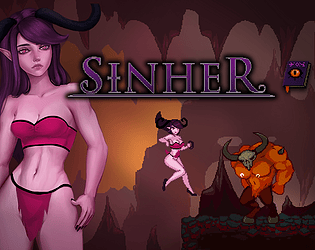
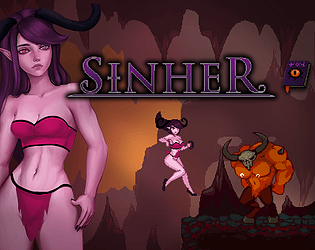
I'm aware it's strange to "spawn" from a cocoon or whatever wearing shoes. I always imagined them as shoes, but if you prefer to think of them as part of her, that's not wrong either.
The main reason for her having them is to give the sprite more harmony since it balances the color of her hair.
This is a false positive from the Anti Virus (which can happen with Windows own defence system too) due to it being an 'unrecognised' file, which means it's a file that either hasn't been run X amount of times on your PC or one that isn't registered in the Anti Virus' "global catalogue" as safe, the latter of which would cost me a sum of money and isn't something I will approach until the game is in a stage to be released.
Right now, unfortunately the best I can do is can assure you that if you download the game here on Itch or on my Patreon, that the file is 100% virus free and that Gamemaker 2 (the engine I use to compile both the exe and zip folder) is safe in that regard.
Hope this helps! ♥
Hello, again thank you for your valuable feedback! ♥
If you have the time, would you mind explaining more in detail how you found the first one? I'm struggling to find the issue with the first one.
If you happen to try the new version, would you please let me know if the game is still slow in the blue slime room? :)
I don't take your help for granted, so know that I appreciate it whether or not you're able to check anything further.