On Sale: GamesAssetsToolsTabletopComics
Indie game storeFree gamesFun gamesHorror games
Game developmentAssetsComics
SalesBundles
Jobs
TagsGame Engines

dn3

18
Posts
1
Topics
5
Following
A member registered Apr 05, 2020

Recent community posts
I was curious about this as well. Inside the zip is a license.txt that just provides the url https://craftpix.net/file-licenses/ which explains the licensing. Too long to copy/paste here.

These are really nice. Thanks.

Yeah, opening one of them in a hex editor gives it away:

Image Creator from Designerdwhent2025-03-13T20:56:52ZqdigitalsourcetypexFhttp://cv.iptc.org/newscodes/digitalsourcetype/trainedAlgorithmicMediakdescriptionrAI Generated Image

That small issue aside, thanks for the util. It's amazing.

I can't decide what the most ridiculous and astounding aspect of this thread is... this person posting their cc#, their $6000 "typo", or the fact the cc# has been allowed to stay up here for a whole week. 🤦

You seriously need to contact your credit card company and request a new card with a new number.

(3 edits)

 It's definitely hard to spot sometimes. 

Spritesheet is over the 3MB limit unfortunately. I can see it with any initial planet seed (from when the page first loads) - set pixels to 400, and export the spritesheet as 20x21 tiles.


asdf

I tried to record the in-browser version next to it, not necessarily as a direct comparison, but for the sake of having a smooth animation as a visual benchmark. If you stare at the line between the two, it's more noticeable after a few loops.

I think I got a good part slowed down that shows it pretty well. 

asdf2

If you look to the bottom left cloud cover, where it starts opening up to a circle above an ellipse, and watch as the end of the ellipse opens up, that's where it jumps - that moment where it opens up. I admit it's a very slight jump, as mentioned in the first comment probably only 1 missing frame, but after staring at the planets for a while and watching other 60fps animations moving around it, it starts to become a lot more evident.

I also tried generating a double-wide 40x11 sheet and that seems to at least reduce the frequency of the jumping, so that may be a workaround in the meantime if I regenerate all the planets at a smaller size with fewer rows.

(1 edit)

I'm trying to use an exported spritesheet and it seems like there's a lurch forward in the animation when going from the end of a row to the start of the next row.

Like going from the frame at (row=0,col=19) to (row=1,col=0) in a 20x20 spritesheet feels like there's a missing frame, then again when going from (1,19) to (2,0), etc. I made sure my code is extracting the right sequence from the sheet - other tilesheets like ones for VFX play smoothly without any jump.

https://imgur.com/a/imNOUtT

This looks like it had a steady stream of updates that suddenly stopped in 2023. Is the project dead, or on some kind of hiatus? Or is it just relatively feature-complete despite its version number?

(2 edits)

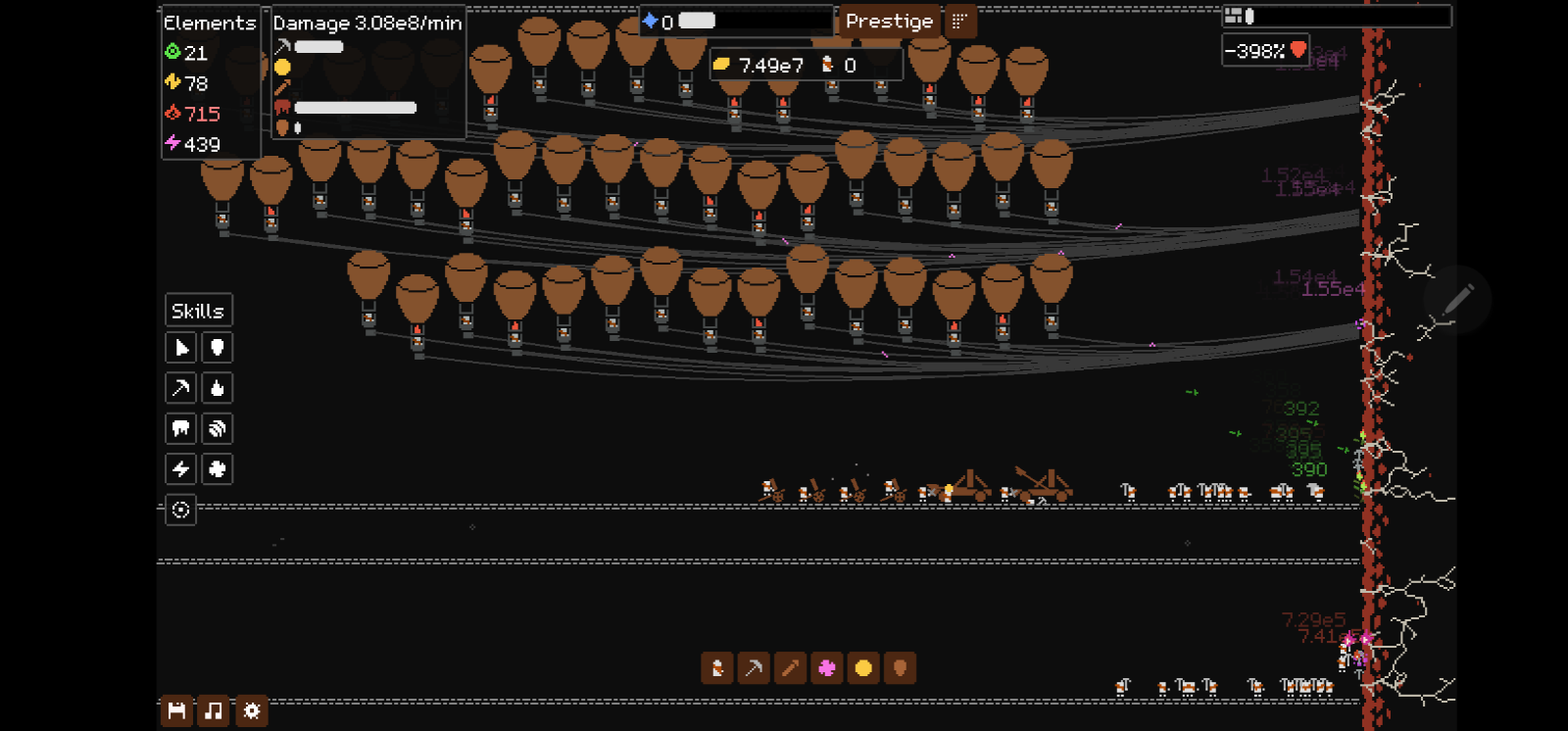
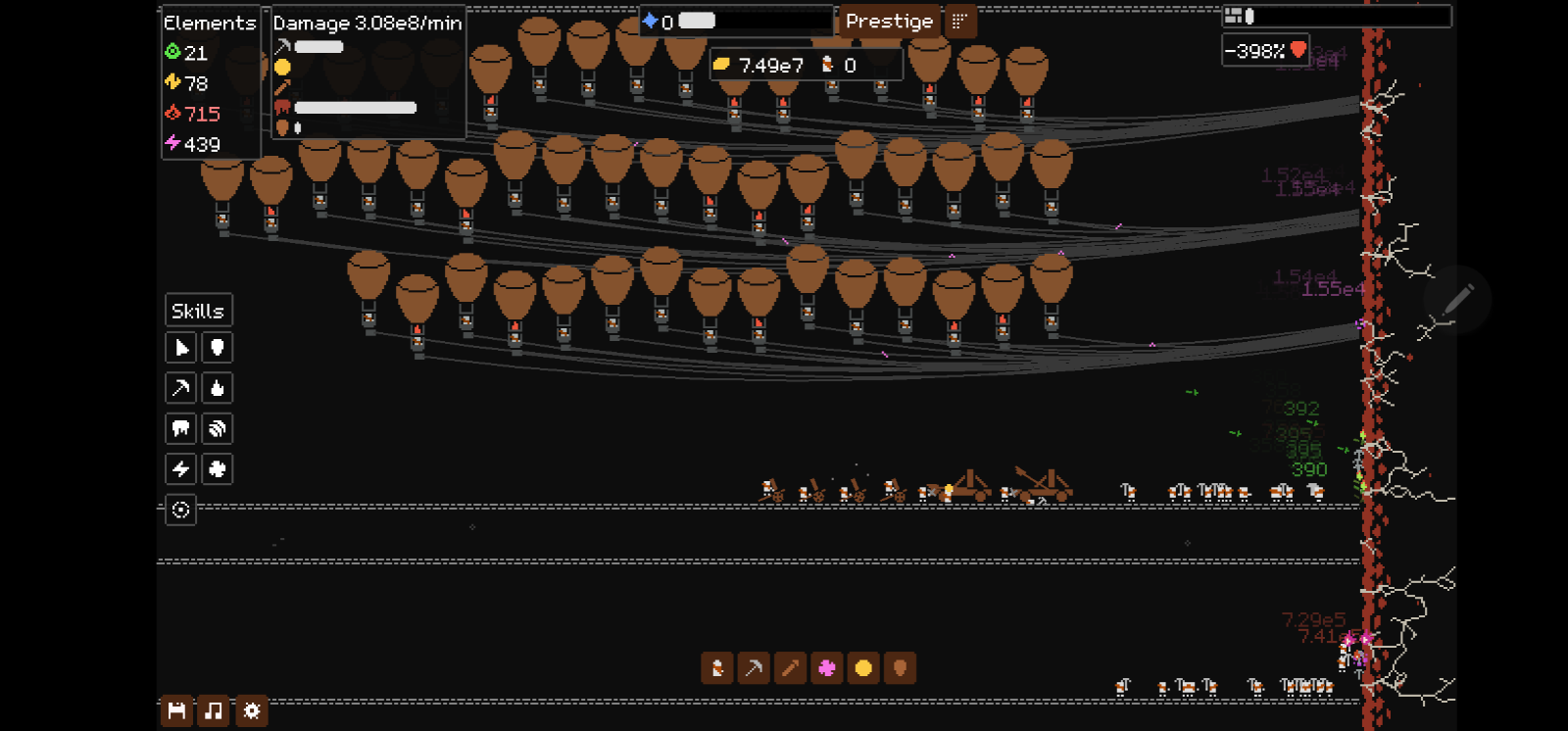
Pickaxe+balloons, but it's very effective. There's a 3rd row of axe throwers, 45 axe throwers altogether. Only 2 catapult and 4 arrow to keep earth+bio stacks up.

(2 edits)

500k/min is too low. That's 5.00e5/min, which to put into perspective is an axe-thrower's single-hit territory, once you've got sufficient upgrades.

Focus on spamming 2 different units that can buff each other, with just enough of the other elemental units to keep the other 2 elements applied to it for reactions.

And consider prestiging to unlock more points/better skills.

I ran into the auto-click as well, but you don't even have to move the mouse outside of the game, just click & hold & drag, maybe mix a right click in there. Not terribly useful in the long-run since most of the resource generation is auto and you have to move the mouse around to upgrade things.

https://github.com/LittleB0xes/LDtkBridge is a basic example of loading the JSON data from LDtk files.

Seconding the SVG request.

I added it as a non-Steam game so I could use the Steam Controller.

Not sure how I managed it but in the challenge course I got stuck in the green orb mode.  None of the buttons would back out of it, all I could do was move the orb around.

Good game so far, though.

After playing through the demo, I'm sad I missed the Early Bird  Nintendo Switch tier. Definitely would have bought into that.

(1 edit)

Tried again and it seems to be working with arrows and WASD, now. Not sure if you changed it or it was just a fluke on my end. Fun challenge, thanks.

Inputs includes Keyboard but none of the keys seem to do anything?