Indie game storeFree gamesFun gamesHorror games
Game developmentAssetsComics
SalesBundles
Jobs
TagsGame Engines

cs5475

6
Posts
5
Topics
A member registered 16 days ago · View creator page →

Creator of

Recent community posts

The payment guide says itch.io is the merchant of record in Collected by itch.io mode. The buying guide describes an email receipt and a generated invoice. A staff reply from 2022 explains the PayPal checkout recipient label.

For that payment mode, which seller identity or contact fields are automatically visible to a buyer?

  • Can the seller's legal name, postal address or account email appear on the itch.io email receipt or generated invoice?
  • If the seller has not supplied a public support link or support email, does any buyer-facing support/contact link reveal the account email?
  • Does itch.io pass any seller identity/contact fields into PayPal confirmations or card payment descriptors, or do those vary by processor or country?

Is there current official documentation listing the fields and where their values come from?

This is a general platform question, not an individual account or payout issue. Please share field names or documentation only, without personal details, receipts or account screenshots.
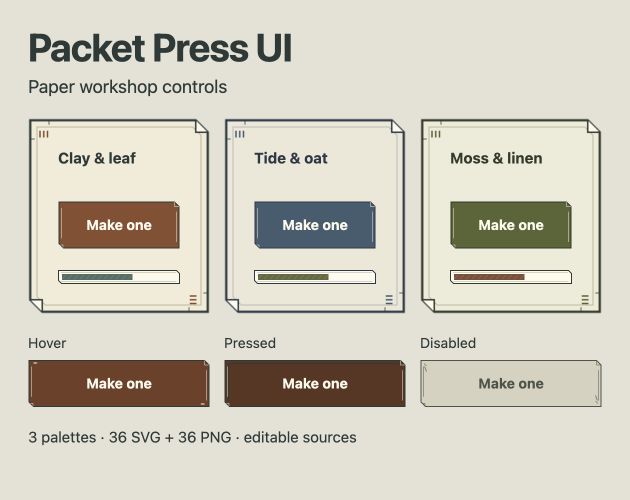
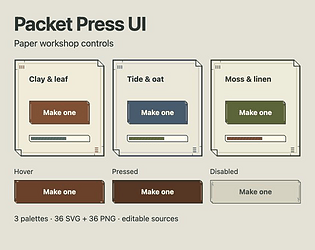
Packet Press UI is a small asset kit for crafting and management games: folded paper panels, ink rules and stamped details in three palettes.

The download includes 36 SVGs and 36 PNGs—12 art/state files per palette—covering a nine-slice panel, button and toggle states, transparent focus overlays, and progress artwork. Palette sources, slice notes and a browser/CSS crafting example are included. Text stays separate from the artwork.

It's $3 minimum, paid once, with personal/commercial finished-project use under the included license. These are raw assets to integrate into your own game; no native-engine plugin or scene library is included.

Artwork, code and documentation were created with language-model assistance, disclosed on the page.

See Packet Press UI

Three palettes and button states

I made BlindMixRoom and am looking for one game-audio producer and their collaborator to try a real two-version comparison.

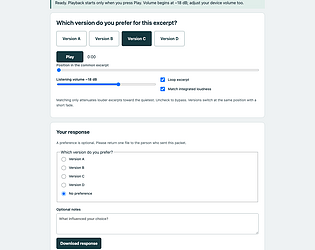
The free two-version creator runs in desktop Google Chrome. One person prepares a listening HTML file, their collaborator compares the versions and returns a small response file, then the producer imports that response. There is no built-in file transfer service.

Please use already-aligned integer PCM WAVs at 44.1 or 48 kHz, with matching sample rate and channel count. The combined original files must fit 32 MiB. The page explains the other limits. Keep the private project on the producer's machine; send only the listening HTML to the collaborator, using a method you both already use.

I'd like to know:

  • Did the listening file arrive and open in Chrome?
  • Where did either person first get stuck, or decide to stop?
  • Did the returned comparison help with an actual revision decision? What would you have used instead?

A short reply here under your existing handle is enough. Please don't post audio, private project files, names or contact details. This early release has not yet been validated with a real producer and recipient. No purchase is needed for this test.

You can test the exact color mapping on one sprite before buying the batch edition.

1. Open the free browser demo and choose Try a sample sprite, or Choose one PNG for your own permitted artwork.

2. Set your replacement RGB colors. Leave a replacement blank to keep that color. Similar shades need separate mappings.

3. Check the preview and unmapped colors, then download the PNG. Save the mapping JSON if you want to reuse it.

The free walkthrough shows each step:

https://cs5475.itch.io/palette-batch/devlog/1702217/how-to-recolor-a-pixel-art-s...

The offline batch ZIP remains $5 USD minimum, one-time. It adds folder/ZIP import, up to eight named variants, and a ZIP with the original paths inside each variant folder. Dimensions and alpha are preserved; PNG metadata is omitted. Intended for current desktop browsers; format and workload limits are on the page.

Try the free demo or buy the batch edition:

https://cs5475.itch.io/palette-batch

If you try one of your own sprites, did it export the variant you expected?

Development used AI-assisted code. The included sample is original synthetic CC0 artwork.

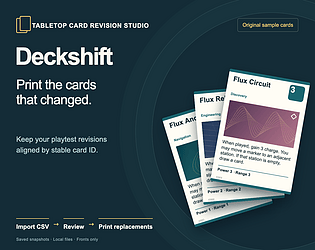
Deckshift is now available for tabletop designers who keep card data in a spreadsheet and revise it between playtests.

Import a CSV with stable card IDs, save a revision, then review the next import field by field. You can export the full deck or just added/changed cards as PDF or PNG files.

In an original synthetic 180-card test, the full deck produced 20 PDF pages. After 15 cards changed, the replacement export produced two pages. That is a checked digital export, not a physical printing benchmark.

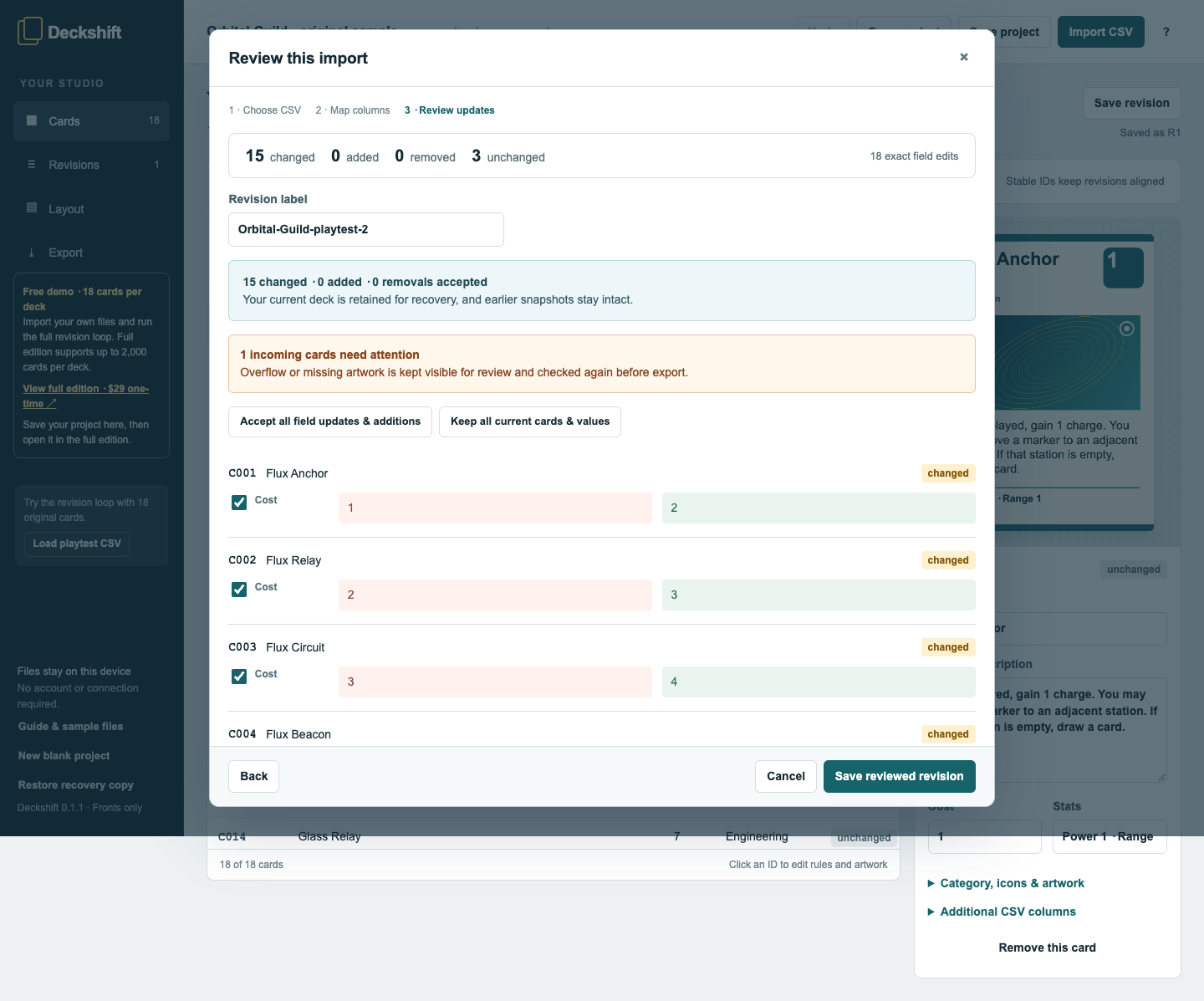
Deckshift's real 18-card demo reviewing 15 changed cards, three unchanged cards and 18 field edits. C001 Flux Anchor changes cost from 1 to 2.

The screenshot shows the smaller 18-card demo: 15 changed cards, three unchanged, including Flux Anchor's cost changing from 1 to 2. Individual edits can be accepted before saving the reviewed revision.

Try it: https://cs5475.itch.io/deckshift

  • Free browser demo and free offline demo ZIP: up to 18 cards per deck/revision, with real editing, revision review and unwatermarked PDF/PNG exports
  • Full offline ZIP: $29 USD minimum, one-time, up to 2,000 cards per deck and 100 saved revisions; optional higher payment adds no features
  • Fronts only. No duplex backs or Tabletop Simulator sheets. Tested in Chrome on macOS; other browsers/devices are unverified. Fonts can vary, and physical printer accuracy is not certified

For a quick test, use the included sample, save a revision, change one card's cost, and export replacement cards. For your own CSV, start with the free offline demo; hosted file-picker import has not been independently verified.

Created with AI coding and writing assistance. The original sample cards use synthetic text and procedural art from AI-authored code. Deckshift makes no AI API calls.

If you try it with your own card project, did the replacement export include exactly the cards you expected? A comment with your browser and the result would help.

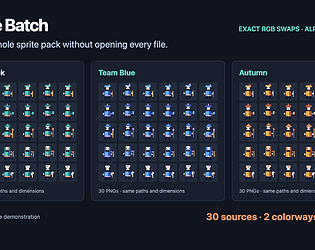
Palette Batch is live: a small offline tool for making palette variants of pixel-art PNGs.

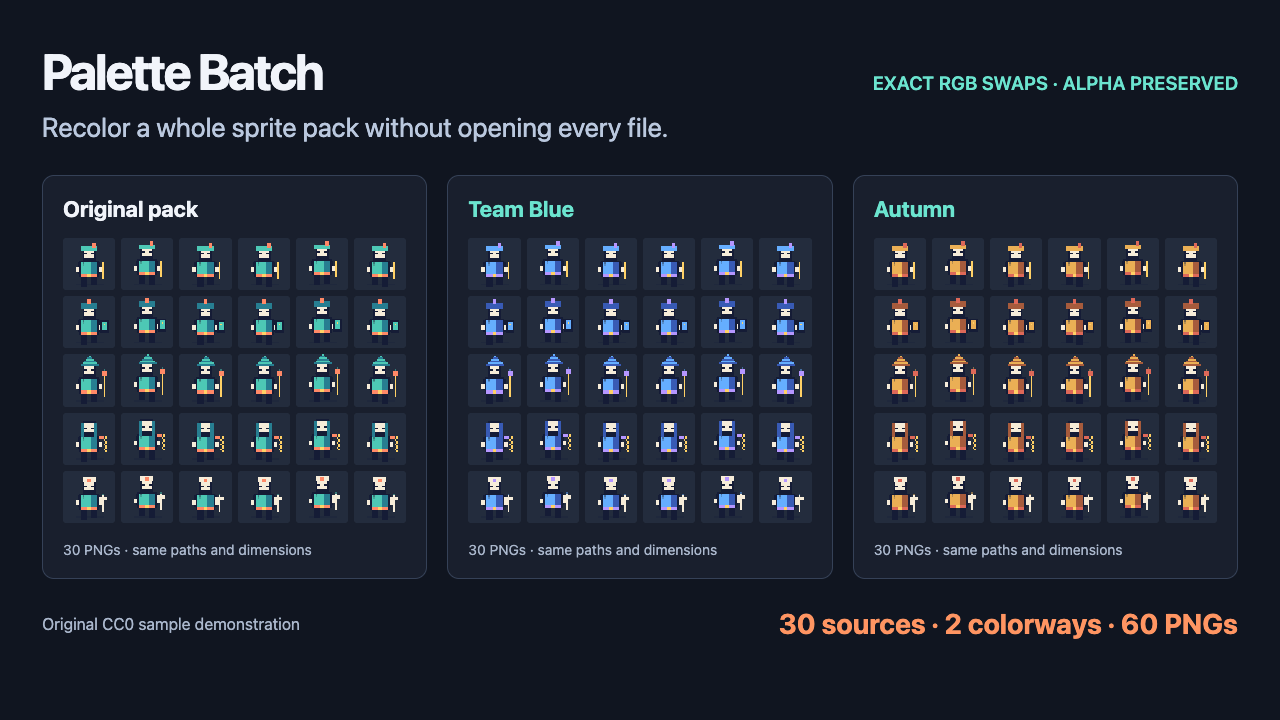
The example shown here starts with 30 original sample sprites and exports two palette variants: 60 PNGs, with folder structure, dimensions, and alpha preserved. You choose the exact colors to replace; files stay in your browser.

Try the free single-image demo, or get the offline batch ZIP for $5 minimum, one-time: https://cs5475.itch.io/palette-batch

The code was built with AI assistance.

30 source PNGs × 2 palettes = 60 output PNGs