On Sale: GamesAssetsToolsTabletopComics
Indie game storeFree gamesFun gamesHorror games
Game developmentAssetsComics
SalesBundles
Jobs
TagsGame Engines

Coldfox

35
Posts
1
Topics
33
Followers
3
Following
A member registered Dec 15, 2019 · View creator page →

Creator of

Recent community posts

Yes this is due to the way the extension works. I don't believe that can be fixed. But I can take alook and see if there's something that can be done

Ahh Ok yeah I did think it was odd.... I couldn't find any issues on the extension. I'm glad you sorted it out. If you need anything else let us know! Have a good day!

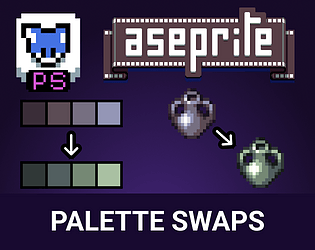
I see some people might be having issues with this extension. We made an extension that makes color swapping easy, if anyone is interested.

https://coldfox-co.itch.io/aseprite-palette-swaps

I uploaded version 5.5. Can you download it and just run that extension file. It should ask you to upgrade from 5.4 to 5.5 and request permissions again. Let me know if that works!

Can you send me a screenshot of the application when the error pops up?

What version of CF Advanced Exports are you running?

It’s great to hear that you got it working!!

Yes, the directory path is based on the location of the file. As of the indexed color mode: It will be addressed in a later update! 

Have a good week!

what did the error say? Can you post a screenshot?

Hi. Spritesheet export is the wrong type for this. Try PNG. It will export each slice in a separate file 

Hmmm that's a good one. I believe it should be doable. Let me research it and get back to you!

Feature coming next update

Exclude and ignore feature coming soon.

Hi! I wanted to inform you that we just released an update improving the naming system. Take a look!

v5.4 : Improved Naming System - Aseprite Advanced Exports by Coldfox

Hi @Ozzbit Games I'm glad you're find it useful! Yes, you are correct, it currently does not detect frame speeds. I have added it to the queue for the next update. I have an update being released possibly today and we'll begin working on the next one that includes the frame speeds.

Stay tuned!

Thank you so much I'm glad you are finding it useful! I will add this to the to-do list and will let you know when there's an update! I have been planning to refactor the naming functionality to be more versatile. So this is perfect. Thanks!!

I will be looking to implement a speed/delay feature for the GIF exports

Hello @Manukineko I pushed the update with the settings options. The download for v5.3 is now available.

You can read notes on this update here: v5.3 : Save and load settings! + More - Aseprite Advanced Exports by Coldfox
Thanks!

Great requests! I have been working on a "save settings" feature which I hope to release VERY soon. 

I will look into adding the other requested features.

Thanks!

Are you trying to adjust the speed of the rendered GIFs?

Awesome, glad to hear it!!

Hey Spooky. I just posted an update that adresses this. (you can download updates for free)

See if it works for you! Thank you.

Ah yes! You must accept the permissions so it can access a save location! 

Glad it worked out. Awesome. Happy new year!

I would assume so. Do you have multiple other extensions ? It would help me to figure out what the issue is if you can take a screenshot of your extensions and a file that give you the error.

1. Does the error show up with a brand new file with nothing on it? If you try to export it?

2. Can you try disabling the other extensions and see if the error goes away?

And you have the latest version of the extension, right?

Ah I see. Yes that makes sense.  This tool was made to cover things that Aseprite doesn't cover out of the box. I'm going to work on an  update for this if you give me some time.
Can you answer a couple of questions:

1. Why does the Aseprite PNG export not work for your specific case?

2. What file structure format are you looking to achieve? What would be some examples of the end result file names and their content? Attack_001.png, Attack_002.png? Like that?

That's odd. 

Could you send me the aseprite you are working with?

1. Let me see if I understand correctly. You want to export every single frame as a seperate png file? Hmm... To do that you would have to create an animation tag for each frame

2. This is being worked on for a future update. Updates are included with your purchase.

Awesome!! Enjoy the exports!

Hi Eli!

I looked into your issue and figured out what was causing it. Your file is using the Color Mode: Indexed.

Change it to Color Mode: RGB by going to Sprite > Color Mode > RGB.

After doing that, the exports should be working as expected.

Let me know if that fixes the issue for ya! Have a good night.

Hey, thanks for trying out the plug in!

When you open an exported file (a slice). Do the black bars go away? I had this happen to me on Windows, the icons look like they have black bars where there is transparency but the actual export does not. Can you check this for me?

If there is still an issue, can you also attach some of the exported slices or even the aseprite file? (maybe you can DM me the file if you want)

Very cute and fun!👏

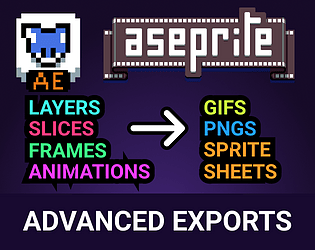
Hey you pixel-lovers ♥! Specially those who use and love aseprite. I created a script to automate exports, and have used it so much that I decided to share it. It has saved me so much time, and money!

You can get it using the link below:
Aseprite Advanced Exports by Coldfox (itch.io)

Here's a video of it in-use.

And a screenshot of the options.

Features

Export in multiple formats at the same time!

GIFs, PNGs, Spritesheets, all with one click. Just check the boxes of what you would like to export from the file and watch the script do all the boring work!

Slices

Slices can be a very powerful tool for your workflow. You can select areas of a aseprite canvas of any size and export that slice into a separate file. You can export the slice into a GIF, PNG or spritesheet. You can also split the exports by using tags!

Spritesheets

This is where you will save the most time! You can export either a whole spritesheet or separate each each animation by using tags. The tagged animations will be exported into separate files, and the tag name will be added at the end.

Previews

You can easily export previews of sprites, slices and animations. A preview can be scaled between 1x and 10x it's size! The exported preview will contain the scale amount in the name unless it's 1x.


You can get it using the link below:
Aseprite Advanced Exports by Coldfox (itch.io)