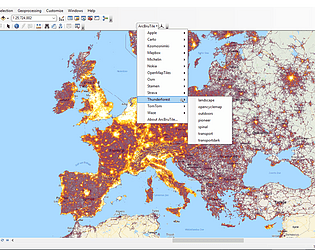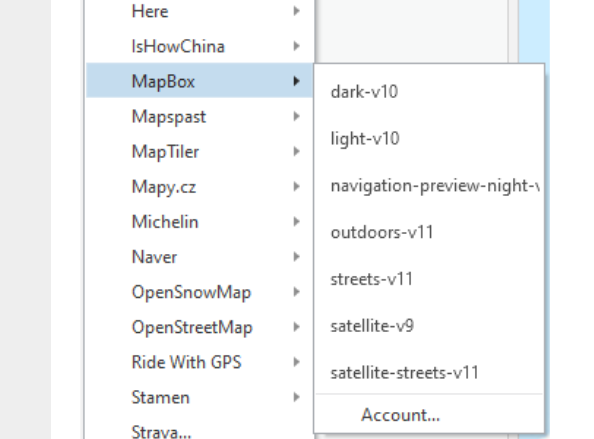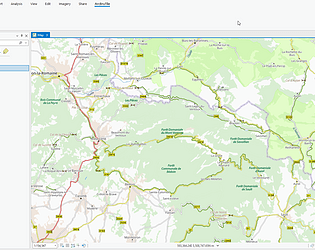
Hi, yes Naver changes the url of the maps all the time :-( can you try again?
Bert Temme
Creator of
Recent community posts
Ah I see strange, will take a look at it.
As a workaround you can try to create a file ‘arcbrutile_pro_settings.xml’ in the AppData directory (like C:\Users\your_profile_profile_name\AppData\Local\arcbrutile_pro\arcbrutile_pro_settings.xml) with following content:
<?xml version="1.0" encoding="utf-8"?>
<AppSettings xmlns:xsi="http://www.w3.org/2001/XMLSchema-instance" xmlns:xsd="http://www.w3.org/2001/XMLSchema" >
<MapBoxKey>your_map_box_key</MapBoxKey>
</AppSettings>
Replace ‘your_profile_profile_name’ and ‘your_map_box_key’ with the correct values.
Hi,
Stamen has become Stadia Maps, but now it needs a key
https://stadiamaps.com/stamen/
I’ve been adding it to the ArcBruTile for ArcGIS Pro, probably will add it to ArcMap version also
Hi, I’ve created a new project for ArcGIS Pro 3.0: https://bertt.itch.io/arcbrutile-pro-for-argis-pro-30
yes ok, I was asking this as a software seller. Ideally I would like to have a checkbox as ‘expire download link after 2 years’ or ‘limit free updates to 2 years’. Now buyers can buy the software 1 time and get free updates forever. Starting another project after a release is the other option now, but thats hassle.
if you have caddy 1.x installed, its just going to a directory and start caddy from commandline ($ caddy). A webserver on port 2015 will start, in a browser go to http://localhost:2015/ to retrieve files from that directory. I believe in Caddy 2.0 its changed a bit.
Hi Giuseppe, yes this is possible if you put the tileset on a (local) webserver (for example https://caddyserver.com/) and use the ‘Load map from xyz url’ button. One caveat: this tool only supports XYZ tileset directly and not TMS anymore, so the y-axis might be switched. See https://gist.github.com/tmcw/4954720 for more info about this.