

Thanks so much! Works great!
A member registered Aug 23, 2021
Creator of
Global Game Jam 2026 Project. 2 to 4 player local multiplayer games where you joust on office chairs.
Action
Play in browser
Recent community posts
Normal Map Inspector (+ Aseprite & Krita plugins) comments · Replied to AzureDusk10 in Normal Map Inspector (+ Aseprite & Krita plugins) comments
Secondly, the 'Coarse' normal map is *so close* to being a perfect reference palette for me. It's so easy to visualise which direction each swatch points in based on the size of the swatch. However, all of the values I'd like to sample sit *in between* swatches. If it was rotated half a swatch it would be perfect.
I want to take the normal values for the faces that point up, down, left, right, and in the 45 degree diagonals, but the values of these always fall between 2 swatches. Therefore, there are no swatches in this reference which I can use.
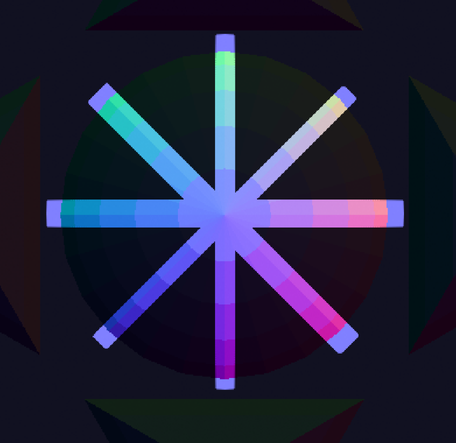
Screenshot of the 'Coarse' reference image, with the irrelevant parts blacked out. Note how the 0, 45 90, 135 etc. degree faces do not have swatches in this reference. The closest values are 7.5 degrees away (e.g if I wanted to sample a face that's at an angle of 0 degrees, the closest values would be for faces that are at an angle of -7.5 or +7.5 degrees)
I'll keep an eye out for any future releases which could help with these. Thanks again for your work, and I will happily donate for the above changes
Normal Map Inspector (+ Aseprite & Krita plugins) comments · Posted in Normal Map Inspector (+ Aseprite & Krita plugins) comments
Hey, thanks very much for making this! The plugin is working great with Krita! I've got a couple of issues though:
The NM Inspector UI is very small when I use HiDPI display scaling. It's not too much of a problem because the UI is quite simple so I can memorise what each option does. I'm using Fedora Linux 41 on a 13 inch laptop. I have my display scale set to 175%:
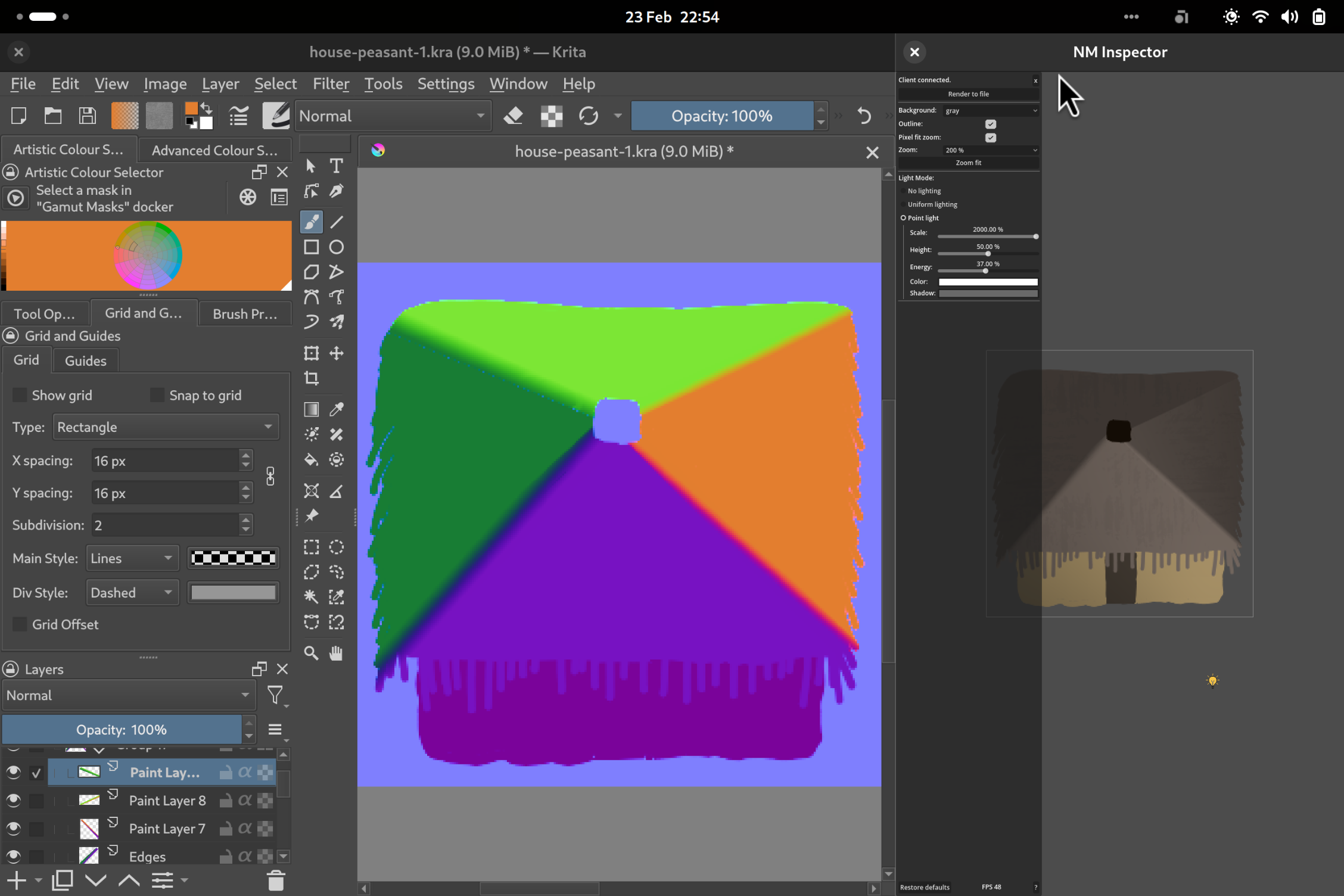
Krita on the left, NM Inspector on the right
When I use other Godot programs, like the Godot editor or RPG in a box, they have a UI scale setting which lets me manually increase the scale of the UI.