

Doesn't work correctly as of Godot 4.4. However they added this feature within the engine so it's not really needed anymore.
A member registered Mar 16, 2023 · View creator page →
Creator of
Racing game: Escape the supernova aboard your rocket by avoiding different obstacles!
Racing
Loot-Chest opening animation
Recent community posts
itch.io Community » itch.io » Questions & Support · Created a new topic Reset Patreon keys to current subscribers
Hello !
So I am planning to make games that would be available for Patreon supporters through a small subscription. I read the docs concerning Patreon integration, and I didn't find a direct answer to my problem so I'm asking here. From what I understand, this is how the system currently works (please correct me if I am wrong) :
- You send a link to all Patreon supporters that allows them to claim a key of the game if the amount they pledge is enough.
- Once they have claimed a key, they can access it even if they cancel their subscription on Patreon.
► First question :
I'd like to know if there is a way to delete all Patreon keys at once and generate them again, so that only people who still have a Patreon subscription active have access to the game page. Or in other words : delete the "Patreon" keys group (bulk action) and create it again so that the Patreons who canceled membership arn't in the group anymore.
Screenshot example of Patreon key group (in the Download keys tab of the game)
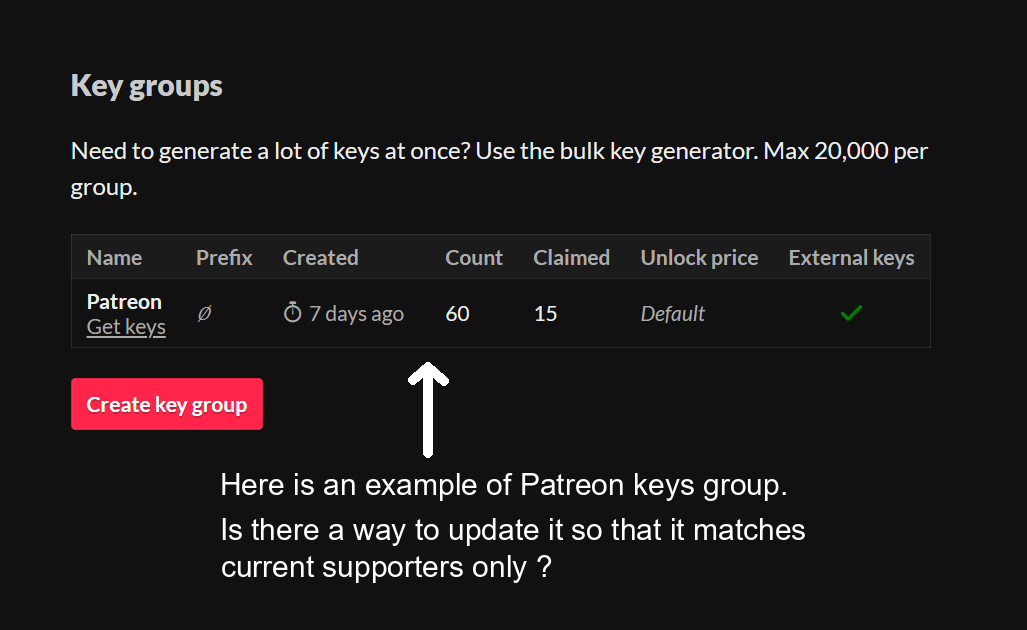
► Second question :
If I manually revoke all keys in the Patreon group (from the panel in the screenshot below), do I have a way to generate them again for active Patreons ?
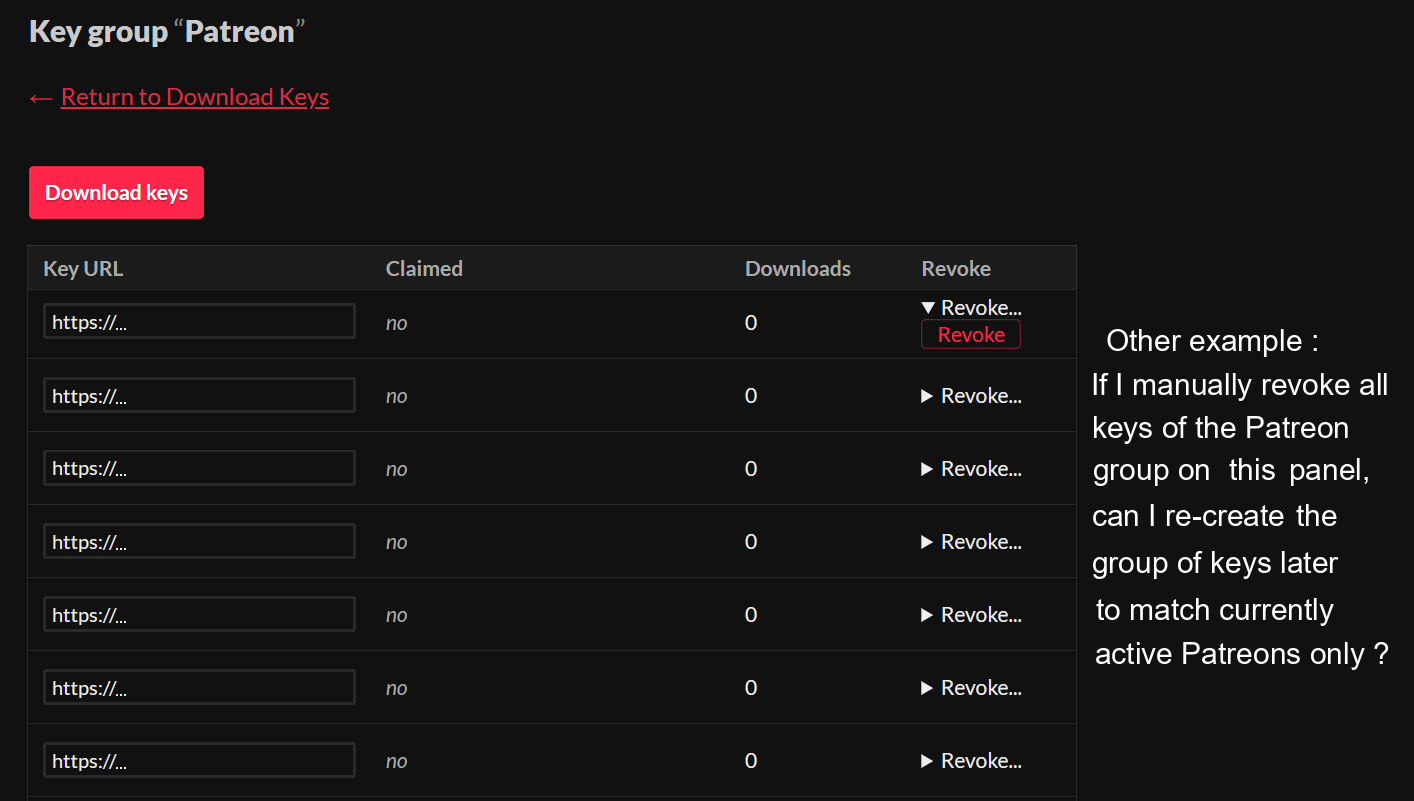
If none if what I'm talking about here is currently possible with the Patreon integration, I guess it would be worth making it a feature request for future itch.io updates ?