
Indie game storeFree gamesFun gamesHorror games
Game developmentAssetsComics
SalesBundles
Jobs
TagsGame Engines

Akawist

4
Posts
1
Topics
A member registered May 30, 2014

Recent community posts

So, i've been experimentng with that and it still leaves me in the woods. I am not sure what am I doing wrong, however.

>I am using DrawGUI, so i have followed the instruction and changed the draw_gui parameter to true in the Draw_GUI event of the textbox object.
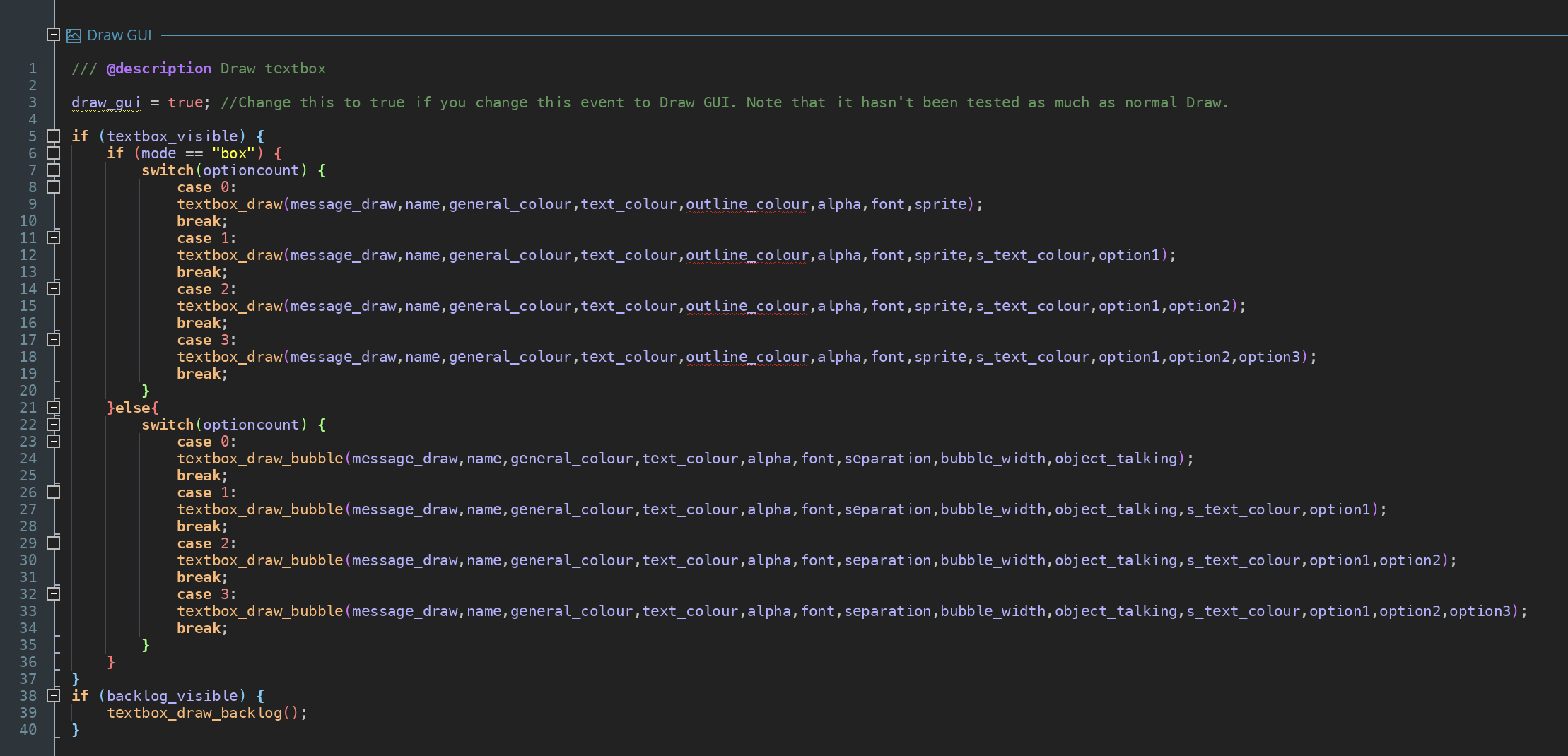

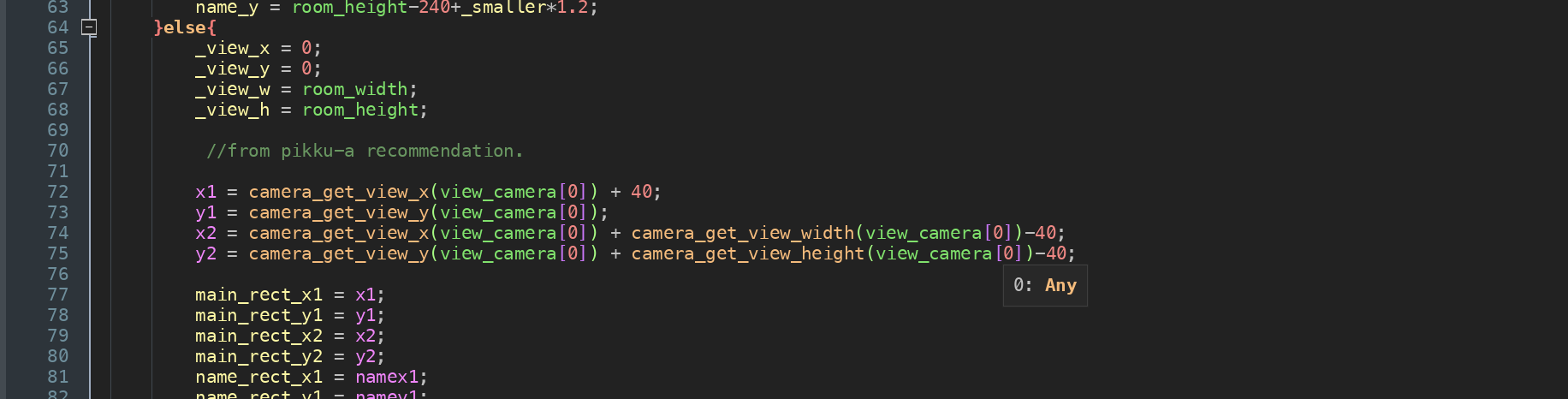
> My textbox_draw script now includes the code you have suggested:
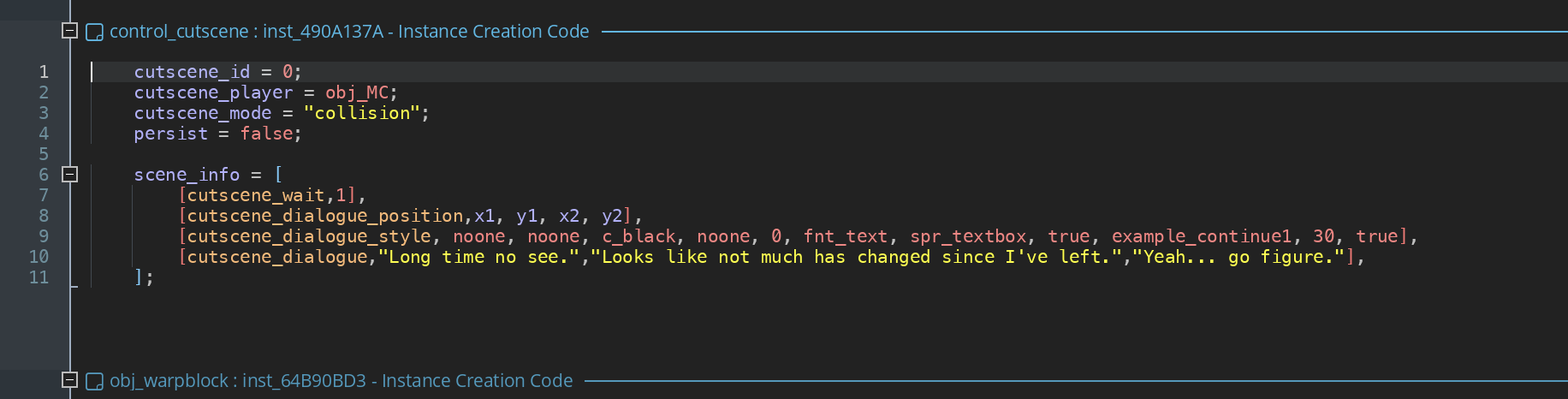
> Finally, the instance triggering the cutscene on the level is as follows:
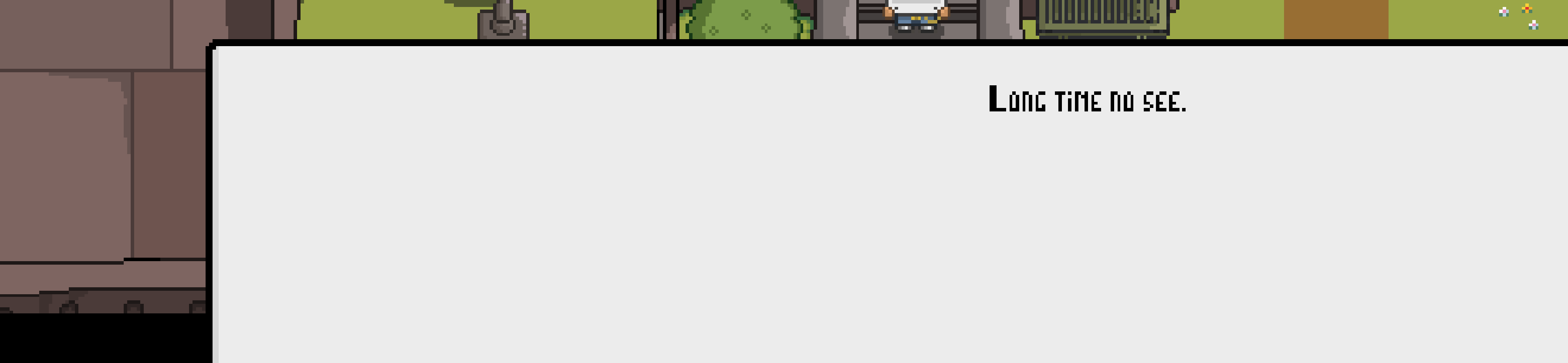
And yet when the cutscene triggers, the textbox stretched outside of the viewport, with the text itself also being drawn somewhere in the middle (I took the screenshot of my lower third of the screen and this is how it looks like when the dialogue triggers).
All the thoughts/solutions are highly appreciated.

Thank you so much. I’ll experiment with that. I appreciate hour help!

I have used cutscene dialogue position. I am using the GUI layer to display the dialogue and so I wanted to refer to the viewport and or/camera to establish the size and positioning of the text box.
My viewport (as well as the camera) is 480x270 and so i wanted the textbox to be placed centrally with 20px of space from the edges of the screen (vertically) and be of a certain height.

what i am using right now is:

[cutscene_dialogue_position, 20, camera_get_view_height(view_camera[0])-20, camera_get_view_width(view_camera[0])-100, camera_get_view_height(view_camera[0])-10],
[cutscene_dialogue_style, noone, noone, c_black, noone, 0, fnt_text, spr_textbox_wide, true, example_continue1, 30, true],


It does position it weirdley however and when i tweak the values sometimes the text displays in a very weird fashion.
What would your recommended code be?

I am struggling with adjusting the size and the position of the textbox. I got totally lost in the scripts and cannot find a way to tweak the values so that the textbox would keep the dimensions I would like it to (I am using a nine-sliced sprite for the textbox, but that is somewhat secondary as i cannot make the adjustements regadless if i am going with a sprite or just an autogenerated textbox).
Any suggestions?