
Indie game storeFree gamesFun gamesHorror games
Game developmentAssetsComics
SalesBundles
Jobs
TagsGame Engines
(3 edits)

Hello!

First of all, congratulations on the amazing work, this project will help many.

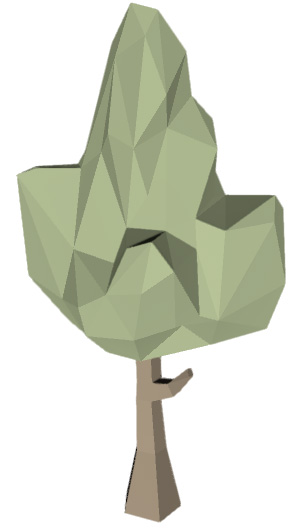
I am exporting some lowpoy models I have from Unity, they are simple models with no movements. I open in blender and export as indicated in the documentation; everything is fine as it should be.

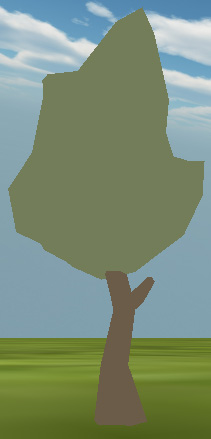
The problem is that the model in the Construct has only the silhouette and does not show the internal polygons.

I think this is due to the light, isn't it? How can I solve this?


In Unity
In Construct3
(1 edit)

This is indeed likely due to lighting. Try out the LayerLight3D effect which is included in this project. You need to play with the parameters a bit to get something that looks good. See this dev log: https://kindeyegames.itch.io/c3-3dobject-alpha/devlog/324554/light-layer-3d-effe... and this one: https://kindeyegames.itch.io/c3-3dobject-alpha/devlog/330791/add-optional-proced...

(1 edit)

I managed to solve it, now it's lighting well!

Now I would like to give it a rougher appearance, it's a metallic reflection even with the dimmer lighting.

Try setting the specular  color to black. Specular causes the ‘shiny’ effect. If you want roughness, you need to change the solid color textures to a more varied texture.