

Your screenshot show me the folder of the game, but you have to go to the folder of the saves on your PC. You have to go on your hard drive, follow this path:
C:\Users\"YourName"\AppData\LocalLow\Le triangle à l'harmonica\Quartier-Maître
Replace "YourName" by your specific name folder (it's the red square on the screenshot), and then add the file I send you, or replace the one you have in this folder.
Normally the folder "AppData" is hidden, you have to type it manually in the path bar.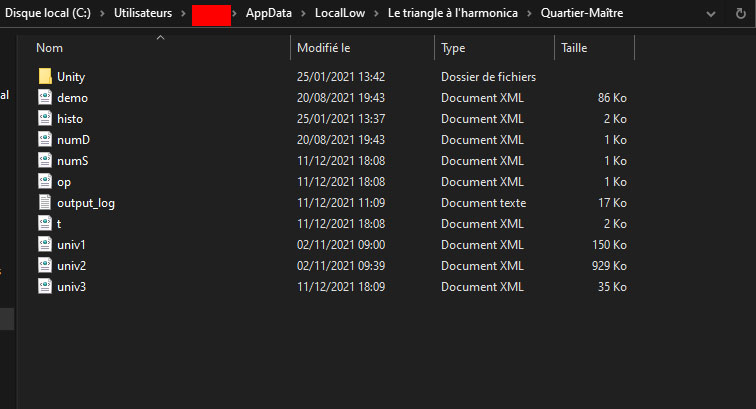
Then you'll a game already created on the titlescreen of the game. So we can see if your problem is only during the creation of a game.