

I made a lot more assets for The Only Room today and oh boy.
Through script-writing and brainstorming, I've decided that a few scenes are going to be on a phone, television, and laptop screen. So I decided to make the templates for those today. Which has inspired me to share my current pre-Bitsy process.
So this is my current pre-Bitsy process
In Photoshop, I have a canvas with a resolution of 8. Eight. Eight pixels per inch. The canvas size is 128 x 128 pixels. And it's zoomed in anywhere between 1000% and 5000%. With gridlines, I've sectioned this off into 16 squares to imitate the Bitsy in-browser canvas. I use colors that skew on the darker side, but still contrast each other to make sure that I can see the Photoshop itty bitty pixel grid on top of my pencil brush markings. That's a 1px pencil brush tool.
It looks something like this image I've attached in here:
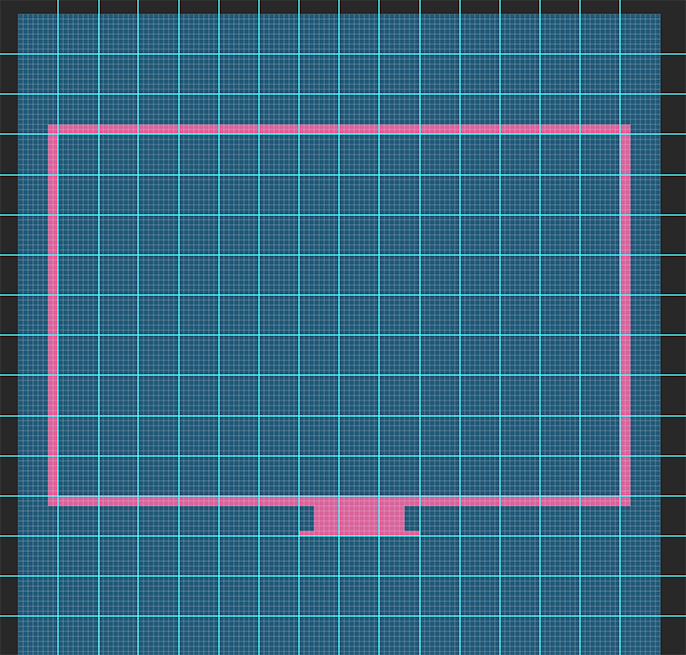
It takes a bit of adjusting from there and I can guarantee that it will be adjusted more when I transfer these into Bitsy tiles.
This is probably the least detailed of any of the things I made today. Lots of playing around with ratios and how to streamline the next steps (making that connects outside so the frame doesn't have to be altered once content is added and reduce the amount of tiles ultimately needed).
I'm thinking about the tools that exist that can turn this kind of thing into a Bitsy without me having to do it manually, but is it wild that I kind of enjoying doing it manually?
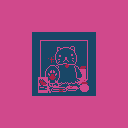
I was curious about how these screens looked when exported at resolution they exist as in Photoshop, so here's a summary of 128x128 rough drafts.


Thanks again for reading. Be well.