Indie game storeFree gamesFun gamesHorror games
Game developmentAssetsComics
SalesBundles
Jobs
TagsGame Engines

Hey, I going back to check if the lag issue have been fixed and... I feel like it's still the same as before, or at least it's still the same on my end. Also, the tile seem to became worse because now it looks like this:
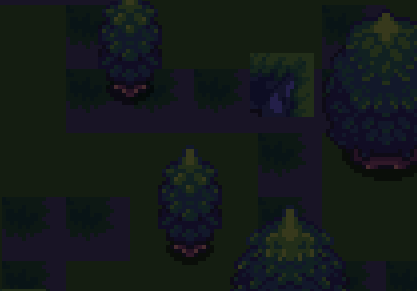

It now has 2 corners of... something... littered throughout the map.

I will say though, the 4 different types of token is a nice touch. I like that addition
(+1)

Thanks for coming back, and for the screenshots: they were exactly what I needed. The corner tiles were a wrong rectangle in the tileset (the corner of a cliff piece, scattered as "flowers") plus a second bug that punched see-through squares into the grass. Both are fixed in v0.1.9, which is up now. The map also draws about a fifth of what it did and no longer builds ground while you drag, so panning should be a lot lighter.

The freeze during plinko I still can't reproduce on desktop, so v0.1.9 has a performance readout on the backquote (`) key. If it freezes again, a screenshot of that readout, especially the memory and objects numbers, would tell me what it is.

Glad the four token kinds landed. And since you got that far: the full game (Acts II and III) is up today as a $1.99 alpha.

(+1)

Update: you were right, and I finally reproduced it. Late in a run the town map was dropping to 6 to 10 frames a second in the browser. Every house, road, lamp and window glow was drawn separately, and the browser charges a little for each one, so the more of the town you bought, the slower it got. That is why it crept up the longer you played, and why my desktop tests never saw it.

v0.1.10 is up now. The whole map is drawn once into a single image and only redrawn when the town changes, so it went from about 490 draws a frame to 11. In my browser test it now holds a steady 60 while dragging. The same fix is in the full game too.

Thanks for sticking with it and for not letting it go. If you still see a stutter anywhere, the backquote readout screenshot is the fastest way for me to find it.

Hello again (for the 3rd time XD), I've test out the demo again and I'll immediately say it, the map feels so much better now! It's moving so smoothly that it doesn't even compare to the lag I've felt before. I love it!

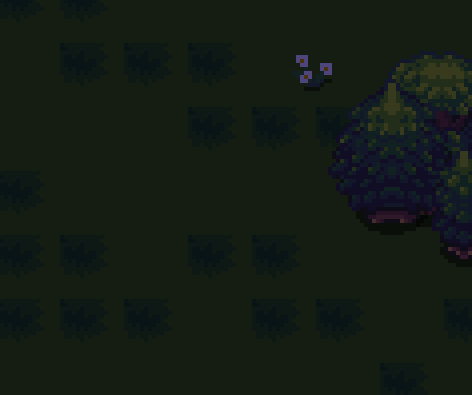
for the tileset, I'm not sure if it's fixed or not since I don't know if you intend it to look the way it is now. The cliff corner is gone and the other corner thing that's blue-ish is now green which fit with the rest of the tile, but the bush(?) thing feels a bit off because you can see perfect edge on the top left part of it. This makes the grid very noticeable and make the game look less polish a bit, though it definitely stand out less than before.

For the 3 or so second lag during the plinko... yeah I seem to not be able to reproduce it either. either it happens on random and I just wasn't able to get it this time, a pc problem (in which case then that's just me problem and not the games), or something that have been changed also just so happen to fix the lag. either way, if it doesn't appear then I'd say that's a good thing.

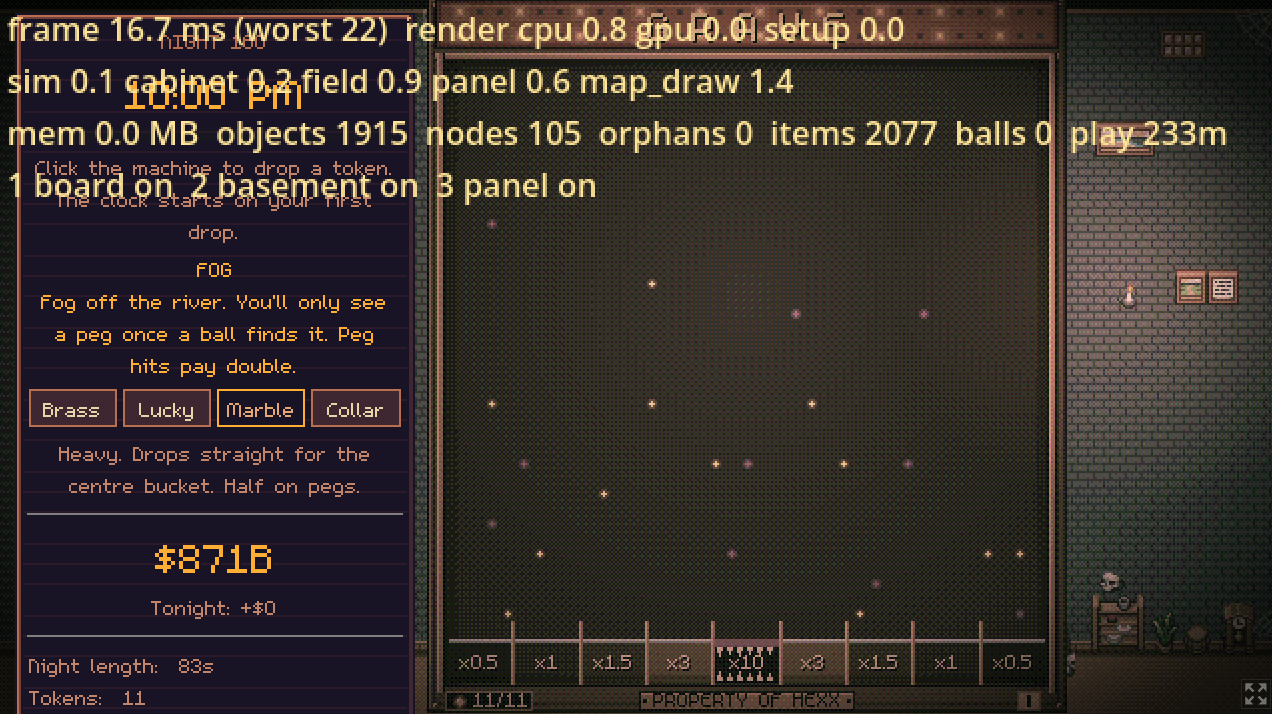
Last report! While I was playing the game again (trying to get the 3 second lag problem), I ran into another visual problem:

Just a heads up, the pegs are all there. When I drop the token, the peg that the token touches re-appear as normal and they all work normally, it just... rendered invisible for some reason. no clue why it's doing that but... it did, and now I got a broken-looking plinko machine XD. (also, by coincidence, the broken look feels quite in theme with the horror aspect that you got going on)

Since it's purely visual and doesn't impact gameplay, it's more funny than it is frustrating or annoying, but if you know why this happens it should probably be fixed. (unless you intend this to happen on very rare occasion? though the way the peg rendered back made me feel like it's not on purpose lol)