
Indie game storeFree gamesFun gamesHorror games
Game developmentAssetsComics
SalesBundles
Jobs
TagsGame Engines

That's right, on android you have to download the newest APK and install it "over" the last release. Deinstalling a game on android also delets the save files that are stored at system data.

If your device blocks installing the version, then it must be a specific issue on your end. Either a limitation or wrong setting. You can try redownloading the APK. Also tell us your device and android version and we might be able to help with your settings.
Sorry for not responding for so long. 

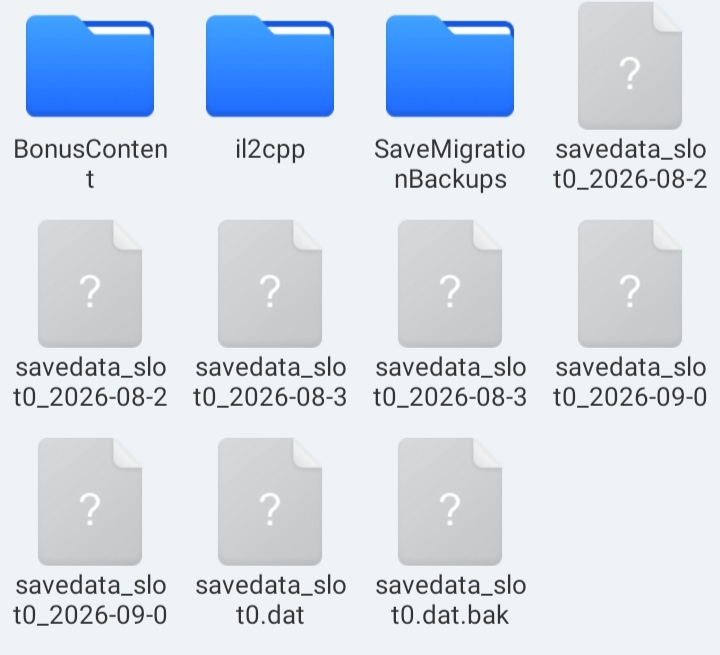
So i found a good file manager that shows me the save files, if i import these save files into other folder delete the old ver, then download the new one and import these save files might it work?

And if yes, do i all of these save files or only certain ones.


The savedata_slot0.dat is your save file. You can back it up and use it to replace another save on your phone or on PC.

As said, that shouldn't be necessary because you can just install a new version over the older APK. If that's blocked on your phone then it's likely a wrong setting in your system. 

(1 edit)

I see. I think the problem of the updating by installing a new ver while not deleting the old ver is followed due to phone storage problem. 

I think I'll replace the savefile on new ver with one i have, it will be easier for me with having problem with storage.

Anyways, thank you for the help!