Indie game storeFree gamesFun gamesHorror games
Game developmentAssetsComics
SalesBundles
Jobs
TagsGame Engines

Hello Coderzxy54 :)
I need to investigate this deeply... So many requests; it might be useful for users... So far I see a big issue:
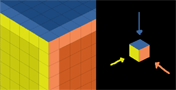
-Sliced PNG and Magical Voxels (.vox) use a single colour per voxel... But PixZels uses 6 colours per voxel (1 independent colour per voxel side)... I did that on purpose, so the model could look more realistic and precise, not a blocky model on the corners... 
-So with this issue, I think the conversion won't be exactly the same... But it might work for users... I will try out. Currently this is on my To-do list. Atm Im working on the OBJ, MTL and Atlas conversion.

Many thanks for your imput.. Soon will have some results about.

(1 edit)

Okay, I understand the problem, but there might be a solution :

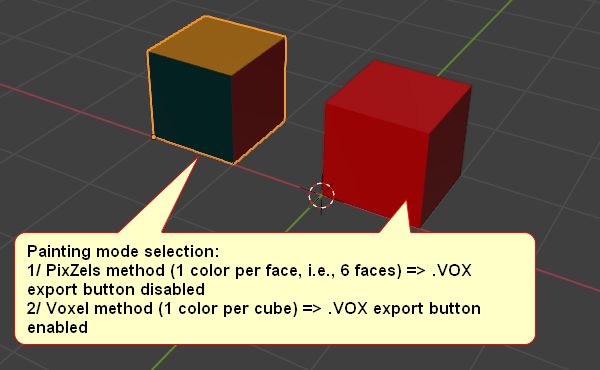
By asking users (via a dialog box) to select the painting mode for their model when creating the project, so:

Choice of painting mode:
1/ PixZels method (1 color per face, i.e., 6 faces) => .VOX Export or Slice Export button disabled
2/ Voxels method (1 color per cube) => .VOX Export or Slice Export button enabled

It’s up to you to decide which is less complex to implement.


Sincerely,

Yes Coderzxy :)
The end result of the model will have some colour differences in comparation of the original design... But, in some cases it won't be noticeable.
I will give a try.

Many thanks :)