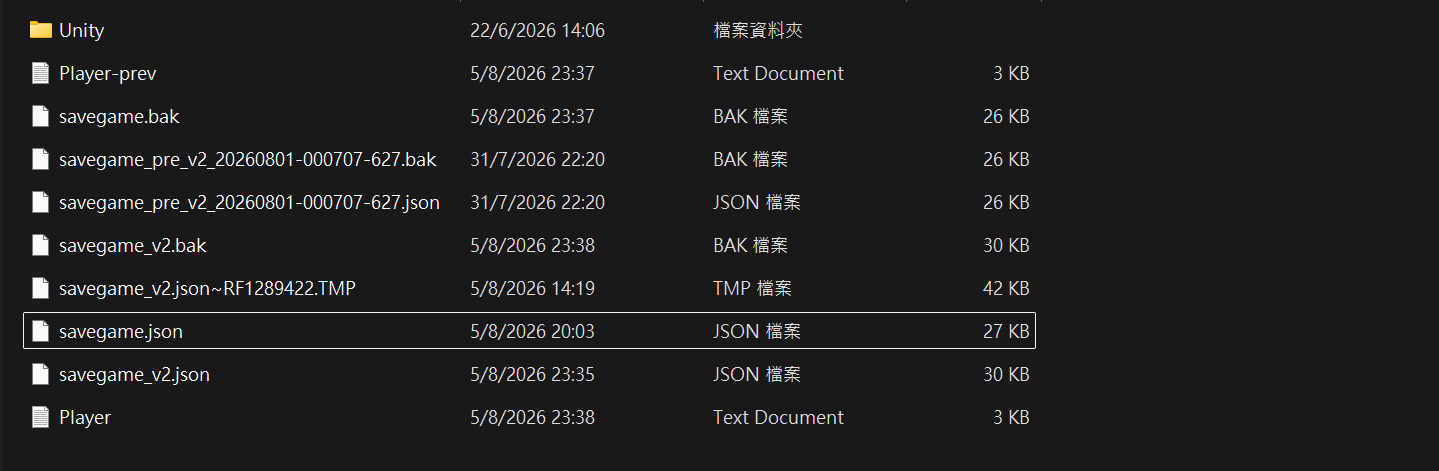
I'm very sorry for the trouble! Please check the save data instructions below to see if your progress can be recovered.
1. Main Save Location
The save data is stored in the following folder:
C:\Users\(User Name)\AppData\LocalLow\da_rllton\GuildLifeTap!\savegame.json
(If there is no save file in this directory, unfortunately, recovery might not be possible.)
2. Backup Recovery (If you played version 1.0.4 or earlier)
If you have older save data, an automatic backup folder should have been created here:
C:\Users\(User Name)\AppData\LocalLow\da_rllton\GuildLifeTap!_backup_before_2.0
If you find files in this backup folder, copy and paste them into the main save folder listed in Step 1 to restore your progress.
⚠️ Important Note:
Since the game features high-frequency auto-saving, continuing to play on the freshly reset game may overwrite your save file. Please make sure to make a copy of your backup files before attempting any recovery steps.
I hope this helps you restore your progress! Please let me know if you need further help.