

Sorry if people have said this but would you consider making it more accessible with a browser demo/ simulate a terminal for people who don't have access immediately or the knowledge to work in a terminal. I would be interested in trying this but I see at the top of the page you need a terminal and I currently cannot access one sadly.
27 days ago(+1)
that is really fair! I didnt realise you can just launch the .exe I thought it would require more terminal things! you may wish to put that at the top of the page. I got to my PC so I am testing now :) I am not sure if it is a bug with my terminal but is view supposed to appear as this? the text at the bottom is flashing rapidly. Maybe I am bugged or missing a package or something?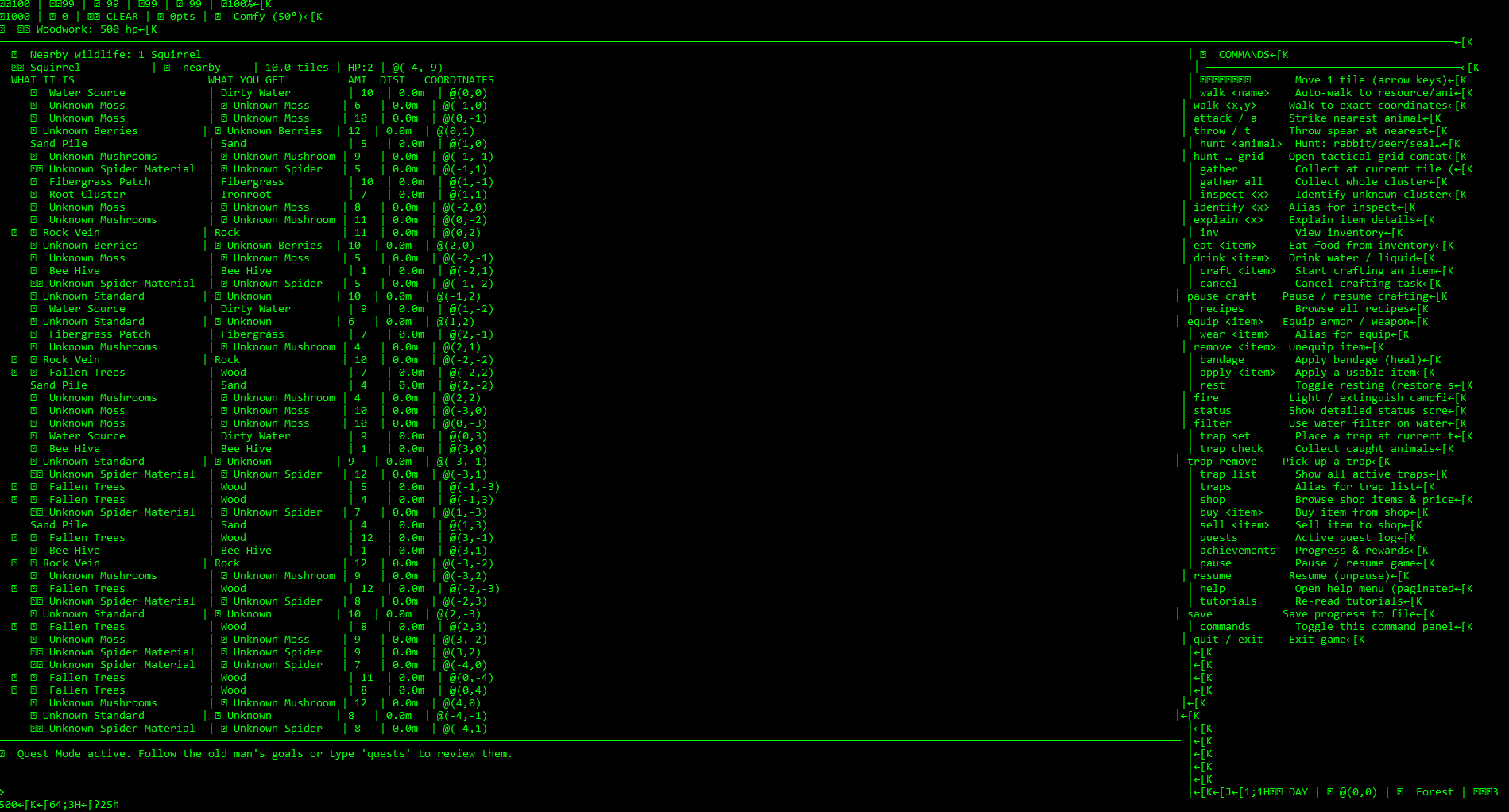
23 days ago (+1)
Yes, sorry, I didn't get back to you. (I was at the beach!)
Are you using Android?
Or Raspberry Pi?
Some Linux machines do not compile it correctly.
I am really curious- what is your setup?
That will help me fix that bug
Every time I find a bug like this, it makes me make the experience so much better for everybody. So thank you!!!!
You also give me help, because just the fact that a human played my game gives me a huge energy boost. You've got no idea. (or maybe you do!)
23 days ago(+1)
i am just on a normal windows set up, the bug seems related to emoji. i know the feeling yes
23 days ago(+1)
Weird... I'll inspect it.
Okay, found it.
So basically, if you use a different terminal than the modern Windows Terminal, there is limited support for emojis. Download and install that if you don't have it.
Another way if you have a little more knowledge is to run a few commands to enable UTF 8 (this supports emojis). (although if it still gives problems, Windows Terminal is the best).
On Windows CMD, type: chcp 65001
On PowerShell, type: [Console]::OutputEncoding = [System.Text.Encoding]::UTF8
Also make sure you have the default font. Some fonts don't support it.
As for the flickering, let me see...
It doesn't happen on mine, and I mean, my computer is old but in it's day, one of the best models. So on some very old computers, that can happen. If your computer is relatively new... I don't know, maybe try reinstalling it?
The only reason it would be my fault it's flickering is my ANSI escape codes. If I made the code badly, it would flicker, because it is inefficient. But it does not happen on mine, and I'm not saying that it's not my fault, but it is not that likely.