

Is this happening when you're offloading or when you're going to play?
Maybe export a desktop build with debug and see if it gives you a more specific error message?
The Desktop build works it's just the HTML export causing issues. I tried putting some debug in for Chrome Browser but it just giving the same error as on the main screen. This is the only other error before the one i posted "
tmp_js_export.js:467 Cannot enlarge memory, requested 3408891904 bytes, but the limit is 2147483648 bytes!
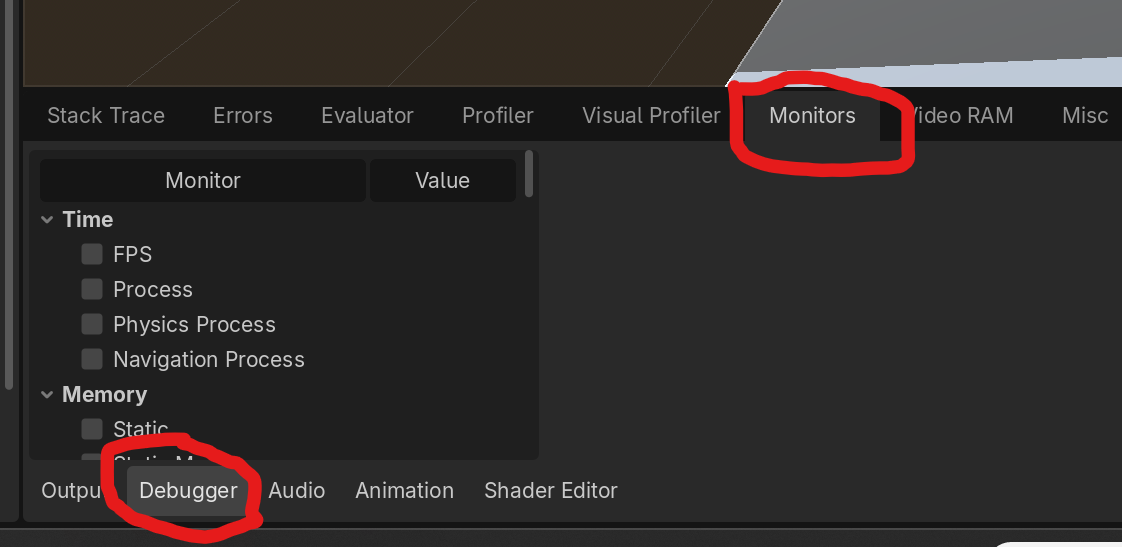
Hell yeah! Music start playing and just didn't want to stop or did the player start stacking itself?
I had a few music issues this go around. I learned that the way I was calling SFX and music in the animation player was wrong for a while.. I learned this because I said "screw this I'm going to hit the key frame button" ... and it worked. Verse me loading things into the animation player like I've done in projects past, which caused hell for volume control. RIP my ear drums.
Wave files tend to be pretty large and would it being a two minute loop I think is just too big. So the desktop version was loading it fine but with the limited memory usage in HTML it wasn’t loading. Button developer tools. It was confusing because everything was failing to load so it was hard to pinpoint it.
Oof. Well hopefully it got submitted in time. Convert things to OGG files in the future. Also you can set your import file to "Loop" you don't need to do it manually. This way it should not increase the file size.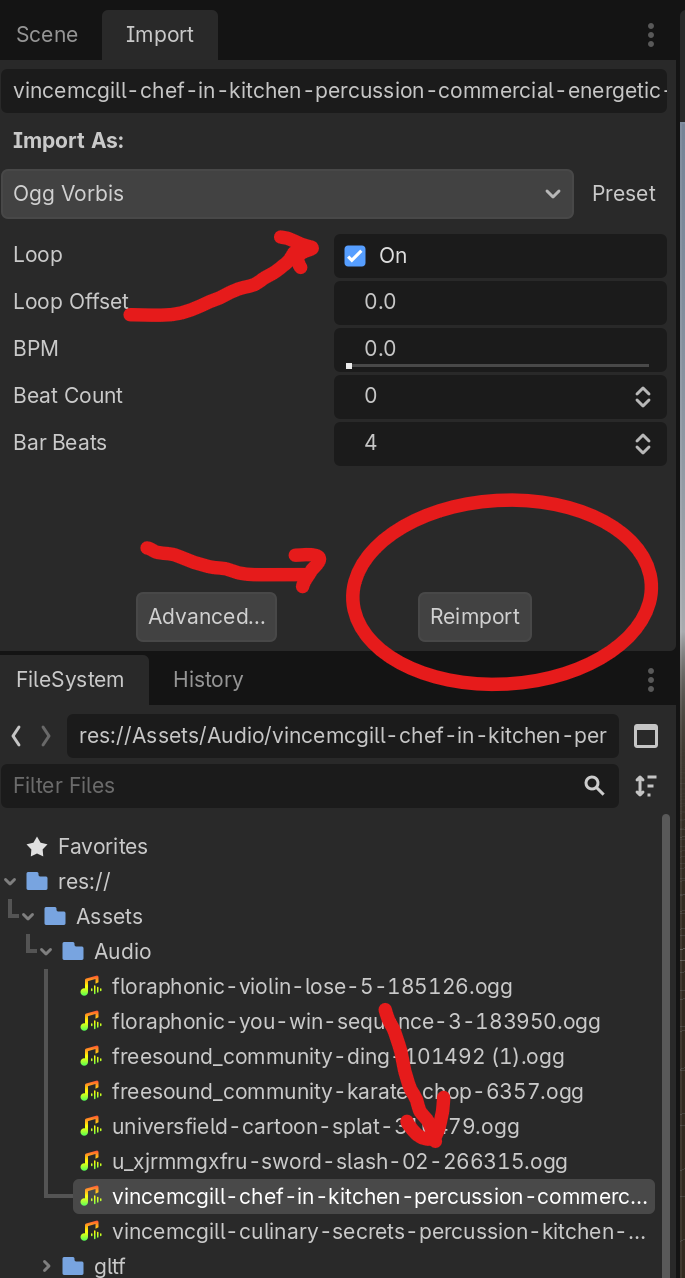
Then you can call it in the editor using an "AudioStreamingPlayer" node.
For something like a main menu, just select "Autoplay" in the inspector. When the scene launches, the music automatically starts and will loop until that scene ends.